
- 対象年齢4+
- カテゴリ仕事効率化
- 開発元Christian Tietze
- 言語英語
- サイズ6.8 MB
App Storeの公式ページにリンクしています
Download.orgはOpen Inviteのファイルを一切ホストしていません。ボタンを押すと、Christian Tietzeが公開しているApp Storeのアプリページが開きます。ページの最終確認:2026/11/12。
スクリーンショット
概要
開発元はこのテキストをお使いの言語で提供していません。
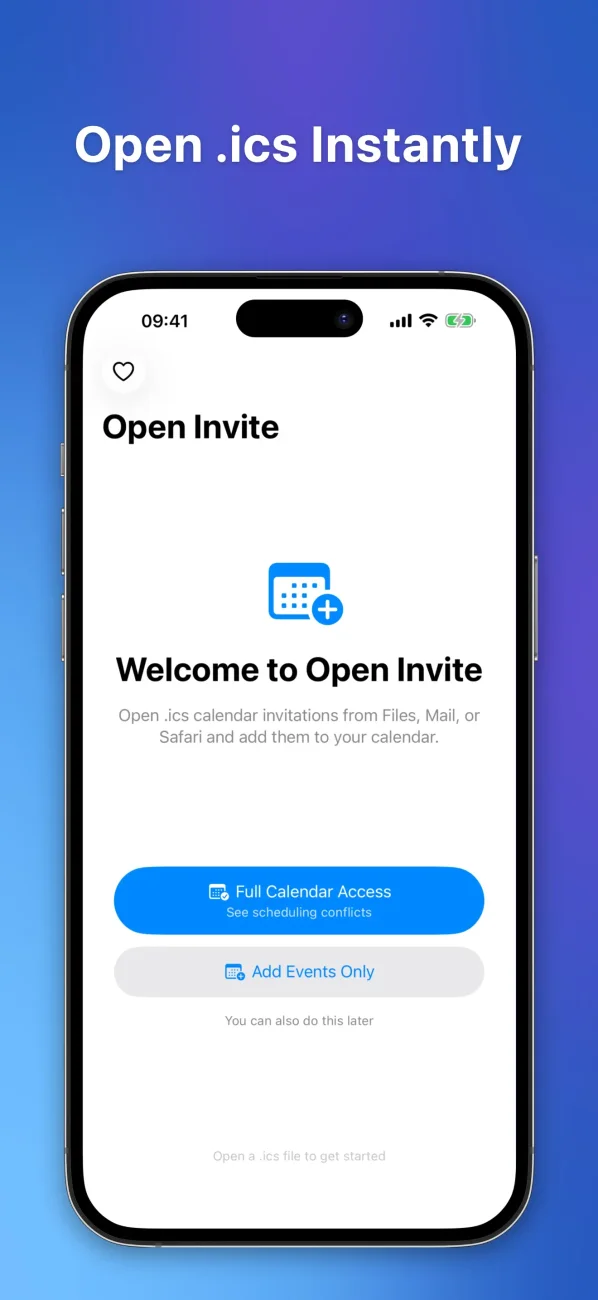
Welcome to Open Invite — the beautiful way to open .ics calendar files on iOS.
• Tap to open calendar invitations from Mail, Safari, or Files
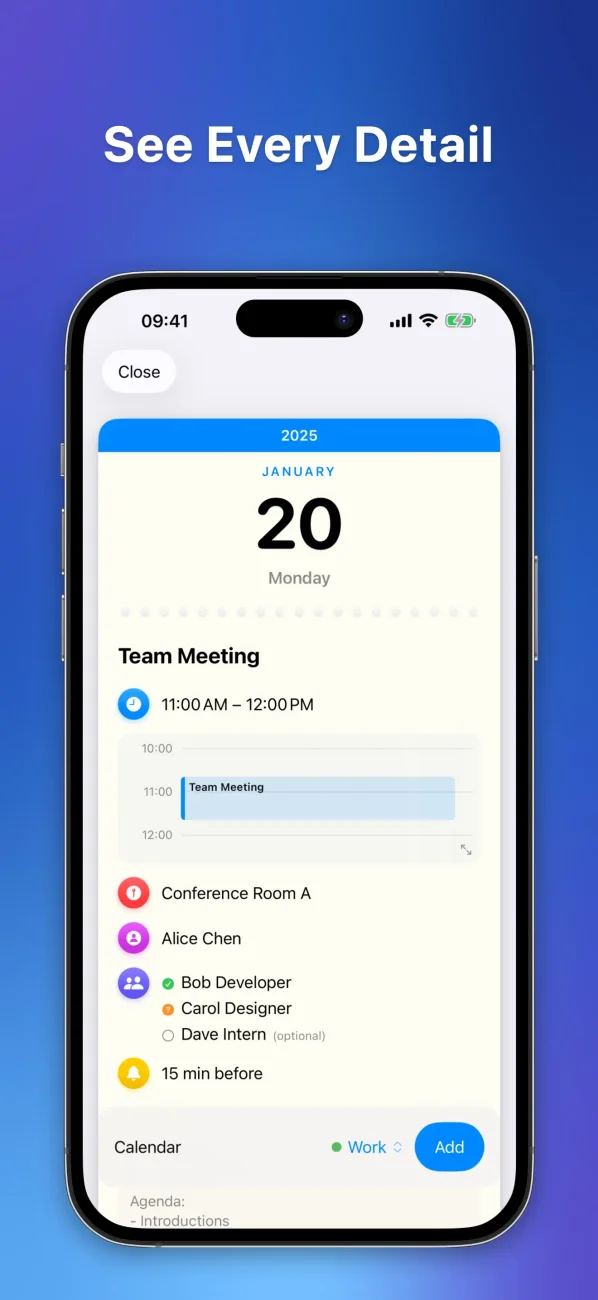
• Preview events before adding with gorgeous invitation cards
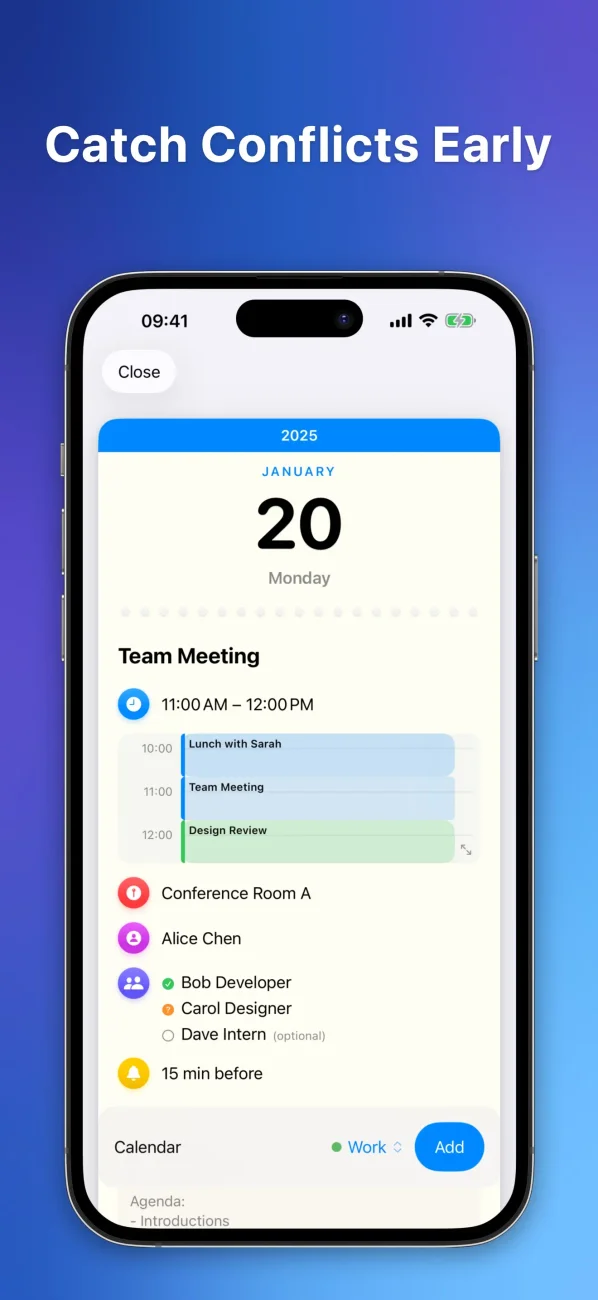
• Catch scheduling conflicts with visual timeline view
• Choose which calendar to use for each event
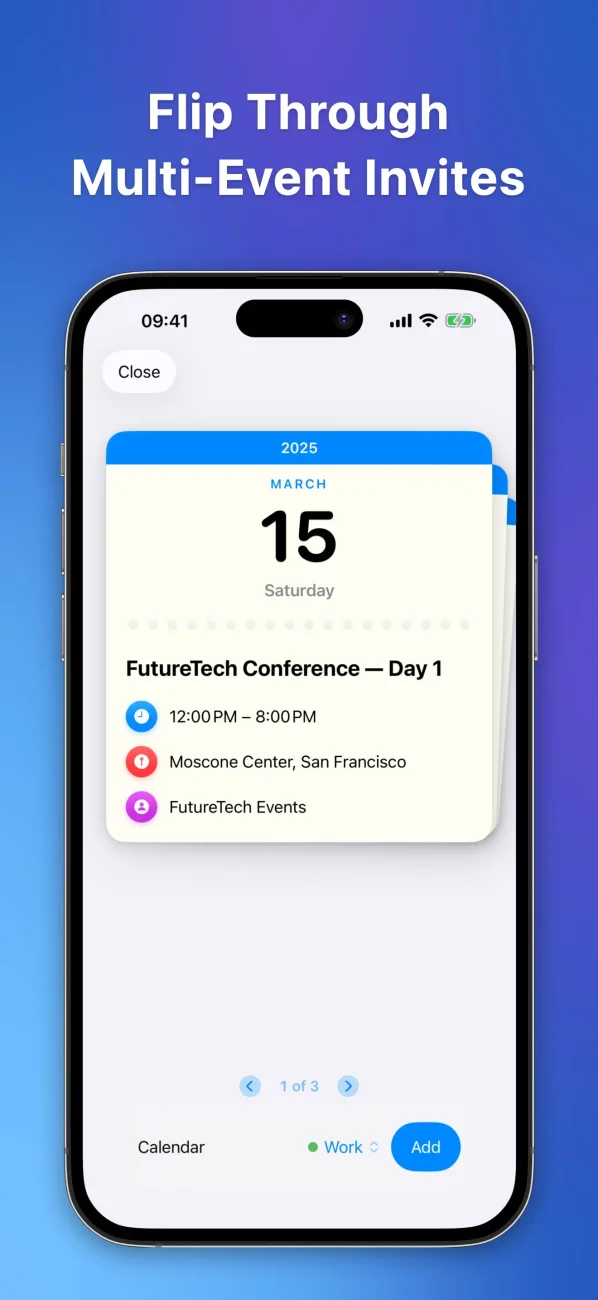
• Swipe through multi-event files as a card stack
• Complete privacy — everything happens on-device
Open Invite handles .ics files the way they should work — tap, preview, add. One second, not one minute.
Stop forwarding calendar invites to yourself: Receive a meeting invitation in Mail, download an event from Safari, or find an .ics file in Files? Just tap it. Open Invite shows you a beautiful preview card with every detail — title, time, location, organizer, attendees, notes — so you can decide before it touches your calendar.
SEE BEFORE YOU COMMIT
Preview the full event as a beautiful invitation card. No more blind adds. No more calendar clutter from events you didn't mean to accept.
CATCH CONFLICTS BEFORE THEY HAPPEN
See a visual timeline of your day alongside the new event. Spot double-bookings before you commit.
KEEP WORK AND LIFE SEPARATE
Pick exactly which calendar to use. Client meetings go in Work, soccer games in Family. Just want speed? Basic access adds to your default calendar instantly.
ONE TAP FROM ANYWHERE
Works with Mail, Safari, Files, or any app that handles calendar files. Open Invite registers as a native file handler — no forwarding to yourself, no copy-pasting dates.
MULTIPLE EVENTS? NO PROBLEM
Some invites contain a full season schedule or conference agenda. Swipe through them like a card deck and add events one at a time.
YOUR CALENDAR STAYS YOURS
Everything happens on your iPhone. Zero cloud servers. Zero tracking. Zero accounts. Progressive calendar access means you choose what the app can see — write-only to add events, or full access for conflict detection and calendar selection.
新機能
バージョン 1.0.1 · 2026/9/23
Time zone differences are handled properly
アプリのプライバシー
このアプリのデータの取り扱いについて、Christian TietzeがApp Storeで申告している内容です。
-
データの収集なし
開発元はこのアプリからデータを収集しません。
プライバシーの取り扱いは、ご利用の機能やお客様の年齢などに応じて異なる場合があります。
情報
- 販売元
- Christian Tietze
- カテゴリ
- 仕事効率化
- バージョン
- 1.0.1
- 更新日
- 2026/9/23
- リリース
- 2026/2/19
- サイズ
- 6.8 MB
- 必要条件
- iOS 26.0以降
- 対象年齢
- 4+
- 価格
- 無料
- アプリ内課金
- あり
- 言語
- 英語
- 著作権
- © 2026 Christian Tietze
こちらもおすすめ
-
 Countdowner: Countdown Widget仕事効率化
-
 TimeDraw仕事効率化
-
 Pilkington Spectrum仕事効率化
-
 Dictus: AI Voice Keyboard仕事効率化
-
 ProAlarm 目覚まし時計: 大音量絶対起きるアラーム二度寝防止ミッションでスヌーズ卒業・朝が変わる最強の快眠習慣
-
 TicWak - AI 音声リマインダー&予定表タスク管理・日課・習慣トラッカー
-
 Flipo - Minimalist Pomodoro仕事効率化
-
 ポモドーロタイマー: Focus Timerタイマー勉強、 タスク管理、 勉強ストップウォッチ
-
 Sandbook: Text to Speech仕事効率化
-
 Wrimie: AI文字起こし・議事録録音・要約・講義ノート・フラッシュカード