PDF Complete - Split & Merge
Merge,Split or Compress localy
iPhone, iPad, iPod touch向けに設計
無料 · アプリ内課金
- 対象年齢4+
- カテゴリ仕事効率化
- 開発元Daniel Viorel Popa
- 言語英語
- サイズ7.3 MB
App Storeの公式ページにリンクしています
Download.orgはPDF Complete - Split & Mergeのファイルを一切ホストしていません。ボタンを押すと、Daniel Viorel Popaが公開しているApp Storeのアプリページが開きます。ページの最終確認:2026/11/12。
スクリーンショット
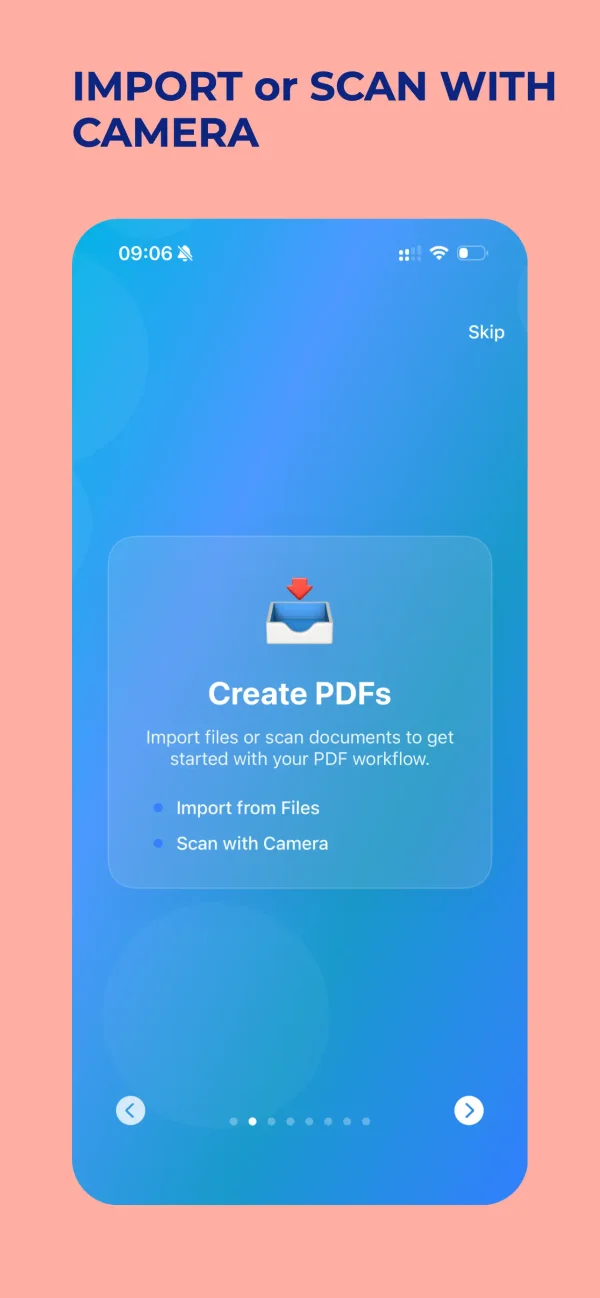

概要
開発元はこのテキストをお使いの言語で提供していません。
Transform how you work with PDFs on your iPhone and iPad. PDF Complete is your all-in-one PDF toolkit that works entirely offline, keeping your documents private and secure.
CORE FEATURES
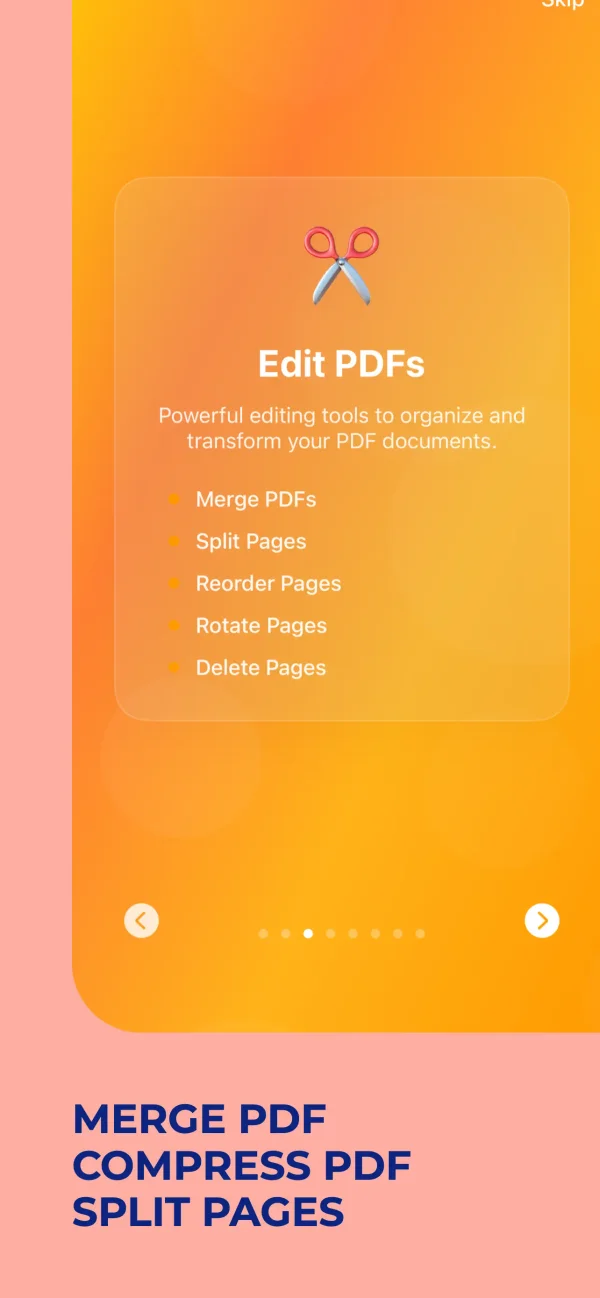
Merge Multiple PDFs
Combine unlimited PDF files into one document. Drag to reorder pages, rotate them, and delete unwanted pages before merging.
Split PDFs
Extract specific pages or ranges from any PDF. Create multiple documents from a single file in seconds.
Document Scanning
Use your camera to scan paper documents and convert them directly to PDF. Perfect for receipts, contracts, and notes.
Compress PDFs
Reduce file size while maintaining quality. Choose from multiple compression levels to balance size and readability.
PDF Library
Keep all your processed documents organized in one place. Quick access to recently merged or edited files.
PROFESSIONAL TOOLS
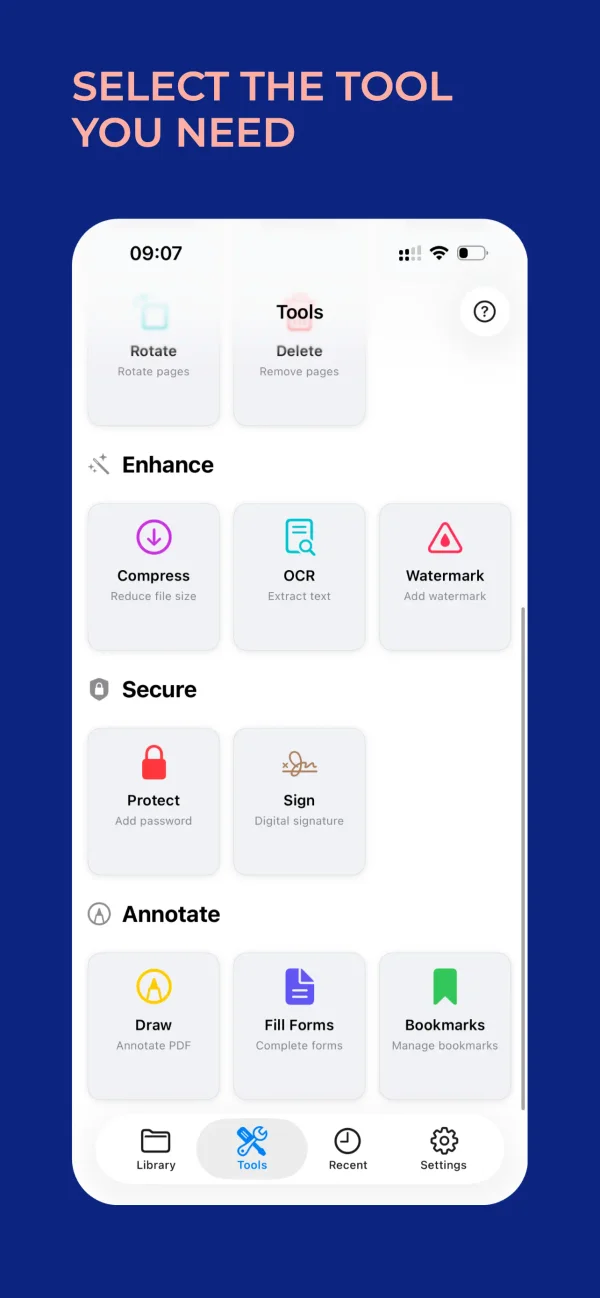
Digital Signatures
Create and save multiple signatures. Apply them to any PDF with precise placement and sizing controls.
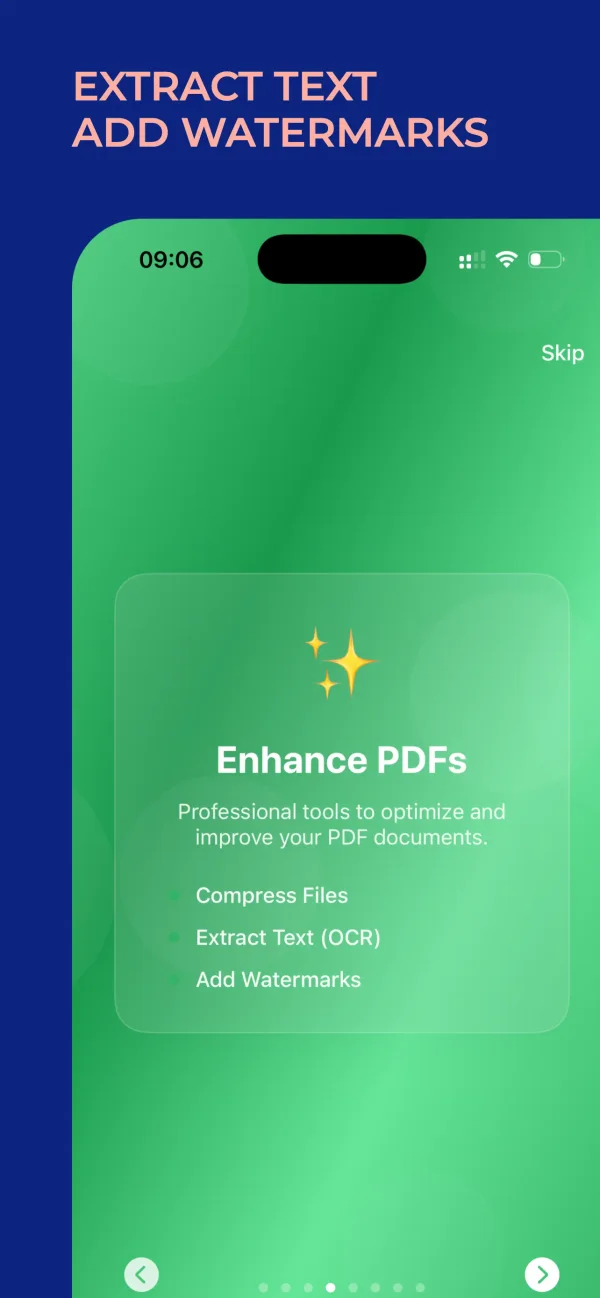
Text Extraction (OCR)
Extract text from scanned documents and images. Copy, share, or search through the extracted content.
Watermarks
Add text or image watermarks to protect your documents. Customize opacity, position, and rotation.
Password Protection
Secure sensitive PDFs with user and owner passwords.
Annotations
Highlight, underline, and add notes to PDFs. Draw freehand or add text annotations anywhere on the page.
Form Filling
Fill out PDF forms directly on your device. Automatically detects and fills form fields.
Bookmarks
Navigate large documents easily with bookmark support. View and manage existing bookmarks.
WHY PDF COMPLETE?
√ 100% Offline - All processing happens on your device. No uploads, no cloud dependency.
√ Privacy First - Your documents never leave your device unless you choose to share them.
√ Fast & Efficient - Optimized for iOS with smooth performance even with large files.
√ Intuitive Interface - Clean design following Apple's Human Interface Guidelines.
√ No Subscriptions Required - Full functionality available without recurring fees.
√ Universal App - Works seamlessly on iPhone and iPad with optimized layouts.
PERFECT FOR
- Students merging lecture notes and assignments
- Business professionals handling contracts and reports
- Remote workers managing documents on the go
- Anyone who needs quick PDF editing without a computer
FILE MANAGEMENT
- Import from Files
- Scan documents using your device camera
- Preview PDFs before sharing
- Share via Mail, Messages, AirDrop, or any app
Save processed documents to your library or Files app
Download PDF Complete today and experience professional PDF editing right on your iPhone or iPad - no internet required!
新機能
バージョン 3 · 2025/11/28
stability and improvements
アプリのプライバシー
このアプリのデータの取り扱いについて、Daniel Viorel PopaがApp Storeで申告している内容です。
-
ユーザーのトラッキングに使用されるデータ
他社のアプリやウェブサイトを横断してユーザーをトラッキングする目的で使用される場合があります。
- 位置情報
- ID
- 診断
-
ユーザーに関連付けられたデータ
収集され、ユーザーの識別情報に関連付けられる場合があります。
- 購入
- 位置情報
-
ユーザーに関連付けられないデータ
収集される場合がありますが、ユーザーの識別情報には関連付けられません。
- ID
- 使用状況データ
- 機密情報
- 診断
プライバシーの取り扱いは、ご利用の機能やお客様の年齢などに応じて異なる場合があります。
情報
- 販売元
- Daniel Viorel Popa
- カテゴリ
- 仕事効率化
- バージョン
- 3
- 更新日
- 2025/11/28
- リリース
- 2025/11/7
- サイズ
- 7.3 MB
- 必要条件
- iOS 15.6以降
- 対象年齢
- 4+
- 価格
- 無料
- アプリ内課金
- あり
- 言語
- 英語
- 著作権
- © Daniel Viorel Popa
こちらもおすすめ
-
 All Document Reader Pro仕事効率化
-
 AI Booster:高速VPN・プロキシWARP・WireGuard・無料サーバー
-
 Awesome Copy Mobile Clipboard仕事効率化
-
 Fexo All File Converter仕事効率化
-
 PDF Editor & Scanner:PDF Tools仕事効率化
-
 File Doctor仕事効率化
-
 Scano Docs – PDF Maker仕事効率化
-
 txt.edit: Code & Text Editor仕事効率化
-
 Contacts Master:Clean & Export仕事効率化
-
 Nexus 万能電卓履歴付きスマート電卓