- 対象年齢4+
- カテゴリビジネス
- 開発元Kirti Arya
- 言語英語
- サイズ7.6 MB
App Storeの公式ページにリンクしています
Download.orgはPDF Compressor Appのファイルを一切ホストしていません。ボタンを押すと、Kirti Aryaが公開しているApp Storeのアプリページが開きます。ページの最終確認:2026/11/12。
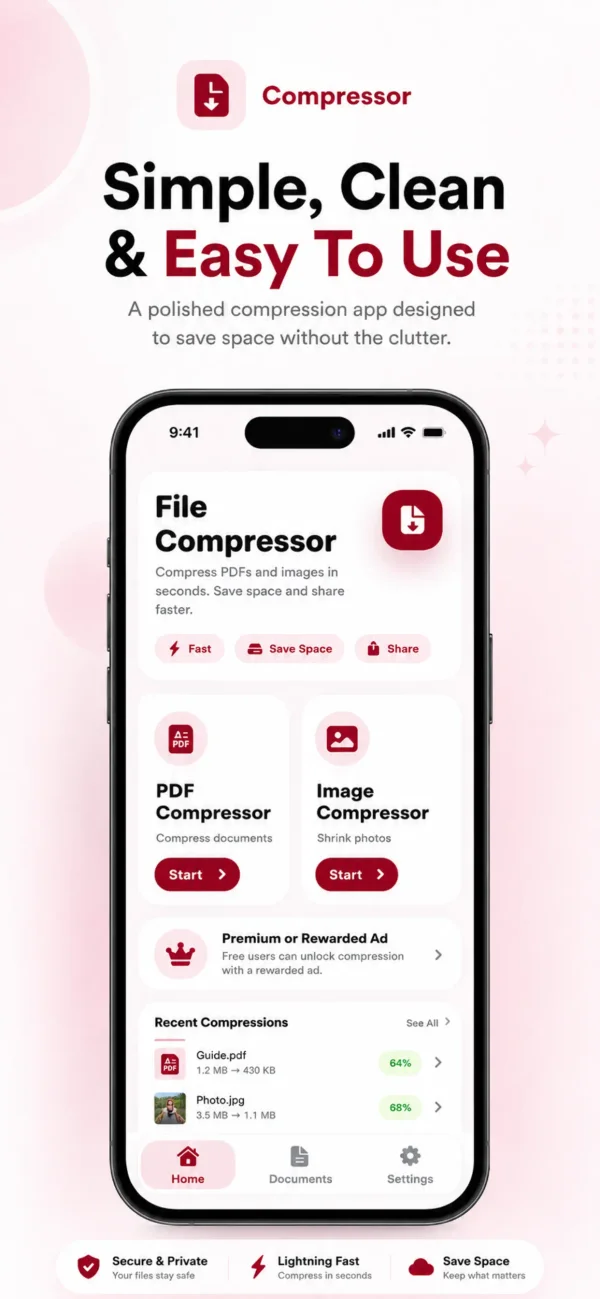
スクリーンショット




概要
開発元はこのテキストをお使いの言語で提供していません。
PDF Converter & Compressor – Fast, Smart & Secure
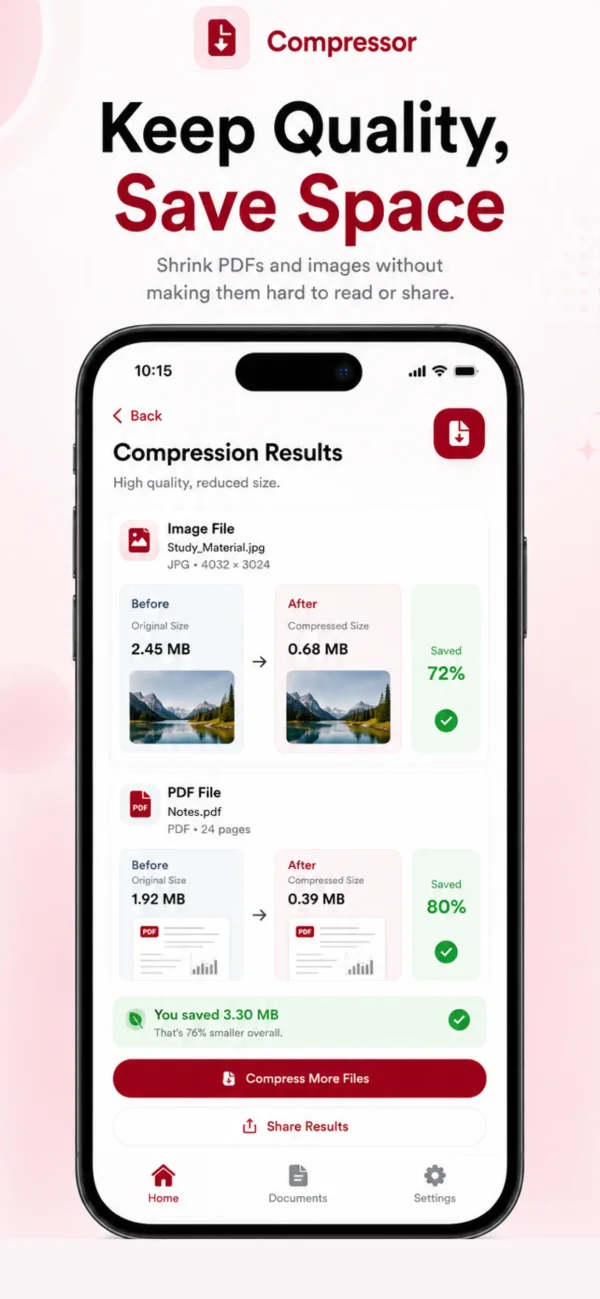
Easily compress PDF files and images on your iPhone with PDF Converter & Compressor — a simple, powerful, and privacy-focused tool designed to reduce file size without compromising quality.
Whether you need to share documents faster, save storage space, or upload files with size limits, this app helps you compress PDFs and images in just a few taps.
Powerful PDF & Image Compression
Reduce file size quickly with smart compression technology.
You can compress:
• PDF documents
• Images (JPG, PNG, and more)
• Scanned files and large documents
Choose the compression level that fits your needs and get instant results.
3 Compression Levels – Full Control
You decide how much to compress your files:
• Maximum Compression – Best for sharing and saving space
• Balanced Compression – Reduced size with good quality
• Low Compression – Minimal size reduction with high quality
Ideal for emails, cloud uploads, messaging apps, and professional use.
All Compressed Files in One Place
Never lose track of your documents.
All compressed PDFs and images are automatically saved in a dedicated section, allowing you to:
• View all compressed files
• Preview documents anytime
• Manage your files easily
Everything stays organized and accessible.
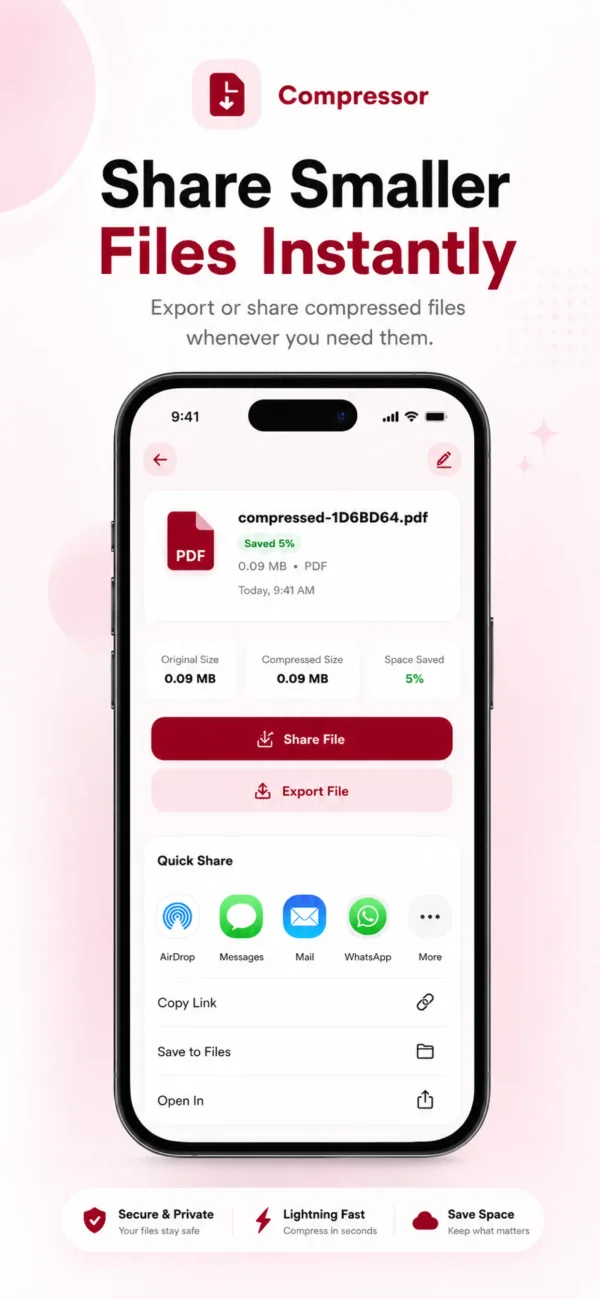
Save or Share Instantly
Once compression is complete, you can:
• Save files directly to the Files app
• Share via WhatsApp, Mail, AirDrop, or any supported app
• Send documents instantly without size issues
No extra steps. No confusion.
Fast, Offline & Secure
• Lightning-fast processing
• Works offline with no internet required
• Files stay on your device
• No uploads, no tracking, full privacy
Your documents remain completely secure.
Simple & Elegant iOS Design
Designed specifically for iOS with a clean, modern interface that feels natural and easy to use.
No technical knowledge needed — just select, compress, and share.
Why Choose PDF Converter & Compressor?
• Compress PDF and image files
• Choose from three compression levels
• Manage all compressed files in one place
• Save to device or share instantly
• Offline and privacy-friendly
• Fast, simple, and reliable
Subscription - Just $4.99 for lifetime subscription
Privacy Poliy - https://compressedpdfimg.blogspot.com/2026/01/privacy-policy.html
新機能
バージョン 1.0.8 · 2026/6/3
We’ve updated the app with a cleaner and smoother UI for a better compression experience.
This version also improves the PDF and image compression flow, saved file management, and file actions like share, export, rename, and delete.
アプリのプライバシー
このアプリのデータの取り扱いについて、Kirti AryaがApp Storeで申告している内容です。
-
データの収集なし
開発元はこのアプリからデータを収集しません。
プライバシーの取り扱いは、ご利用の機能やお客様の年齢などに応じて異なる場合があります。
情報
- 販売元
- Kirti Arya
- カテゴリ
- ビジネス
- バージョン
- 1.0.8
- 更新日
- 2026/6/3
- リリース
- 2026/1/10
- サイズ
- 7.6 MB
- 必要条件
- iOS 18.5以降
- 対象年齢
- 4+
- 価格
- 無料
- アプリ内課金
- あり
- 言語
- 英語
- 著作権
- © compressor