- 対象年齢17+
- カテゴリ仕事効率化
- 開発元Selcuk KAYA
- 言語英語
- サイズ21.7 MB
App Storeの公式ページにリンクしています
Download.orgはPDF Creator & Document Editorのファイルを一切ホストしていません。ボタンを押すと、Selcuk KAYAが公開しているApp Storeのアプリページが開きます。ページの最終確認:2026/11/14。
スクリーンショット


概要
開発元はこのテキストをお使いの言語で提供していません。
PDF Creator & Document Editor is your ultimate all-in-one offline utility for generating, merging, scanning, and protecting PDF documents directly on your iPhone or iPad. Built for maximum speed, security, and visual clarity, the app operates 100% locally on your device to keep your confidential documents private.
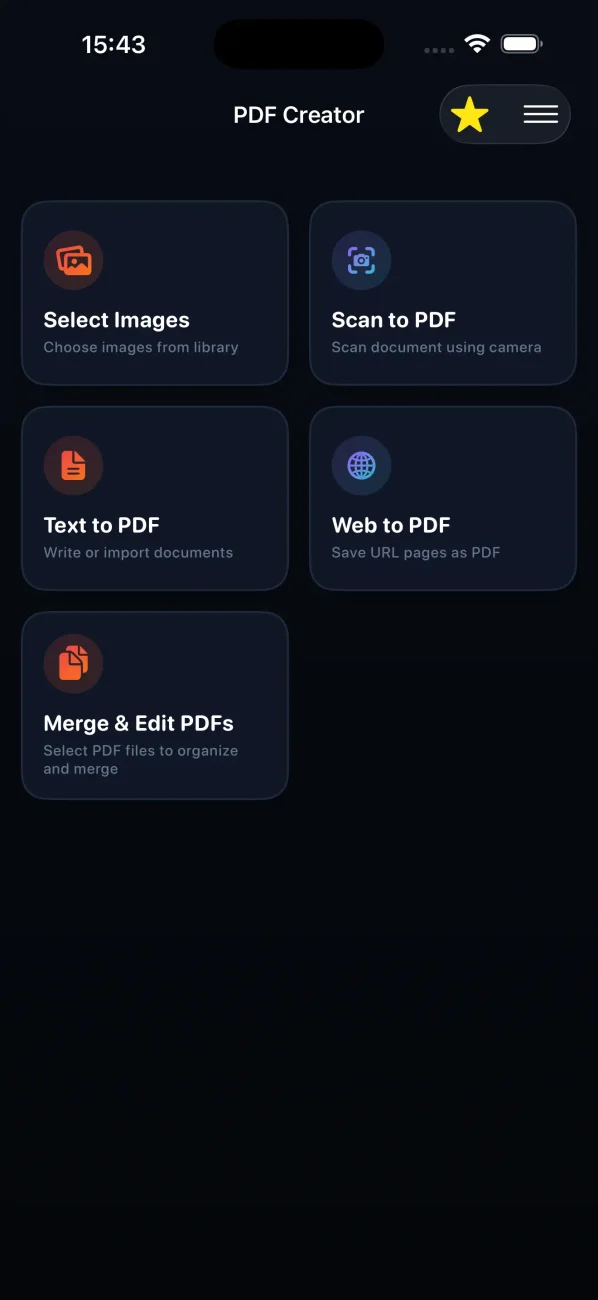
Whether you need to scan contracts with smart edge detection, convert web pages for offline reference, draft rich text documents, extract text from screenshots using local OCR, or combine multiple PDF files into one clean document, PDF Creator has you covered.
CORE FEATURES:
1. Smart Document Scanner
- Auto Edge Detection: Capture documents using your camera with built-in perspective correction, auto-rotation, and automatic bounding box crop.
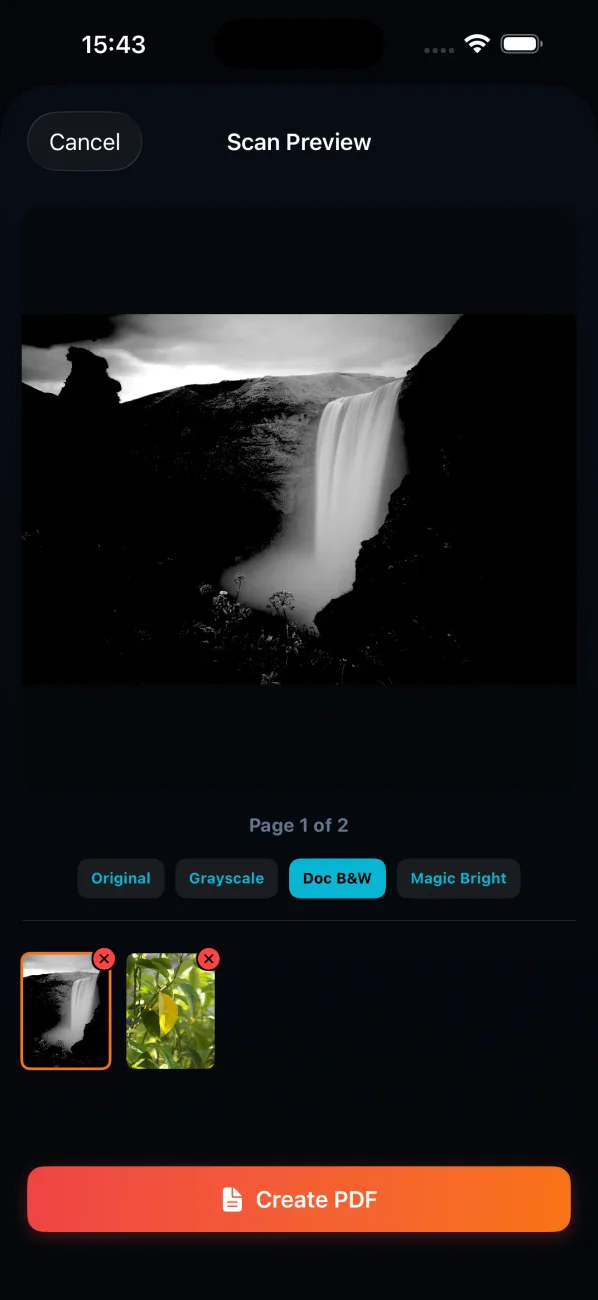
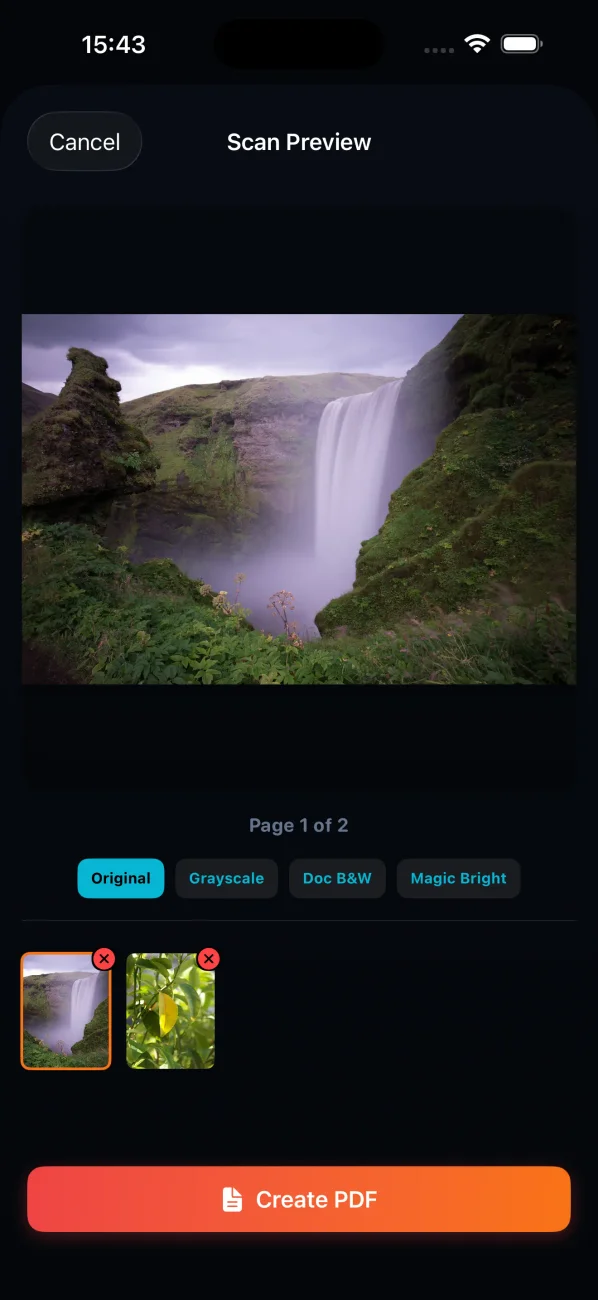
- Professional Enhancements: Clean up scans using high-quality filters:
- Original: Maintain the exact colors of the capture.
- Grayscale: Clean monochromatic layout.
- Document B&W: High-contrast black and white for sharp text readability.
- Magic Bright: Boost exposure, contrast, and sharpness to remove shadows.
- Scan Preview: Review all scanned pages in a fluid scrolling list, delete unneeded pages, and adjust filters page-by-page.
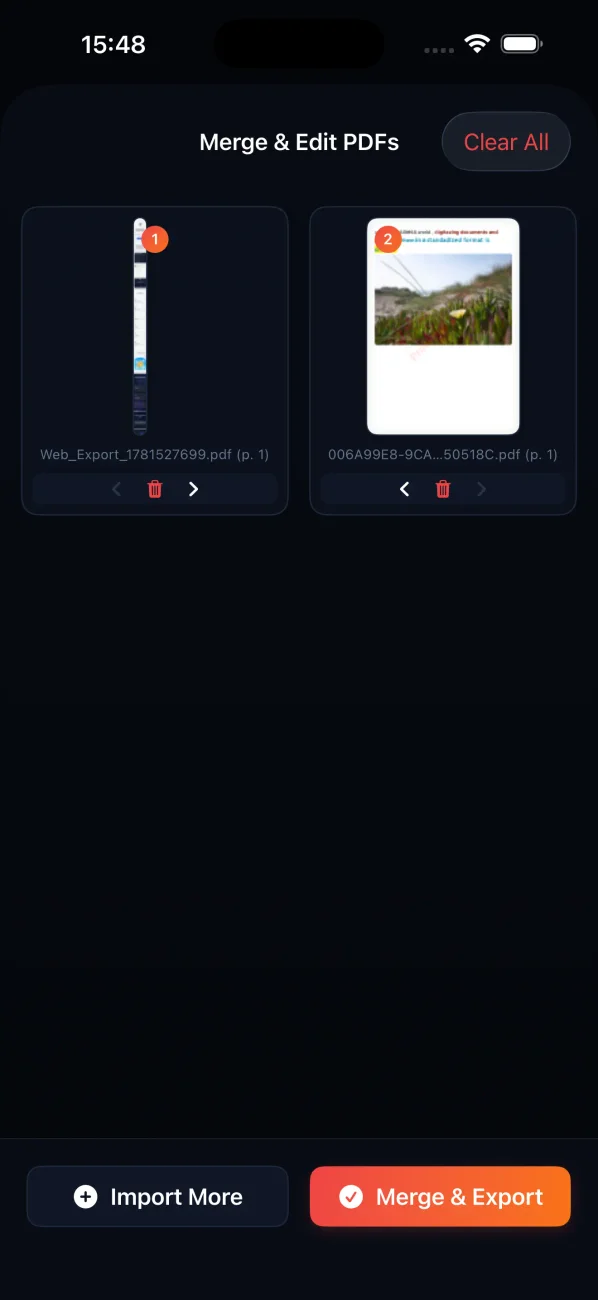
2. Advanced Multi-PDF Organizer & Merger
- Merge Multiple PDFs: Select multiple PDF documents from your device's files.
- Page-Level Control: Extract and render pages as thumbnails, and sort them dynamically.
- Interactive Sorting: Move pages left/right or delete individual pages in a single tap before exporting. Combine pages into a single merged PDF instantly.
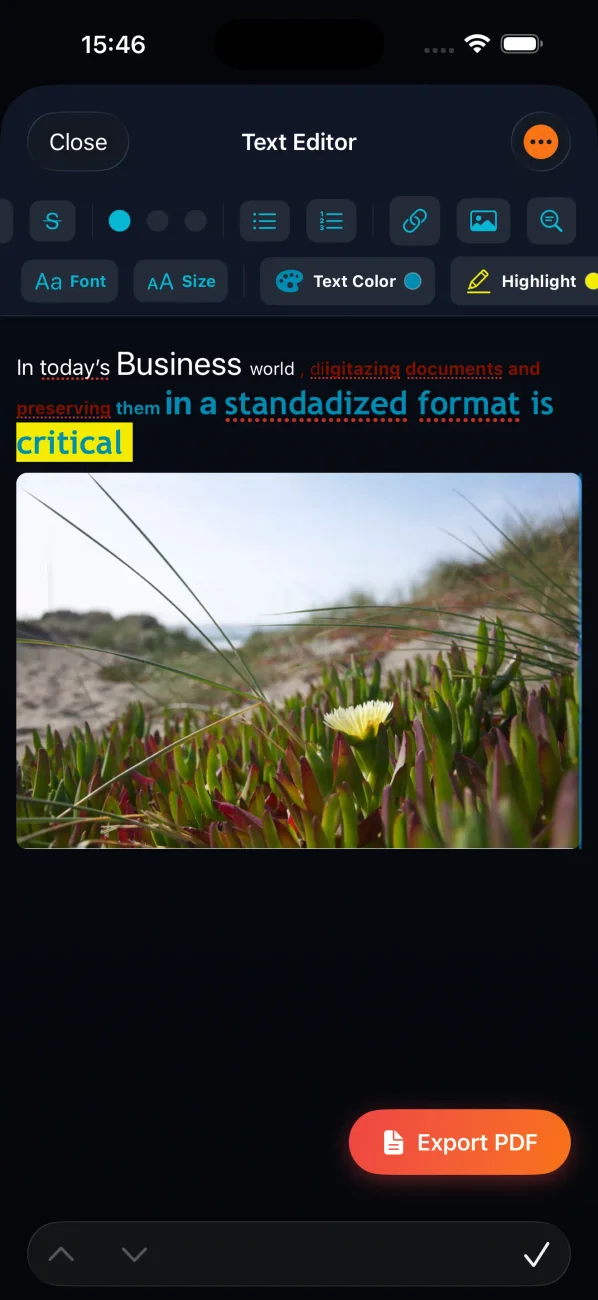
3. Rich Text to PDF Editor
- Complete Formatting: Custom font selection, sizes, colors, text alignment (left, center, right), bold, italic, underline, strikethrough, links, and bullet/numbered lists.
- Highlight Color Control: Highlight text with tailored colors and full opacity adjustments. Clear highlighting instantly with a dedicated sweep button.
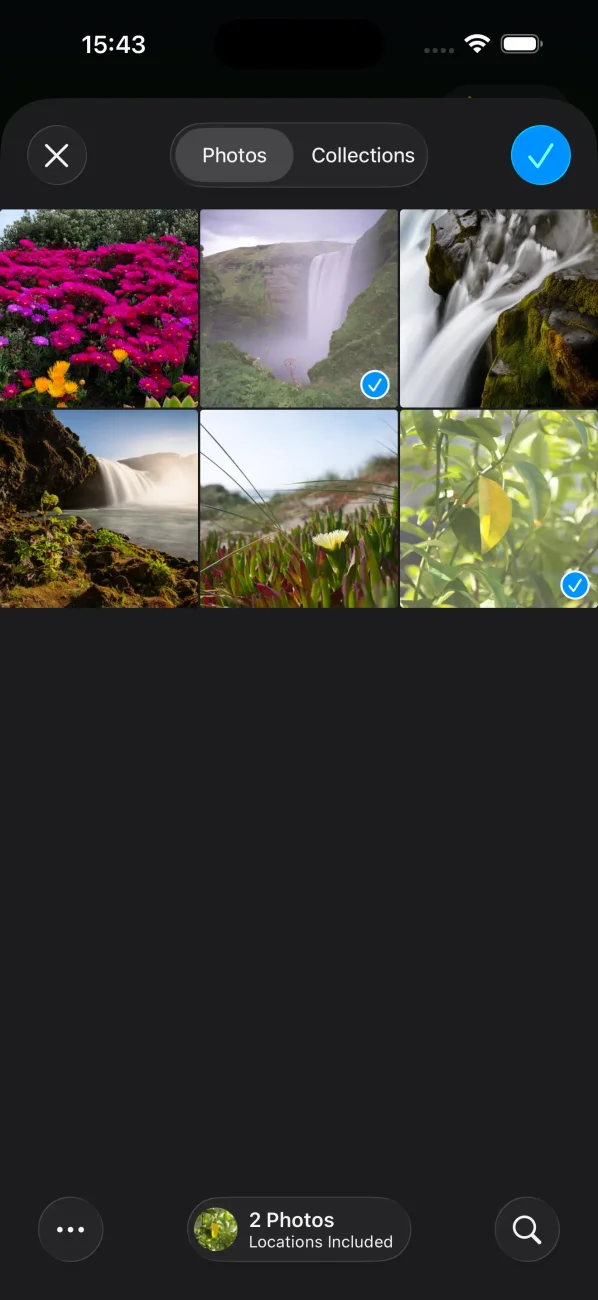
- Local Image Insertion: Insert images from your library or camera directly into the editor document. Images are compressed and scaled for optimized, offline PDF generation.
- Local OCR Text Scanner: Capture a photo of printed text, and the app will instantly read the text offline and insert it directly at your editor's cursor position.
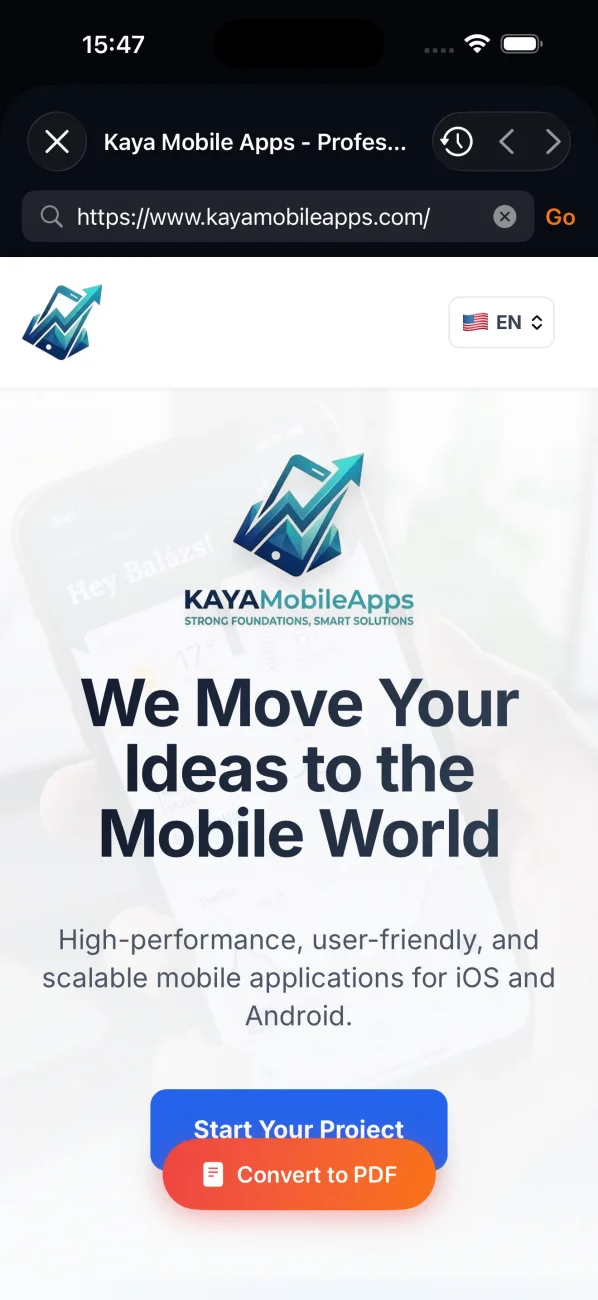
4. Web to PDF Converter
- Clean Web Rendering: Type a URL or search to load pages in the secure browser. Save entire web pages as formatted PDFs.
- Smart URL Normalization: Automatically formats entered text into secure https URLs.
- Search History: Access past successful browsing paths via the history menu. Clear records with one-tap clearing.
5. PDF Security & Watermarking
- Secure PDF Encryption: Lock exported files with robust password protection. Unauthorized users will be prompted for a password when opening the document on any compatible PDF reader.
- Text Watermarks: Prevent plagiarism by applying a semi-transparent, diagonal text watermark (e.g., "CONFIDENTIAL" or "DRAFT") across each page.
6. Multi-Language Localization
- The entire app interface is localized into 20 languages: English, Español, Türkçe, Français, Deutsch, Italiano, Português, Русский, 简体中文, 日本語, 한국어, العربية, हिन्दी, Nederlands, Polski, Tiếng Việt, Bahasa Indonesia, Svenska, Українська, and Română.
新機能
バージョン 1.0.2 · 2026/6/23
UI Improvements
アプリのプライバシー
このアプリのデータの取り扱いについて、Selcuk KAYAがApp Storeで申告している内容です。
-
ユーザーのトラッキングに使用されるデータ
他社のアプリやウェブサイトを横断してユーザーをトラッキングする目的で使用される場合があります。
- ID
-
ユーザーに関連付けられないデータ
収集される場合がありますが、ユーザーの識別情報には関連付けられません。
- 連絡先情報
- ユーザーコンテンツ
- ID
- 使用状況データ
- 診断
プライバシーの取り扱いは、ご利用の機能やお客様の年齢などに応じて異なる場合があります。
情報
- 販売元
- Selcuk KAYA
- カテゴリ
- 仕事効率化
- バージョン
- 1.0.2
- 更新日
- 2026/6/23
- リリース
- 2026/6/18
- サイズ
- 21.7 MB
- 必要条件
- iOS 26.5以降
- 対象年齢
- 17+
- 価格
- 無料
- 言語
- 英語
- 著作権
- © 2026 KayaMobileApps