- 対象年齢4+
- カテゴリ写真/ビデオ
- 開発元Michael Schmid
- 言語英語ほか1言語
- サイズ6.9 MB
App Storeの公式ページにリンクしています
Download.orgはPicturePresenterのファイルを一切ホストしていません。ボタンを押すと、Michael Schmidが公開しているApp Storeのアプリページが開きます。ページの最終確認:2026/11/13。
スクリーンショット


概要
開発元はこのテキストをお使いの言語で提供していません。
Picture Presenter shows your photos on a projector, TV or monitor connected via HDMI or AirPlay – filling the screen at native resolution, without the black bars of screen mirroring.
THE PROBLEM
When you plug an iPhone into a projector, iOS normally mirrors the screen: the entire 19.5:9 iPhone display is fitted onto the canvas, leaving black bars left and right and making your photo small.
THE SOLUTION
Picture Presenter takes over the external display with its own window. A 16:9 projector becomes a true 16:9 canvas, a 16:10 monitor a 16:10 canvas – always at the highest mode the display offers. Your iPhone stays the remote control: the big screen only ever shows the picture, never the controls.
FEATURES
• Browse your library, your own albums and favorites
• Fullscreen viewer just like the Photos app: swipe to flip through, every picture appears instantly on the big display
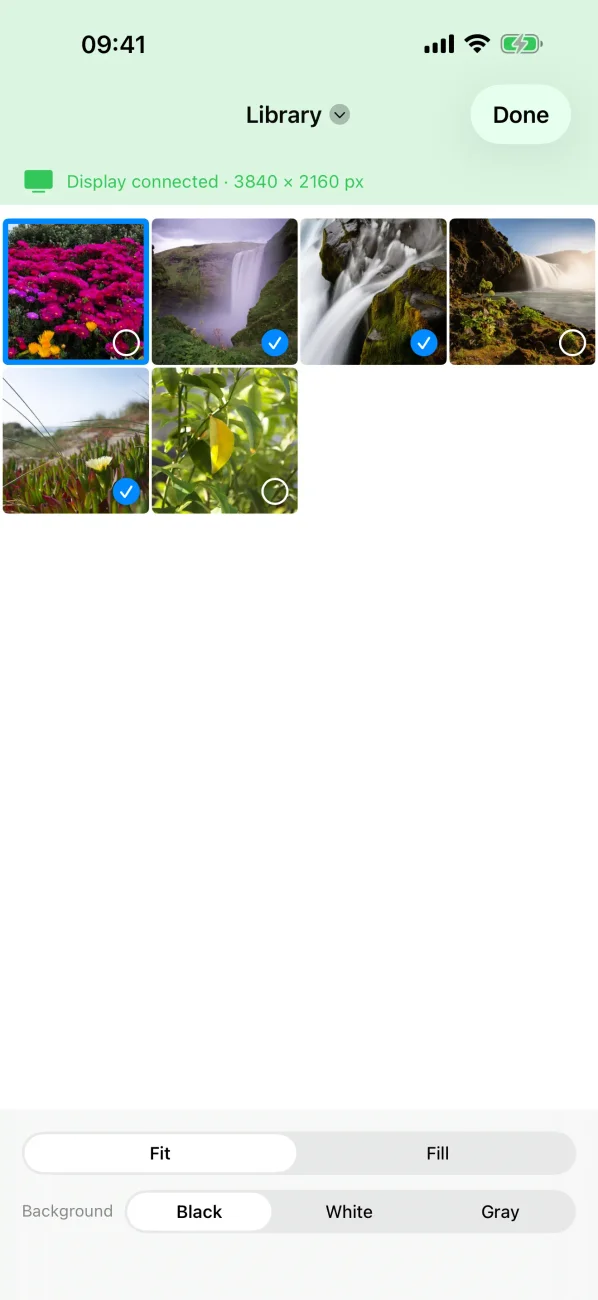
• Fit (whole picture visible) or fill (edge to edge, cropped)
• Choose the matte color for bars: black, white or gray
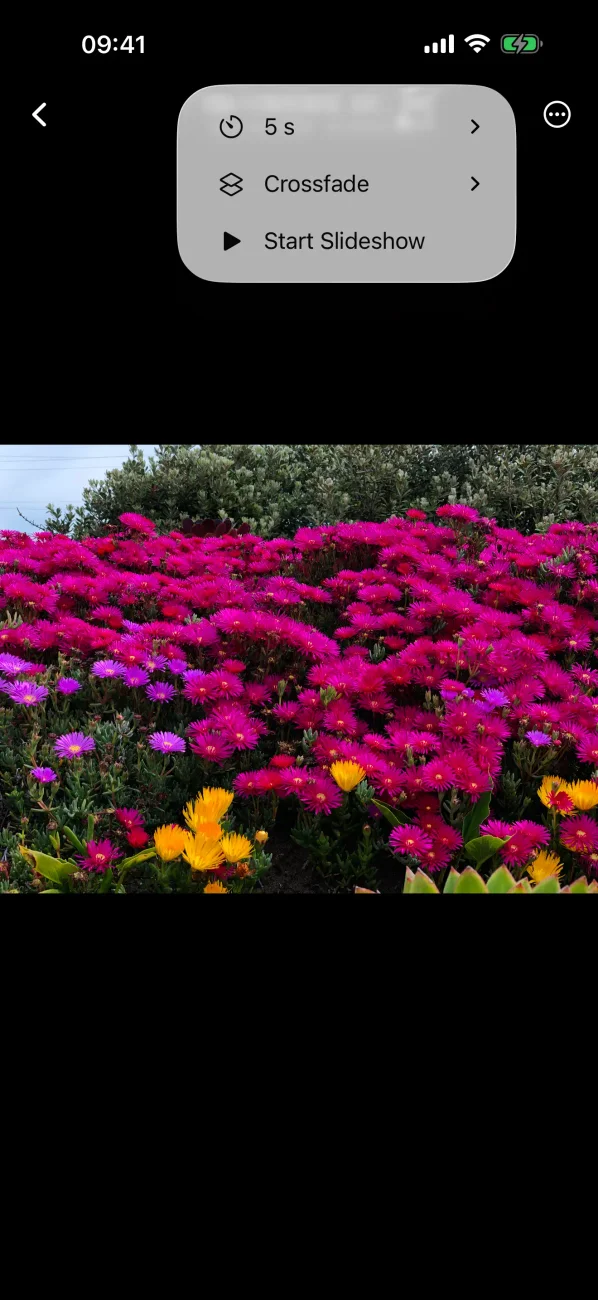
• Slideshow with configurable duration per picture and transition – true crossfade or push
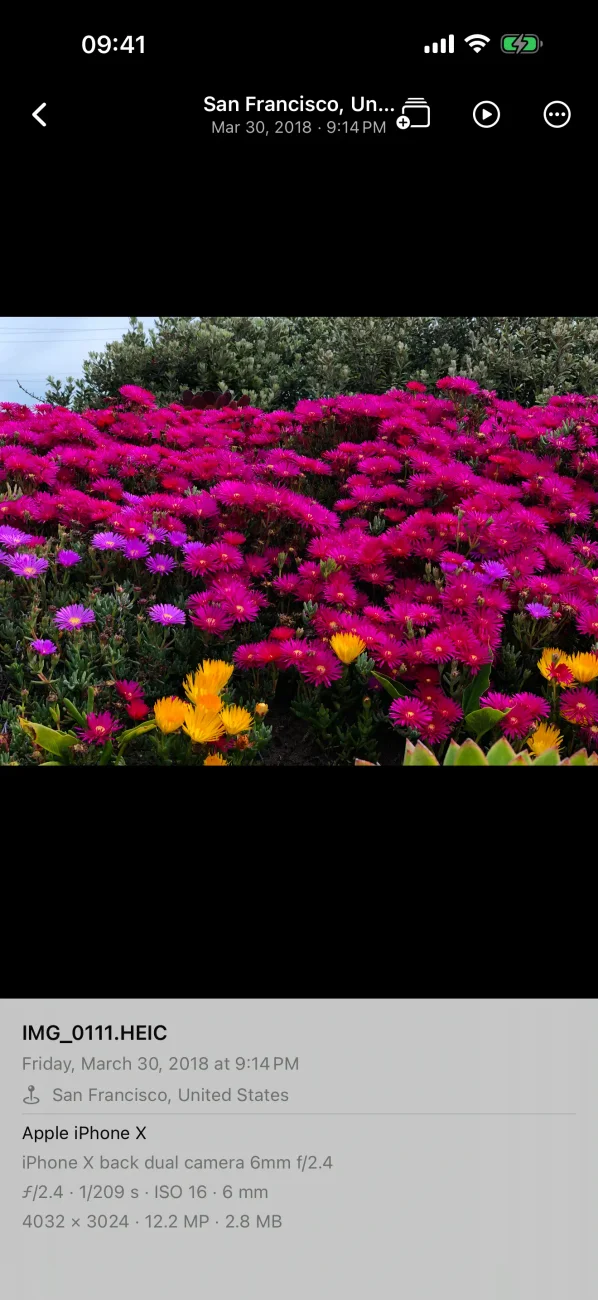
• Info view with capture details (date, location, camera, exposure, resolution) – optionally as an overlay on the big picture
• Quick collection: tap pictures in selection mode to assemble your own presentation set – stored across launches
• iCloud photos are downloaded automatically at full resolution when needed, with a progress bar
CONNECTION & REQUIREMENTS
• iOS 17 or later
• USB-C (DisplayPort Alt Mode): iPhone 15 and later – native signal, up to 4K depending on device
• Lightning: Apple Digital AV Adapter – up to 1080p
• AirPlay: streaming to an Apple TV is supported as well
The app owns the display while it is open; on the home screen iOS mirrors again.
PRIVACY
Your photos stay on your device. No account, no ads, no tracking, no data collection.
NEW: APPLE WATCH REMOTE
Browse from your wrist, start or pause your slideshow, and see a small preview of the next photo. The Digital Crown moves through photos in discrete steps. The companion requires watchOS 10 or later and the iPhone app to remain open; your iPhone continues to output the presentation.
新機能
バージョン 1.1 · 2026/10/1
Picture Presenter comes to Apple Watch:
• Move to the previous or next photo and start or pause your slideshow right from your wrist.
• See the current photo count and a small preview of the next photo.
• Browse with the Digital Crown in discrete steps with haptic feedback.
Your iPhone continues to run the presentation. Open a photo there and keep the app open. The screen now stays awake while the photo viewer is open.
アプリのプライバシー
このアプリのデータの取り扱いについて、Michael SchmidがApp Storeで申告している内容です。
-
データの収集なし
開発元はこのアプリからデータを収集しません。
プライバシーの取り扱いは、ご利用の機能やお客様の年齢などに応じて異なる場合があります。
情報
- 販売元
- Michael Schmid
- カテゴリ
- 写真/ビデオ
- バージョン
- 1.1
- 更新日
- 2026/10/1
- リリース
- 2026/7/30
- サイズ
- 6.9 MB
- 必要条件
- iOS 17.0以降
- 対象年齢
- 4+
- 価格
- 無料
- アプリ内課金
- あり
- 言語
- 英語, ドイツ語
- 著作権
- © Michael Schmid