- 対象年齢4+
- カテゴリ仕事効率化
- 開発元Niklaus Olsen
- 言語英語ほか6言語
- サイズ7.4 MB
App Storeの公式ページにリンクしています
Download.orgはPlanMeasureのファイルを一切ホストしていません。ボタンを押すと、Niklaus Olsenが公開しているApp Storeのアプリページが開きます。ページの最終確認:2026/11/22。
スクリーンショット



概要
開発元はこのテキストをお使いの言語で提供していません。
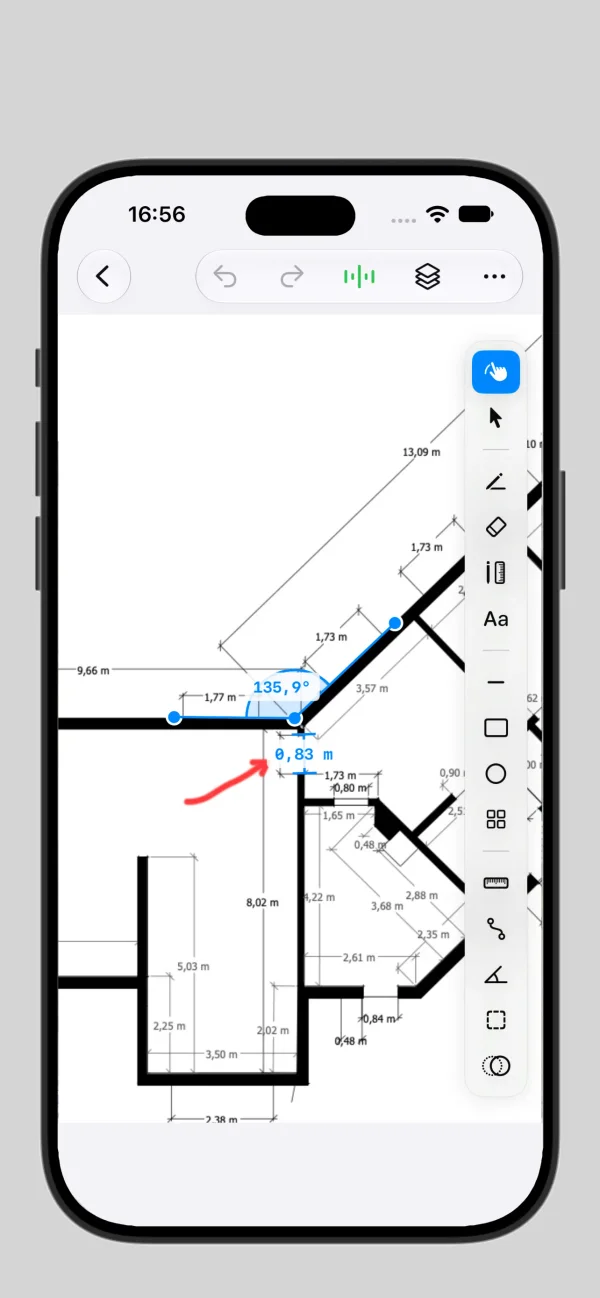
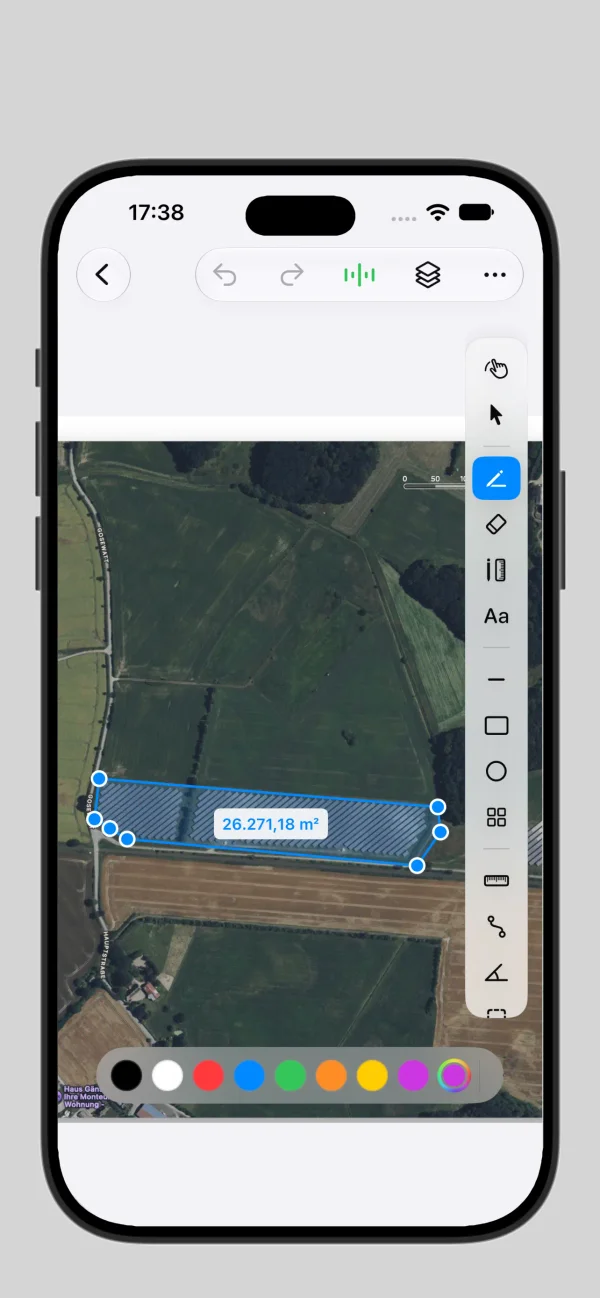
Turn any floor plan, blueprint, site map, or aerial photo into a precision measuring tool. Import a plan from Files, Photos, or directly from Apple Maps, set the scale with two taps on a known reference, and then measure every distance, area, and angle without leaving your iPad or iPhone.
CALIBRATE ONCE, MEASURE FOREVER
PlanMeasure works on any image. Drop in a PDF blueprint, a photo of a printed plan, or pull a
satellite view straight from the map. Tap two points on a known reference (a door, a parking space,
a property edge), enter the real-world length, and every following measurement is calibrated to
the same scale.
EVERYTHING YOU NEED TO MEASURE
• Ruler — tap two points, see the distance instantly with unit-correct labels
• Polyline — measure complex paths and chained distances point by point
• Area — trace a polygon, get the total area with Shoelace-formula precision
• Angle — tap three points to measure any angle, with live arc preview
• Protractor — drop a draggable, rotatable protractor anywhere on the plan
• Apple Pencil ruler — draw straight lines along the native iOS ruler
ANNOTATE WITHOUT LEAVING THE PLAN
Add lines, rectangles, ellipses, freehand sketches, and industry-standard symbols (furniture,
machinery, solar arrays) directly on your plan. Organize them in layers — show, hide, or fade
individual layers as needed. The wipe-eraser carves through anything (drawings, symbols,
measurements) with clean masking, not destructive deletes.
BUILT FOR REAL WORK
PlanMeasure is the tool architects, builders, solar installers, surveyors, landscapers, and real
estate professionals use on site:
• Quick wall-to-wall checks during a survey
• Solar panel area calculations on satellite imagery
• Square footage estimates for offers and quotes
• Site distance planning for landscaping
• Furniture placement on existing floor plans
EXPORT & SHARE
Export your annotated plan as PDF or PNG with a clean footer showing scale, date, and project name.
Send it via Mail, Files, AirDrop — or feed it into your usual workflow.
PRIVACY FIRST
Your projects stay on your device by default. iCloud sync is opt-in during onboarding — you decide
whether your plans live only on this iPad/iPhone or sync between your devices via your private
iCloud account. No analytics, no third-party tracking, no servers in the middle.
FREE TIER
Start for free with up to 3 projects. Unlock unlimited projects, PDF and PNG export, and all
advanced annotation features with PlanMeasure Pro (subscription, cancel anytime).
WHAT'S INCLUDED
• Multi-project organization with search
• Unlimited measurement annotations per project
• Layer-based annotation stack
• Undo / redo everywhere
• Units: meters, centimeters, millimeters, feet, inches, yards, miles
• Universal iPad + iPhone, designed for Apple Pencil and finger input
• Optional iCloud sync (no third-party cloud)
• Localized: English, German, French, Spanish, Italian, Portuguese, Arabic, Danish
Privacy Policy:
https://planmeasure.nordicdatahub.de/en/privacy-app.html
Terms of Use:
https://planmeasure.nordicdatahub.de/en/terms.html
LICENSED APPLICATION END USER LICENSE AGREEMENT:
https://www.apple.com/legal/internet-services/itunes/dev/stdeula/
新機能
バージョン 1.2.4 · 2026/11/21
• Maps with true scale: Apple Maps satellite imagery as your plan – the scale is set automatically
• Line widths from 0.13 to 2.0 mm and line types (dashed, dotted, dash-dot) to ISO 128-2, exact in PDF export
• Set square with protractor: strokes along its edges become exact lines
• Perfect circles and squares: crosshair, live dimensions while dragging and snapping to equal sides
• Hold the pen still at the end of a stroke to straighten it
• Crop and rotate images precisely
• New felt-tip pen, smoother writing and many bug fixes
アプリのプライバシー
このアプリのデータの取り扱いについて、Niklaus OlsenがApp Storeで申告している内容です。
-
データの収集なし
開発元はこのアプリからデータを収集しません。
プライバシーの取り扱いは、ご利用の機能やお客様の年齢などに応じて異なる場合があります。
情報
- 販売元
- Niklaus Olsen
- カテゴリ
- 仕事効率化
- バージョン
- 1.2.4
- 更新日
- 2026/11/21
- リリース
- 2026/5/21
- サイズ
- 7.4 MB
- 必要条件
- iOS 26.2以降
- 対象年齢
- 4+
- 価格
- 無料
- アプリ内課金
- あり
- 言語
- 英語, アラビア語, デンマーク語, フランス語, ドイツ語, ポルトガル語, スペイン語
- 著作権
- © 2025 N. Olsen