FreeBeam: CAD PDF Plan Measure
Blueprint & Drawing Viewer
iPhone, iPad, iPod touch向けに設計
無料 · アプリ内課金
- 対象年齢4+
- カテゴリ仕事効率化
- 開発元Thomas Blaxland
- サイズ76.8 MB
App Storeの公式ページにリンクしています
Download.orgはFreeBeam: CAD PDF Plan Measureのファイルを一切ホストしていません。ボタンを押すと、Thomas Blaxlandが公開しているApp Storeのアプリページが開きます。ページの最終確認:2026/11/25。
スクリーンショット


概要
開発元はこのテキストをお使いの言語で提供していません。
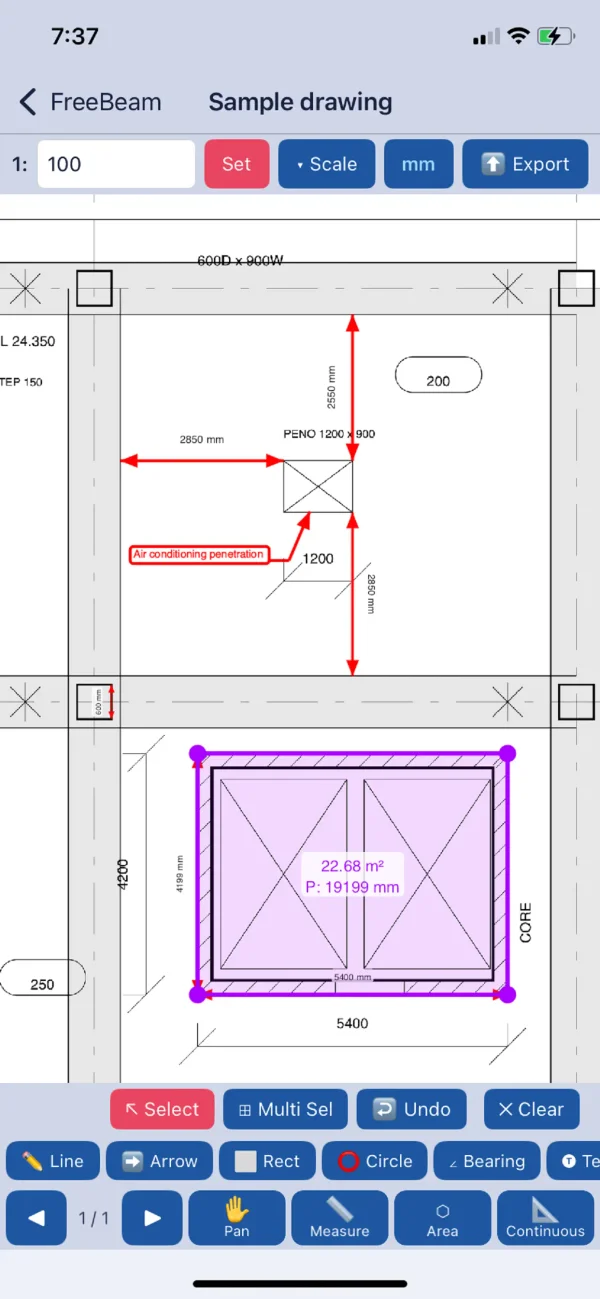
Measure and mark up construction drawings on site, in your hand, at the scale the drawing was drawn to. Set the scale once and every length, area and angle you take is real. Nothing you open ever leaves your phone.
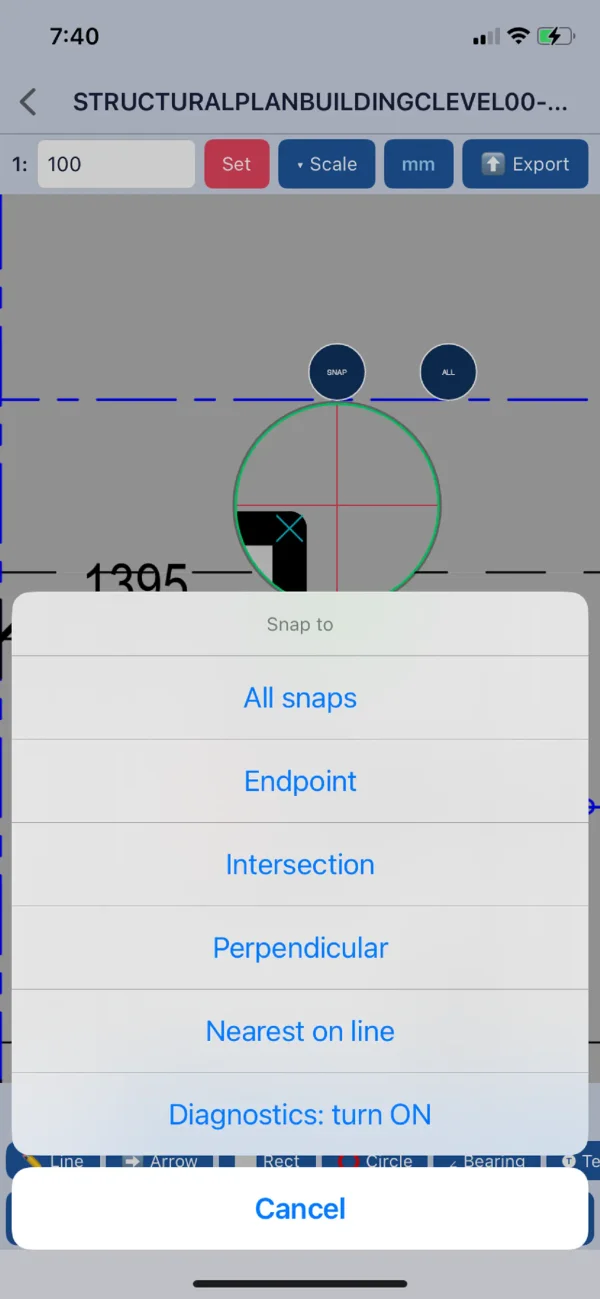
FreeBeam works on the PDFs you already have. Open a plan from email, from Files, from anywhere iOS can share to, set the scale from the drawing's own dimension string or pick a standard one, and start measuring. Lengths, areas, continuous runs and angles come straight off the sheet. Snapping catches the drawing's real geometry - endpoints, intersections, perpendiculars - so a measurement lands on the line rather than near it, and the loupe shows you exactly where the point is going before you commit it.
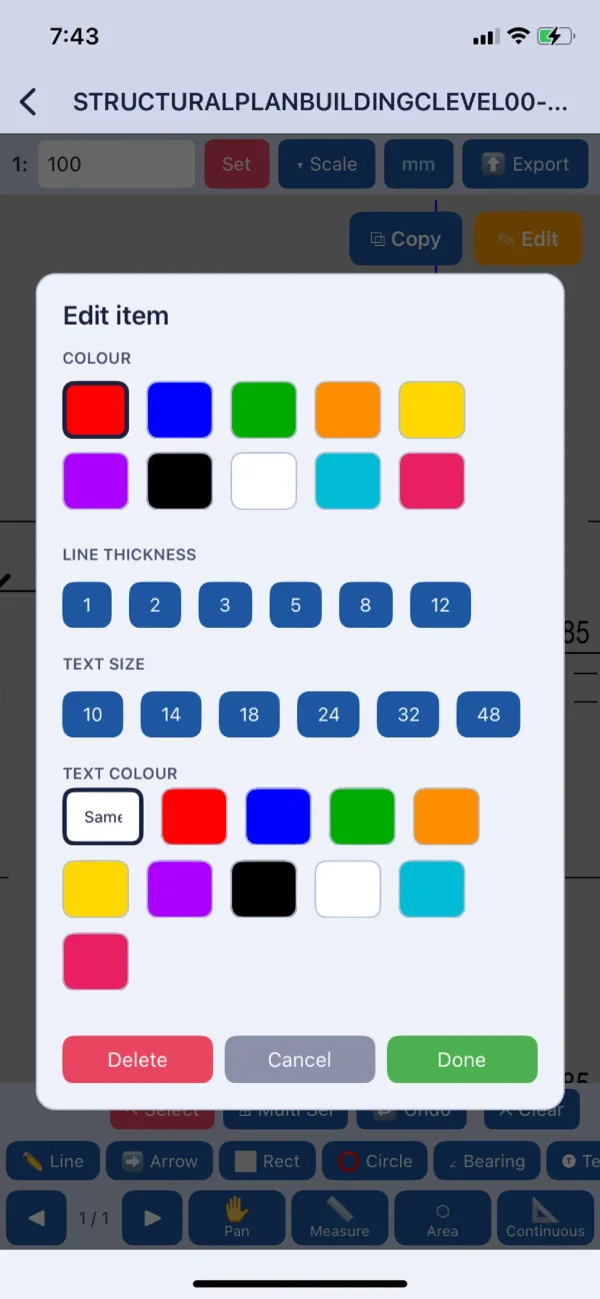
Mark up as you go. Text, arrows, clouds, dimensions and freehand, in the colours and weights you choose. Everything is editable afterwards: select one item or several, move them, restyle them, undo and redo your way back through the work. Copy and paste markup between drawings.
Export the result as a sharp, real PDF. Not a photograph of your drawing - the original vector sheet with your markup on top, so it prints and zooms the way the source did, and anyone can open it.
FreeBeam Pro, a one-off purchase with no subscription, adds the rest: unlimited drawings, exports with no watermark, and the tools that take it past measuring. Lay one drawing over another in colour to read a revision at a glance, and flatten the pair into a single sharp sheet. Join several drawings into one document, in the order you choose. Count and tally items by type for a takeoff. Set a datum and read coordinates off the plan, rotate a sheet to site north, and take bearings and distances between points.
Built for the people who actually carry drawings: surveyors, site engineers, estimators, builders and setting-out crews. It runs on an iPhone in a pocket and on an iPad on a tailgate, and it works with no signal, because everything happens on the device.
Nothing is collected. No account, no sign-in, no analytics, no tracking, no cloud. Your drawings, your markup and your measurements stay on your phone, which matters when the sheet in your hand is a confidential tender.
A sample drawing is included, in metric or in feet and inches, with dimensions printed on it you can check your measurements against.
Questions or problems: freebeam.support@gmail.com
新機能
バージョン 5.4 · 2026/11/24
Folders on the home screen - organise drawings into folders and subfolders.
Better snapping to corners on hatched drawings.
Mirror - flip a sheet vertically for reading.
Copy Snippet (Pro) - copy part of one drawing onto another, sharp and at its own scale.
アプリのプライバシー
このアプリのデータの取り扱いについて、Thomas BlaxlandがApp Storeで申告している内容です。
-
データの収集なし
開発元はこのアプリからデータを収集しません。
プライバシーの取り扱いは、ご利用の機能やお客様の年齢などに応じて異なる場合があります。
情報
- 販売元
- Thomas Blaxland
- カテゴリ
- 仕事効率化
- バージョン
- 5.4
- 更新日
- 2026/11/24
- リリース
- 2026/9/28
- サイズ
- 76.8 MB
- 必要条件
- iOS 15.0以降
- 対象年齢
- 4+
- 価格
- 無料
- アプリ内課金
- あり
- 著作権
- © 2026 Thomas Blaxland
こちらもおすすめ
-
 PlanMeasure仕事効率化
-
 間取り図作成 部屋スキャン 3D計測 - TruewallLiDARで寸法と床面積を瞬時に算出 CAD・PDF出力
-
 ScaleTap: PDF図面計測現場で使える縮尺計測
-
 PDF Studio – 編集 & リーダースキャン・変換・署名・入力
-
 ACS Mobile仕事効率化
-
 DWG Viewer: CAD Drawing ReaderConvert PDF to DWG, DXF Editor
-
 Takeoff Pro仕事効率化
-
 Prodi Hours: 勤務表作業時間と給与を追跡しましょう
-
 ControlResell: Automations仕事効率化
-
 CrewTraka仕事効率化