- 対象年齢4+
- カテゴリ仕事効率化
- 開発元Bastian Braeu
- 言語英語ほか1言語
- サイズ9.8 MB
App Storeの公式ページにリンクしています
Download.orgはPolycue: Parallel Timersのファイルを一切ホストしていません。ボタンを押すと、Bastian Braeuが公開しているApp Storeのアプリページが開きます。ページの最終確認:2026/11/24。
スクリーンショット

概要
開発元はこのテキストをお使いの言語で提供していません。
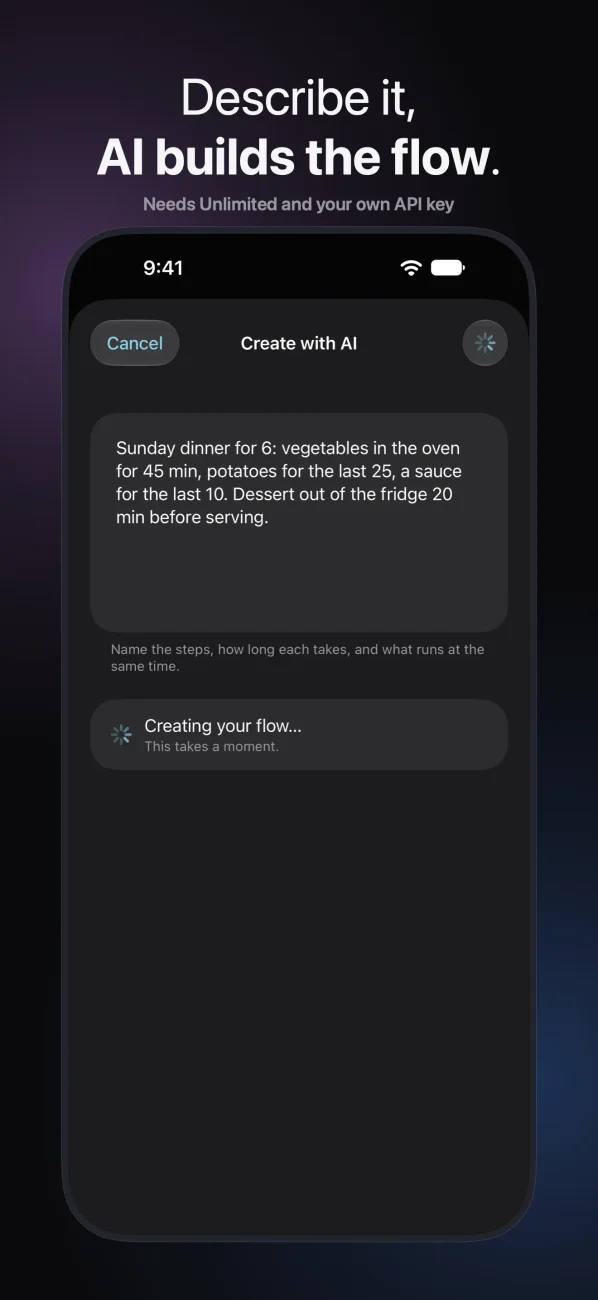
Run parallel timers for routines where several things happen at once, and hear every change as it comes. Or describe a routine in your own words, and AI builds the flow (part of the paid Unlimited plan, with your own API key from an AI provider).
Polycue is a timer for work that runs in parallel. You plan your steps on tracks that share one time axis, tap Start, and Polycue calls out each step as it begins and ends. Your eyes and hands stay on the work.
IDEAS TO START WITH
These are only a few ideas. Polycue fits any routine where several things run at once.
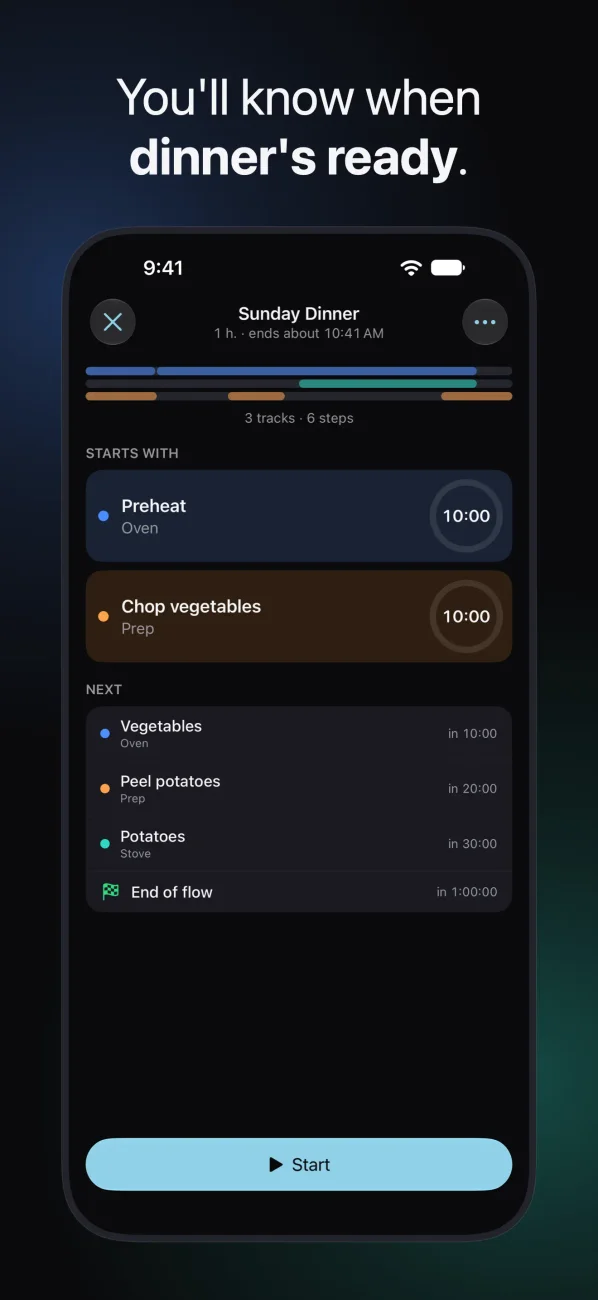
• Cooking: the vegetables and the potatoes, on the table together.
• Mornings: the kids get ready while you pack the bags, and everyone leaves on time.
• Meetings: check-in, updates and the main topic, done in 30 minutes.
• Workouts: squats, push-ups and short rests, with a warm-up and a cool-down.
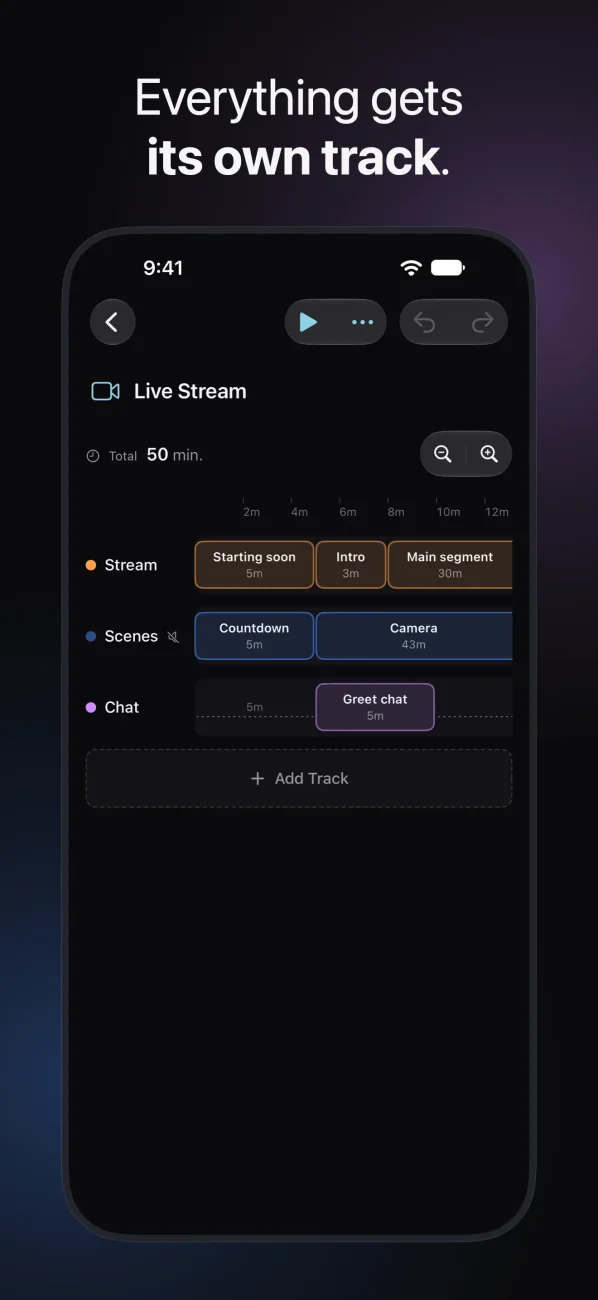
• Live streams: segments, scene changes and chat moments, in the right order.
• Teaching and training: stations, group work and breaks in one session plan.
WHAT MAKES IT DIFFERENT
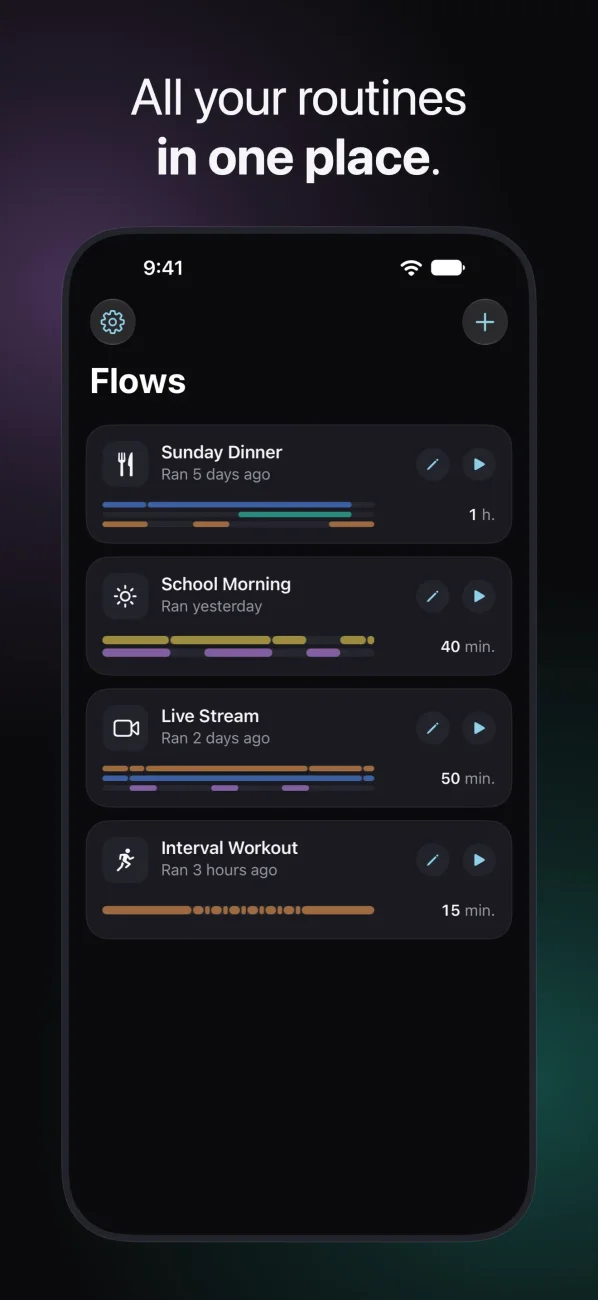
Parallel tracks on one time axis
Every track sits on the same timeline, so you see what overlaps and what follows. The total comes from your plan, and the player shows one end time for the whole run. Pause, skip a step or add a minute, and the end time moves with you.
Spoken cues you control
Polycue says a step's name when it starts and, if you want, when it ends: “Oven: Vegetables done. Stove: Potatoes done”. Turn on a heads-up before any step, give a step a shorter spoken name, mute a track, or use tones only. Cues lower your music while they speak, then let it play on.
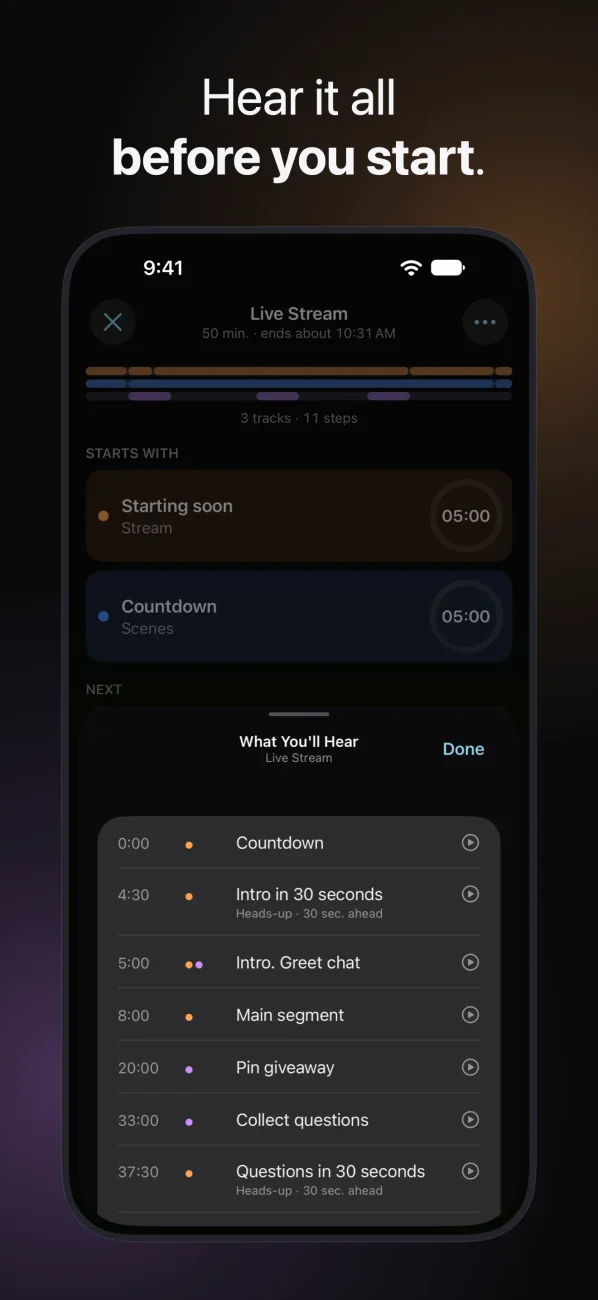
What You'll Hear
One list shows every sentence of a flow with its time, before you start. Tap a row to hear it.
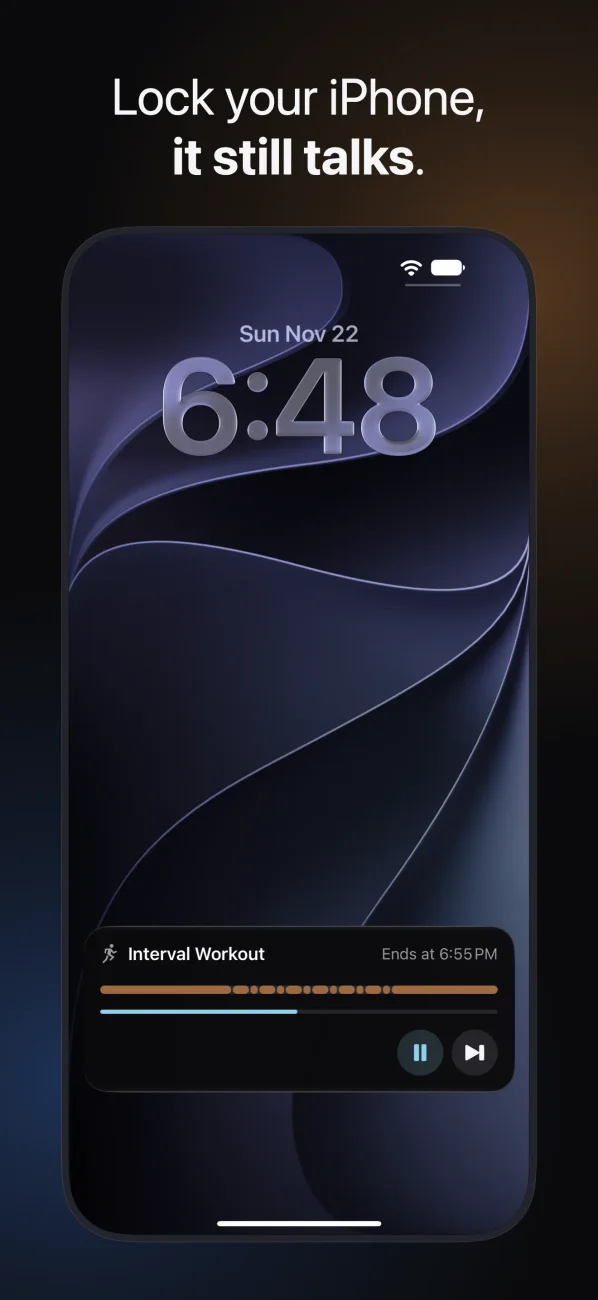
Keeps going with the screen off
Lock your iPhone and the cues keep playing. A Live Activity on the Lock Screen, and in the Dynamic Island on iPhones that have one, shows the end time, with buttons to pause and skip.
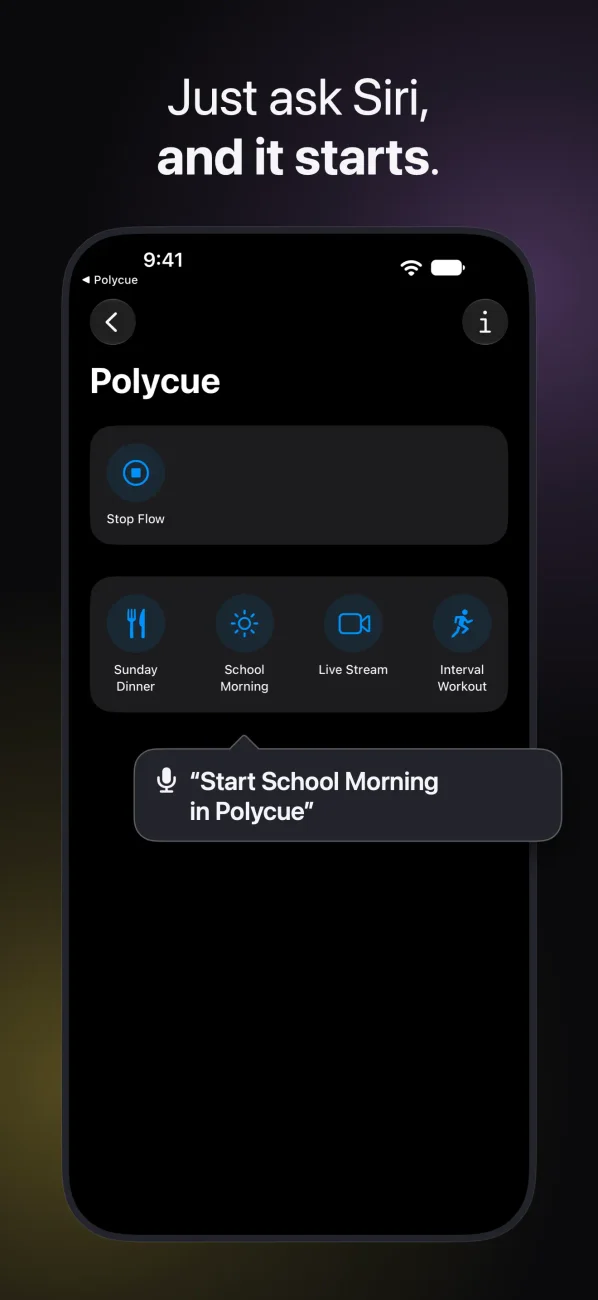
Siri starts your flow
When your hands are busy, say “Start School Morning in Polycue”, and it starts right away, with its cues. Every flow you can start already has a shortcut: tap it in Spotlight or the Shortcuts app, or use it in an automation. “Stop my flow in Polycue” ends it.
Create with AI (Unlimited plan)
Describe a routine in your own words, and Create with AI turns it into a flow with parallel tracks, ready to check and run (Unlimited plan, with your own Claude, OpenAI or Mistral API key from the provider's developer platform). Usage is billed directly by the provider.
ALSO INCLUDED
• Six starter templates, from Sunday Dinner to Live Stream
• Repeat a flow in rounds
• Three tone styles, and a guide to setting up a better voice
• Cues keep playing in other apps. If you close Polycue, the session is still on time when you open it again
• Export and import flows as files
• Undo and redo in the editor
• English and German, including the spoken cues
• VoiceOver and Dynamic Type
PRIVACY
No account and no sign-up. No tracking and no analytics. Your flows and settings stay on your iPhone. Only Create with AI sends something: the text you type, from your iPhone straight to Anthropic (Claude), OpenAI or Mistral, whichever you picked, with your own key.
PRICING
Free: every feature except Create with AI, for one flow.
Unlimited plan: as many flows as you need, plus Create with AI (with your own API key). Choose a monthly or yearly subscription, or a one-time lifetime purchase.
If your subscription ends, nothing is deleted: the top flow in your library keeps working, and the others are locked until you get Unlimited again. Export and delete always work. A lifetime purchase never expires.
Subscriptions renew automatically unless canceled at least 24 hours before the end of the current period. Manage or cancel them in your Apple Account settings.
Terms of Use: https://polycue.b263.io/terms.html
Privacy Policy: https://polycue.b263.io/privacy-policy.html
新機能
バージョン 1.2.0 · 2026/11/23
In your library, every flow you can start now has a play button. Tap it, and the flow starts right away. It sits where the pencil used to be, and the pencil is now just to its left.
New steps stay quiet when they end. If you want to hear when a step is done, turn on Announce End for it. The flows you already have sound just like before.
If a flow, track or step still has its default name, the field clears when you tap it, so you can type a new name right away.
Settings now has a link to the support page, in case you need help.
Updated terms of use (0.11): the Liability section now limits our liability for slight negligence. If you live outside the EU, the EEA, Switzerland and the United Kingdom, Apple's liability limits apply again. Starting a flow with Siri, a shortcut or an automation can also come late or not at all. You'll find the terms in Settings › About.
And a few bug fixes.
アプリのプライバシー
このアプリのデータの取り扱いについて、Bastian BraeuがApp Storeで申告している内容です。
-
データの収集なし
開発元はこのアプリからデータを収集しません。
プライバシーの取り扱いは、ご利用の機能やお客様の年齢などに応じて異なる場合があります。
情報
- 販売元
- Bastian Braeu
- カテゴリ
- 仕事効率化
- バージョン
- 1.2.0
- 更新日
- 2026/11/23
- リリース
- 2026/11/6
- サイズ
- 9.8 MB
- 必要条件
- iOS 26.0以降
- 対象年齢
- 4+
- 価格
- 無料
- アプリ内課金
- あり
- 言語
- 英語, ドイツ語
- 著作権
- © 2026 Bastian Bräu Software