- 対象年齢4+
- カテゴリ写真/ビデオ
- 開発元Primakor Ventures
- 言語英語
- サイズ37.3 MB
App Storeの公式ページにリンクしています
Download.orgはPrimaPrompterのファイルを一切ホストしていません。ボタンを押すと、Primakor Venturesが公開しているApp Storeのアプリページが開きます。ページの最終確認:2026/11/17。
スクリーンショット
概要
開発元はこのテキストをお使いの言語で提供していません。
Free. No account. No ads. Your footage never leaves your phone.
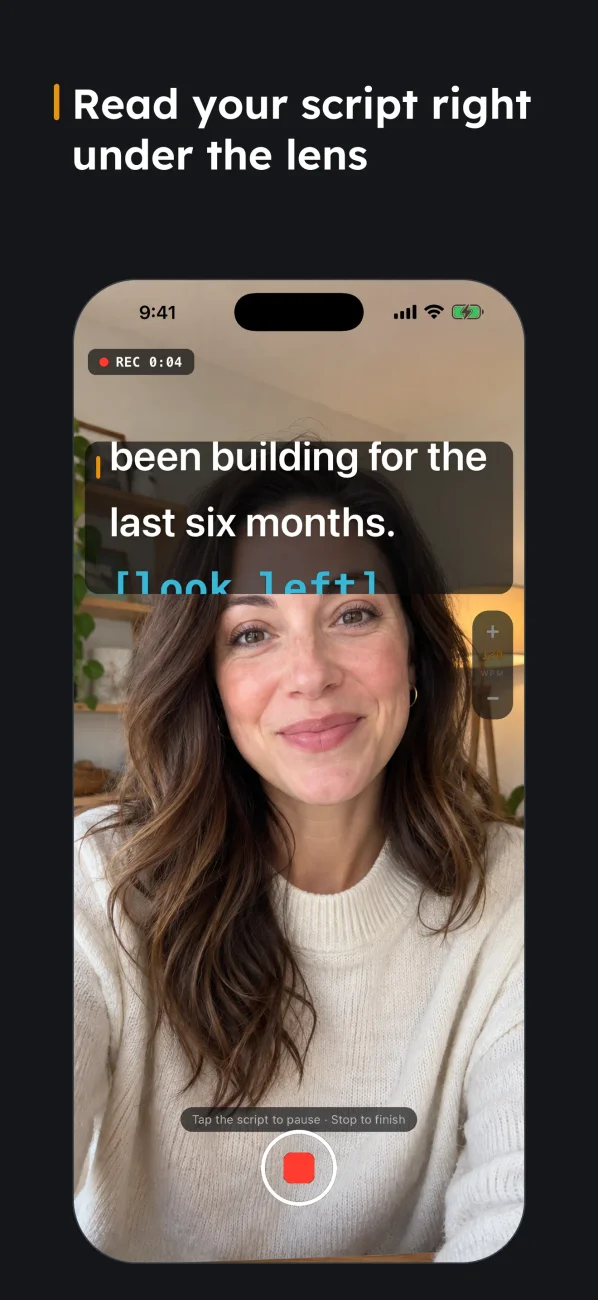
PrimaPrompter is a teleprompter and camera in one. Your script scrolls in a reading band pinned high, right under the lens, so your eyes stay on camera instead of drifting down to read. It records straight to your device — no sign-in, no cloud, no tracking, no ads, no subscriptions, nothing to unlock.
We built it as the honest answer to teleprompter apps that greet you with a paywall. PrimaPrompter is free, all of it, and everything happens on your phone.
Teleprompter that keeps your eyes on the lens
• A fixed reading line sits high near the front lens; your words flow through it, so you stay looking at the camera. Just placement — no gaze tricks.
• Drag the reading line to match your exact lens position, and resize the band to taste.
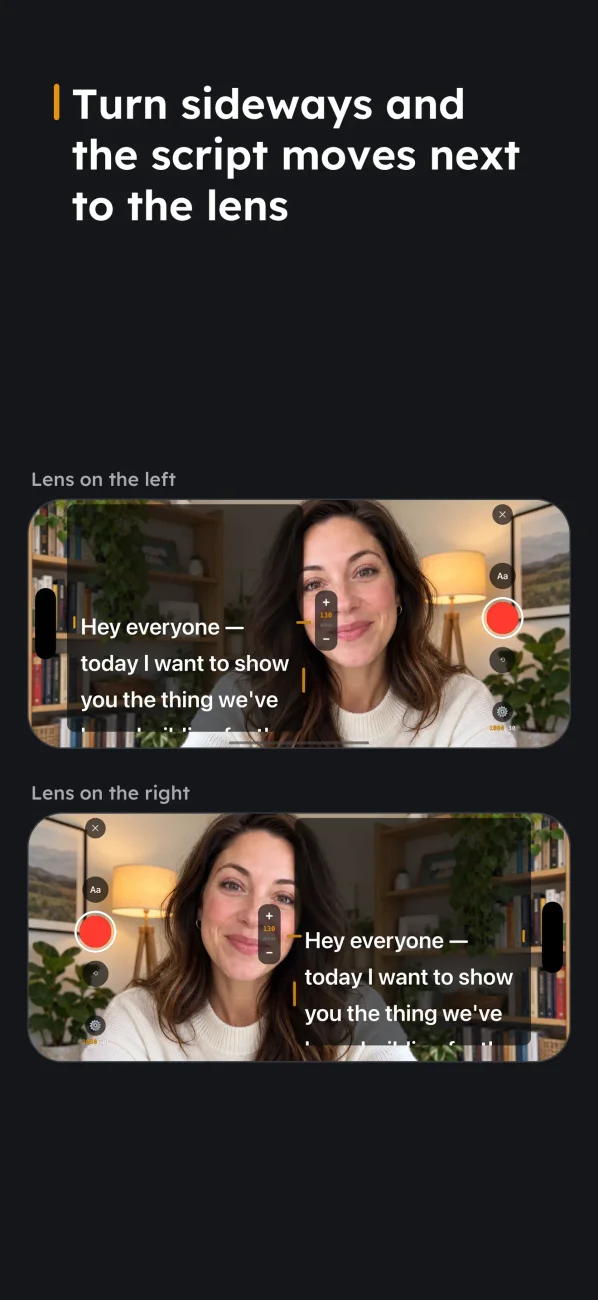
• Turn your phone sideways and the script moves into a column right beside the lens, on whichever side it is, with the controls on the far edge.
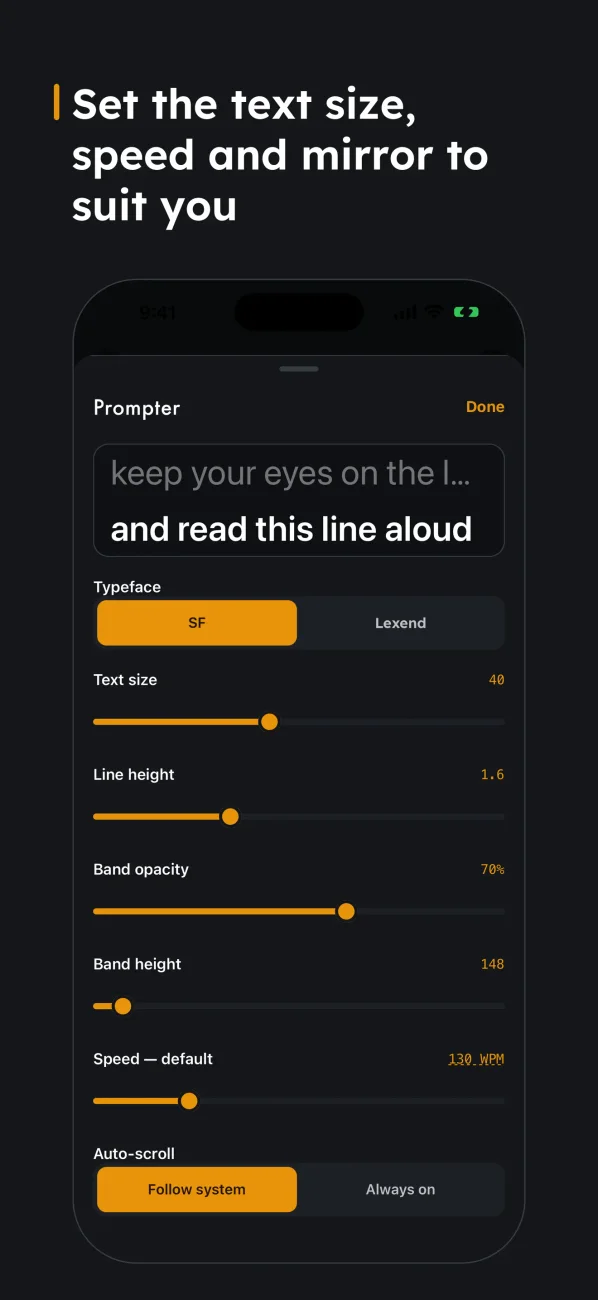
• Set speed in words per minute, nudge it live mid-take, and PrimaPrompter remembers the speed per script.
• Tap the script to pause or resume; drag to scrub to any line.
• Optional 3-second or 10-second countdown that arms recording and scrolling together.
• Tune text size, line height, band opacity, and a high-contrast mode; choose the System typeface or Lexend.
• Mirror-text mode for beam-splitter rigs.
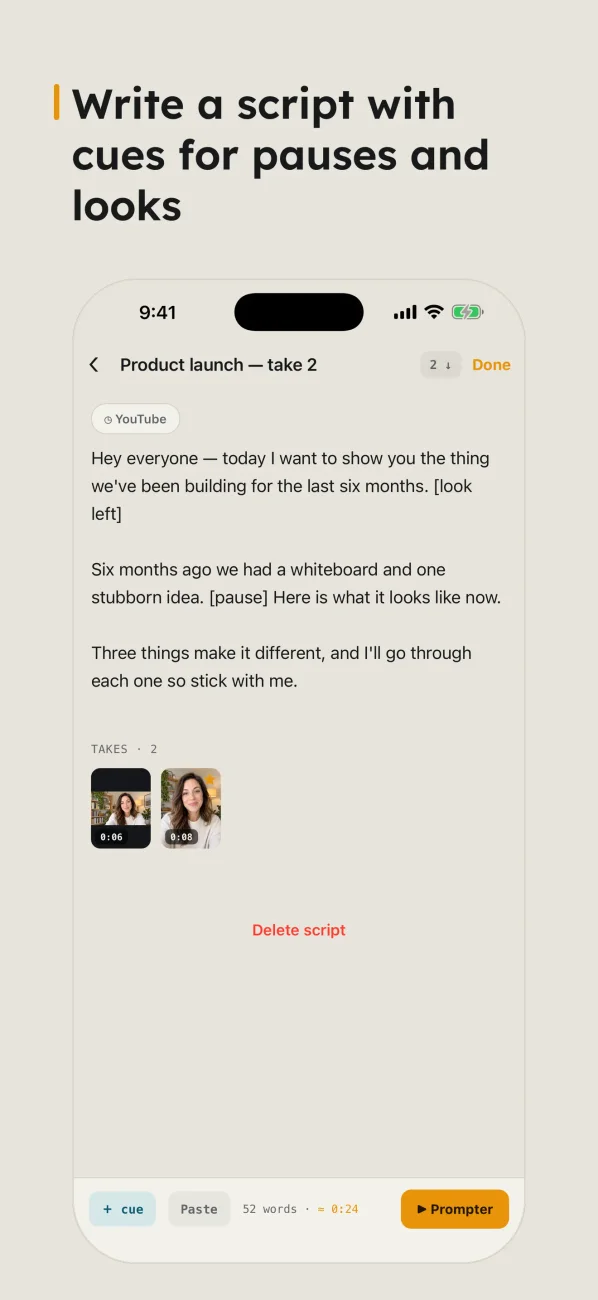
• Cue tags like [pause] and [look left] show while you read and never count toward your time estimate.
• The screen stays awake while you record.
A real camera, gated to what your device can actually do
• Front or back camera, in portrait (9:16) or landscape (16:9).
• Record up to 4K where your device supports it, at 24/30/60 fps on supported formats.
• H.264 or HEVC, plus video HDR where the format allows.
• Video stabilization — standard and cinematic — where your device supports it.
• Pinch to zoom, tap to focus, a brightness (exposure) slider, a rule-of-thirds grid, and a rear-lens torch.
• Mirror toggle to save the video the way you see yourself in preview.
• The Capture panel only ever offers the resolutions, frame rates, and codecs your specific device reports as supported — no dead options.
Takes and light, honest editing
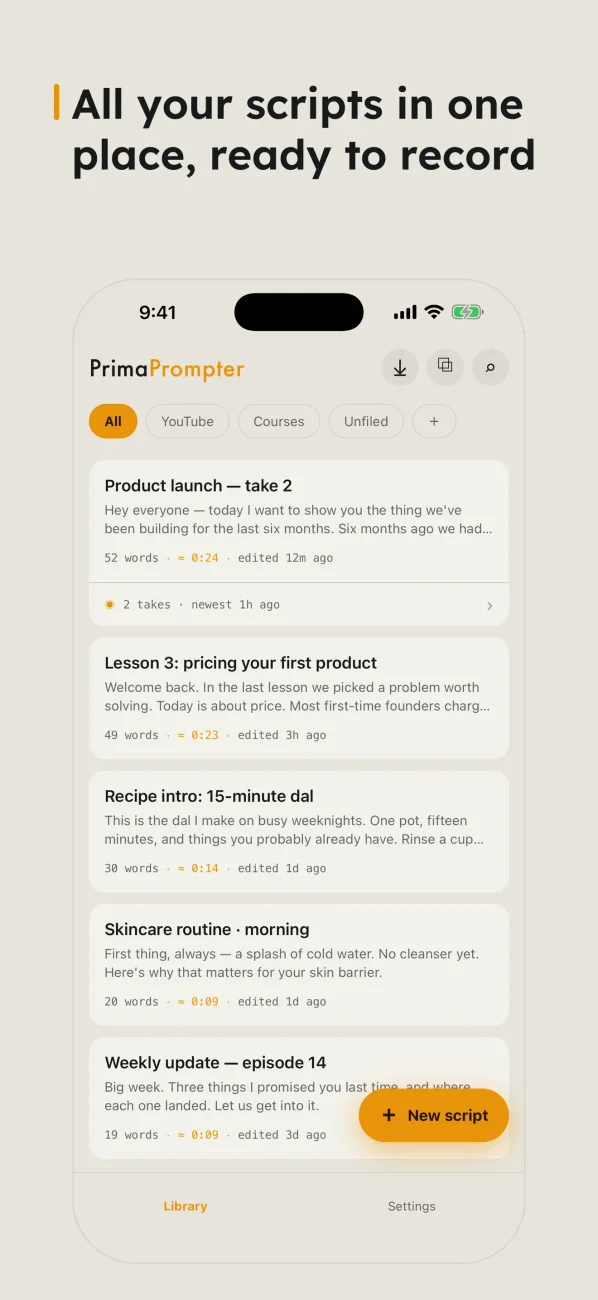
• Every take is saved on your device and grouped by script.
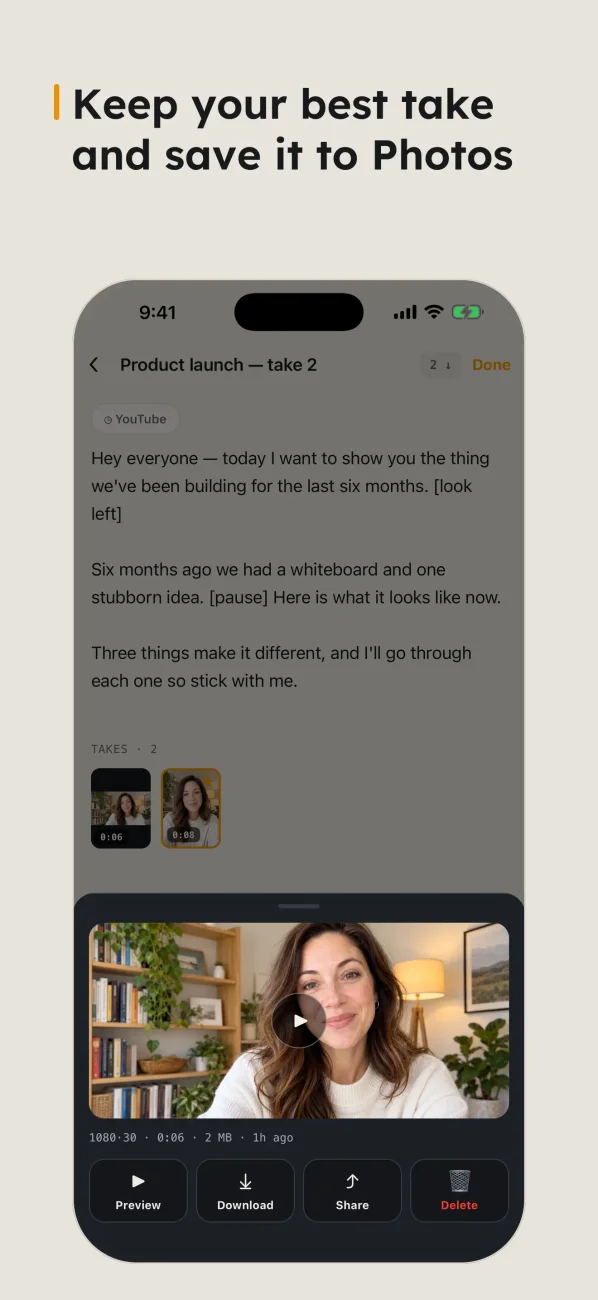
• Review a take, then keep, retake, or discard it, and mark your keepers.
• Fast lossless trim, on-device: a passthrough cut with no re-encode and no quality loss (the cut start snaps to the nearest keyframe). Trimming writes a new clip and always keeps your original.
• Save any take to your Photos library.
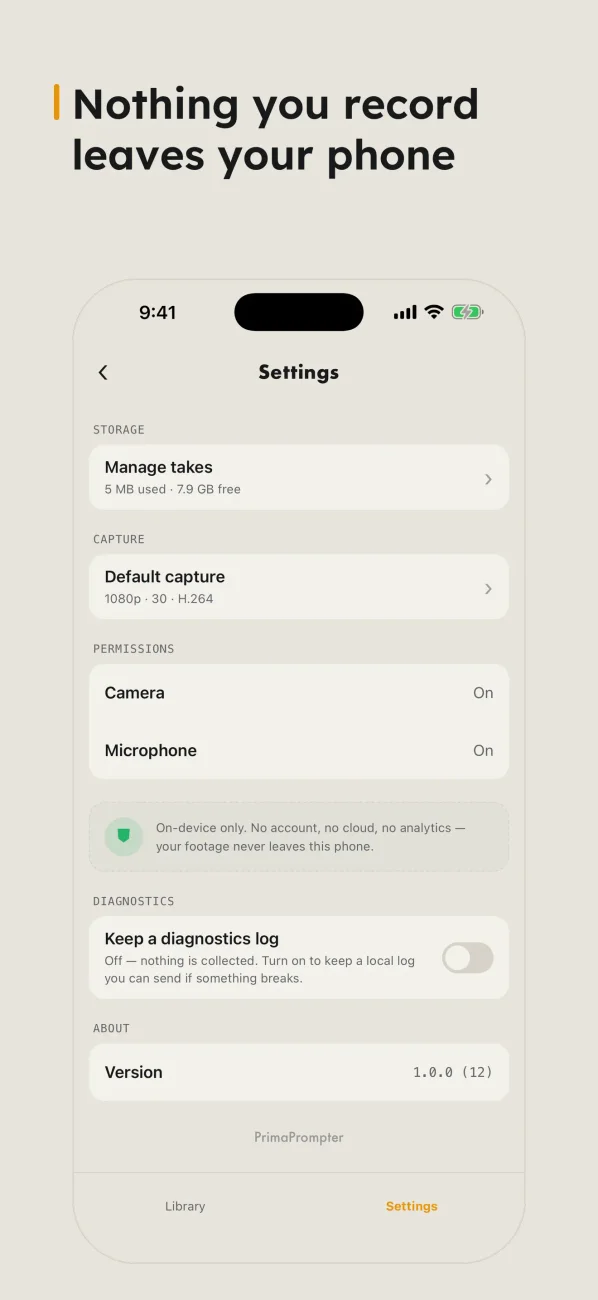
• See each take's file size and your remaining free space.
Scripts, your way
• Write scripts in the app, import a .txt file, or paste from the clipboard.
• Live word count and an estimated read time as you type.
Privacy is the product
• No account, no analytics, no third-party SDKs, no cloud.
• Diagnostics are off by default and opt-in — and even then the log stays on your phone until you choose to share it.
• Your footage never leaves your phone unless you save or share it yourself.
Built with accessibility from day one: VoiceOver labels throughout, adjustable prompter and trim controls, large touch targets, and respect for Reduce Motion.
新機能
バージョン 1.0.2 · 2026/10/23
• A take you're previewing now stops when you leave it, so its sound no longer carries on after Keep, Retake or Trim.
• Landscape: removed a dark patch that could appear over the top of the prompter.
• Leaving the recording screen mid-take now saves your take instead of losing it.
• High contrast now applies to the prompter itself, not just the preview.
• Landscape settings panels: switches no longer get cut off, the panel no longer covers the end of a wide prompter, and a typed speed is always kept.
• Smoother rotation: the prompter keeps your place, Review keeps playing, and the speed rail stays put.
• Plus fixes to the brightness slider, the end-of-script hint, Manage takes, and the empty Library in landscape.
アプリのプライバシー
このアプリのデータの取り扱いについて、Primakor VenturesがApp Storeで申告している内容です。
-
データの収集なし
開発元はこのアプリからデータを収集しません。
プライバシーの取り扱いは、ご利用の機能やお客様の年齢などに応じて異なる場合があります。
情報
- 販売元
- Primakor Ventures Private Limited
- カテゴリ
- 写真/ビデオ
- バージョン
- 1.0.2
- 更新日
- 2026/10/23
- リリース
- 2026/10/21
- サイズ
- 37.3 MB
- 必要条件
- iOS 16.4以降
- 対象年齢
- 4+
- 価格
- 無料
- 言語
- 英語
- 著作権
- © 2026 Primakor Ventures Private Limited
こちらもおすすめ
-
 Teleprompter Direct写真/ビデオ
-
 Revd AI - Car Tuning & Mods写真/ビデオ
-
 台本プロンプター - カンペ表示アプリ声で自動スクロール・透かしなし
-
 easyPrompter: Teleprompter写真/ビデオ
-
 Cam Reader - Teleprompter写真/ビデオ
-
 Teleprompter: Video Script写真/ビデオ
-
 Recito: Teleprompter for Video写真/ビデオ
-
 Teleo: プロンプター 動画撮影声に合わせて台本がスクロール
-
 Offcue: プロンプター 動画撮影テレプロンプター・カンペ表示カメラ
-
 ShareSpeak Teleprompter写真/ビデオ