- Độ tuổi4+
- Danh mụcẢnh & Video
- Nhà phát triểnPrimakor Ventures
- Ngôn ngữTiếng Anh
- Kích thước37,3 MB
Liên kết đến trang App Store chính thức
Download.org không lưu trữ tệp nào của PrimaPrompter. Nút này mở trang ứng dụng trên App Store, nơi Primakor Ventures phát hành ứng dụng. Trang được kiểm tra lần cuối: 17/11/2026.
Ảnh chụp màn hình
Giới thiệu
Nhà phát triển chưa cung cấp nội dung này bằng ngôn ngữ của bạn.
Free. No account. No ads. Your footage never leaves your phone.
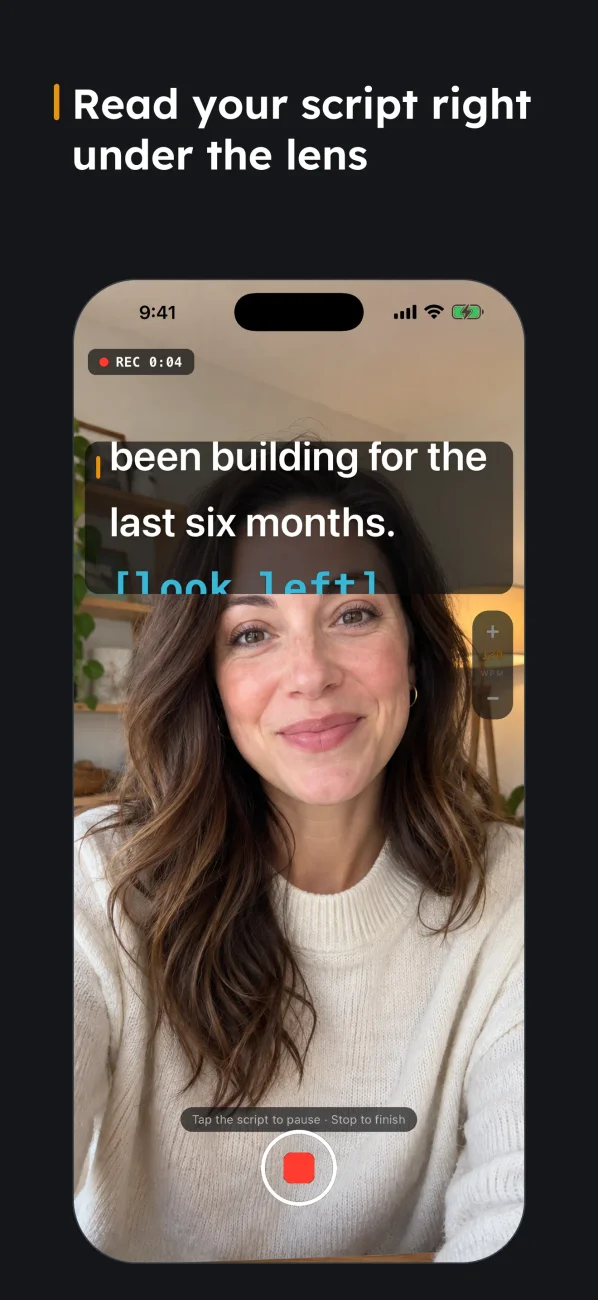
PrimaPrompter is a teleprompter and camera in one. Your script scrolls in a reading band pinned high, right under the lens, so your eyes stay on camera instead of drifting down to read. It records straight to your device — no sign-in, no cloud, no tracking, no ads, no subscriptions, nothing to unlock.
We built it as the honest answer to teleprompter apps that greet you with a paywall. PrimaPrompter is free, all of it, and everything happens on your phone.
Teleprompter that keeps your eyes on the lens
• A fixed reading line sits high near the front lens; your words flow through it, so you stay looking at the camera. Just placement — no gaze tricks.
• Drag the reading line to match your exact lens position, and resize the band to taste.
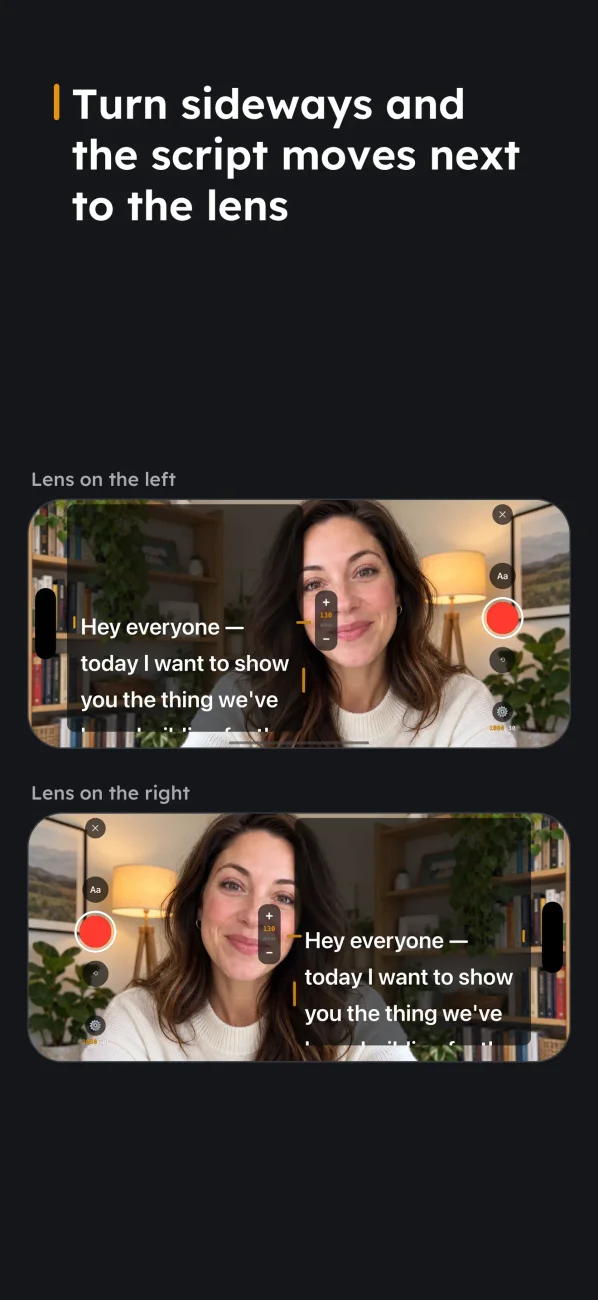
• Turn your phone sideways and the script moves into a column right beside the lens, on whichever side it is, with the controls on the far edge.
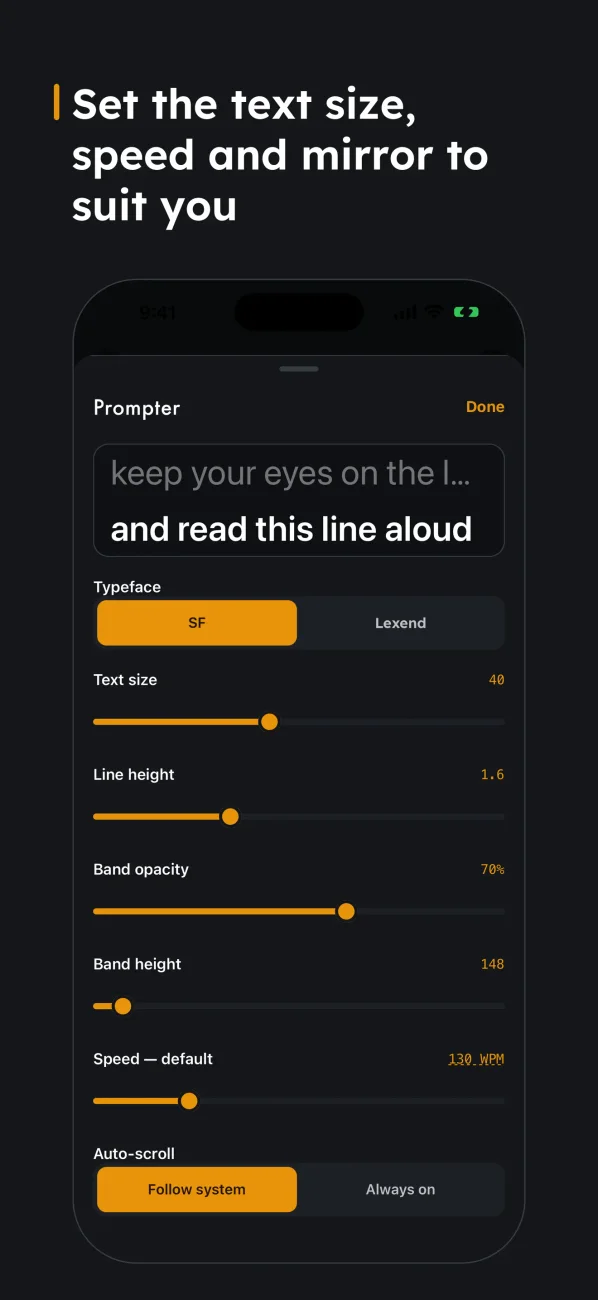
• Set speed in words per minute, nudge it live mid-take, and PrimaPrompter remembers the speed per script.
• Tap the script to pause or resume; drag to scrub to any line.
• Optional 3-second or 10-second countdown that arms recording and scrolling together.
• Tune text size, line height, band opacity, and a high-contrast mode; choose the System typeface or Lexend.
• Mirror-text mode for beam-splitter rigs.
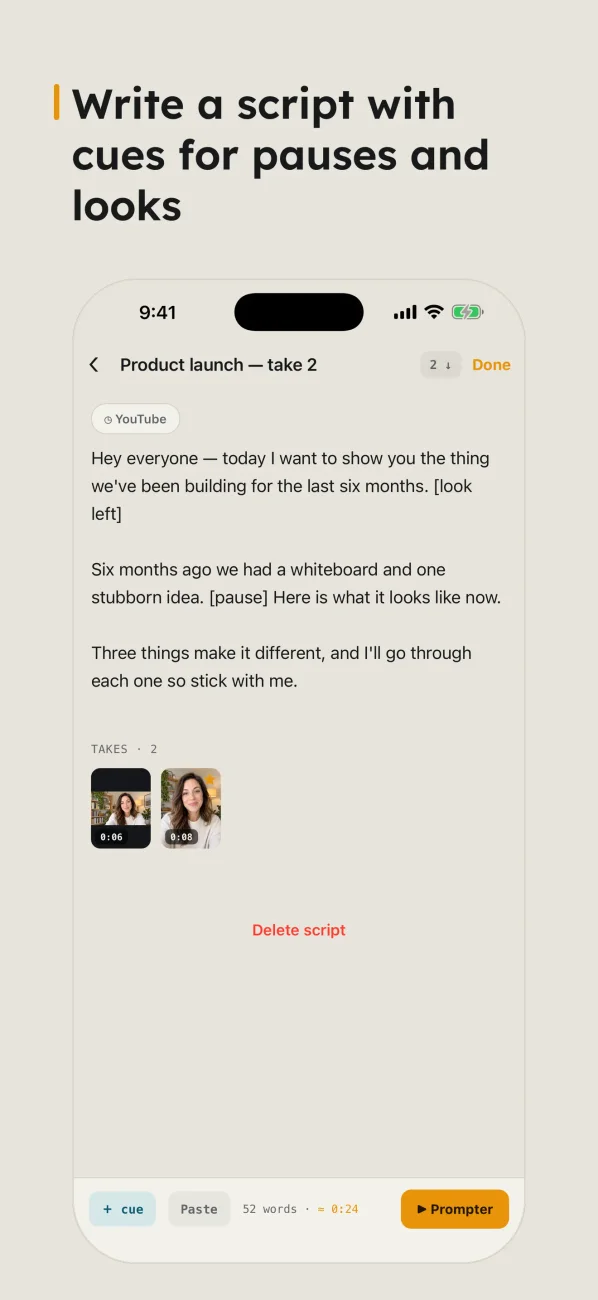
• Cue tags like [pause] and [look left] show while you read and never count toward your time estimate.
• The screen stays awake while you record.
A real camera, gated to what your device can actually do
• Front or back camera, in portrait (9:16) or landscape (16:9).
• Record up to 4K where your device supports it, at 24/30/60 fps on supported formats.
• H.264 or HEVC, plus video HDR where the format allows.
• Video stabilization — standard and cinematic — where your device supports it.
• Pinch to zoom, tap to focus, a brightness (exposure) slider, a rule-of-thirds grid, and a rear-lens torch.
• Mirror toggle to save the video the way you see yourself in preview.
• The Capture panel only ever offers the resolutions, frame rates, and codecs your specific device reports as supported — no dead options.
Takes and light, honest editing
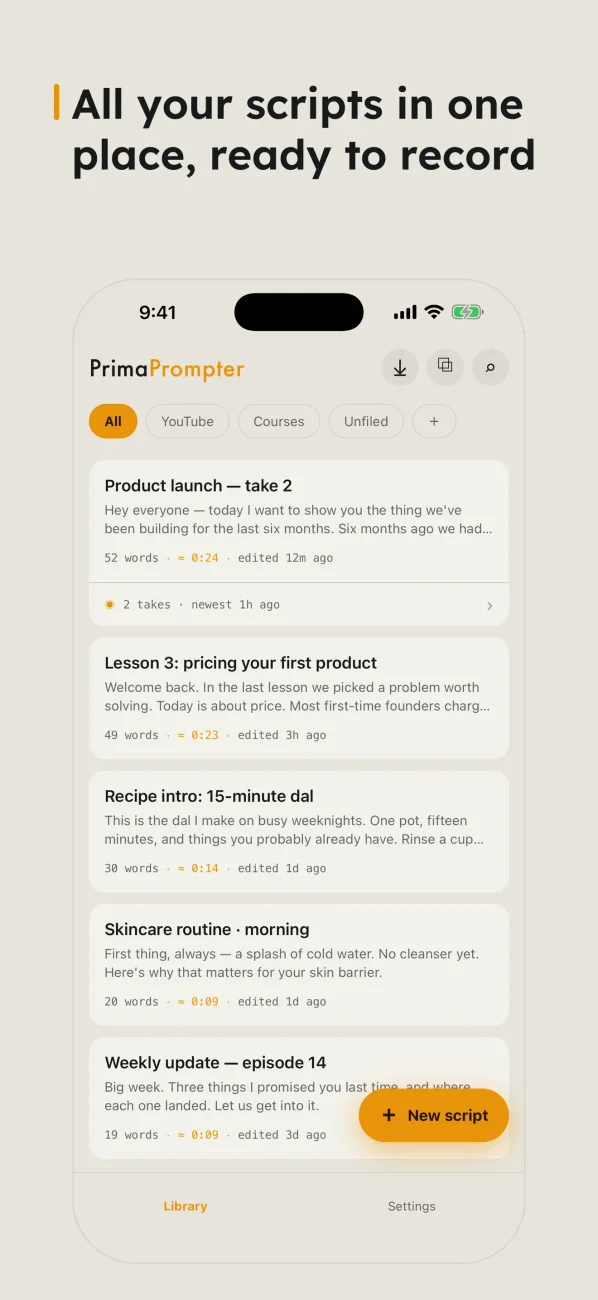
• Every take is saved on your device and grouped by script.
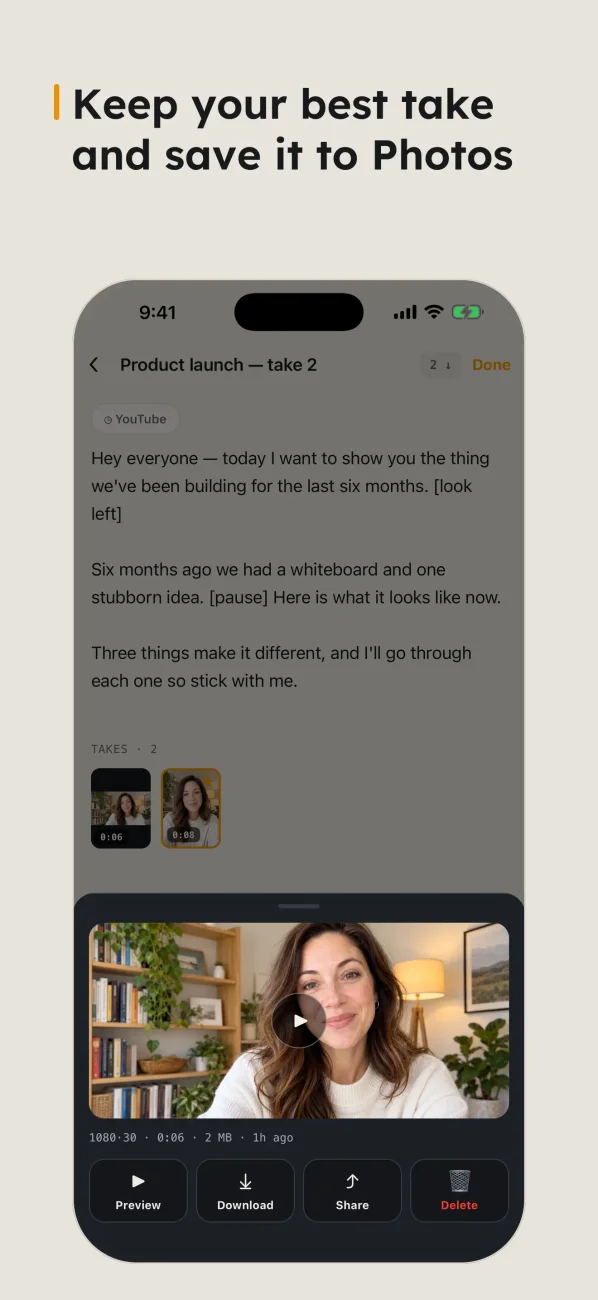
• Review a take, then keep, retake, or discard it, and mark your keepers.
• Fast lossless trim, on-device: a passthrough cut with no re-encode and no quality loss (the cut start snaps to the nearest keyframe). Trimming writes a new clip and always keeps your original.
• Save any take to your Photos library.
• See each take's file size and your remaining free space.
Scripts, your way
• Write scripts in the app, import a .txt file, or paste from the clipboard.
• Live word count and an estimated read time as you type.
Privacy is the product
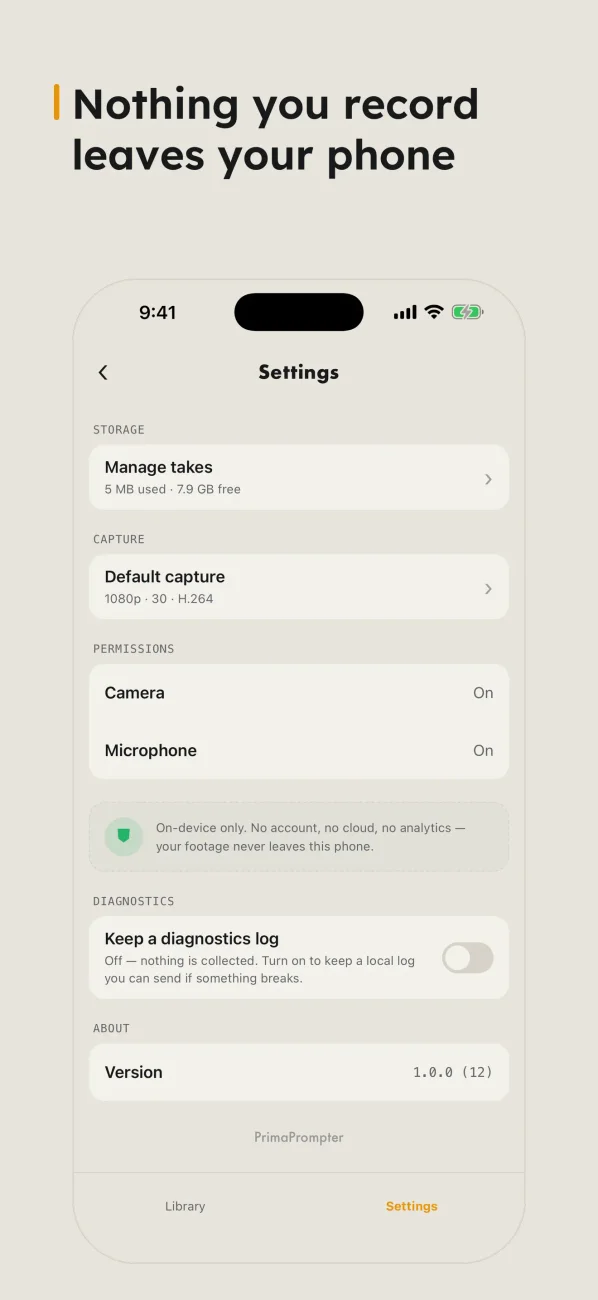
• No account, no analytics, no third-party SDKs, no cloud.
• Diagnostics are off by default and opt-in — and even then the log stays on your phone until you choose to share it.
• Your footage never leaves your phone unless you save or share it yourself.
Built with accessibility from day one: VoiceOver labels throughout, adjustable prompter and trim controls, large touch targets, and respect for Reduce Motion.
Có gì mới
Phiên bản 1.0.2 · 23/10/2026
• A take you're previewing now stops when you leave it, so its sound no longer carries on after Keep, Retake or Trim.
• Landscape: removed a dark patch that could appear over the top of the prompter.
• Leaving the recording screen mid-take now saves your take instead of losing it.
• High contrast now applies to the prompter itself, not just the preview.
• Landscape settings panels: switches no longer get cut off, the panel no longer covers the end of a wide prompter, and a typed speed is always kept.
• Smoother rotation: the prompter keeps your place, Review keeps playing, and the speed rail stays put.
• Plus fixes to the brightness slider, the end-of-script hint, Manage takes, and the empty Library in landscape.
Quyền riêng tư của ứng dụng
Những gì Primakor Ventures khai báo trên App Store về cách ứng dụng này xử lý dữ liệu.
-
Dữ liệu không được thu thập
Nhà phát triển không thu thập bất kỳ dữ liệu nào từ ứng dụng này.
Phương thức đảm bảo quyền riêng tư có thể khác nhau, chẳng hạn như tuỳ theo các tính năng bạn sử dụng hoặc độ tuổi của bạn.
Thông tin
- Người bán
- Primakor Ventures Private Limited
- Danh mục
- Ảnh & Video
- Phiên bản
- 1.0.2
- Cập nhật
- 23/10/2026
- Phát hành
- 21/10/2026
- Kích thước
- 37,3 MB
- Yêu cầu
- iOS 16.4 trở lên
- Độ tuổi
- 4+
- Giá
- Miễn phí
- Ngôn ngữ
- Tiếng Anh
- Bản quyền
- © 2026 Primakor Ventures Private Limited
Có thể bạn cũng thích
-
 Teleprompter DirectẢnh & Video
-
 Revd AI - Car Tuning & ModsẢnh & Video
-
 Script Prompter: TeleprompterẢnh & Video
-
 easyPrompter: TeleprompterẢnh & Video
-
 Cam Reader - TeleprompterẢnh & Video
-
 Teleprompter: Video ScriptẢnh & Video
-
 Recito: Teleprompter for VideoẢnh & Video
-
 Teleo: Máy nhắc chữ videoChữ chạy theo giọng nói
-
 Offcue: Máy Nhắc Chữ VideoTeleprompter, Đọc Kịch Bản
-
 ShareSpeak TeleprompterẢnh & Video