
- 対象年齢4+
- カテゴリ写真/ビデオ
- 開発元Kerem Uslular
- 言語英語ほか3言語
- サイズ33.9 MB
App Storeの公式ページにリンクしています
Download.orgはProgressCam: Progress Photosのファイルを一切ホストしていません。ボタンを押すと、Kerem Uslularが公開しているApp Storeのアプリページが開きます。ページの最終確認:2026/11/16。
スクリーンショット





概要
開発元はこのテキストをお使いの言語で提供していません。
See your progress clearly. ProgressCam lines up every new photo with your starting photo, so your before-and-after photos actually match — same angle, same framing, real change you can see.
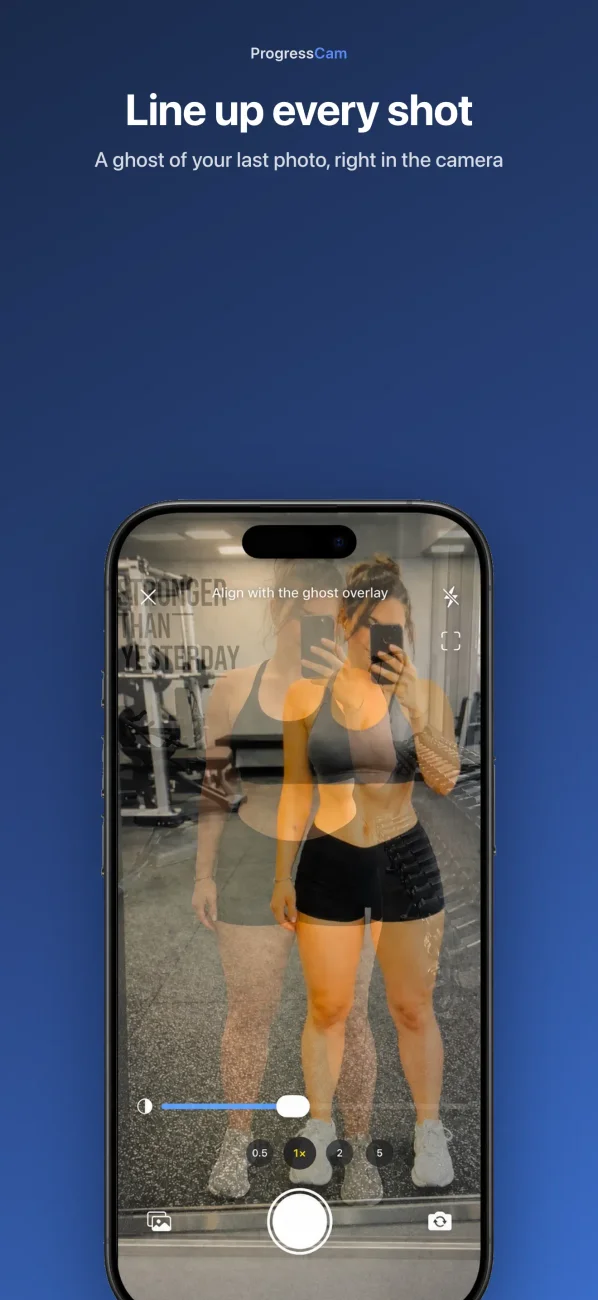
Most progress photos drift: a little closer, a little higher, a slightly different angle — and suddenly you can't tell what really changed. ProgressCam fixes that at capture time. A ghost of your starting photo sits right in the camera, so you can stand in exactly the same spot and shoot a frame that matches it.
CAPTURE THAT LINES UP
• Ghost overlay of your starting photo, right in the viewfinder
• Zoom and manual fine-tuning when you want full control
• Smart alignment that registers each new shot against your starting photo
IMPORT THE PHOTOS YOU ALREADY HAVE
• Bring in older photos from your library and align them with the rest
• Fix each photo's date right in the import grid
• Reorder, choose your starting photo, and align the whole batch in one step
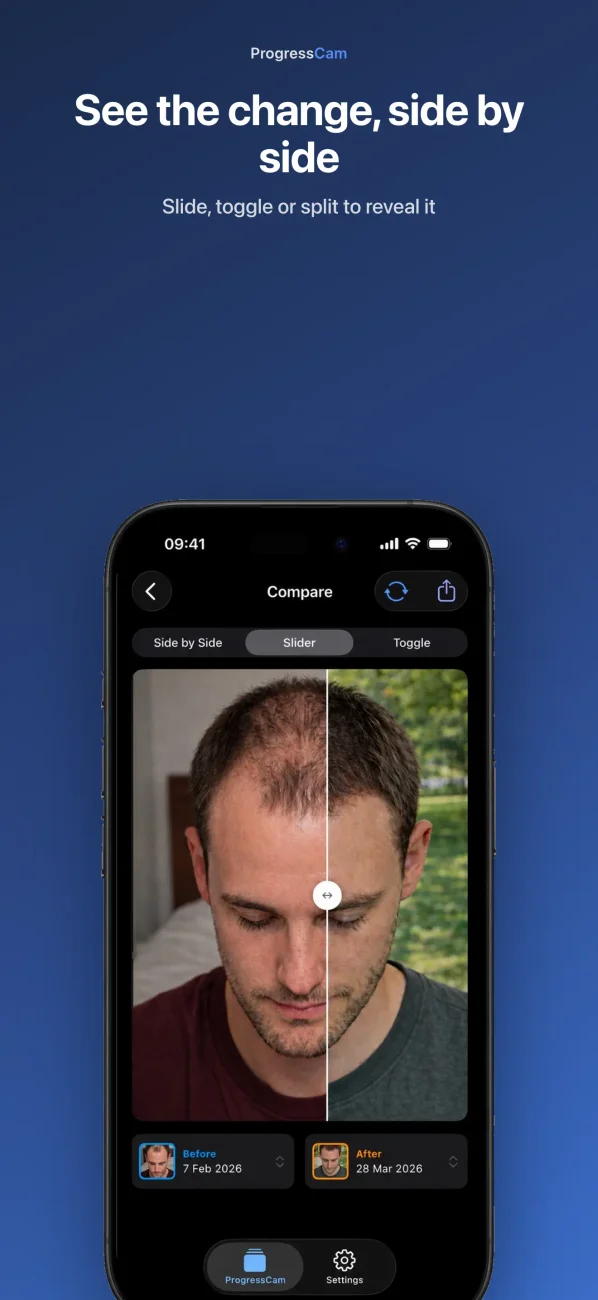
COMPARE THE CHANGE
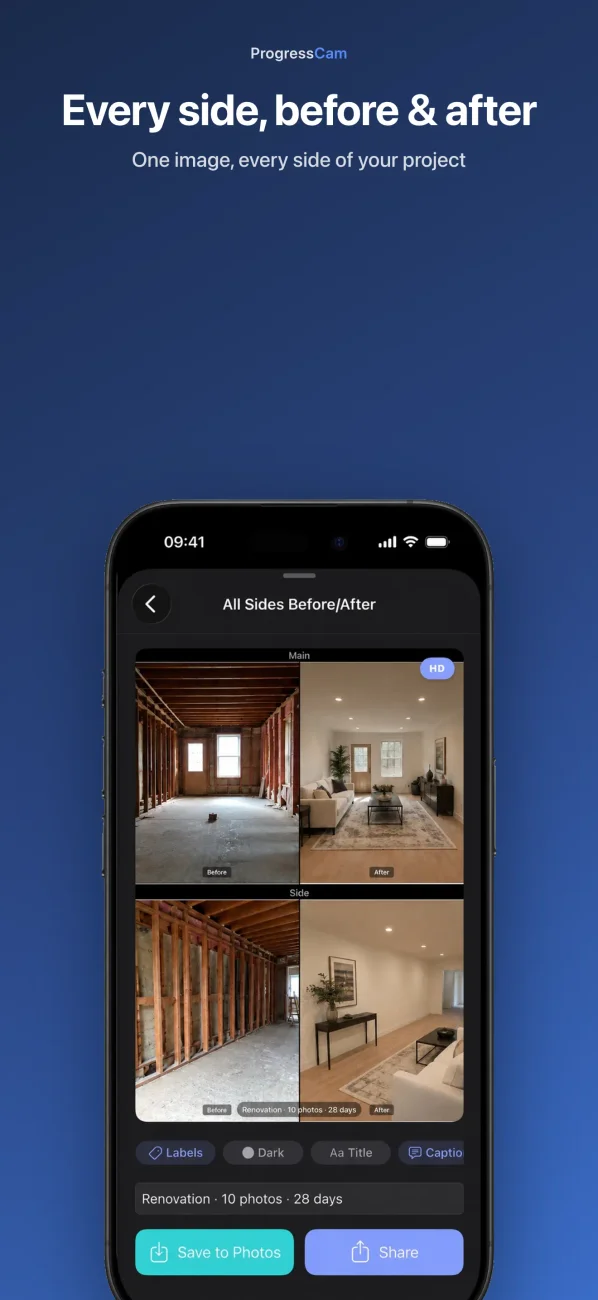
• Side by side, slide to reveal, or tap to toggle between two moments
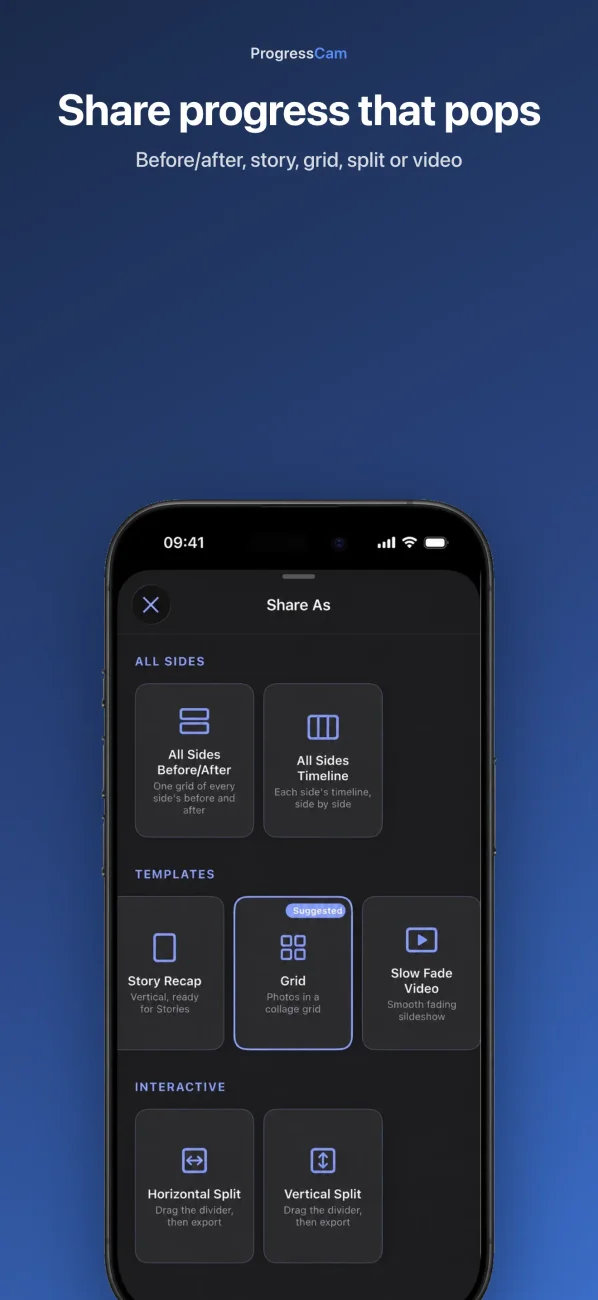
SHARE IT BEAUTIFULLY
• Six export formats: side-by-side, split, story, panoramic strip, grid collage, and slideshow
• Add date, day-count, or label overlays
• Save or share to anywhere
KEEP THE HABIT
• A reminder for each project: daily, weekly, on the weekdays you choose, every few days, or monthly
• See all your reminders in one place in Settings → Capture Reminders
YOUR PHOTOS, ALWAYS YOURS
• "Save a copy of my photos" in Settings, or "Save a copy of this project" from a project's menu
• Every photo, its aligned version and its details in one ZIP file that opens on any computer, without the app
• It's free and doesn't use your exports
FACE ID PROTECTION
• Require Face ID, Touch ID or your passcode to open a project
• Or protect the whole app
APPLE HEALTH (OPTIONAL)
• Turn on "Show weight alongside my photos" in Settings to see your weight from Apple Health in Progress Recap, on the same timeline as your photos
• Read-only: ProgressCam never writes to Apple Health
• Your weight stays on your iPhone and is never shared or exported
YOUR PROJECTS, BACKED UP
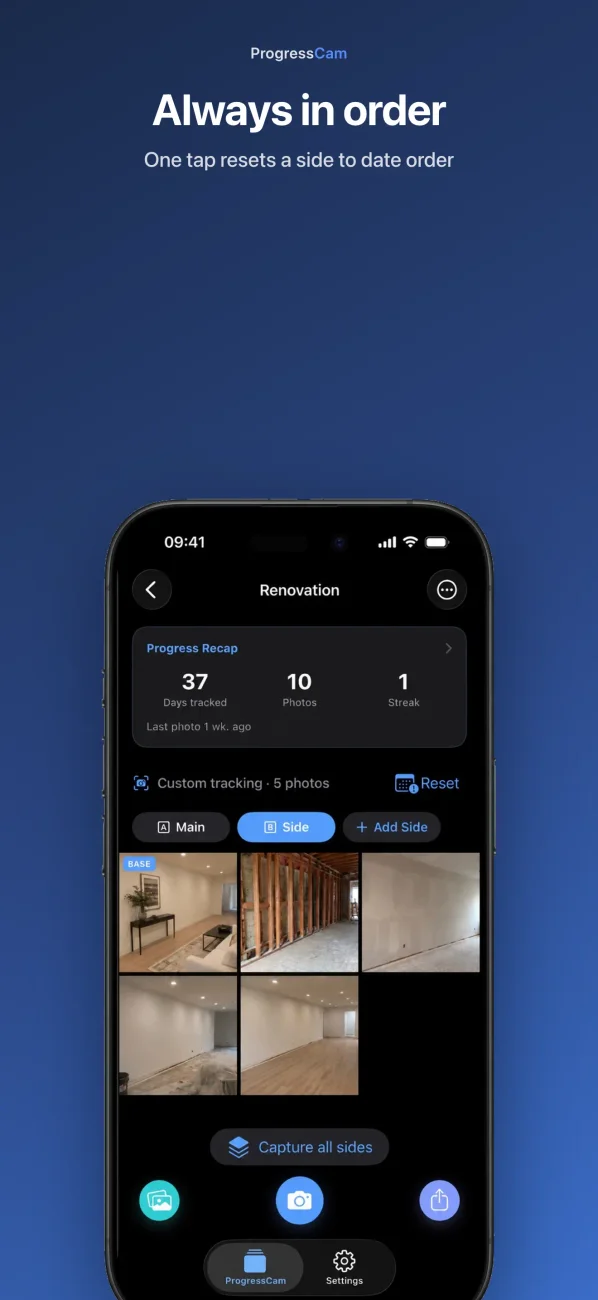
• Organize photos into projects, one per thing you're tracking
• Sign in with Apple or Google, or use the app without an account
• Optional cloud backup keeps your projects safe and synced across your devices
• Delete your account and your cloud backup any time, right in Settings
PROGRESSCAM PRO
• Pro unlocks more projects and photos, multiple sides per project, unlimited exports, HD export with no watermark, and expanded cloud backup
• Choose ProgressCam Pro Yearly, ProgressCam Pro Monthly, or a one-time Lifetime purchase
• Yearly starts with a 1-week free trial for eligible new subscribers
• If a subscription ends, you keep everything you made
Start free and upgrade any time. Whether you're tracking a home renovation, a garden or plant, a skincare or hair routine, a pet, a creative build, or anything else you're working on — ProgressCam makes the change impossible to miss.
ABOUT SUBSCRIPTIONS
ProgressCam Pro Yearly and ProgressCam Pro Monthly are auto-renewable subscriptions. Payment is charged to your Apple Account when you confirm the purchase, or when the free trial ends. A subscription renews automatically unless you cancel it at least 24 hours before the end of the current period. Manage or cancel it in Settings → [your name] → Subscriptions. Lifetime is a one-time purchase, not a subscription.
Terms of Use (EULA): https://www.apple.com/legal/internet-services/itunes/dev/stdeula/
Privacy Policy: https://progresscam.app/privacy/
新機能
バージョン 1.4 · 2026/11/11
HELP AND TIPS
• A new guide in Help & tips: "Share and export".
• "Replay introduction" in Settings › About shows the introduction again. You stay signed in and your projects are untouched.
• A one-time tip on the camera points to the slider that makes the ghost overlay fainter or stronger.
PROGRESS RECAP
• The monthly card counts only this month's photos and the days you took them.
• On a project with several sides, the recap opens on the first side; its stats, photos and sharing follow the side you pick.
• Large numbers are grouped the way your language writes them.
CLEARER AND SAFER
• Clearer wording: "starting photo" in more places.
• Deleting a starting photo now says plainly that it can't be undone, and the rest of the side stays lined up with the photo that takes its place.
• Import review numbers your photos in timeline order.
BACKUP AND SYNC
• Renaming a project now syncs right away.
• An alignment you undo stays undone after a restore, and a photo you discard right after taking it no longer comes back.
• Deleting a project, or removing its cloud backup, now deletes every copy of its photos from the cloud.
ALSO
• VoiceOver reads the photo numbers shown in import review and announces the camera tip.
• Your Light or Dark choice applies from the moment the app opens.
• Shares from Compare can show both photos' dates and the days between them.
アプリのプライバシー
このアプリのデータの取り扱いについて、Kerem UslularがApp Storeで申告している内容です。
-
ユーザーに関連付けられたデータ
収集され、ユーザーの識別情報に関連付けられる場合があります。
- 位置情報
- 連絡先情報
- ユーザーコンテンツ
- ID
- 使用状況データ
- 診断
- その他のデータ
-
ユーザーに関連付けられないデータ
収集される場合がありますが、ユーザーの識別情報には関連付けられません。
- 使用状況データ
- 診断
プライバシーの取り扱いは、ご利用の機能やお客様の年齢などに応じて異なる場合があります。
情報
- 販売元
- Kerem Uslular
- カテゴリ
- 写真/ビデオ
- バージョン
- 1.4
- 更新日
- 2026/11/11
- リリース
- 2026/4/6
- サイズ
- 33.9 MB
- 必要条件
- iOS 17.0以降
- 対象年齢
- 4+
- 価格
- 無料
- アプリ内課金
- あり
- 言語
- 英語, フランス語, スペイン語, トルコ語
- 著作権
- © 2026 Kerem Uslular
こちらもおすすめ
-
 進捗フォトタイムラプス進捗をタイムラプス動画に
-
 Autoframe: Progress Pics写真/ビデオ
-
 SideLens Before & After Photos写真/ビデオ
-
 Motion Stitch: 写真を整列」しゃしんをせいれつコマ撮り&タイムラプス動画編集・作成
-
 DoppleCam写真/ビデオ
-
 Align - 定点観測&コマ撮りカメラ透かしカメラで日々の変化を記録
-
 Lapse: Face Timelapse写真/ビデオ
-
 Before After Studio写真/ビデオ
-
 Journey Tracker: Progress Pics毎日の体・筋トレ写真日記
-
 FolioDay: Photo Magazine写真/ビデオ