
ProgressCam: Progress Photos
Aligned before & after shots
Designed for iPhone
Free · In-app purchases
- Age rating4+
- CategoryPhoto & Video
- DeveloperKerem Uslular
- LanguagesEnglish+ 3 more
- Size33.9 MB
Links to the official App Store page
Download.org hosts no file of ProgressCam: Progress Photos. The button opens its official App Store page, published by Kerem Uslular. Listing last checked on Nov 16, 2026.
Screenshots



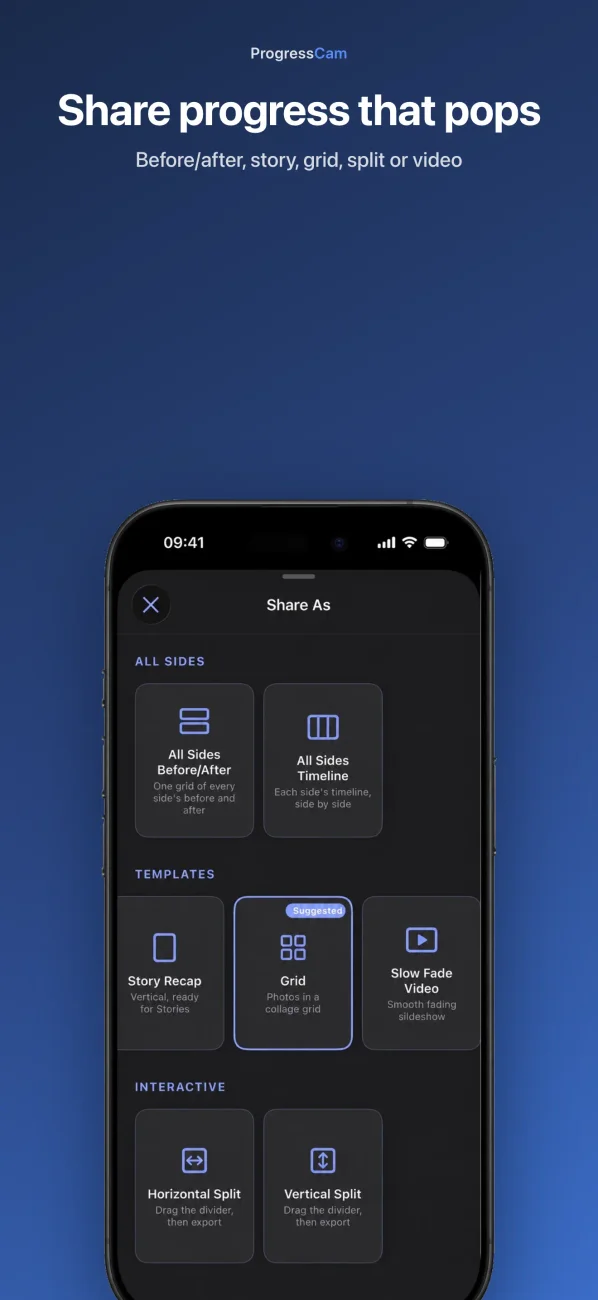


About
See your progress clearly. ProgressCam lines up every new photo with your starting photo, so your before-and-after photos actually match — same angle, same framing, real change you can see.
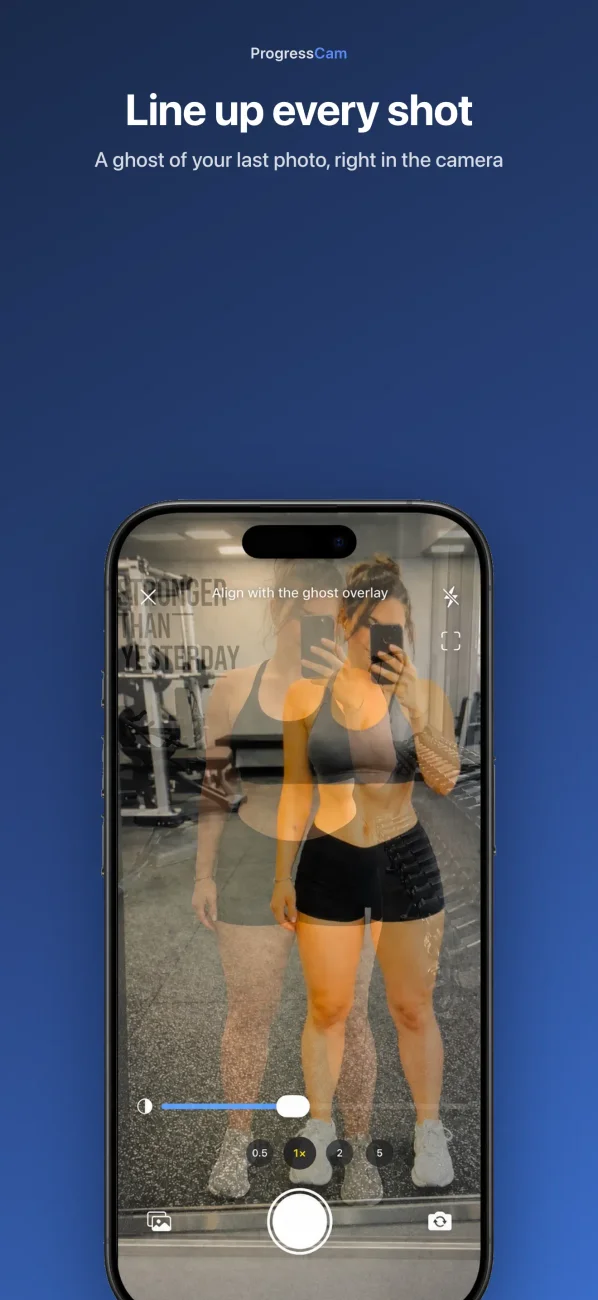
Most progress photos drift: a little closer, a little higher, a slightly different angle — and suddenly you can't tell what really changed. ProgressCam fixes that at capture time. A ghost of your starting photo sits right in the camera, so you can stand in exactly the same spot and shoot a frame that matches it.
CAPTURE THAT LINES UP
• Ghost overlay of your starting photo, right in the viewfinder
• Zoom and manual fine-tuning when you want full control
• Smart alignment that registers each new shot against your starting photo
IMPORT THE PHOTOS YOU ALREADY HAVE
• Bring in older photos from your library and align them with the rest
• Fix each photo's date right in the import grid
• Reorder, choose your starting photo, and align the whole batch in one step
COMPARE THE CHANGE
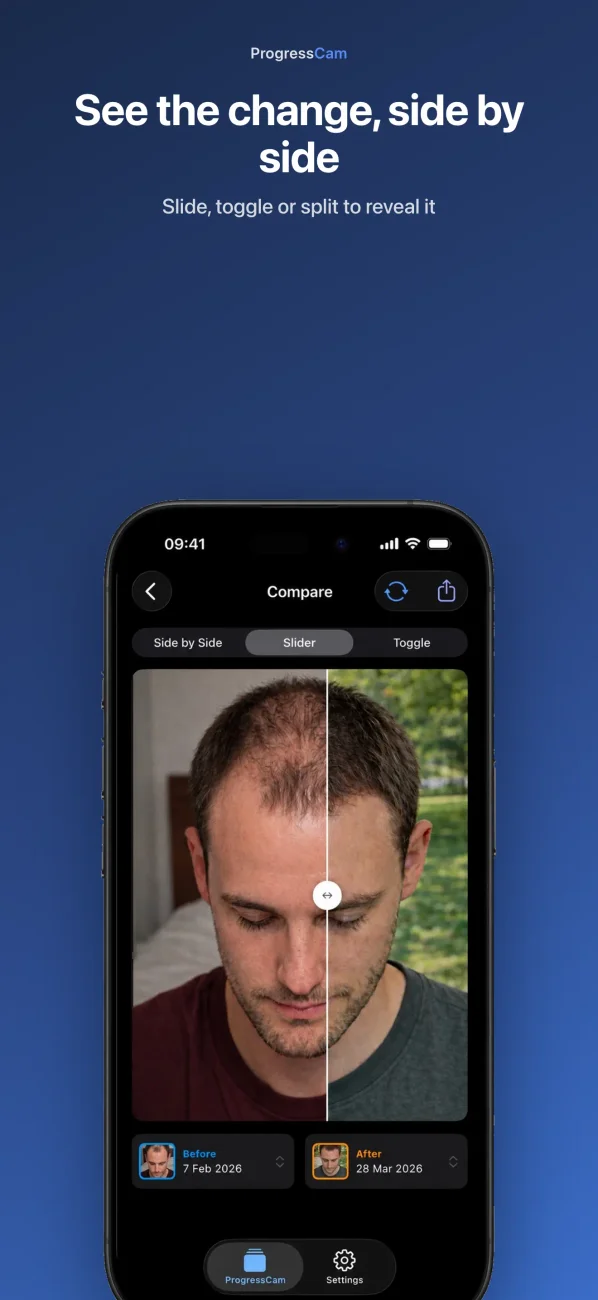
• Side by side, slide to reveal, or tap to toggle between two moments
SHARE IT BEAUTIFULLY
• Six export formats: side-by-side, split, story, panoramic strip, grid collage, and slideshow
• Add date, day-count, or label overlays
• Save or share to anywhere
KEEP THE HABIT
• A reminder for each project: daily, weekly, on the weekdays you choose, every few days, or monthly
• See all your reminders in one place in Settings → Capture Reminders
YOUR PHOTOS, ALWAYS YOURS
• "Save a copy of my photos" in Settings, or "Save a copy of this project" from a project's menu
• Every photo, its aligned version and its details in one ZIP file that opens on any computer, without the app
• It's free and doesn't use your exports
FACE ID PROTECTION
• Require Face ID, Touch ID or your passcode to open a project
• Or protect the whole app
APPLE HEALTH (OPTIONAL)
• Turn on "Show weight alongside my photos" in Settings to see your weight from Apple Health in Progress Recap, on the same timeline as your photos
• Read-only: ProgressCam never writes to Apple Health
• Your weight stays on your iPhone and is never shared or exported
YOUR PROJECTS, BACKED UP
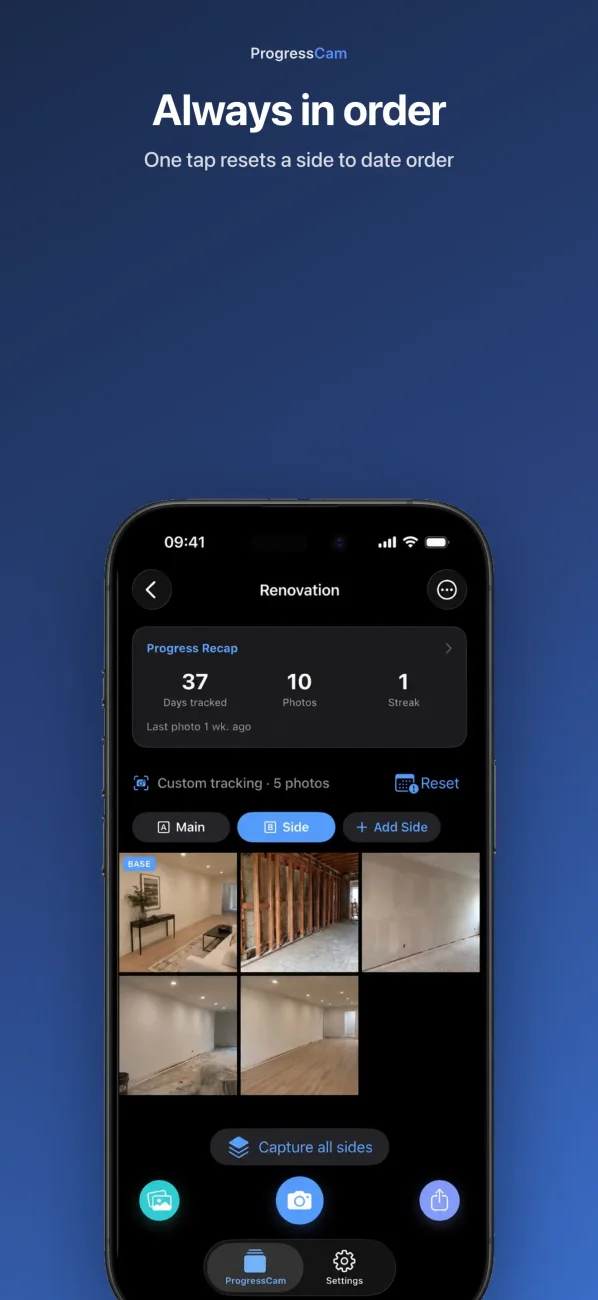
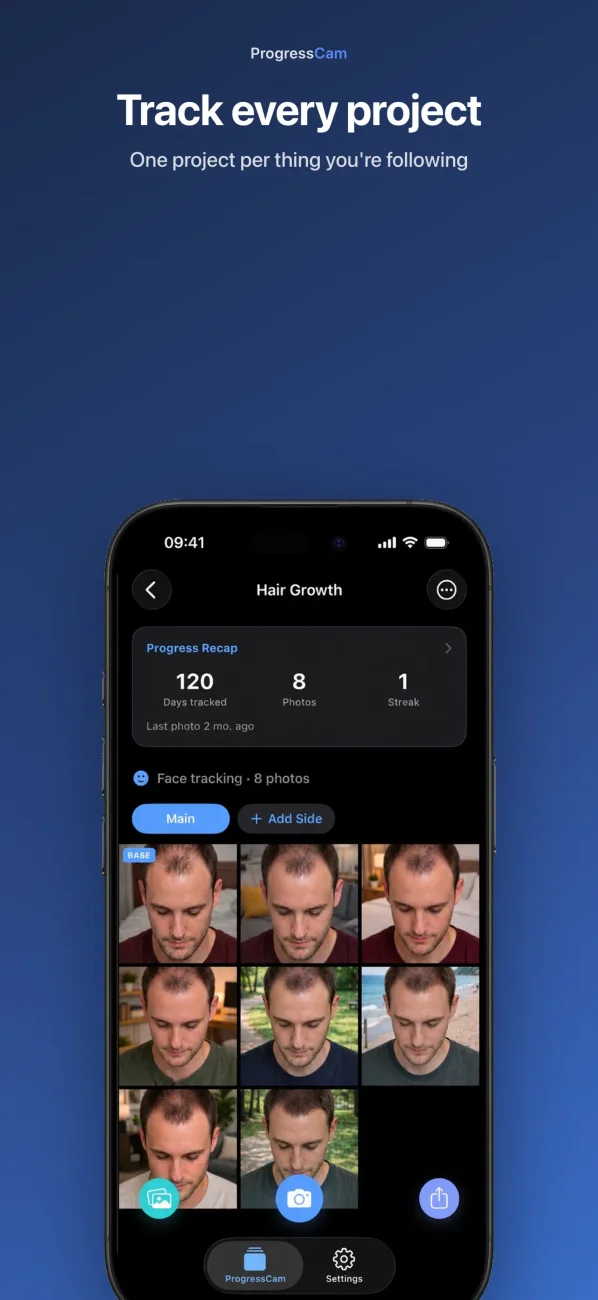
• Organize photos into projects, one per thing you're tracking
• Sign in with Apple or Google, or use the app without an account
• Optional cloud backup keeps your projects safe and synced across your devices
• Delete your account and your cloud backup any time, right in Settings
PROGRESSCAM PRO
• Pro unlocks more projects and photos, multiple sides per project, unlimited exports, HD export with no watermark, and expanded cloud backup
• Choose ProgressCam Pro Yearly, ProgressCam Pro Monthly, or a one-time Lifetime purchase
• Yearly starts with a 1-week free trial for eligible new subscribers
• If a subscription ends, you keep everything you made
Start free and upgrade any time. Whether you're tracking a home renovation, a garden or plant, a skincare or hair routine, a pet, a creative build, or anything else you're working on — ProgressCam makes the change impossible to miss.
ABOUT SUBSCRIPTIONS
ProgressCam Pro Yearly and ProgressCam Pro Monthly are auto-renewable subscriptions. Payment is charged to your Apple Account when you confirm the purchase, or when the free trial ends. A subscription renews automatically unless you cancel it at least 24 hours before the end of the current period. Manage or cancel it in Settings → [your name] → Subscriptions. Lifetime is a one-time purchase, not a subscription.
Terms of Use (EULA): https://www.apple.com/legal/internet-services/itunes/dev/stdeula/
Privacy Policy: https://progresscam.app/privacy/
What’s new
Version 1.4 · Nov 11, 2026
HELP AND TIPS
• A new guide in Help & tips: "Share and export".
• "Replay introduction" in Settings › About shows the introduction again. You stay signed in and your projects are untouched.
• A one-time tip on the camera points to the slider that makes the ghost overlay fainter or stronger.
PROGRESS RECAP
• The monthly card counts only this month's photos and the days you took them.
• On a project with several sides, the recap opens on the first side; its stats, photos and sharing follow the side you pick.
• Large numbers are grouped the way your language writes them.
CLEARER AND SAFER
• Clearer wording: "starting photo" in more places.
• Deleting a starting photo now says plainly that it can't be undone, and the rest of the side stays lined up with the photo that takes its place.
• Import review numbers your photos in timeline order.
BACKUP AND SYNC
• Renaming a project now syncs right away.
• An alignment you undo stays undone after a restore, and a photo you discard right after taking it no longer comes back.
• Deleting a project, or removing its cloud backup, now deletes every copy of its photos from the cloud.
ALSO
• VoiceOver reads the photo numbers shown in import review and announces the camera tip.
• Your Light or Dark choice applies from the moment the app opens.
• Shares from Compare can show both photos' dates and the days between them.
App privacy
What Kerem Uslular declares on the App Store about how this app handles data.
-
Data linked to you
May be collected and linked to your identity.
- Location
- Contact info
- User content
- Identifiers
- Usage data
- Diagnostics
- Other data
-
Data not linked to you
May be collected but is not linked to your identity.
- Usage data
- Diagnostics
Privacy practices may vary, for example with the features you use or your age.
Information
- Seller
- Kerem Uslular
- Category
- Photo & Video
- Version
- 1.4
- Updated
- Nov 11, 2026
- Released
- Apr 6, 2026
- Size
- 33.9 MB
- Requires
- iOS 17.0 or later
- Age rating
- 4+
- Price
- Free
- In-app purchases
- Yes
- Languages
- English, French, Spanish, Turkish
- Copyright
- © 2026 Kerem Uslular
You might also like
-
 Progress Timelapse PhotosTurn progress into videos
-
 Autoframe: Progress PicsBefore & After Comparison
-
 SideLens Before & After PhotosSee body, skin & home progress
-
 Motion Stitch: Align PhotosStop Frame & Timelapse Maker
-
 DoppleCamMatch the Moment!
-
 Align: Stop Motion CameraPhoto & Video
-
 Lapse: Face TimelapseSame person. Years in seconds.
-
 Before After StudioPhoto Compare & Progress Track
-
 Journey Tracker: Progress PicsBody Tracker & Progress Photos
-
 FolioDay: Photo MagazinePhoto & Video