- 対象年齢4+
- カテゴリミュージック
- 開発元Kristaps Dreija
- 言語英語
- サイズ10.1 MB
App Storeの公式ページにリンクしています
Download.orgはPunchKitのファイルを一切ホストしていません。ボタンを押すと、Kristaps Dreijaが公開しているApp Storeのアプリページが開きます。ページの最終確認:2026/11/21。
スクリーンショット


概要
開発元はこのテキストをお使いの言語で提供していません。
PunchKit is a local-first companion for the Teenage Engineering EP-133 K.O. II, EP-1320 Medieval, and EP-40 Riddim. Build kits, manage samples, record and process audio, separate stems, perform live effects, and create dependable backups from your iPhone or iPad.
MIDI PLAYGROUND
- Layer independent Chords, Melody, and Bass machines beside a connected EP
- Follow EP MIDI clock with retained-BPM fallback if pulses stop
- Use Auto Key or choose key, scale, harmony, voicing, inversion, octave, and expression manually
- Shape chord feel with strum order, groove, timing, humanization, velocity, and release
- Build melody and bass phrases on 16-step note grids, with octave transposition while playing
OFFLINE KIT BUILDER
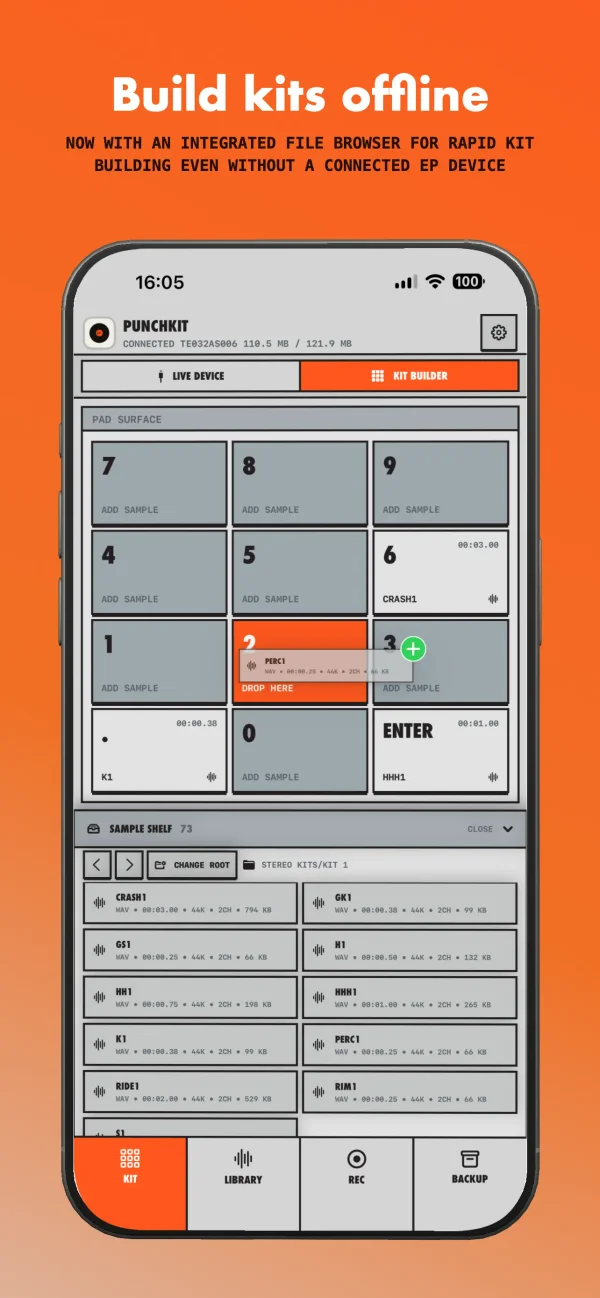
- Build and save 12-pad kits without connecting an EP
- Browse and preview samples from Files, then assign them to pads
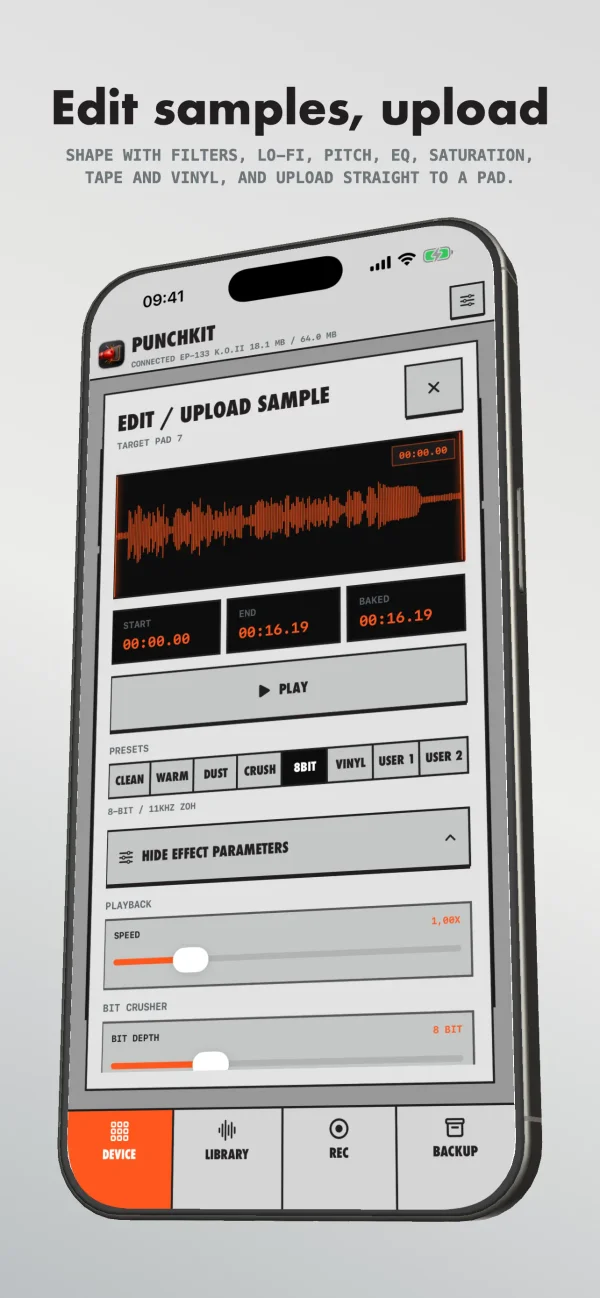
- Trim or convert samples for EP limits
- Import, export, duplicate, rename, and share kit archives
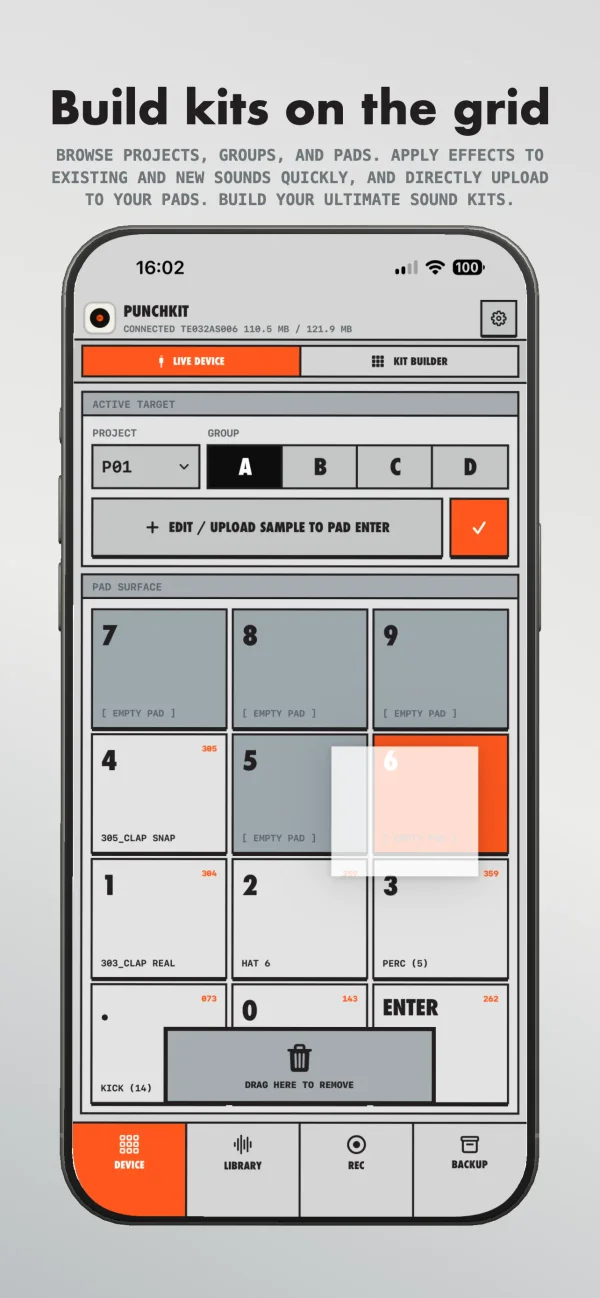
- Connect later to upload a kit to a chosen project and group
DEVICE AND SAMPLE MANAGEMENT
- Automatically detect compatible EP devices over USB MIDI
- Browse projects, groups, pads, assignments, sounds, and memory slots
- Browse one shared local Sample Shelf across Library, Projects, and Kit Builder
- Drag a complete folder, including nested folders, to a Library slot
- Review each file's path, duration, source size, converted device size, and memory before upload
- Remove or edit individual pending samples without changing shelf files
- Choose free-slot or sequential placement and explicitly confirm overwrites
RECORD, EDIT, AND PUNCH
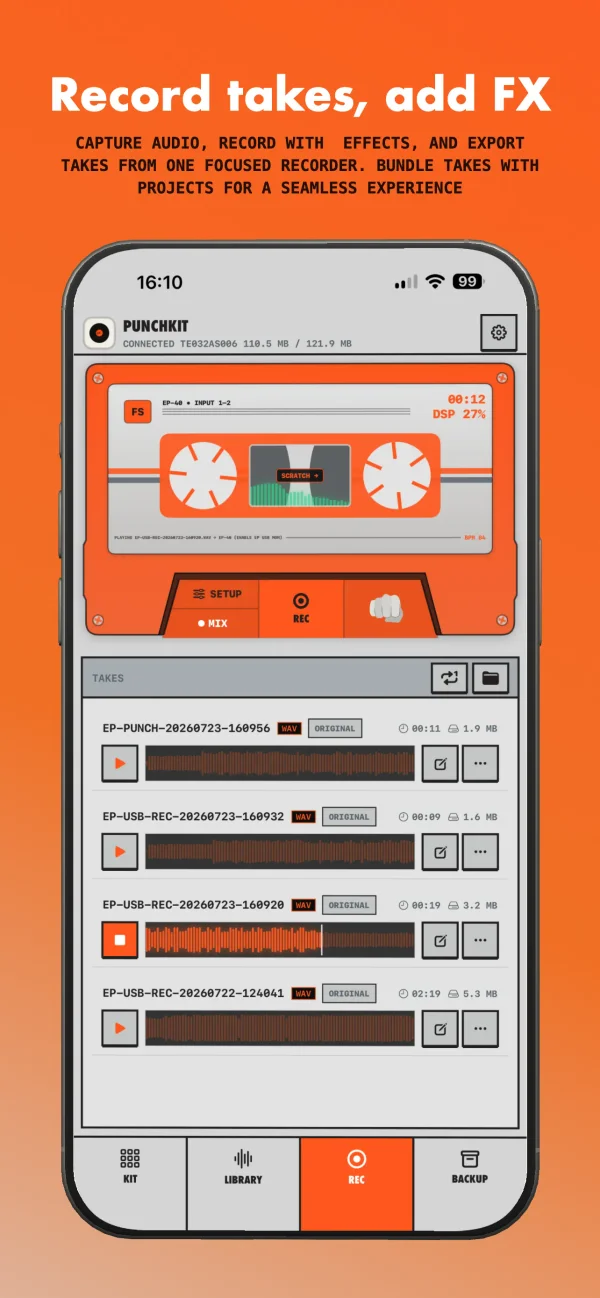
- Record from the microphone or compatible USB audio inputs in WAV or M4A
- Use signal-activated recording, waveform trimming, playback controls, and original/rendered versions
- Monitor processed USB audio live with adjustable level and latency
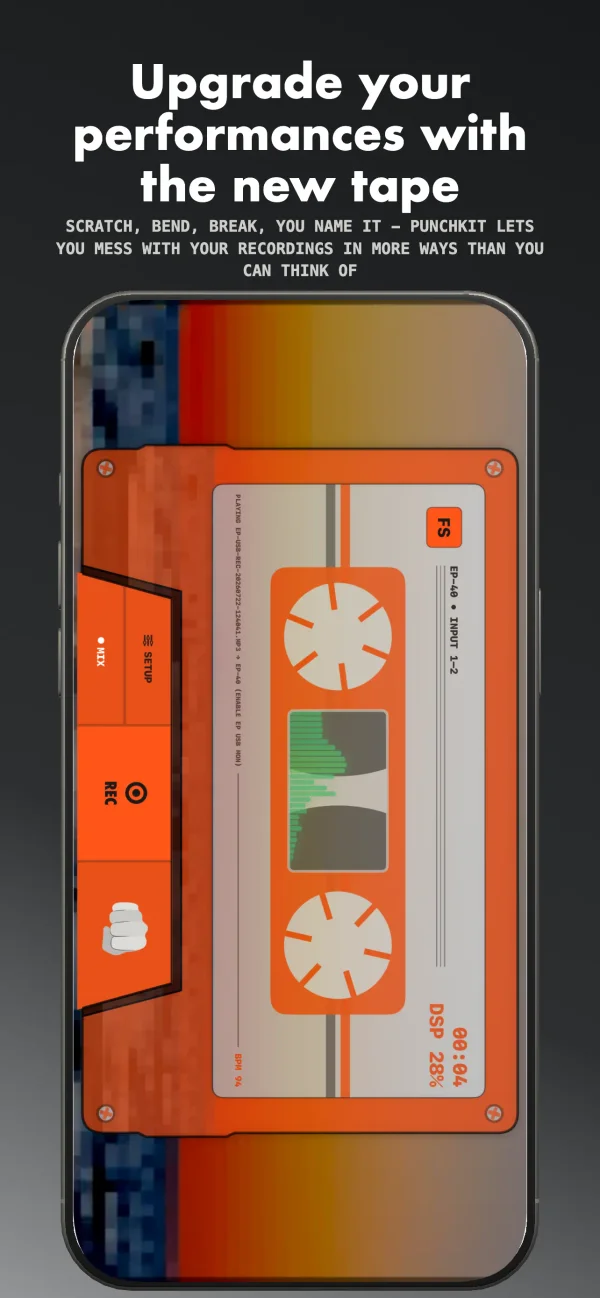
- Capture beat-synced loops using MIDI, detected audio, or tap tempo, then scratch and perform them from the cassette
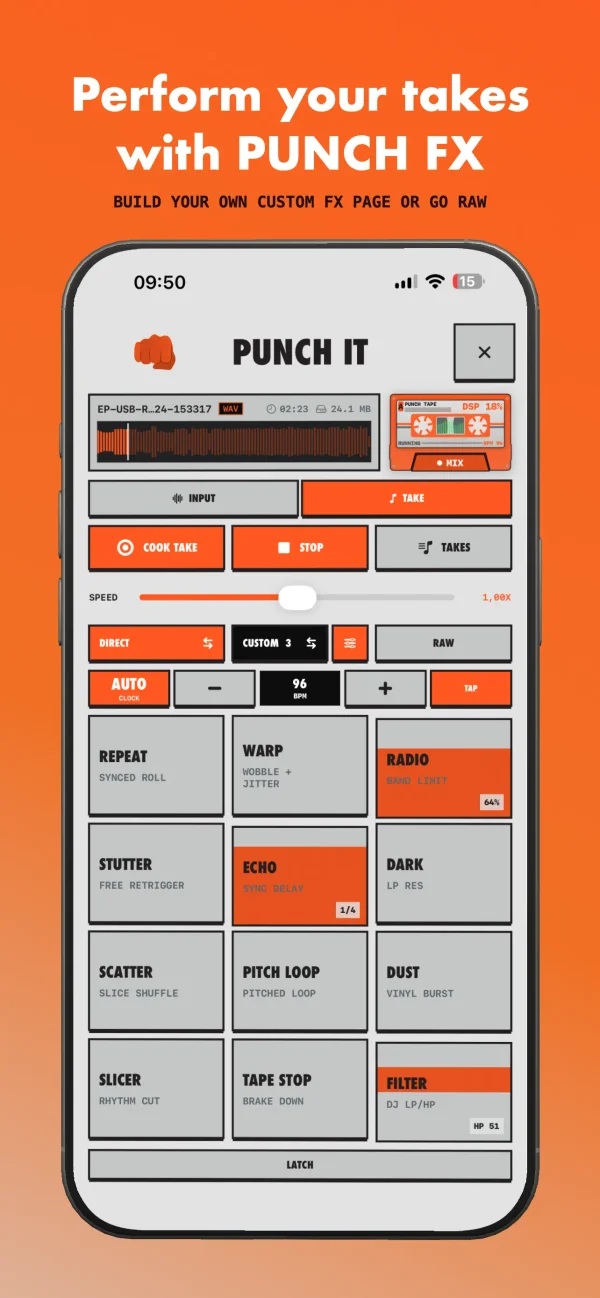
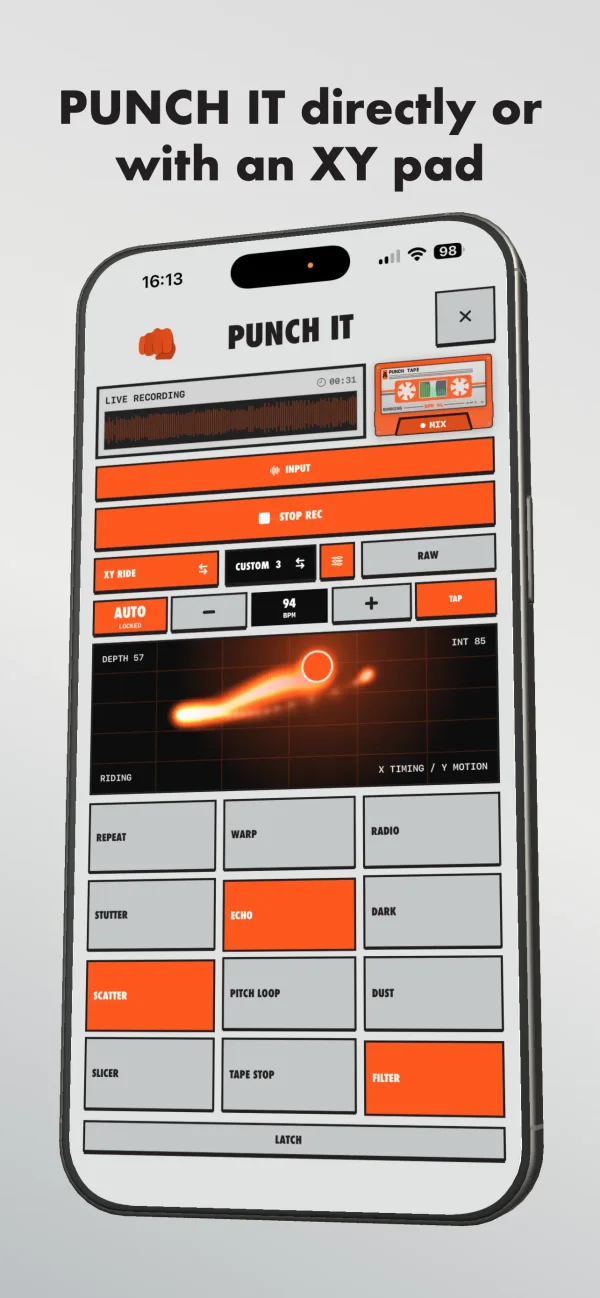
- Apply stackable Color and tempo-synced Motion effects with Direct or XY controls
- Build a custom 12-slot Punch It page
PIXEL BACKGROUND STUDIO
- Turn short videos from Photos into pixel-art backgrounds
- Trim, frame, process, and arrange clips locally
- Available with Lifetime Pro
LOCAL STEM SEPARATION
- Separate a take into vocals, drums, bass, and other
- Choose Fast, Balanced, or Best quality
- Download the optional model once, then process locally
- Mix, save, share, bounce, or upload stems
BACKUP AND RESTORE
- Back up banks, projects, or the complete device
- Add PunchKit ZIPs and TE Sample Tool PAKs to the library without an EP
- Opt in to iCloud Drive backup sync across iPhone, iPad, and Mac
- Review source-device compatibility warnings before restoring
MADE FOR IPHONE AND IPAD
- Adaptive portrait and landscape layouts
- System, Light, and Dark appearances
FREE TO START, PRO FOR UNLIMITED WORKFLOWS
PunchKit is free to download. Connecting, browsing, previewing, playing, sharing, renaming, deleting, restoring backups, and using existing files remain available without limits.
The free tier includes three successful take creations, one local kit creation and one complete kit upload, three successful sample writes, one stem separation, and one bank, project, and complete-device backup. Allowances count only after an operation succeeds.
One optional Lifetime Pro purchase removes these limits. There is no subscription, and Pro supports Apple Family Sharing. On iPhone and iPad, people who first downloaded PunchKit before version 1.3 receive Lifetime Pro automatically as founding users.
LOCAL-FIRST BY DESIGN
No PunchKit account, ads, third-party analytics, or tracking. Optional iCloud Drive backup sync uses your Apple account. Other content stays local unless you share or export it. Diagnostic reports are sent only when you choose and exclude audio, sample and project contents, and filenames.
DISCLAIMER
PunchKit is independent and is not affiliated with or endorsed by Teenage Engineering.
新機能
バージョン 1.11.2 · 2026/11/3
Bug fixes related to backup imports.
アプリのプライバシー
このアプリのデータの取り扱いについて、Kristaps DreijaがApp Storeで申告している内容です。
-
データの収集なし
開発元はこのアプリからデータを収集しません。
プライバシーの取り扱いは、ご利用の機能やお客様の年齢などに応じて異なる場合があります。
情報
- 販売元
- Kristaps Dreija
- カテゴリ
- ミュージック
- バージョン
- 1.11.2
- 更新日
- 2026/11/3
- リリース
- 2026/7/2
- サイズ
- 10.1 MB
- 必要条件
- iOS 17.0以降
- 対象年齢
- 4+
- 価格
- 無料
- アプリ内課金
- あり
- 言語
- 英語
- 著作権
- © 2026 Kristaps Dreija