
- 対象年齢4+
- カテゴリライフスタイル
- 開発元Robert Murdock
- 言語英語
- サイズ2.8 MB
App Storeの公式ページにリンクしています
Download.orgはQuotatorのファイルを一切ホストしていません。ボタンを押すと、Robert Murdockが公開しているApp Storeのアプリページが開きます。ページの最終確認:2026/11/23。
スクリーンショット




概要
開発元はこのテキストをお使いの言語で提供していません。
Quotator is a personal quote library that puts your words on your home screen — styled exactly the way you want them, rotating on your schedule.
THE ROTATION IS YOURS
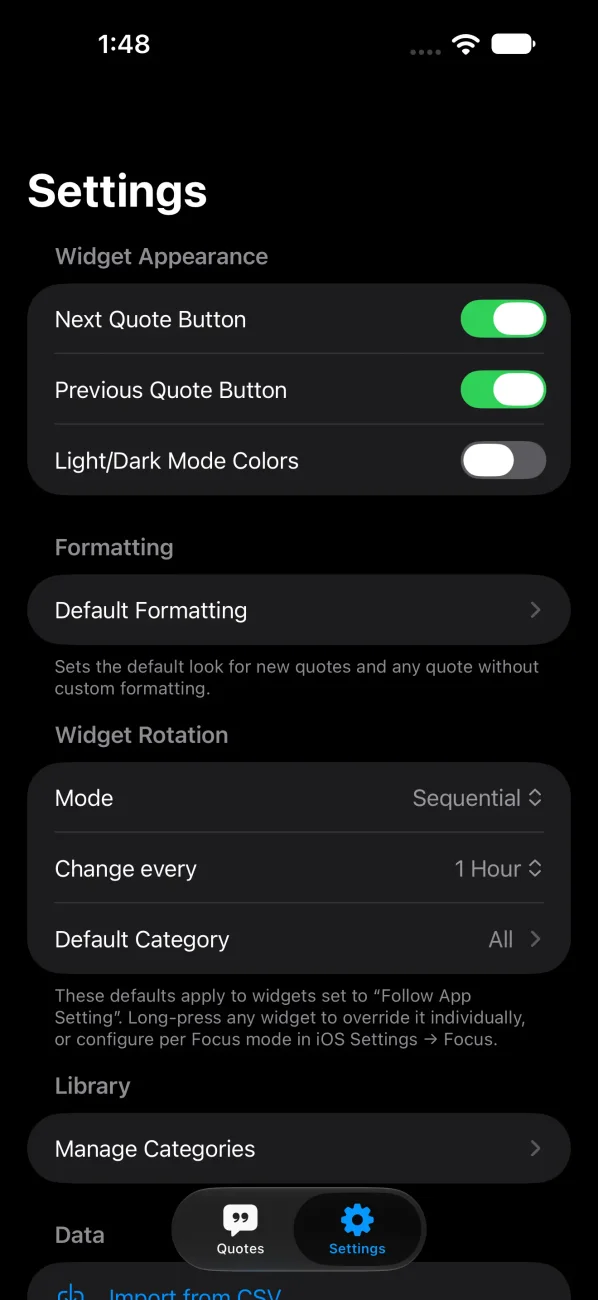
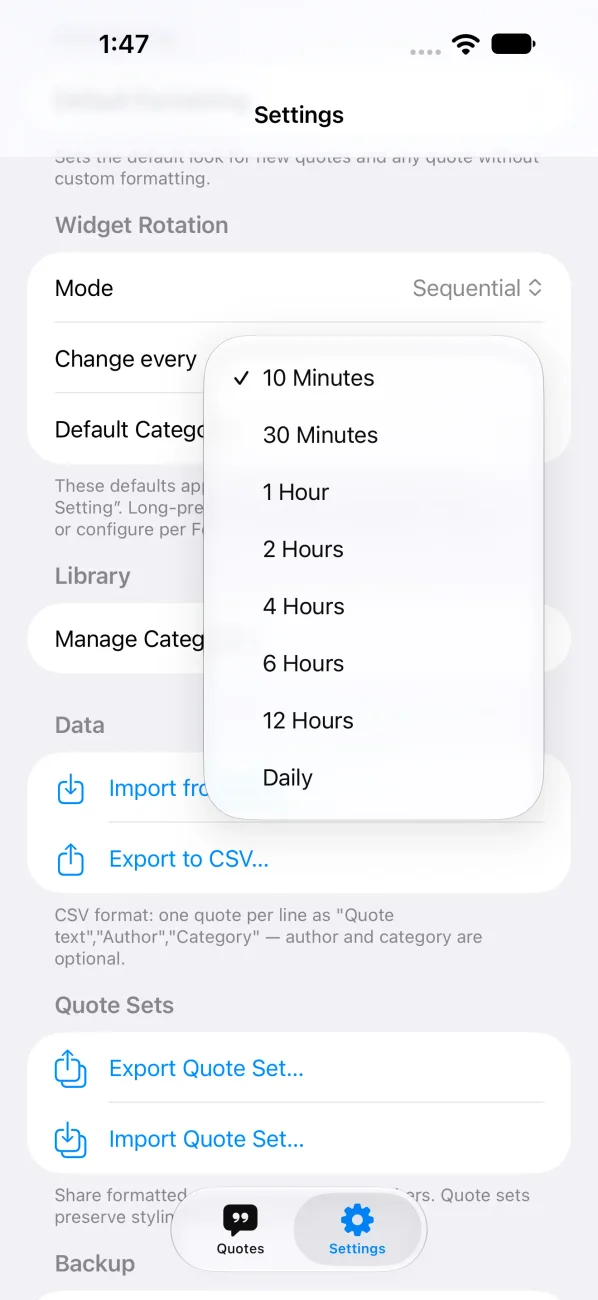
Most quote apps rotate randomly or once a day. Quotator lets you set the interval: every 10 or 30 minutes, 1 hour, 2, 4, 6, or 12 hours, or once a day. Each widget you add can have its own interval, category, and rotation mode — independently. You decide when your quotes change, and every widget can tell a different story.
YOUR STYLE, YOUR QUOTES
Style each quote individually — or set a default for your whole library and override it per category or per quote:
• 19 fonts — 4 system designs (System, Serif, Monospaced, Rounded) plus 15 curated iOS fonts: Georgia, Palatino, Baskerville, Didot, American Typewriter, Courier New, Futura, Gill Sans, Helvetica Neue, Avenir Next, Optima, Copperplate, Marker Felt, Noteworthy, Snell Roundhand
• Custom colors — choose from 19 carefully selected presets, or tap + to open the system color picker and use any color you like
• Auto-fit text — quotes scale to fill the widget so short quotes go large and long quotes shrink to fit without truncation
• Left, center, or right text alignment
• Attribution above or below the quote — set it for your whole library or per category
• Live preview — toggle Medium and Large in the edit screen to see exactly how your widget will look before saving
PERSONAL LIBRARY
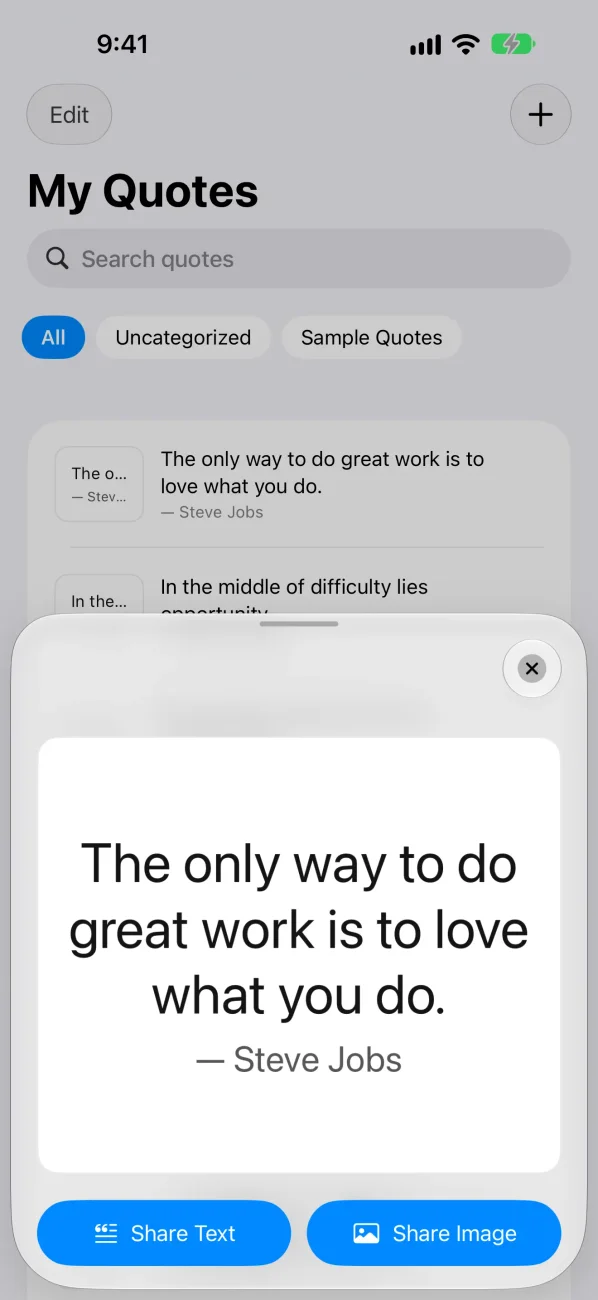
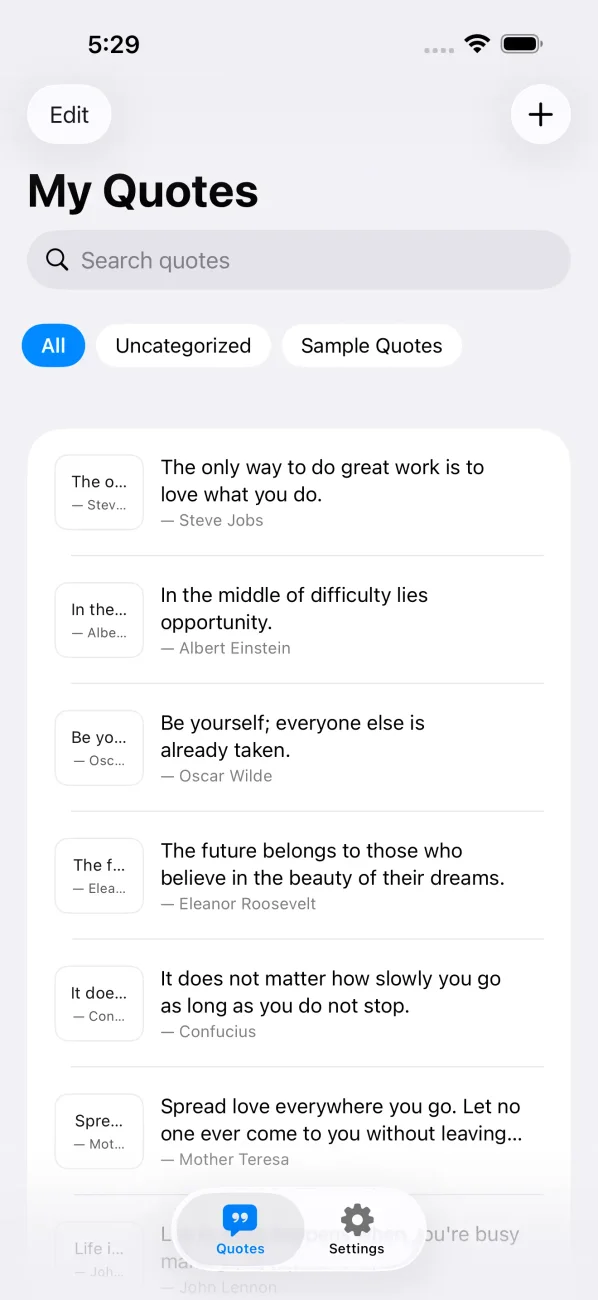
• Add any quote with optional author attribution
• Organize quotes into categories; filter your library by category
• Enable or disable individual quotes — removed from widget rotation but kept in your library
• Reorder by dragging to set the sequential rotation order
• Search instantly by quote text or author
QUOTE SHOW
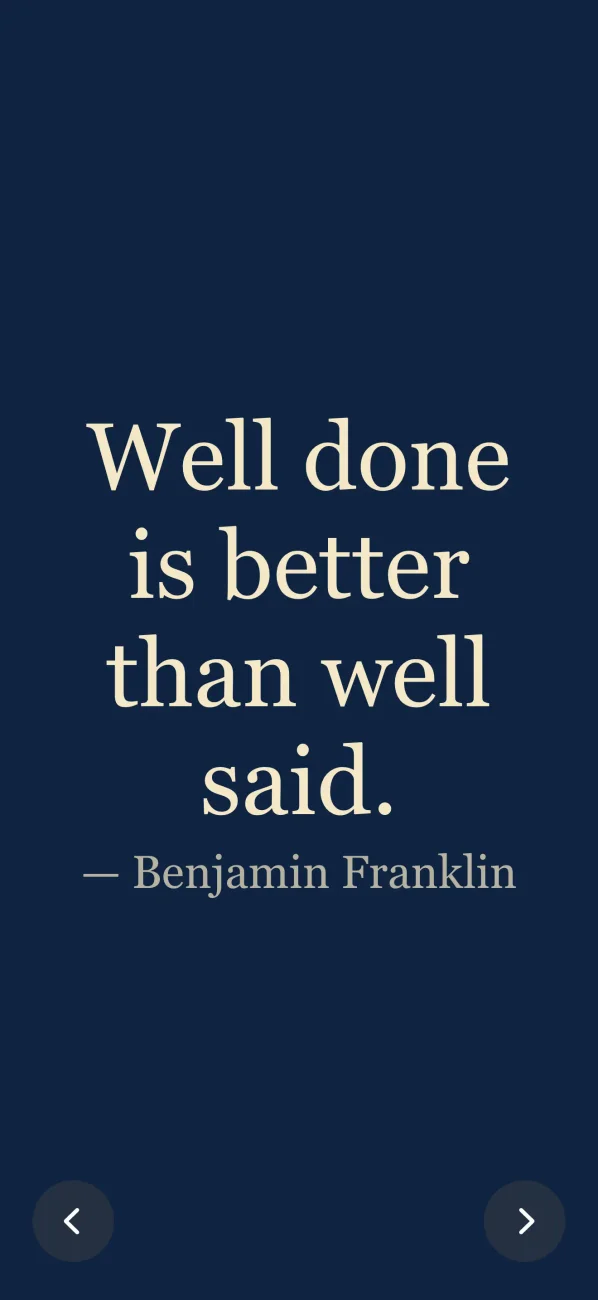
Turn your whole iPhone or iPad screen into a quote display. Play all your quotes or just one category, in order or shuffled, advancing by hand or every 1, 3 or 5 minutes. Every quote appears in its own formatting, with the author above or below. Perfect for presenting a quote to someone, or leaving an iPad on a stand. The screen stays awake while a show runs.
TWO WIDGET STYLES
Both come in Medium and Large, plus Extra Large: wide on iPad, and tall on iPhone with iOS 27 and later.
Rotating Quote — displays a new quote on your chosen schedule. Long-press to configure each widget independently:
• Sequential cycles through your library in the order you set
• Random picks a different quote each interval, consistently
• Manual pins one specific quote until you change it
• Filter to one category or a set of categories
• Tap Next to advance immediately, or turn on the Previous button to go back — no waiting for the next rotation
Specific Quote — always shows one chosen quote. Perfect for a mantra, a goal, or a favourite you want to see every day.
SHARE QUOTE COLLECTIONS
Export a formatted set of quotes as a single file and share it with anyone. Styles, categories, and all formatting are preserved. Recipients import it with one tap — great for sharing reading lists, team mantras, or themed collections.
FOCUS FILTER
Set Quotator's category and rotation mode per Focus mode in iOS Settings → Focus → Apps → Quotator. Work Focus shows your professional quotes. Sleep Focus shows something calmer. No manual changes needed.
YOUR DATA, YOUR CONTROL
• Automatic iCloud backup — Quotator backs up your entire library to iCloud Documents once a day, keeping the last 10 backups automatically
• Manual backup and restore — full JSON backup you can store anywhere
• Import from CSV — bring in quotes from a spreadsheet or another app
• Export to CSV — take your library to any app or spreadsheet
No account required. No subscription. No data collected. Just your quotes.
新機能
バージョン 1.9.1 · 2026/11/21
A very long word in a widget is no longer cut off. A single word wider than the widget, such as "Supercalifragilisticexpialidocious" in the Small widget, now shrinks until it fits on one line. Everything else is unchanged from 1.9.
アプリのプライバシー
このアプリのデータの取り扱いについて、Robert MurdockがApp Storeで申告している内容です。
-
データの収集なし
開発元はこのアプリからデータを収集しません。
プライバシーの取り扱いは、ご利用の機能やお客様の年齢などに応じて異なる場合があります。
情報
- 販売元
- Robert Murdock
- カテゴリ
- ライフスタイル
- バージョン
- 1.9.1
- 更新日
- 2026/11/21
- リリース
- 2026/5/21
- サイズ
- 2.8 MB
- 必要条件
- iOS 18.0以降
- 対象年齢
- 4+
- 価格
- 無料
- 言語
- 英語
- 著作権
- © 2026 Robert Murdock
こちらもおすすめ
-
 Quotes Widget - Daily Wisdomライフスタイル
-
 Tendr – Widgets & Quotesライフスタイル
-
 Simple Quote Widgetライフスタイル
-
 Quotes Widget: Flintライフスタイル
-
 Motivation Elevationライフスタイル
-
 QuoteTile: Daily Quote Widgetライフスタイル
-
 Happy Quotes Maker - Positiveライフスタイル
-
 Motivational Widget - Quotesライフスタイル
-
 Citator - 大切な引用引用を保存して大切に
-
 Quotes - Motivational Quotesライフスタイル