- 対象年齢4+
- カテゴリ開発ツール
- 開発元VU THANH
- 言語英語ほか13言語
- サイズ4.6 MB
App Storeの公式ページにリンクしています
Download.orgはRead Markdown: Fast & Lightのファイルを一切ホストしていません。ボタンを押すと、VU THANHが公開しているApp Storeのアプリページが開きます。ページの最終確認:2026/11/21。
スクリーンショット


概要
開発元はこのテキストをお使いの言語で提供していません。
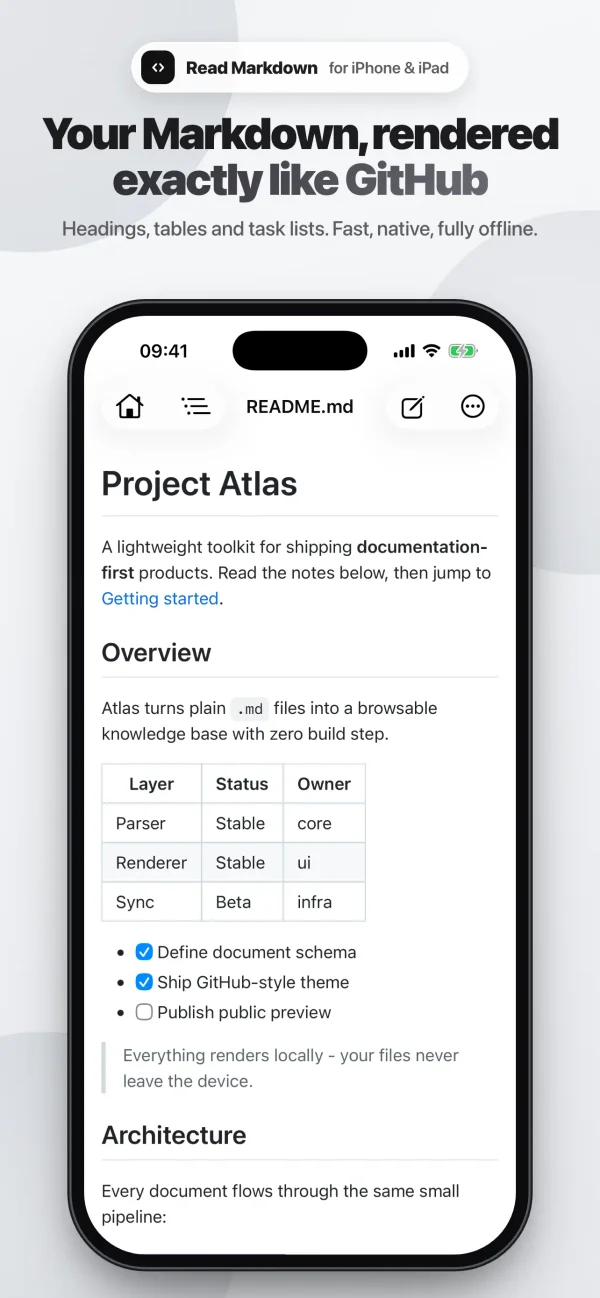
Read Markdown (R.md) is the fast, lightweight way to read and edit Markdown on iPhone and iPad. Open a .md file and it appears instantly, rendered exactly like GitHub, in a clean, distraction free layout. Need to change something? Tap the pencil and edit, with a formatting bar right above the keyboard. Truly native, no accounts, no setup, no internet.
WHY READ MARKDOWN
• Fast: opens in a blink and scrolls smoothly, even for big documents.
• Lightweight: a tiny native app that is easy on memory and battery.
• Dead simple: just open a file and read. Nothing to configure.
READING
• Renders like GitHub, including tables, task lists and blockquotes.
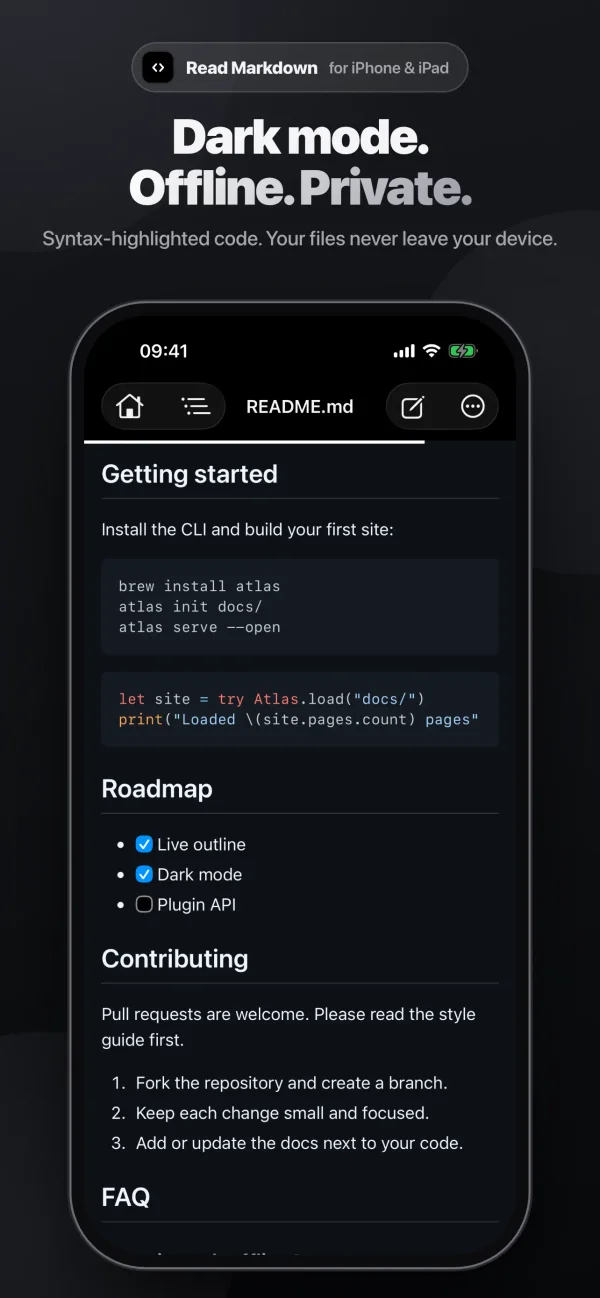
• Syntax highlighting for code blocks, with a copy button on each one.
• Live Mermaid diagrams: flowcharts and sequence diagrams render in the page.
• Dark mode that follows your system appearance.
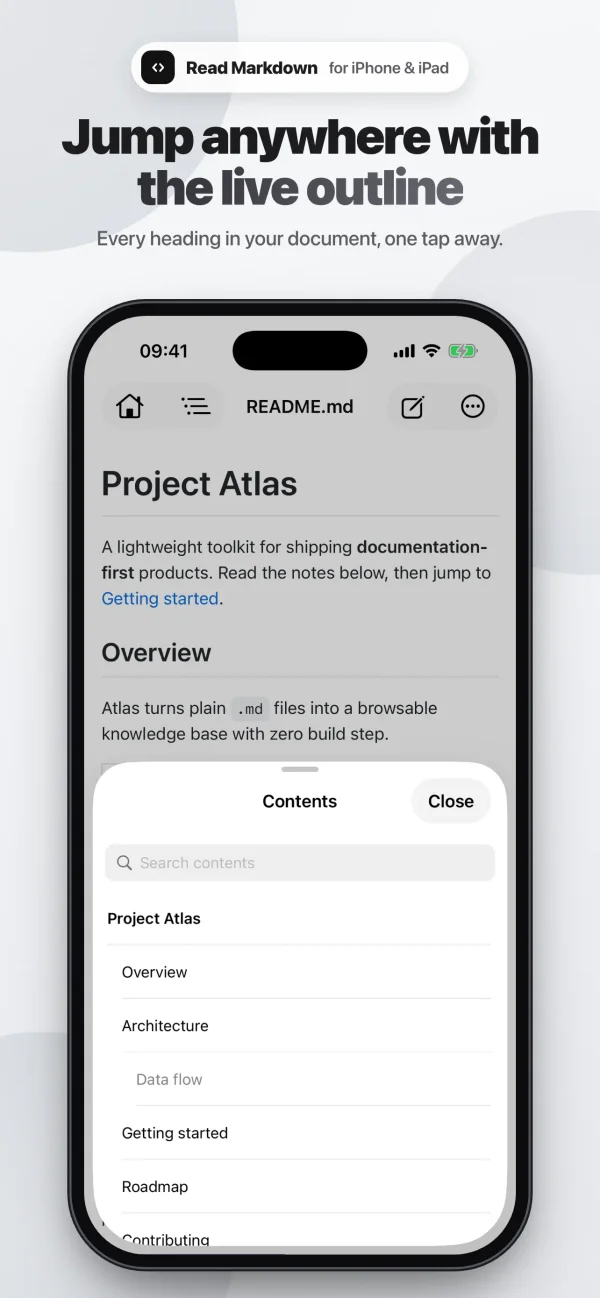
• Live outline: tap a heading to jump, or filter to find one. On iPad it stays open in a sidebar.
• Images next to your document and links to other .md files just work.
• Find in page, adjustable text size, and a list of recent files.
• Export a clean, paginated A4 PDF and share it anywhere.
EDITING
• Reading stays reading: the app only switches to editing when you tap the pencil.
• On iPad, edit side by side with a live preview that updates as you type.
• Formatting bar for headings, bold, italic, code, links, lists, checklists and tables, plus undo and redo.
• Smart typing: Return continues lists, code fences close themselves, and pasting a URL over selected text makes a link.
• Tick a checkbox right in the rendered page and the change is saved to your file.
• Light syntax colors in the editor, a clear unsaved indicator, and a prompt before you close.
• Plays well with other apps: changes made elsewhere are detected, and you choose to reload or keep yours.
• Hardware keyboard shortcuts on iPad: Cmd+B, Cmd+I, Cmd+K and Cmd+S.
WORKS WITH YOUR FILES
Open documents from the Files app, iCloud Drive or any other app with Open In. Files are edited in place, so nothing is copied or uploaded.
Works fully offline. No account, no tracking, and your files never leave your device.
Perfect for developers, writers and anyone who reads README files, design docs and notes. Download Read Markdown and open your first .md file in seconds.
新機能
バージョン 1.1.3 · 2026/11/18
Choose Light or Dark, and send us feedback.
• Pick Light, Dark or System from the ••• menu (or the Home screen of the app). The whole app switches instantly, and Mermaid diagrams redraw to match.
• Send Feedback opens an email to hello@bomst.store with your app version and device details filled in, so we can help faster. Links to our website and privacy policy are right next to it.
• On iPad with a keyboard, both are also in the menu bar (View → Appearance, Help).
アプリのプライバシー
このアプリのデータの取り扱いについて、VU THANHがApp Storeで申告している内容です。
-
データの収集なし
開発元はこのアプリからデータを収集しません。
プライバシーの取り扱いは、ご利用の機能やお客様の年齢などに応じて異なる場合があります。
情報
- 販売元
- VU THANH
- カテゴリ
- 開発ツール
- バージョン
- 1.1.3
- 更新日
- 2026/11/18
- リリース
- 2026/9/8
- サイズ
- 4.6 MB
- 必要条件
- iOS 16.0以降
- 対象年齢
- 4+
- 価格
- 無料
- 言語
- 英語, アラビア語, フランス語, ドイツ語, ヒンディー語, イタリア語, 日本語, 韓国語, ポルトガル語, ロシア語, 簡体字中国語, スペイン語 ほか2言語
- 著作権
- © 2026 bom.st