Read Markdown: Fast & Light
GitHub-style, works offline
Projetado para iPhone, iPad, Mac
Grátis
- Classificação etária4+
- CategoriaPara desenvolvedores
- DesenvolvedorVU THANH
- IdiomasInglêse mais 13
- Tamanho4,6 MB
Leva à página oficial na App Store
O Download.org não hospeda nenhum arquivo de Read Markdown: Fast & Light. O botão abre a página do app na App Store, onde VU THANH o publica. Página verificada pela última vez em 21/11/2026.
Capturas de tela


Sobre
O desenvolvedor não forneceu este texto no seu idioma.
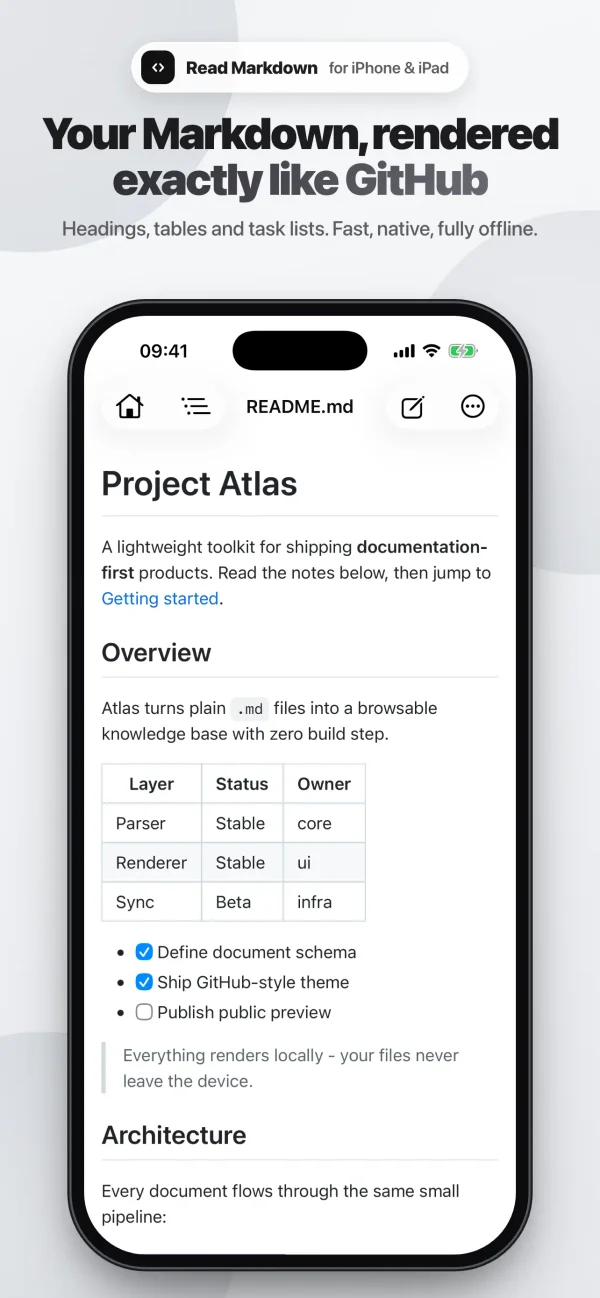
Read Markdown (R.md) is the fast, lightweight way to read and edit Markdown on iPhone and iPad. Open a .md file and it appears instantly, rendered exactly like GitHub, in a clean, distraction free layout. Need to change something? Tap the pencil and edit, with a formatting bar right above the keyboard. Truly native, no accounts, no setup, no internet.
WHY READ MARKDOWN
• Fast: opens in a blink and scrolls smoothly, even for big documents.
• Lightweight: a tiny native app that is easy on memory and battery.
• Dead simple: just open a file and read. Nothing to configure.
READING
• Renders like GitHub, including tables, task lists and blockquotes.
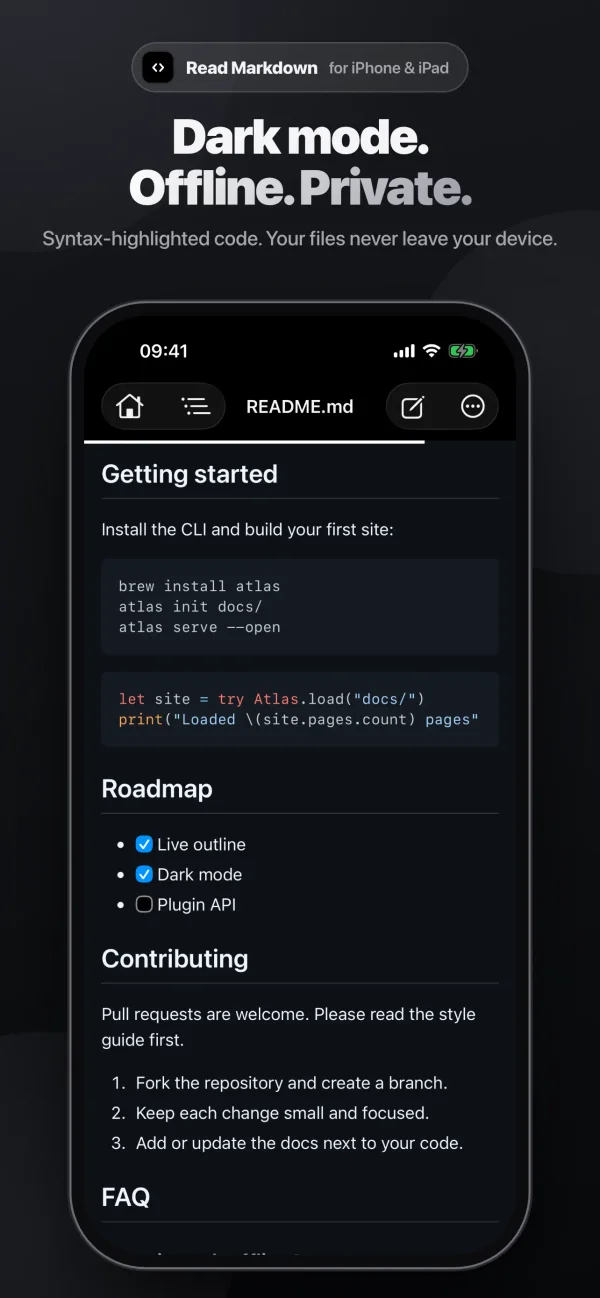
• Syntax highlighting for code blocks, with a copy button on each one.
• Live Mermaid diagrams: flowcharts and sequence diagrams render in the page.
• Dark mode that follows your system appearance.
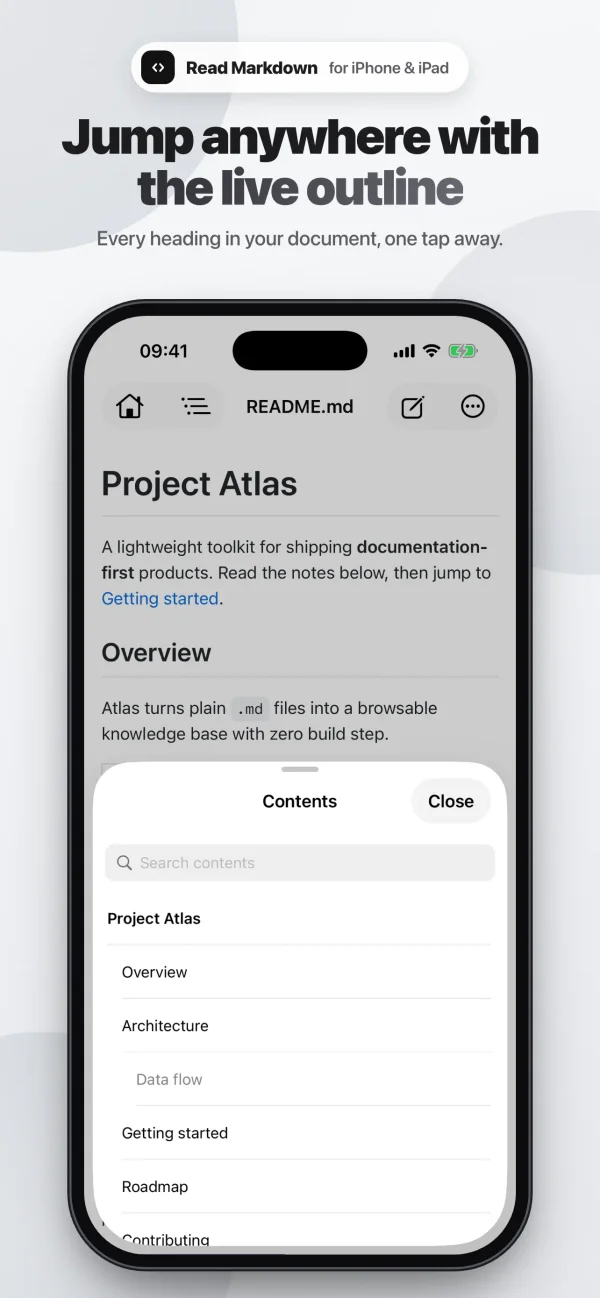
• Live outline: tap a heading to jump, or filter to find one. On iPad it stays open in a sidebar.
• Images next to your document and links to other .md files just work.
• Find in page, adjustable text size, and a list of recent files.
• Export a clean, paginated A4 PDF and share it anywhere.
EDITING
• Reading stays reading: the app only switches to editing when you tap the pencil.
• On iPad, edit side by side with a live preview that updates as you type.
• Formatting bar for headings, bold, italic, code, links, lists, checklists and tables, plus undo and redo.
• Smart typing: Return continues lists, code fences close themselves, and pasting a URL over selected text makes a link.
• Tick a checkbox right in the rendered page and the change is saved to your file.
• Light syntax colors in the editor, a clear unsaved indicator, and a prompt before you close.
• Plays well with other apps: changes made elsewhere are detected, and you choose to reload or keep yours.
• Hardware keyboard shortcuts on iPad: Cmd+B, Cmd+I, Cmd+K and Cmd+S.
WORKS WITH YOUR FILES
Open documents from the Files app, iCloud Drive or any other app with Open In. Files are edited in place, so nothing is copied or uploaded.
Works fully offline. No account, no tracking, and your files never leave your device.
Perfect for developers, writers and anyone who reads README files, design docs and notes. Download Read Markdown and open your first .md file in seconds.
Novidades
Versão 1.1.3 · 18/11/2026
Choose Light or Dark, and send us feedback.
• Pick Light, Dark or System from the ••• menu (or the Home screen of the app). The whole app switches instantly, and Mermaid diagrams redraw to match.
• Send Feedback opens an email to hello@bomst.store with your app version and device details filled in, so we can help faster. Links to our website and privacy policy are right next to it.
• On iPad with a keyboard, both are also in the menu bar (View → Appearance, Help).
Privacidade do app
O que VU THANH declara na App Store sobre como este app lida com os dados.
-
Dados não coletados
O desenvolvedor não coleta nenhum dado deste app.
As práticas de privacidade podem variar, por exemplo, com base nos recursos que você usa ou na sua idade.
Informações
- Vendedor
- VU THANH
- Categoria
- Para desenvolvedores
- Versão
- 1.1.3
- Atualizado
- 18/11/2026
- Lançamento
- 08/09/2026
- Tamanho
- 4,6 MB
- Requer
- iOS 16.0 ou posterior
- Classificação etária
- 4+
- Preço
- Grátis
- Idiomas
- Inglês, Árabe, Francês, Alemão, Hindi, Italiano, Japonês, Coreano, Português, Russo, Chinês simplificado, Espanhol e mais 2
- Copyright
- © 2026 bom.st
Você também pode gostar
-
 ClayshellPara desenvolvedores
-
 ParaPortPara desenvolvedores
-
 AfterlidPara desenvolvedores
-
 Python Code CardsExecute e depure Python
-
 Spunk GaugePara desenvolvedores
-
 .md viewer & editor: NanoFilePara desenvolvedores
-
 Ledge NotebookPara desenvolvedores
-
 42 Editor: Code & Text EditorPara desenvolvedores
-
 JSON MasterVisualizar, editar, validar
-
 Termini - SSH ClientTerminal Remoto e Servidores