- 対象年齢4+
- カテゴリ仕事効率化
- 開発元Jorge Lucioni Charalla
- 言語英語
- サイズ2.8 MB
App Storeの公式ページにリンクしています
Download.orgはScanner Pro OCRのファイルを一切ホストしていません。ボタンを押すと、Jorge Lucioni Charallaが公開しているApp Storeのアプリページが開きます。ページの最終確認:2026/11/17。
スクリーンショット
概要
開発元はこのテキストをお使いの言語で提供していません。
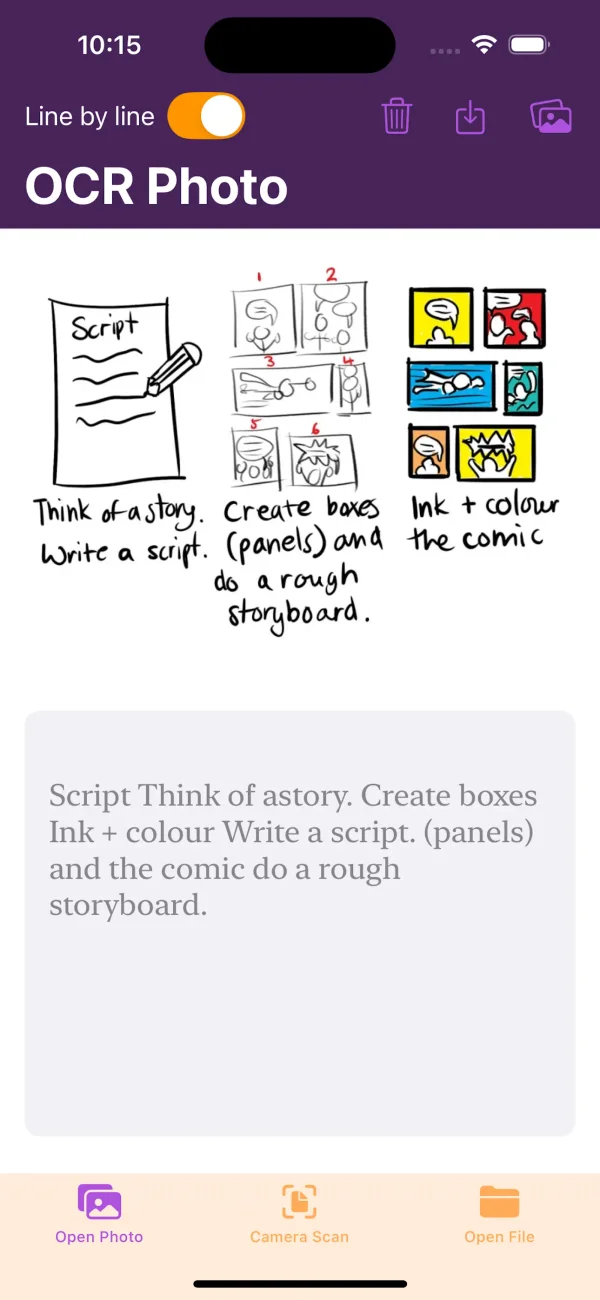
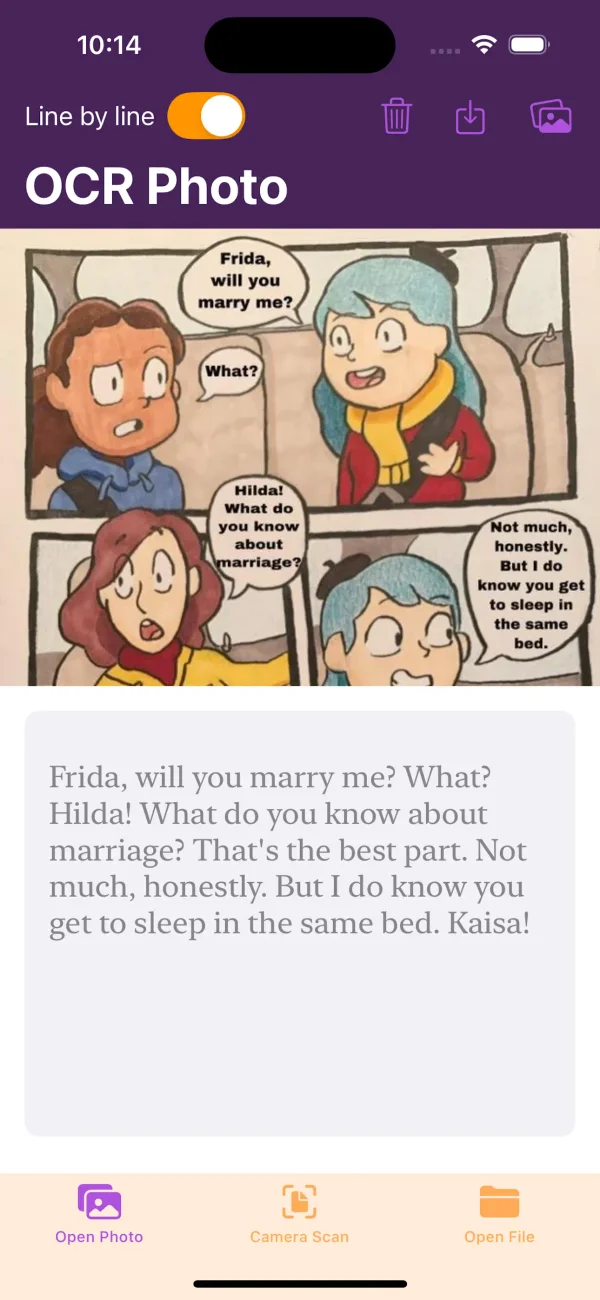
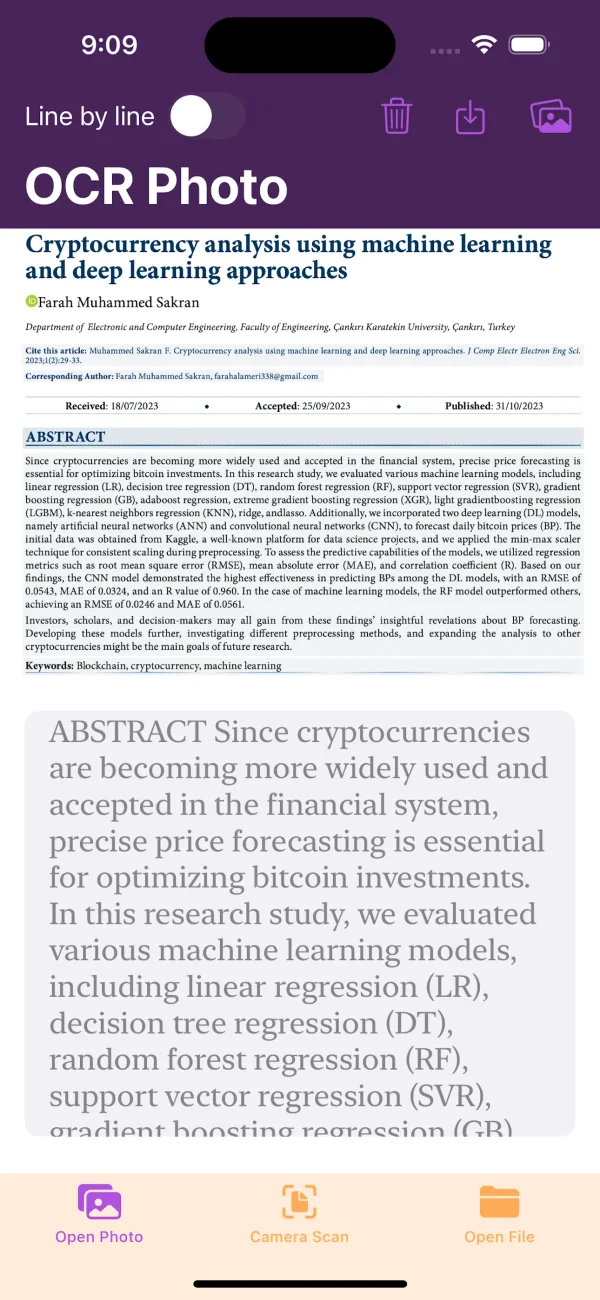
Scan and extract text easily with our OCR app:
Multiple Import Options: Capture from camera, photo library, or Files app.
Fast & Accurate OCR: Quickly recognize printed text with precision.
Flexible Viewing: Zoom and pan your scanned images effortlessly.
Organized Output: Toggle line-by-line formatting for clean results.
Offline Capability: Scan and extract text anytime, no internet needed.
Easy Export: Save recognized text as a .txt file to Files app.
Empower your productivity with reliable, versatile scanning – all in one app.
新機能
バージョン 1.1 · 2025/7/8
Added File Import: Open images directly from Files app for OCR.
Added Camera Capture: Take photos and scan instantly within the app.
Introduced Zoom & Pan: View images in detail with pinch and drag.
New Dark Purple Theme for a sleek professional look.
Improved Line by Line Toggle for clearer text formatting.
Enhanced performance and stability across all devices.
アプリのプライバシー
このアプリのデータの取り扱いについて、Jorge Lucioni CharallaがApp Storeで申告している内容です。
-
データの収集なし
開発元はこのアプリからデータを収集しません。
プライバシーの取り扱いは、ご利用の機能やお客様の年齢などに応じて異なる場合があります。
情報
- 販売元
- Jorge Lucioni Charalla
- カテゴリ
- 仕事効率化
- バージョン
- 1.1
- 更新日
- 2025/7/8
- リリース
- 2023/10/15
- サイズ
- 2.8 MB
- 必要条件
- iOS 18.0以降
- 対象年齢
- 4+
- 価格
- ¥300
- 言語
- 英語
- 著作権
- © 2020 - 2025 BarrancoStudio
こちらもおすすめ
-
 Fast Offline OCR: IMAGE TO TXT仕事効率化
-
 PST Viewer for Outlook仕事効率化
-
 FaceDown スマホ依存対策&集中アプリ制限・スクリーンタイム・先延ばし対策
-
 xTract - OCRスキャナー&リーダー画像からテキストへの変換ソフト
-
 Notebooks: Write and Organize仕事効率化
-
 Life Metro予定・ToDo・ノート・毎週の振り返り
-
 DEVONthink To Go 4仕事効率化
-
 iNote - Sticky Note by Color仕事効率化
-
 UnTrap for YouTubeShortsと邪魔な要素を削除
-
 TypeApp Email, Mail & Exchange仕事効率化