School Assistant – Planner
The ultimate student planner
iPhone, iPad, Mac向けに設計
無料 · アプリ内課金
- 対象年齢4+
- カテゴリ教育
- 開発元Sun Apps, LLC
- 言語英語
- サイズ537.8 MB
App Storeの公式ページにリンクしています
Download.orgはSchool Assistant – Plannerのファイルを一切ホストしていません。ボタンを押すと、Sun Apps, LLCが公開しているApp Storeのアプリページが開きます。ページの最終確認:2026/11/27。
スクリーンショット


概要
開発元はこのテキストをお使いの言語で提供していません。
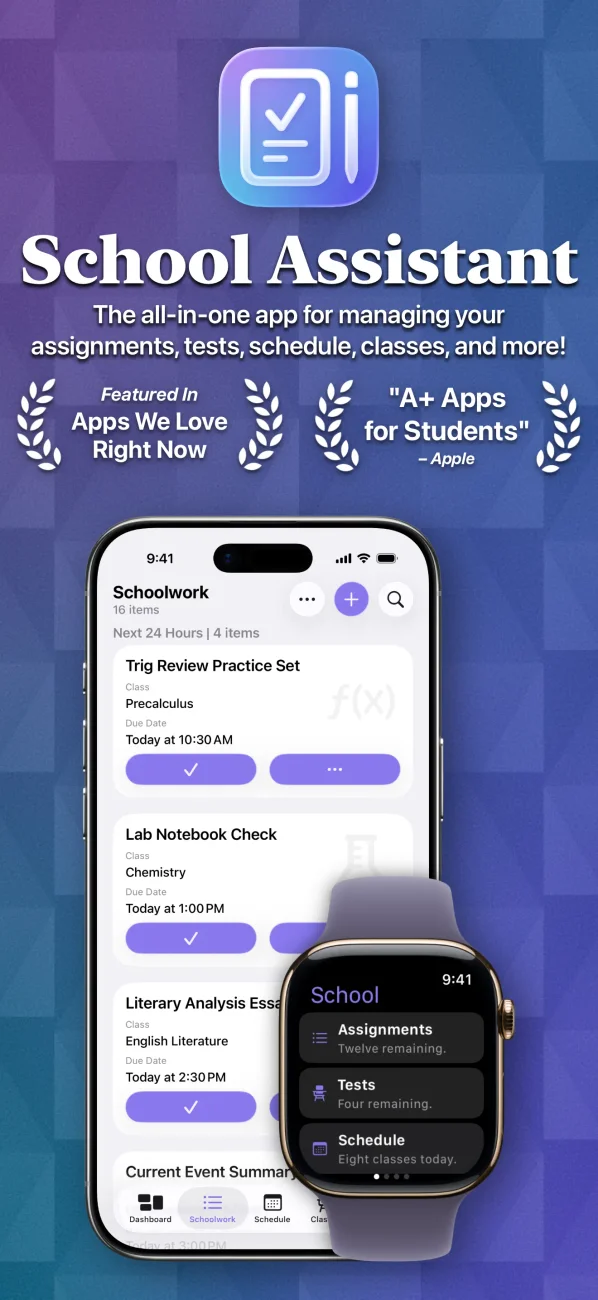
~ Featured by Apple, 9to5Mac, and Macrumors ~
~ “A+ Apps for Students”, “Apps We Love Right Now”, “23 Apps for 2023”, and more from Apple
School Assistant by Sun Apps is a simple but powerful school planner app. It allows you to quickly and easily keep track of your homework and tests, manage your schedule, save all your class info, quickly access saved websites, and more.
First, as a student myself, I know how hard it can be to pay for these types of apps. So, School Assistant is 100% free: no subscriptions, no paywalls, no premium features, and no ads! There is a tip jar if you feel like supporting, though (these are the in-app purchases the App Store shows).
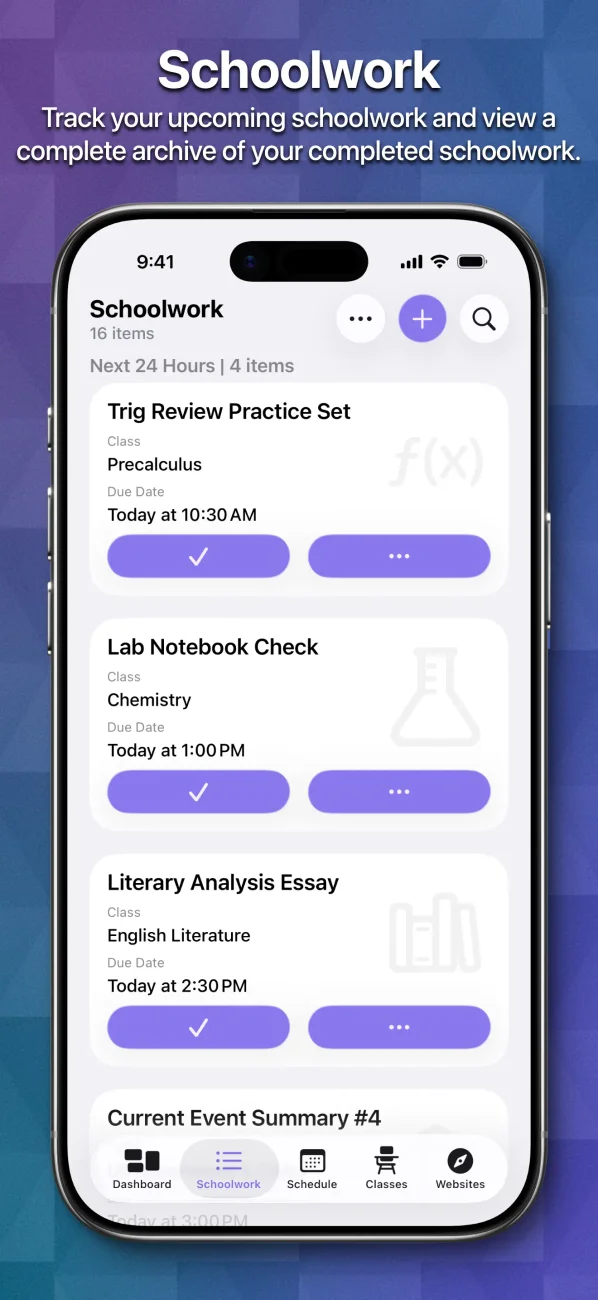
Schoolwork:
– Manage your upcoming assignments and tests
– Sort by due date, class, category, alphabetically, or manually
– Add a related class, due date, links, and notes
– Add Subtasks to your schoolwork to keep track of large assignments
– Schedule reminders
– Highlight upcoming and overdue schoolwork
– Keep an entire archive of your completed schoolwork
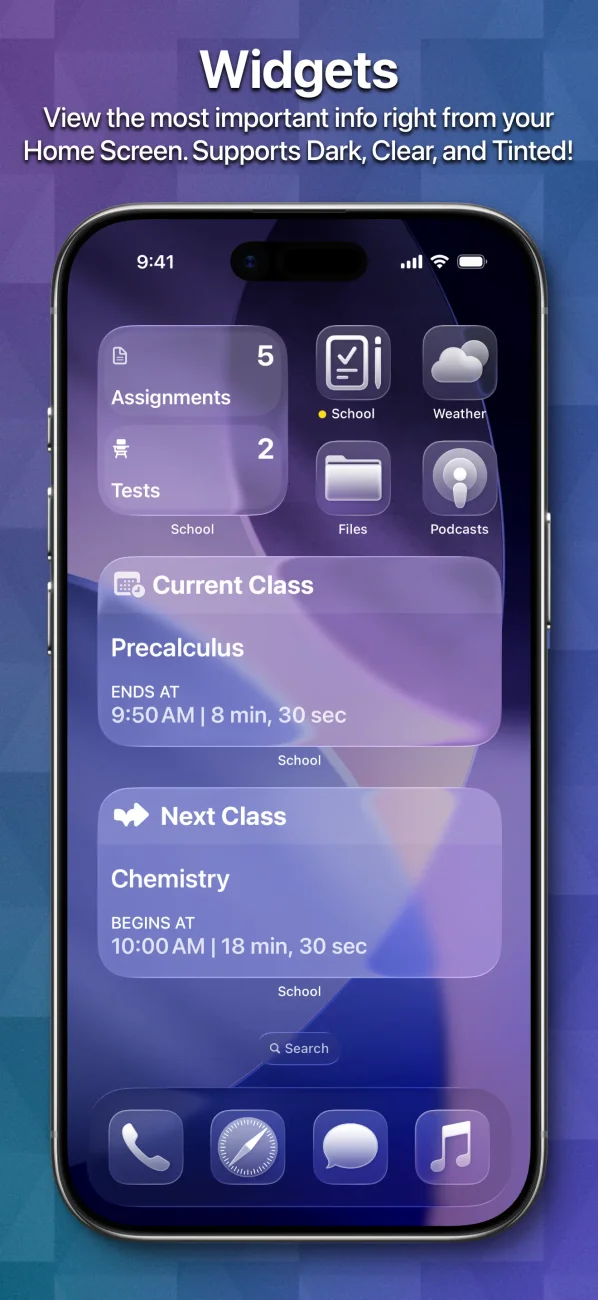
– View your upcoming schoolwork and classes right from your Home Screen / Desktop with Widgets
Schedule:
– Keep track of your classes for every day
– Add associated teacher and room information (or, add a link for online classes)
– Automatically switch days based on the day of the week
– Automatically switch between two weeks (great for A/B week schedules)
– Manually switch between up to ten weeks
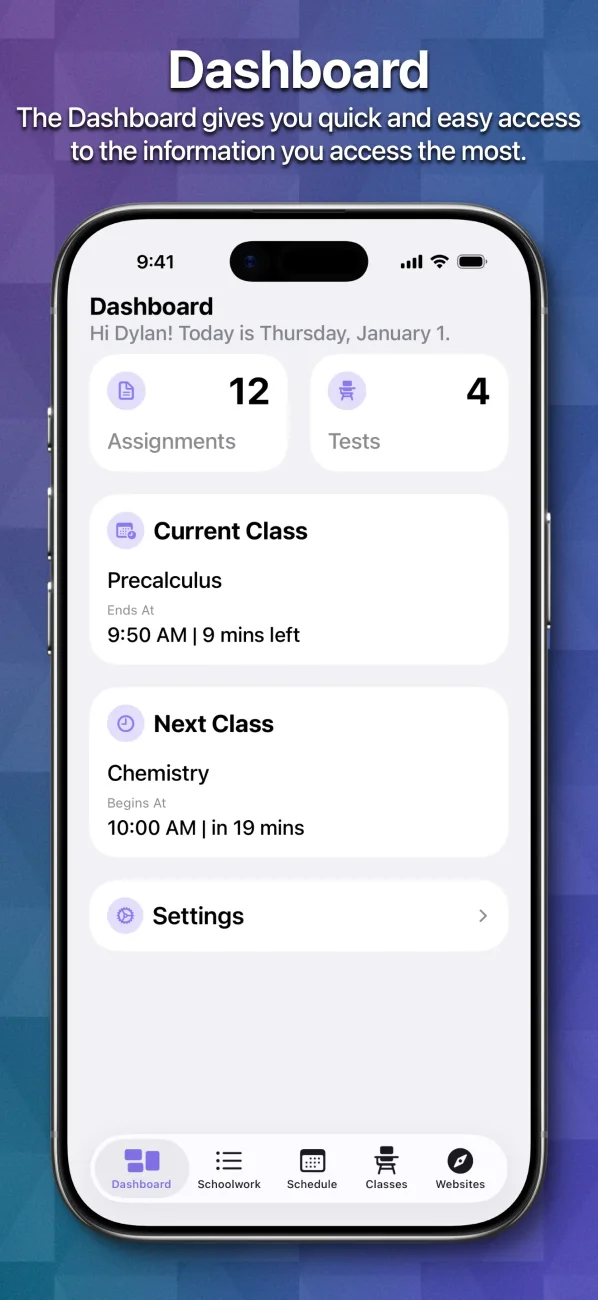
– See your current class and next class on the Dashboard and with Widgets
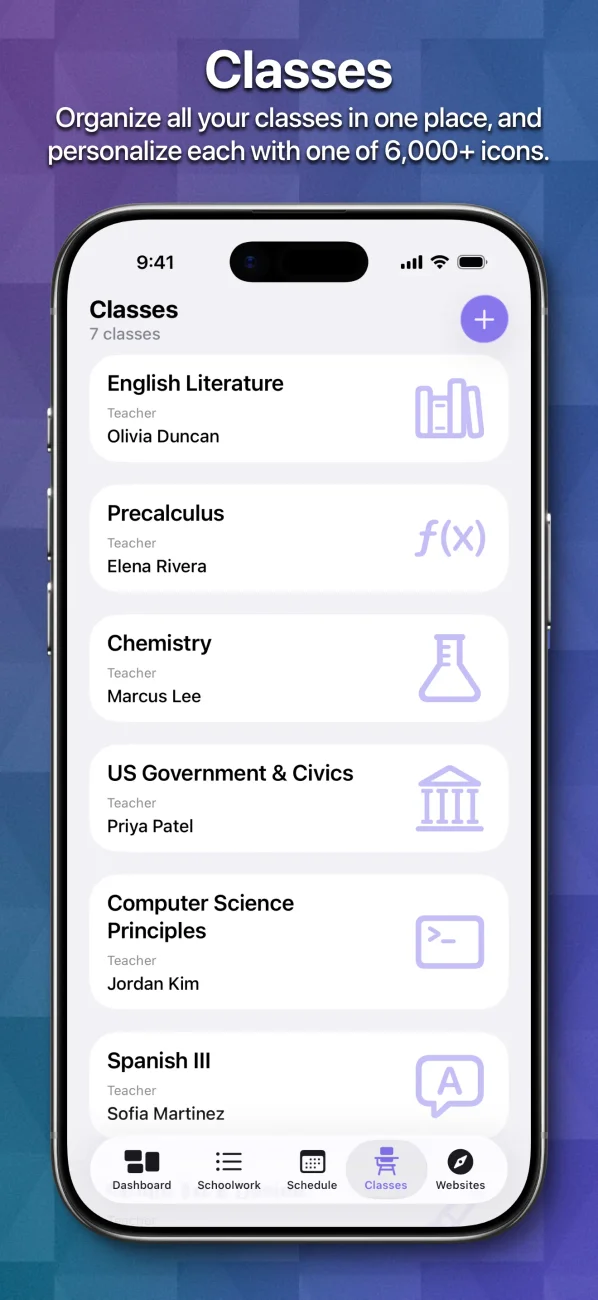
Classes:
– A dedicated place to manage all your class info
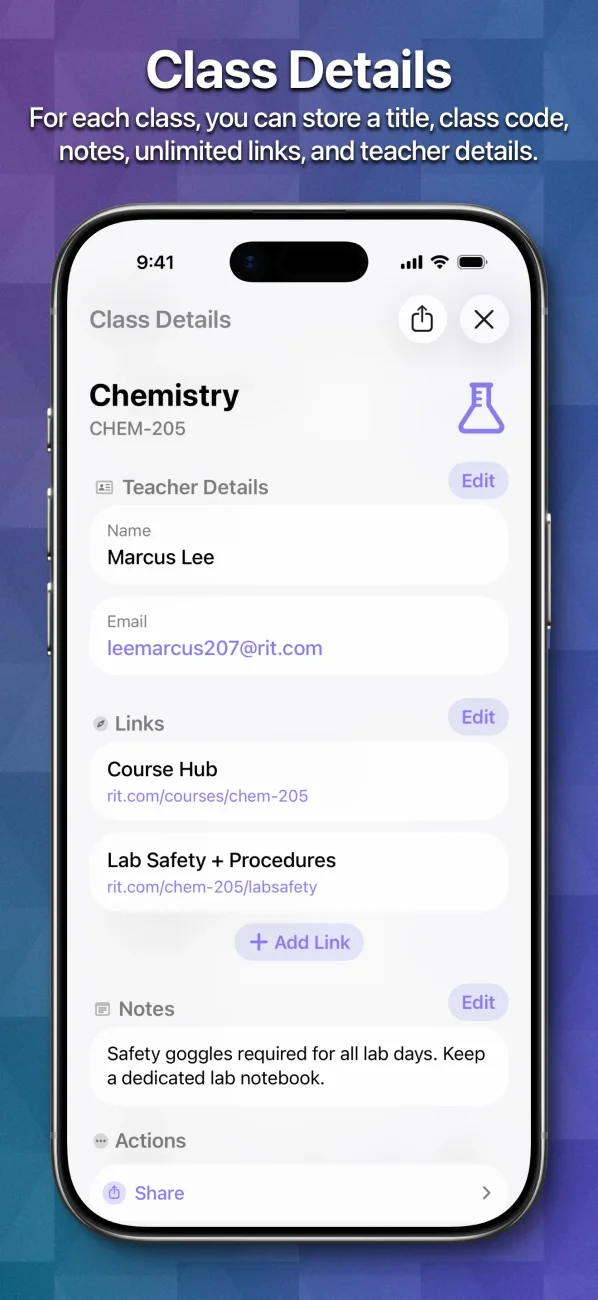
– Store your teacher’s name and email
– Store a title, class code, links, and notes for each class
– Assign an icon to each class, which also shows in Schoolwork
Siri AI and Shortcuts:
– Ask Siri about your schoolwork and classes
– Create and modify your schoolwork with Siri
– Ask Siri about on-screen content in the app
– Access, create, and modify your schoolwork and classes from the Shortcuts app
Apple Watch App:
– Super quick access to your most important information
– View your Schoolwork, automatically sorted into assignments and tests
– View your Schedule for any day
– View your current and next classes, and how long you have left
– Set a custom theme color to match your Watch, band, or outfit
– Designed for quick interactions
Other features:
– Save website bookmarks for quick and easy access right in the app
– Set a custom accent color
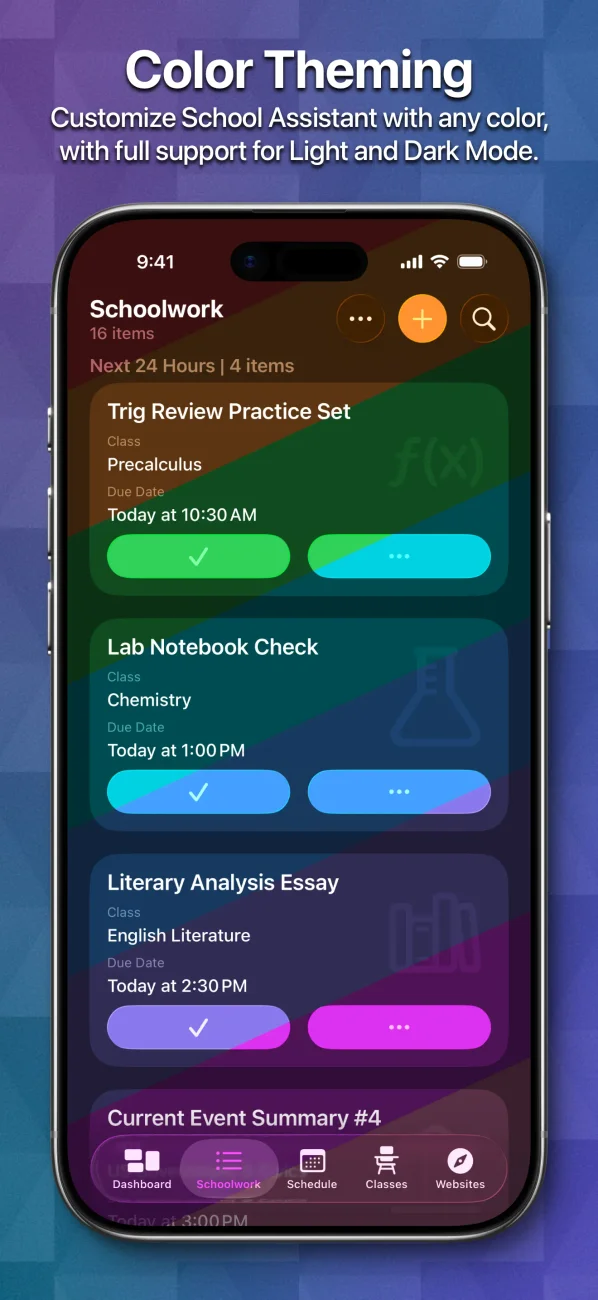
– Theme the entire app with a color of your choosing
– Over 20 app icon choices
– Liquid Glass design
– Full and automatic data syncing over iCloud
– Tight iOS and iPadOS integration with support for features like Slide Over and Split View, iPad cursor, keyboard shortcuts, system sidebars, Home Screen widgets, Dynamic Text, multi-window support, and full iPhone Duo support
– Support for iPhone, iPad, iPod touch, Mac, Apple Watch, and Apple Vision Pro
– Designed with quick and easy usability in mind
– Full support for Dark, Tinted, and Clear Home Screen modes
新機能
バージョン 5.1.1 · 2026/10/21
Version 5.1.1 brings a few updates to improve iPhone Duo support:
- Improved grid layouts on iPhone Duo internal screen in portrait to allow 2 cells per row
- Improved sidebar / tab bar on iPhone Duo:
- In inner screen portrait, it will always use the tab bar
- In inner screen landscape, it will default to sidebar, but you can choose to use the tab bar to show more content
- Improved layout when manually hiding the sidebar on iPad
- Added iPhone Duo App Store screenshots
Note, this update is ONLY for iPhone and iPad. There are no changes for Mac or Apple Vision Pro.
From Version 5.1:
Hello students! This update introduces full support for the brand-new iPhone Duo!! The app now adapts to both screens, all poses, and all orientations. But that’s not all:
NEW
- Full support for iPhone Duo
- View the details for the associated Class right from Schoolwork Details by tapping the Class section
- New option to hide entires/classes that have already happened in Schedule
- New option to change what happens when tapping a Schedule entry: view Class Details, or edit the entry
- Improvements to the saved website viewer
FIXED
- Fixed a bug where items in Schoolwork, Schedule, etc. might get really tall for no reason
- Fixed a bug that prevented automatic Schedule day switching from working when your device was set to a language other than English
- Fixed missing Clear preview for Glassy app icon
アプリのプライバシー
このアプリのデータの取り扱いについて、Sun Apps, LLCがApp Storeで申告している内容です。
-
データの収集なし
開発元はこのアプリからデータを収集しません。
プライバシーの取り扱いは、ご利用の機能やお客様の年齢などに応じて異なる場合があります。
情報
- 販売元
- Sun Apps, LLC
- カテゴリ
- 教育
- バージョン
- 5.1.1
- 更新日
- 2026/10/21
- リリース
- 2019/11/25
- サイズ
- 537.8 MB
- 必要条件
- iOS 17.0以降
- 対象年齢
- 4+
- 価格
- 無料
- アプリ内課金
- あり
- 言語
- 英語
- 著作権
- © 2026 Dylan McDonald
こちらもおすすめ
-
 My Study Life - School Planner教育
-
 myHomework Student Planner教育
-
 Schooly: 時間割 & スケジュール管理大学生・高校生の授業・課題・出席管理
-
 Power Planner: Homework教育
-
 Homework Tracker: Recitation教育
-
 Due Gooder教育
-
 時間割アプリ - 高校・大学生の授業・テスト・課題管理シンプルな学習・宿題・部活スケジュール&カレンダー予定表
-
 Assignment Planner教育
-
 時間割 · Class Timetable高校や大学のスケジュール管理アプリ
-
 Coursicle教育