School Assistant – Planner
The ultimate student planner
Được thiết kế cho iPhone, iPad, Mac
Miễn phí · Mua hàng trong ứng dụng
- Độ tuổi4+
- Danh mụcGiáo Dục
- Nhà phát triểnSun Apps, LLC
- Ngôn ngữTiếng Anh
- Kích thước537,8 MB
Liên kết đến trang App Store chính thức
Download.org không lưu trữ tệp nào của School Assistant – Planner. Nút này mở trang ứng dụng trên App Store, nơi Sun Apps, LLC phát hành ứng dụng. Trang được kiểm tra lần cuối: 27/11/2026.
Ảnh chụp màn hình


Giới thiệu
Nhà phát triển chưa cung cấp nội dung này bằng ngôn ngữ của bạn.
~ Featured by Apple, 9to5Mac, and Macrumors ~
~ “A+ Apps for Students”, “Apps We Love Right Now”, “23 Apps for 2023”, and more from Apple
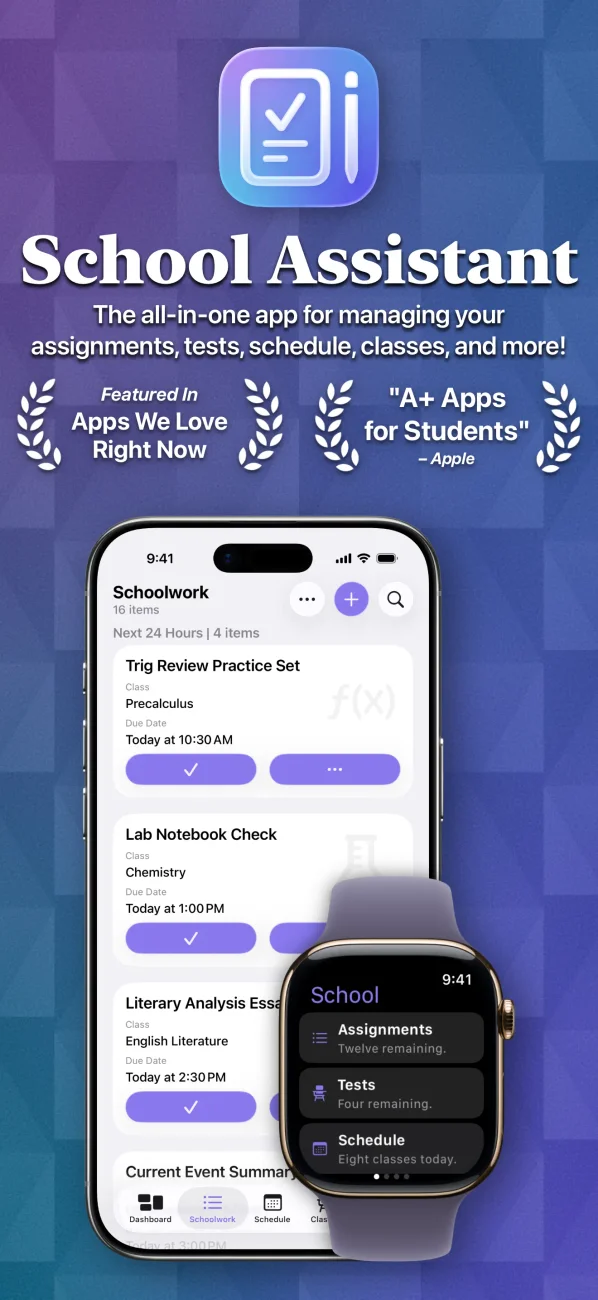
School Assistant by Sun Apps is a simple but powerful school planner app. It allows you to quickly and easily keep track of your homework and tests, manage your schedule, save all your class info, quickly access saved websites, and more.
First, as a student myself, I know how hard it can be to pay for these types of apps. So, School Assistant is 100% free: no subscriptions, no paywalls, no premium features, and no ads! There is a tip jar if you feel like supporting, though (these are the in-app purchases the App Store shows).
Schoolwork:
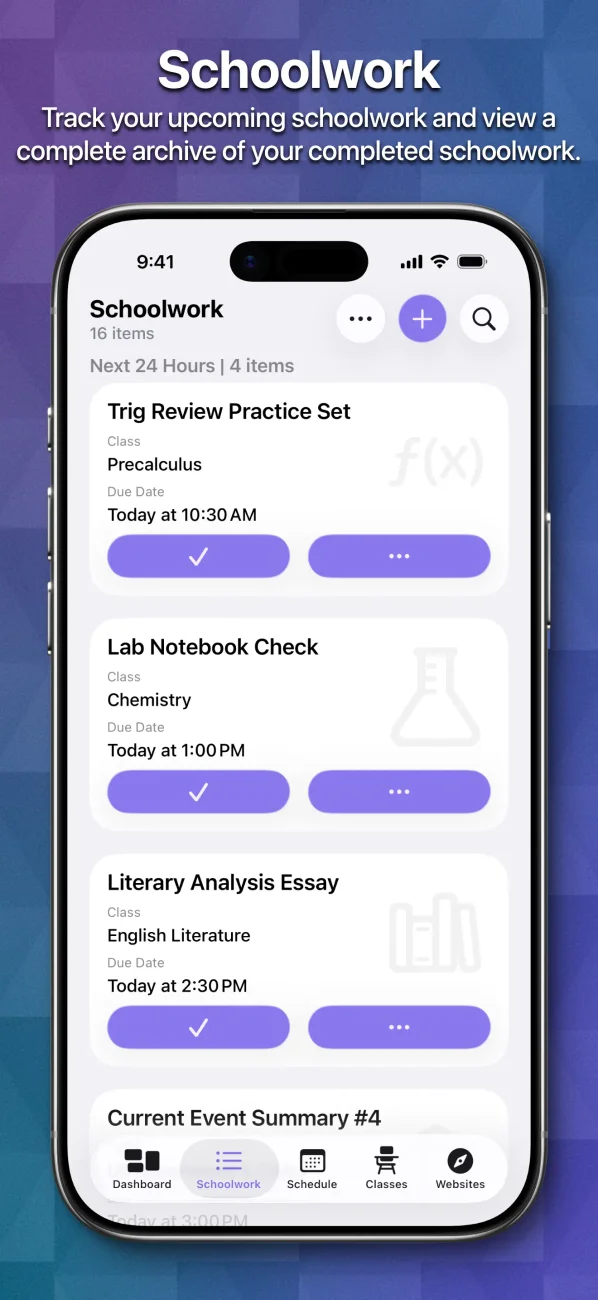
– Manage your upcoming assignments and tests
– Sort by due date, class, category, alphabetically, or manually
– Add a related class, due date, links, and notes
– Add Subtasks to your schoolwork to keep track of large assignments
– Schedule reminders
– Highlight upcoming and overdue schoolwork
– Keep an entire archive of your completed schoolwork
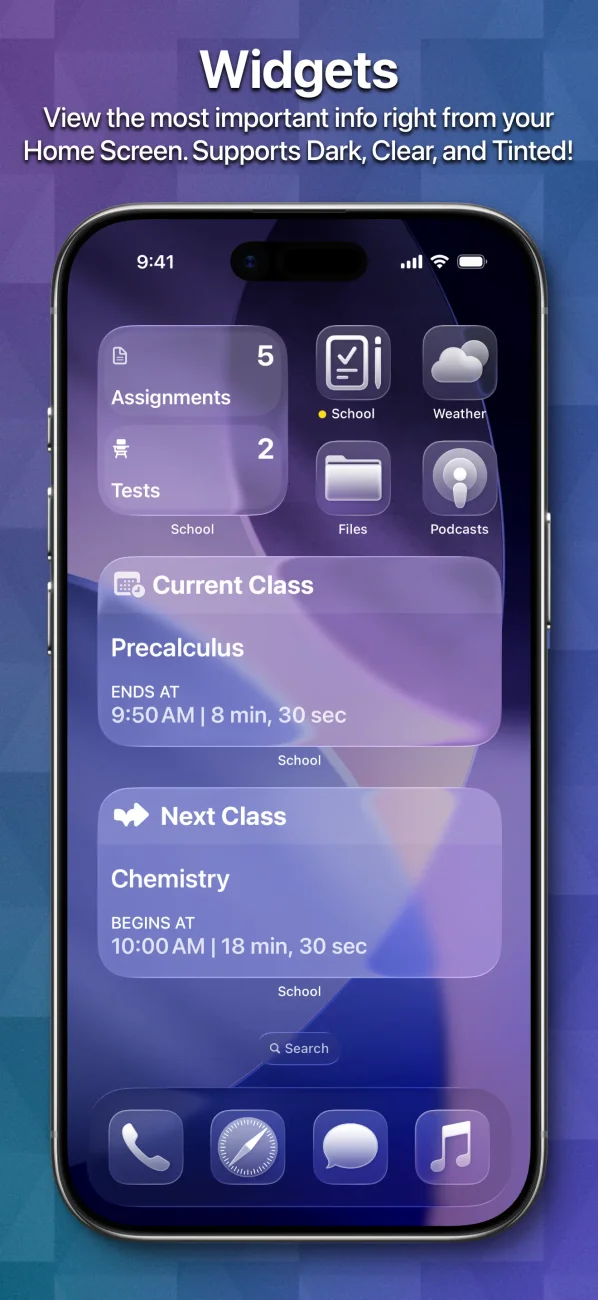
– View your upcoming schoolwork and classes right from your Home Screen / Desktop with Widgets
Schedule:
– Keep track of your classes for every day
– Add associated teacher and room information (or, add a link for online classes)
– Automatically switch days based on the day of the week
– Automatically switch between two weeks (great for A/B week schedules)
– Manually switch between up to ten weeks
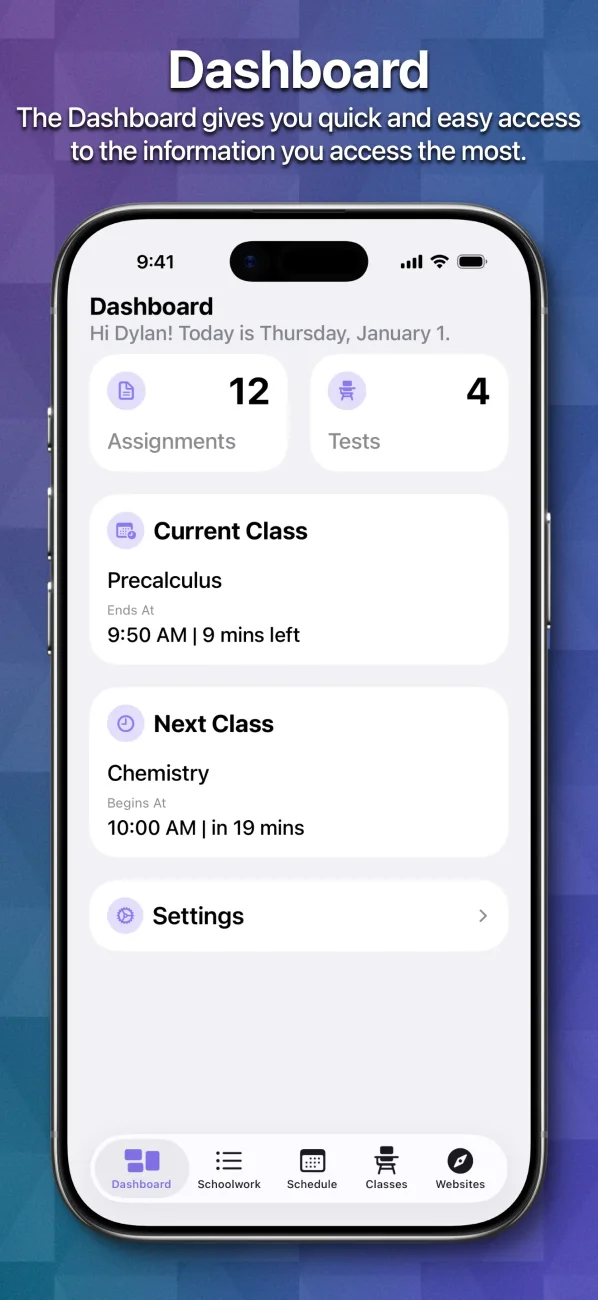
– See your current class and next class on the Dashboard and with Widgets
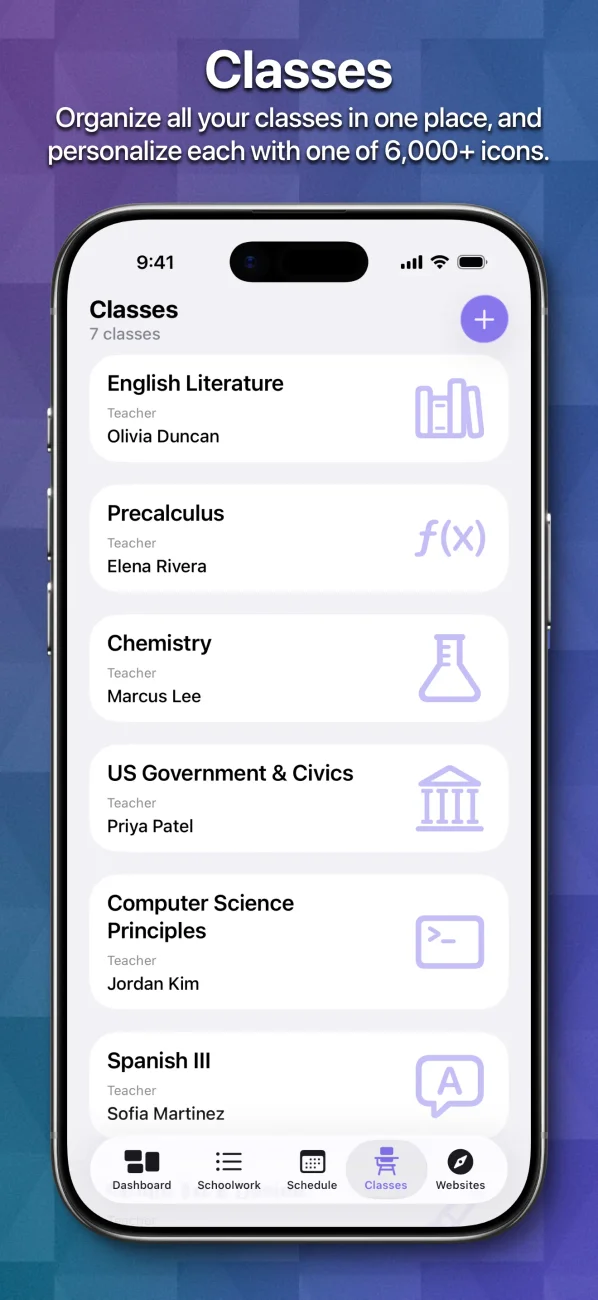
Classes:
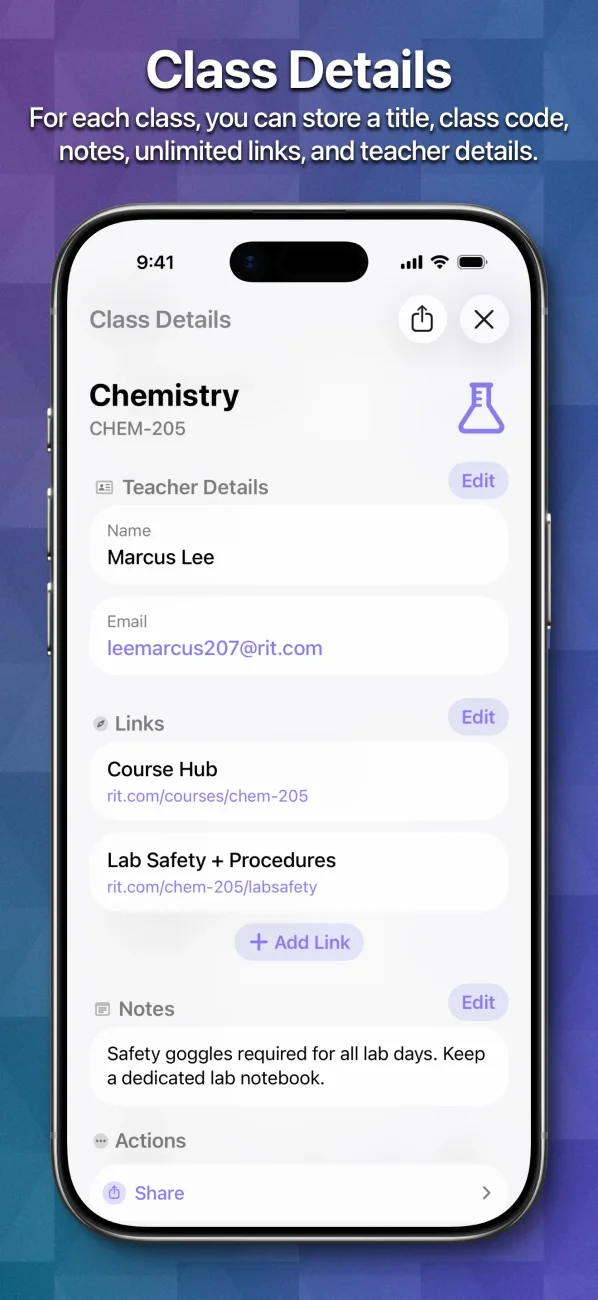
– A dedicated place to manage all your class info
– Store your teacher’s name and email
– Store a title, class code, links, and notes for each class
– Assign an icon to each class, which also shows in Schoolwork
Siri AI and Shortcuts:
– Ask Siri about your schoolwork and classes
– Create and modify your schoolwork with Siri
– Ask Siri about on-screen content in the app
– Access, create, and modify your schoolwork and classes from the Shortcuts app
Apple Watch App:
– Super quick access to your most important information
– View your Schoolwork, automatically sorted into assignments and tests
– View your Schedule for any day
– View your current and next classes, and how long you have left
– Set a custom theme color to match your Watch, band, or outfit
– Designed for quick interactions
Other features:
– Save website bookmarks for quick and easy access right in the app
– Set a custom accent color
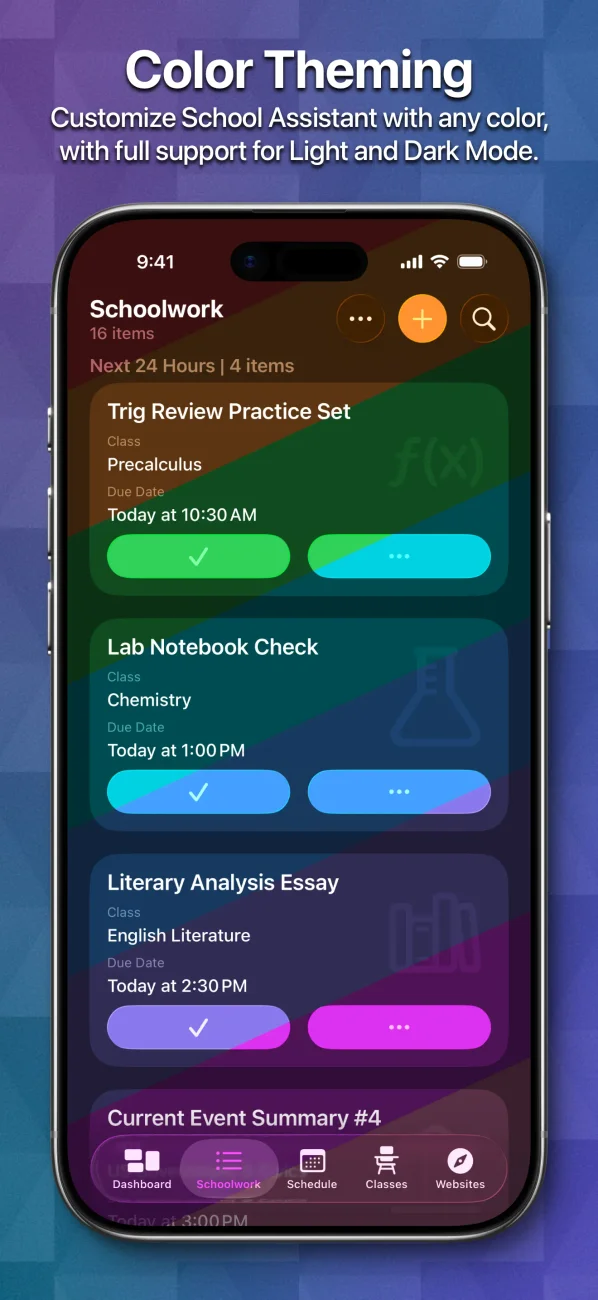
– Theme the entire app with a color of your choosing
– Over 20 app icon choices
– Liquid Glass design
– Full and automatic data syncing over iCloud
– Tight iOS and iPadOS integration with support for features like Slide Over and Split View, iPad cursor, keyboard shortcuts, system sidebars, Home Screen widgets, Dynamic Text, multi-window support, and full iPhone Duo support
– Support for iPhone, iPad, iPod touch, Mac, Apple Watch, and Apple Vision Pro
– Designed with quick and easy usability in mind
– Full support for Dark, Tinted, and Clear Home Screen modes
Có gì mới
Phiên bản 5.1.1 · 21/10/2026
Version 5.1.1 brings a few updates to improve iPhone Duo support:
- Improved grid layouts on iPhone Duo internal screen in portrait to allow 2 cells per row
- Improved sidebar / tab bar on iPhone Duo:
- In inner screen portrait, it will always use the tab bar
- In inner screen landscape, it will default to sidebar, but you can choose to use the tab bar to show more content
- Improved layout when manually hiding the sidebar on iPad
- Added iPhone Duo App Store screenshots
Note, this update is ONLY for iPhone and iPad. There are no changes for Mac or Apple Vision Pro.
From Version 5.1:
Hello students! This update introduces full support for the brand-new iPhone Duo!! The app now adapts to both screens, all poses, and all orientations. But that’s not all:
NEW
- Full support for iPhone Duo
- View the details for the associated Class right from Schoolwork Details by tapping the Class section
- New option to hide entires/classes that have already happened in Schedule
- New option to change what happens when tapping a Schedule entry: view Class Details, or edit the entry
- Improvements to the saved website viewer
FIXED
- Fixed a bug where items in Schoolwork, Schedule, etc. might get really tall for no reason
- Fixed a bug that prevented automatic Schedule day switching from working when your device was set to a language other than English
- Fixed missing Clear preview for Glassy app icon
Quyền riêng tư của ứng dụng
Những gì Sun Apps, LLC khai báo trên App Store về cách ứng dụng này xử lý dữ liệu.
-
Dữ liệu không được thu thập
Nhà phát triển không thu thập bất kỳ dữ liệu nào từ ứng dụng này.
Phương thức đảm bảo quyền riêng tư có thể khác nhau, chẳng hạn như tuỳ theo các tính năng bạn sử dụng hoặc độ tuổi của bạn.
Thông tin
- Người bán
- Sun Apps, LLC
- Danh mục
- Giáo Dục
- Phiên bản
- 5.1.1
- Cập nhật
- 21/10/2026
- Phát hành
- 25/11/2019
- Kích thước
- 537,8 MB
- Yêu cầu
- iOS 17.0 trở lên
- Độ tuổi
- 4+
- Giá
- Miễn phí
- Mua hàng trong ứng dụng
- Có
- Ngôn ngữ
- Tiếng Anh
- Bản quyền
- © 2026 Dylan McDonald
Có thể bạn cũng thích
-
 My Study Life - School PlannerGiáo Dục
-
 myHomework Student PlannerGiáo Dục
-
 Schooly: School Schedule MakerGiáo Dục
-
 Power Planner: HomeworkGiáo Dục
-
 Homework Tracker: RecitationGiáo Dục
-
 Due GooderGiáo Dục
-
 Assignment Tracker: TimetableGiáo Dục
-
 Assignment PlannerGiáo Dục
-
 Class TimetableLịch học của trường và đại học
-
 CoursicleGiáo Dục