
- 対象年齢4+
- カテゴリ仕事効率化
- 開発元Conor Nolan
- 言語英語
- サイズ3.4 MB
App Storeの公式ページにリンクしています
Download.orgはScreen Actionsのファイルを一切ホストしていません。ボタンを押すと、Conor Nolanが公開しているApp Storeのアプリページが開きます。ページの最終確認:2026/11/20。
スクリーンショット
概要
開発元はこのテキストをお使いの言語で提供していません。
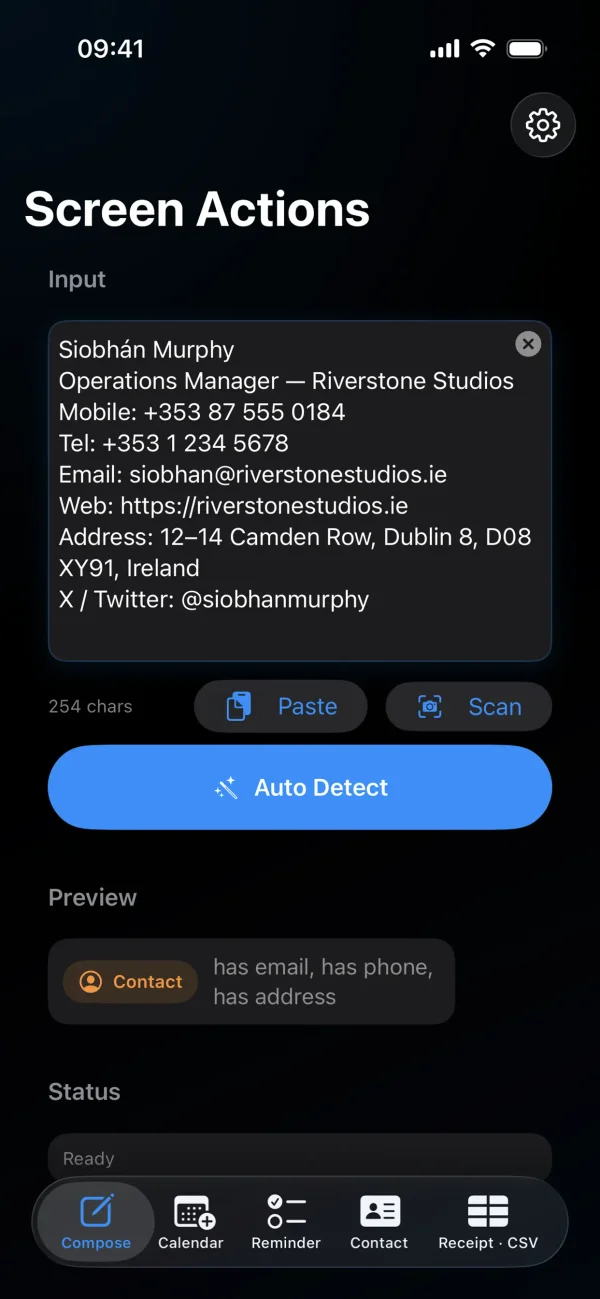
Screen Actions turns on-screen text into things you can use — Contacts, Calendar events, Reminders or a CSV — fast and entirely on device. Select text in Safari, share from any app, or scan a photo/screenshot and pick an action. No accounts. No servers. No tracking.
What you can do
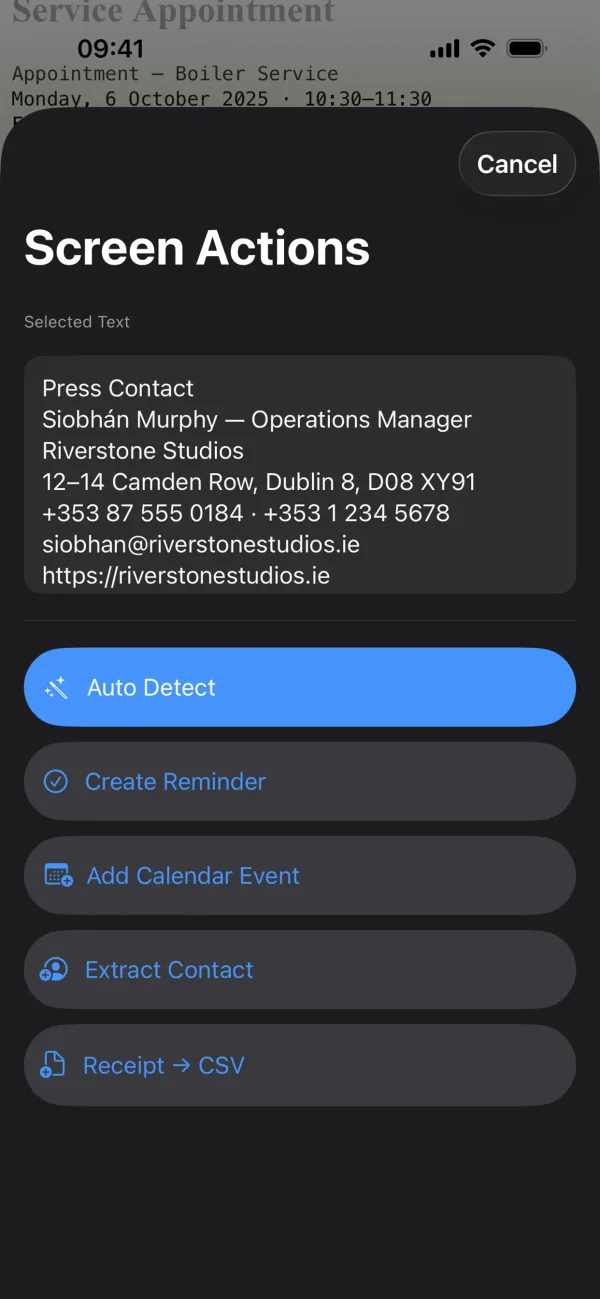
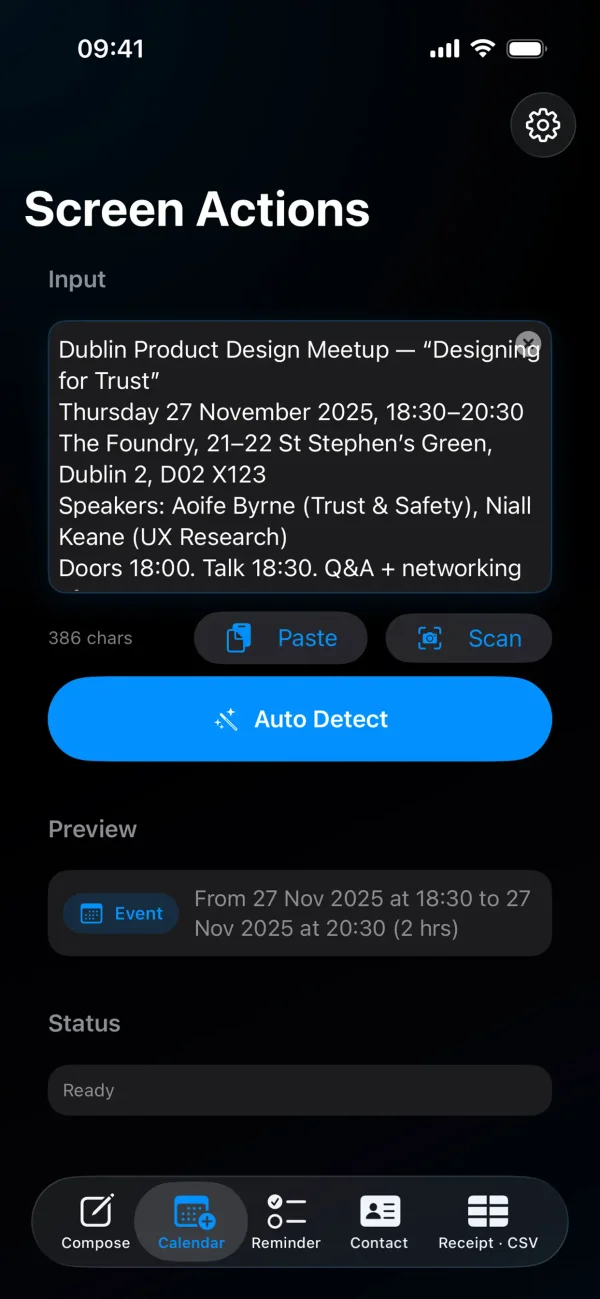
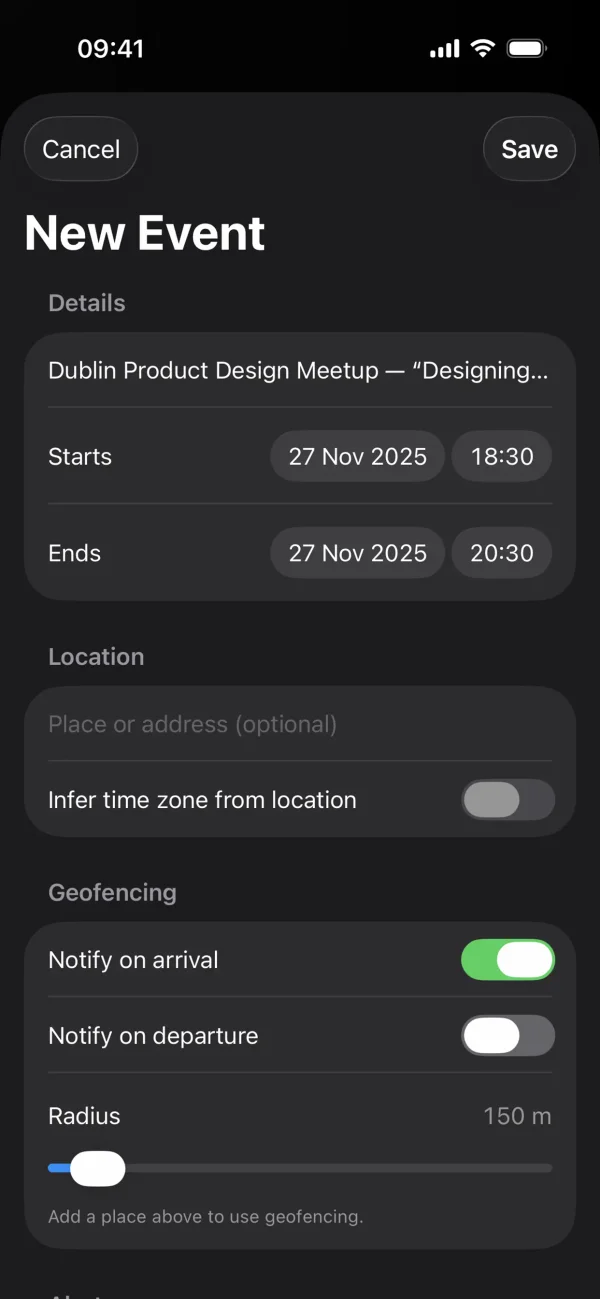
• Add to Calendar — Detects dates/times in text and creates an event. Optional location, alert, travel-time alarm, and geofenced arrive/leave notifications.
• Create Reminder — Finds tasks/deadlines and makes a reminder in the list you choose.
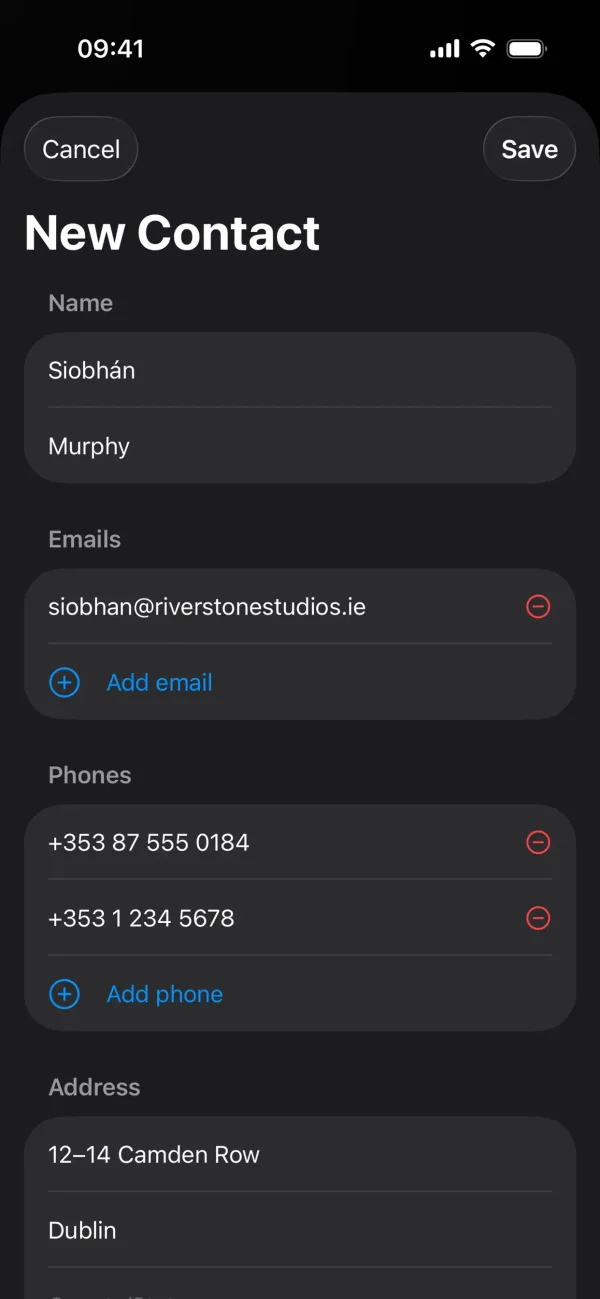
• Extract Contact — Pulls names, emails, phones and addresses into Contacts (you review before saving).
• Receipt → CSV — Converts receipt-like text into a clean CSV you can save or share.
Ways to use it
• Safari Web Extension — Select text on any webpage, tap the extension, and choose an action.
• Share Extension — Send text or images from any app into Screen Actions.
• Scan (live) — Use the camera to scan text or barcodes/QR and jump straight into the right editor.
• Auto Detect — Paste/scan once; the app picks the best action and opens its editor so you can tweak before saving.
iOS 26 “Document Mode” (on supported iPhones)
• Reads real tables and structured text on device for better results.
• Receipts → CSV v2: photos/screenshots become accurate rows & columns.
• Batch contacts: a photographed sign-up sheet can become multiple Contacts.
Privacy by design
• Everything runs on your device using Apple frameworks (Vision OCR/Document Mode, Data Detectors, EventKit, Contacts, MapKit).
• We don’t collect personal data, don’t run servers and don’t use third-party analytics.
• Permissions are only requested when you use a feature that needs them (Calendars, Reminders, Contacts, Camera, Location for geofencing).
Free vs Pro
• Free includes daily usage for key features.
• Screen Actions Pro (optional in-app purchase) removes daily limits and adds quality-of-life extras such as “Remember last action” in the Safari popup. Prices are shown locally in the app.
Why Screen Actions?
• Fast: turn messy text into clean, structured data in seconds.
• Accurate: on-device intelligence improves detection and table reading.
• Private: no accounts, no tracking, no ads.
• Flexible: works from Safari, the share sheet, live scan or paste.
Requirements
• iPhone, iOS 26 or later. Availability of Document Mode features may vary by device/language.
Support: support@screenactions.com
Terms of Use (EULA): https://www.apple.com/legal/internet-services/itunes/dev/stdeula/
Privacy Policy: https://screenactions.com/privacy.html
アプリのプライバシー
このアプリのデータの取り扱いについて、Conor NolanがApp Storeで申告している内容です。
-
データの収集なし
開発元はこのアプリからデータを収集しません。
プライバシーの取り扱いは、ご利用の機能やお客様の年齢などに応じて異なる場合があります。
情報
- 販売元
- Conor Nolan
- カテゴリ
- 仕事効率化
- バージョン
- 1.0.1
- 更新日
- 2025/9/27
- リリース
- 2025/9/27
- サイズ
- 3.4 MB
- 必要条件
- iOS 26.0以降
- 対象年齢
- 4+
- 価格
- 無料
- アプリ内課金
- あり
- 言語
- 英語
- 著作権
- © Conor Nolan
こちらもおすすめ
-
 OCR Scanner Multi Image仕事効率化
-
 Shortcutly: Automation Hub仕事効率化
-
 Sense: AI Family Organizer仕事効率化
-
 ピクチャーインピクチャー メモ帳 - ピクチャインピクチャピクチャーインピクチャー 付箋メモ 付箋アプリ 忘れ物防止
-
 Emoji Emoticon Keyboard仕事効率化
-
 タイムライン 一日予定表 時間管理 タスク: Align目標・勉強計画・習慣化・集中・ルーティン・タイムブロック
-
 Youtube Transcripts - YouSumm仕事効率化
-
 NotJustAnalytics仕事効率化
-
 Edityz AI. Pro Video Editor仕事効率化
-
 NoteAI: 音声からテキストへ 日本AIで日本語の音声を文字起こし