
Screen Actions
Turn text into actions
Được thiết kế cho iPhone
Miễn phí · Mua hàng trong ứng dụng
- Độ tuổi4+
- Danh mụcHiệu Suất
- Nhà phát triểnConor Nolan
- Ngôn ngữTiếng Anh
- Kích thước3,4 MB
Liên kết đến trang App Store chính thức
Download.org không lưu trữ tệp nào của Screen Actions. Nút này mở trang ứng dụng trên App Store, nơi Conor Nolan phát hành ứng dụng. Trang được kiểm tra lần cuối: 20/11/2026.
Ảnh chụp màn hình
Giới thiệu
Nhà phát triển chưa cung cấp nội dung này bằng ngôn ngữ của bạn.
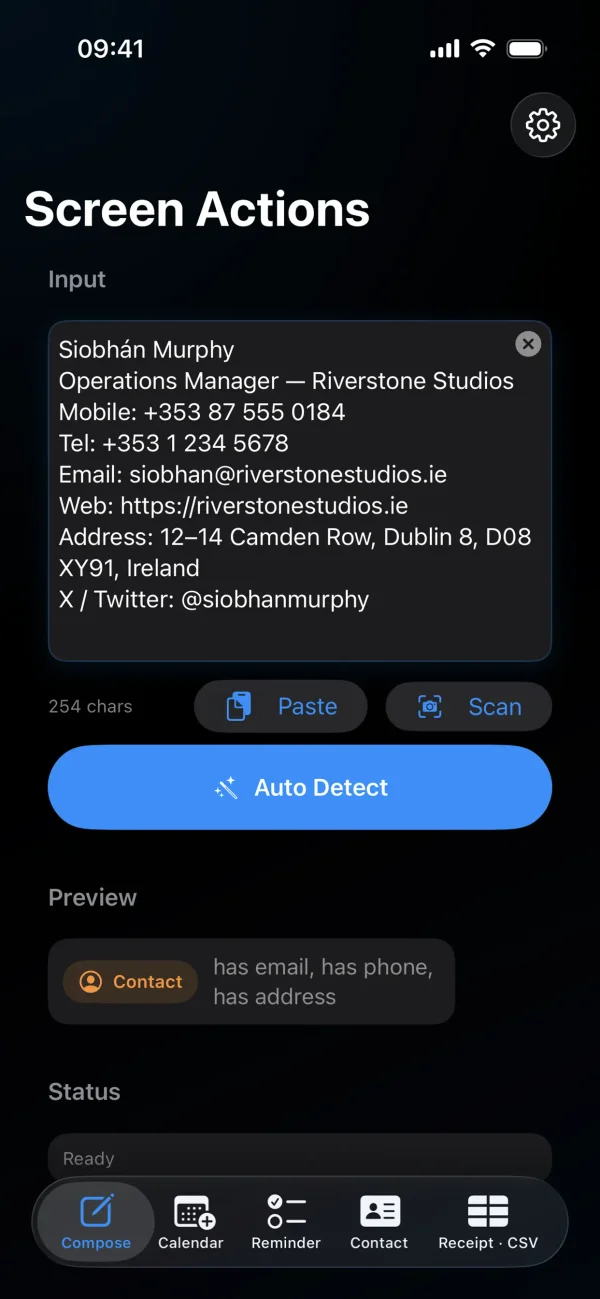
Screen Actions turns on-screen text into things you can use — Contacts, Calendar events, Reminders or a CSV — fast and entirely on device. Select text in Safari, share from any app, or scan a photo/screenshot and pick an action. No accounts. No servers. No tracking.
What you can do
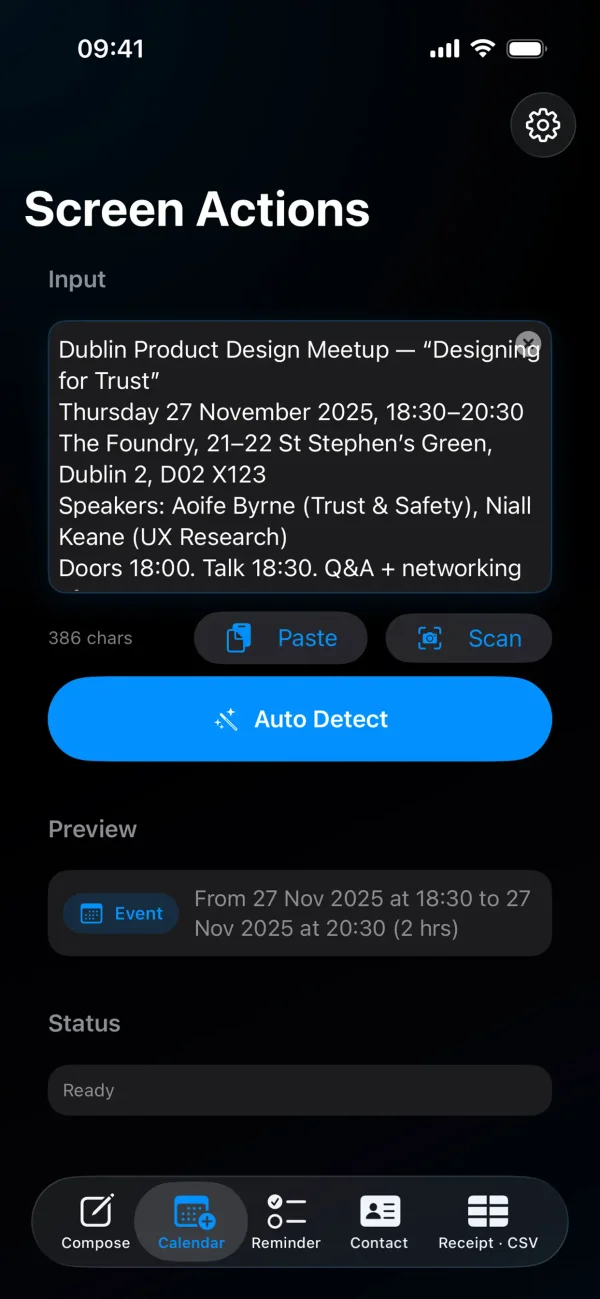
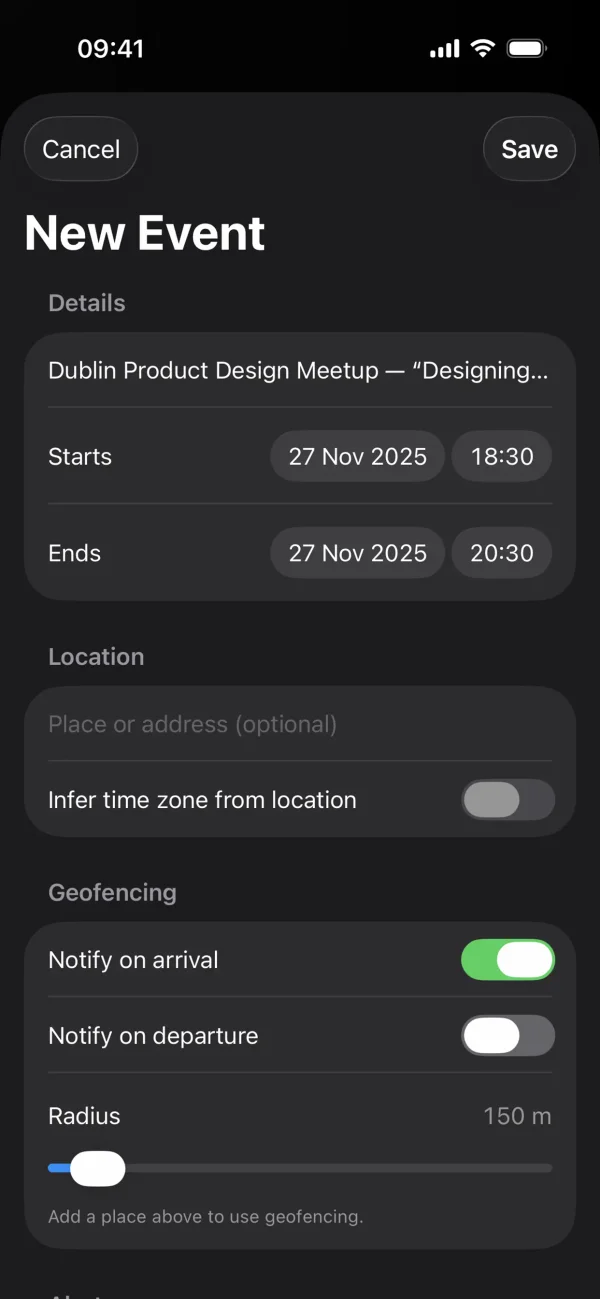
• Add to Calendar — Detects dates/times in text and creates an event. Optional location, alert, travel-time alarm, and geofenced arrive/leave notifications.
• Create Reminder — Finds tasks/deadlines and makes a reminder in the list you choose.
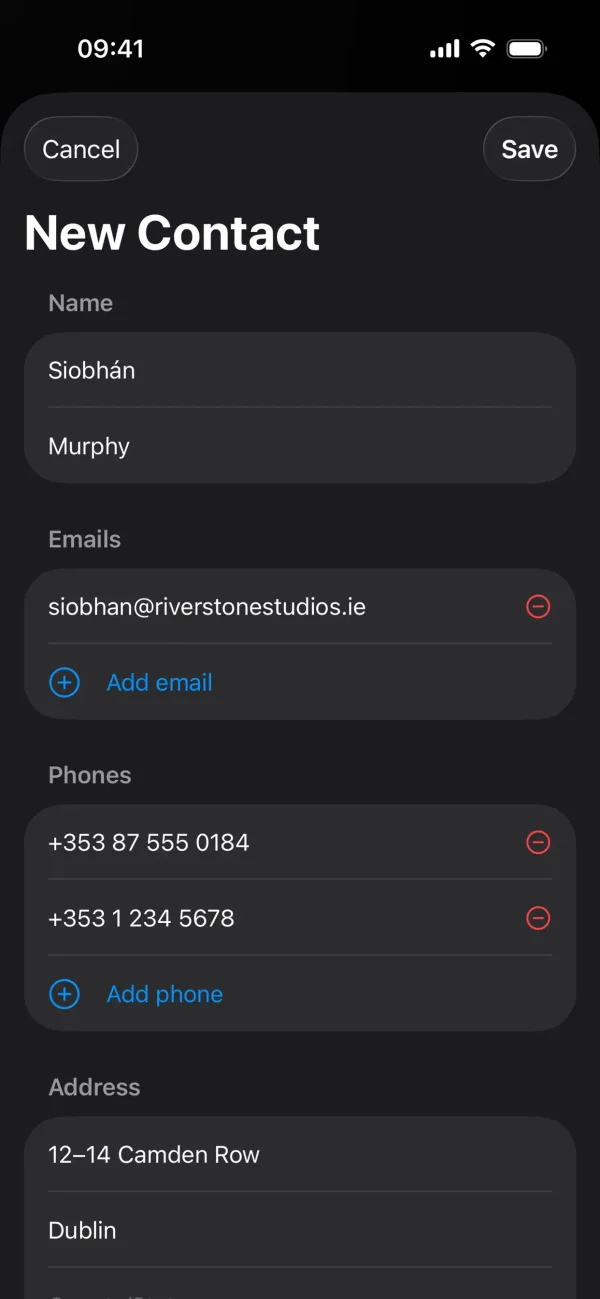
• Extract Contact — Pulls names, emails, phones and addresses into Contacts (you review before saving).
• Receipt → CSV — Converts receipt-like text into a clean CSV you can save or share.
Ways to use it
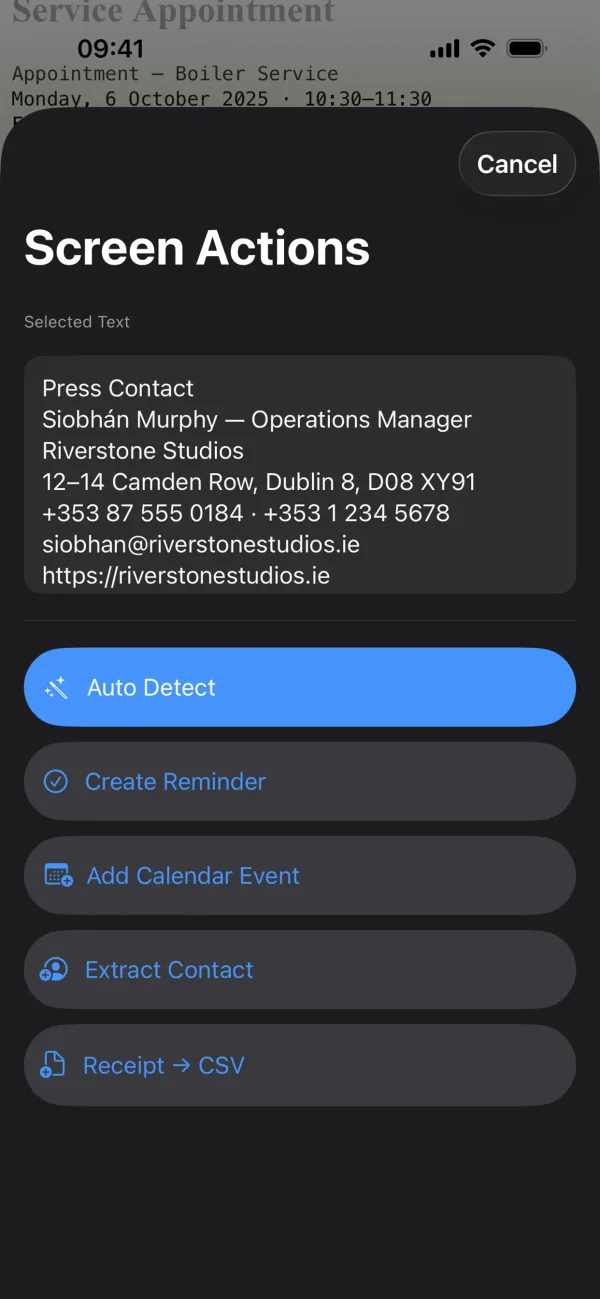
• Safari Web Extension — Select text on any webpage, tap the extension, and choose an action.
• Share Extension — Send text or images from any app into Screen Actions.
• Scan (live) — Use the camera to scan text or barcodes/QR and jump straight into the right editor.
• Auto Detect — Paste/scan once; the app picks the best action and opens its editor so you can tweak before saving.
iOS 26 “Document Mode” (on supported iPhones)
• Reads real tables and structured text on device for better results.
• Receipts → CSV v2: photos/screenshots become accurate rows & columns.
• Batch contacts: a photographed sign-up sheet can become multiple Contacts.
Privacy by design
• Everything runs on your device using Apple frameworks (Vision OCR/Document Mode, Data Detectors, EventKit, Contacts, MapKit).
• We don’t collect personal data, don’t run servers and don’t use third-party analytics.
• Permissions are only requested when you use a feature that needs them (Calendars, Reminders, Contacts, Camera, Location for geofencing).
Free vs Pro
• Free includes daily usage for key features.
• Screen Actions Pro (optional in-app purchase) removes daily limits and adds quality-of-life extras such as “Remember last action” in the Safari popup. Prices are shown locally in the app.
Why Screen Actions?
• Fast: turn messy text into clean, structured data in seconds.
• Accurate: on-device intelligence improves detection and table reading.
• Private: no accounts, no tracking, no ads.
• Flexible: works from Safari, the share sheet, live scan or paste.
Requirements
• iPhone, iOS 26 or later. Availability of Document Mode features may vary by device/language.
Support: support@screenactions.com
Terms of Use (EULA): https://www.apple.com/legal/internet-services/itunes/dev/stdeula/
Privacy Policy: https://screenactions.com/privacy.html
Quyền riêng tư của ứng dụng
Những gì Conor Nolan khai báo trên App Store về cách ứng dụng này xử lý dữ liệu.
-
Dữ liệu không được thu thập
Nhà phát triển không thu thập bất kỳ dữ liệu nào từ ứng dụng này.
Phương thức đảm bảo quyền riêng tư có thể khác nhau, chẳng hạn như tuỳ theo các tính năng bạn sử dụng hoặc độ tuổi của bạn.
Thông tin
- Người bán
- Conor Nolan
- Danh mục
- Hiệu Suất
- Phiên bản
- 1.0.1
- Cập nhật
- 27/09/2025
- Phát hành
- 27/09/2025
- Kích thước
- 3,4 MB
- Yêu cầu
- iOS 26.0 trở lên
- Độ tuổi
- 4+
- Giá
- Miễn phí
- Mua hàng trong ứng dụng
- Có
- Ngôn ngữ
- Tiếng Anh
- Bản quyền
- © Conor Nolan
Có thể bạn cũng thích
-
 OCR Scanner Multi ImageHiệu Suất
-
 Shortcutly: Automation HubHiệu Suất
-
 Sense: AI Family OrganizerHiệu Suất
-
 Picture in Picture Notes - PiPHiệu Suất
-
 Emoji Emoticon KeyboardHiệu Suất
-
 Lịch & Kế hoạch ngày: AlignLời nhắc, thói quen, tập trung
-
 Youtube Transcripts - YouSummHiệu Suất
-
 NotJustAnalyticsHiệu Suất
-
 Edityz AI. Pro Video EditorHiệu Suất
-
 từ giọng nói thành văn bảnChuyển âm thanh thành văn Việt