- 対象年齢+4
- カテゴリ仕事効率化
- 開発元DEHUO SUN
- 言語簡体字中国語ほか1言語
- サイズ23.0 MB
App Storeの公式ページにリンクしています
Download.orgはScrollMindのファイルを一切ホストしていません。ボタンを押すと、DEHUO SUNが公開しているApp Storeのアプリページが開きます。ページの最終確認:2026/11/20。
スクリーンショット



概要
開発元はこのテキストをお使いの言語で提供していません。
You meant to scroll for five minutes. Somehow, much longer went by. A small boundary can help you find your way back, without being hard on yourself.
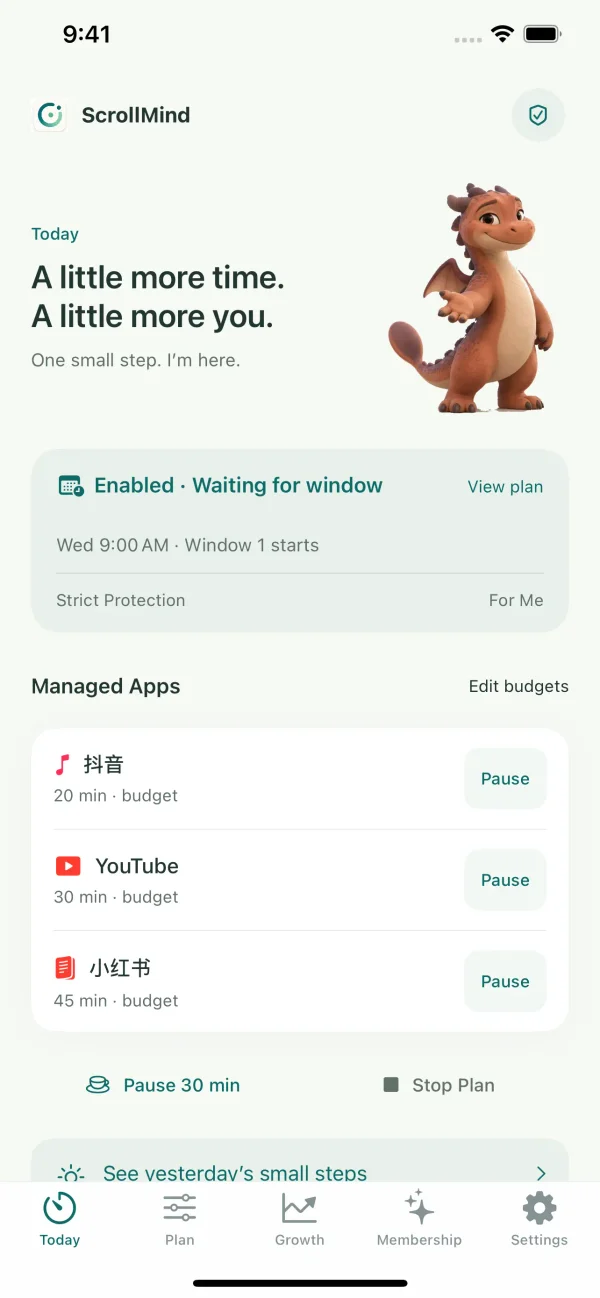
ScrollMind helps you manage screen time for short videos, social feeds, games and other distracting apps. Choose your apps, set a time budget and active hours, and let a friendly dragon encourage your next small step.
A PLAN THAT FITS YOUR DAY
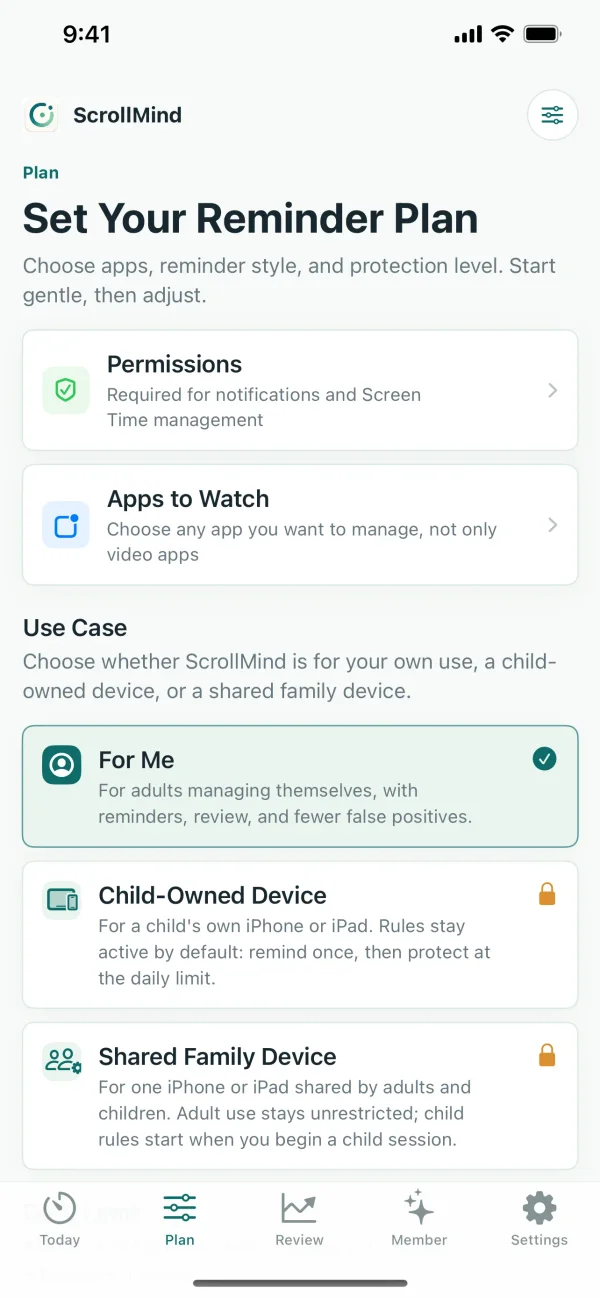
• Choose the apps you want to manage.
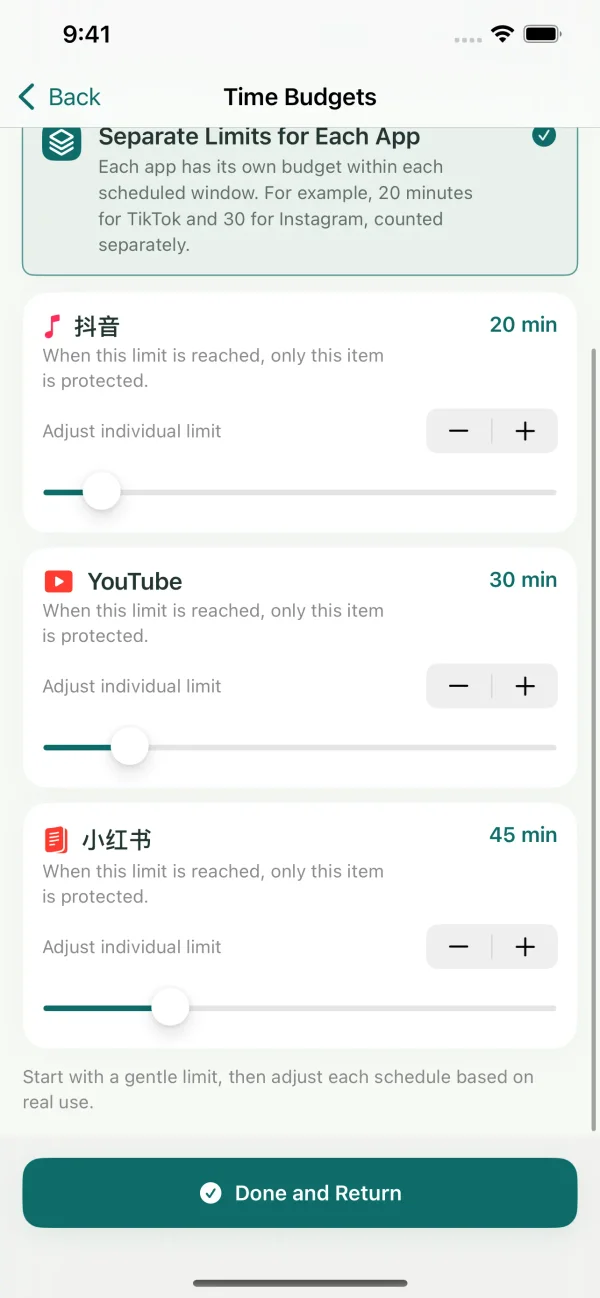
• Set a shared budget, or use Plus to give selected apps separate budgets.
• Choose weekdays and active hours for work, study and downtime.
• Get a heads-up before the budget is reached. Finish early or use the remaining time.
• At the limit, choose reminder-only mode or protection according to your plan.
• With Plus or Family, temporarily pause an individual app's restriction when you need it.
• See plan status, pause and stop controls in Today.
NOTICE YOUR SMALL STEPS
After Screen Time authorization, Recap's Time trends shows usage for selected apps today, yesterday and over the last seven days. When complete data is available, compare two seven-day periods. Devices remain separate, system data may be delayed, and missing data is never treated as zero usage.
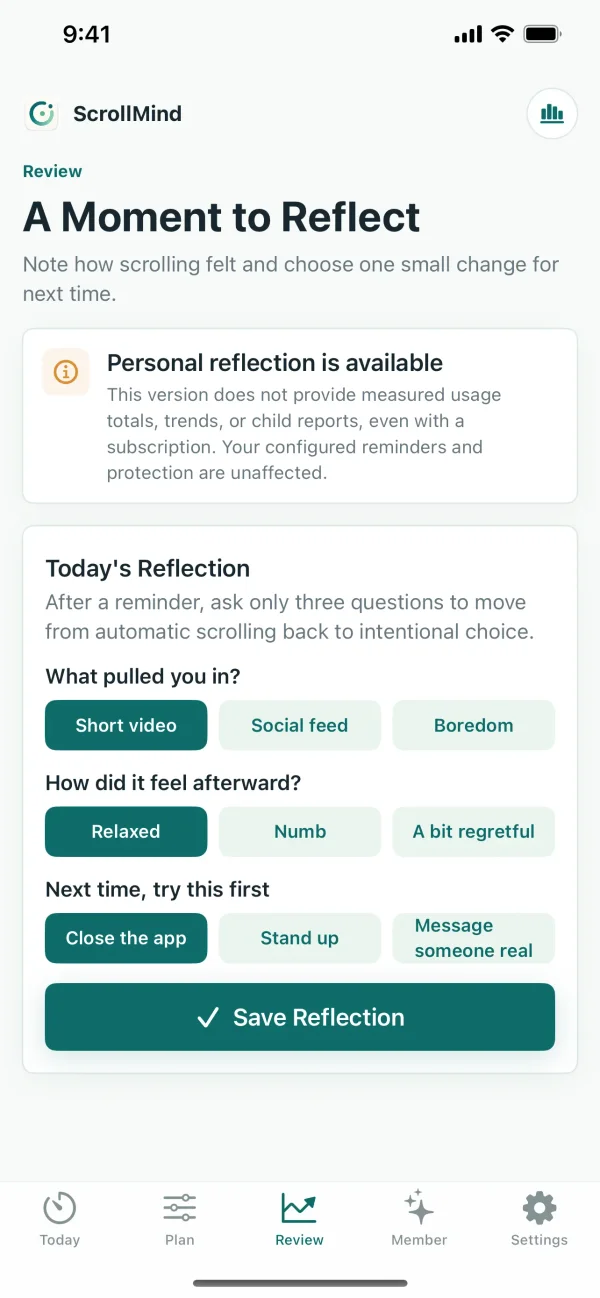
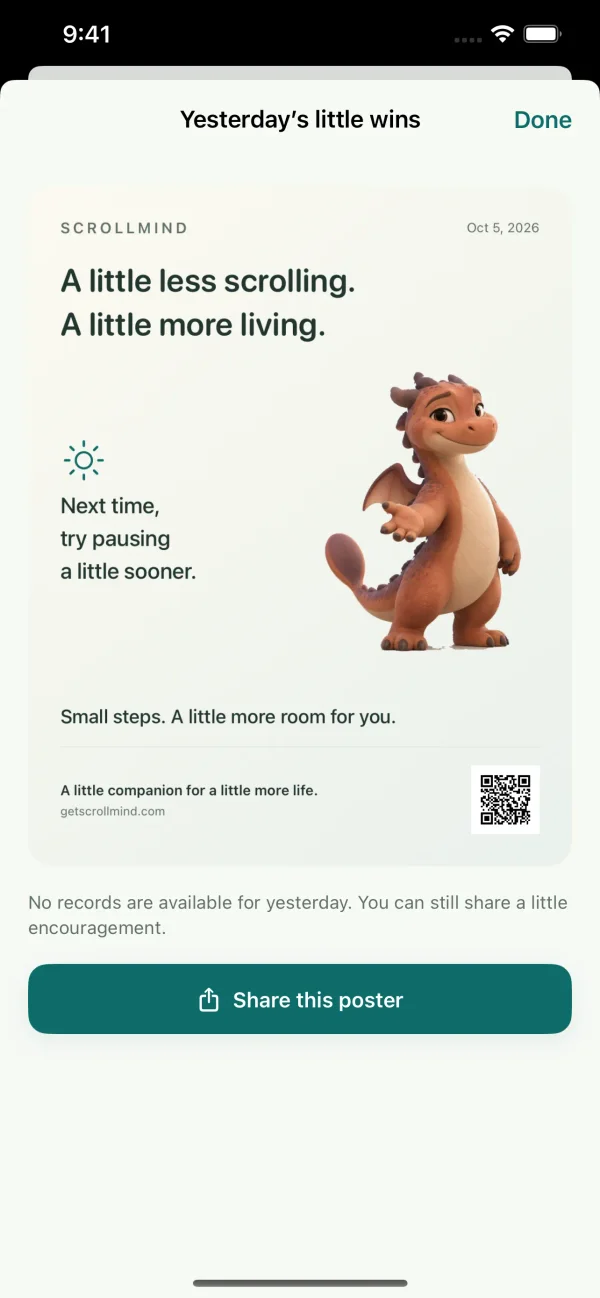
In Plan results, review choices you make at reminders and recorded budget thresholds. These records are not a budget-compliance score. Create a yesterday poster, choose whether to display counts, and pick a destination in the system share sheet. Poster counts describe reminder choices, not measured time saved or proof that you stopped using your phone. Choice history starts with this update.
An optional reflection journal lets you note how you felt and one small change to try next.
CLEAR BOUNDARIES FOR FAMILIES
Family supports a child's own device or a shared family iPhone or iPad. Parents set apps, time rules and an independent parent passcode on the protected device. Shared-device mode supports switching between adult and child use. Face ID or Touch ID does not replace the parent passcode.
Family controls work on the protected device. They do not provide remote control, member invitations or subscription sharing across accounts. Shared-device usage is not attributed to an individual child.
PRIVACY FIRST
No ScrollMind account is required. Settings, reflections and reminder-choice records stay on the device. Apple displays actual usage in a system-isolated report; we do not upload those durations to our servers. Shared posters exclude app names and usage durations.
ScrollMind does not read your messages, videos, contacts, payments, posts or browsing content. For multifunction apps, it manages the whole app's usage time and cannot distinguish working from scrolling. No advertising tracking or sale of personal data.
MEMBERSHIP
Free: manage one app.
Plus: multiple apps, shared or separate budgets, and flexible temporary pauses.
Family: Plus features with on-device child/shared-device controls, a parent passcode and school-time/bedtime protection.
Plus and Family offer monthly and annual subscriptions. Eligible new subscribers can receive a seven-day free trial. Prices, billing periods and eligibility are shown by the App Store at purchase. Manage or cancel automatic renewal in your Apple subscription settings.
Privacy: https://getscrollmind.com/privacy.html
Terms: https://www.apple.com/legal/internet-services/itunes/dev/stdeula/
Small steps count. Your companion is here to cheer you on.
新機能
バージョン 1.1.3 · 2026/10/12
See your intentional choices more clearly.
• A redesigned Recap separates selected-app usage trends from plan results.
• Review your responses to reminders and recorded budget thresholds. Compare complete periods when enough data is available.
• Updated report scrolling and date navigation, without a persistent manual-refresh control.
• Creator Mode now starts from Settings to keep your daily focus front and center.
• Companion reminders distinguish early reminders, budget reminders, and active protection.
アプリのプライバシー
このアプリのデータの取り扱いについて、DEHUO SUNがApp Storeで申告している内容です。
-
データの収集なし
開発元はこのアプリからデータを収集しません。
プライバシーの取り扱いは、ご利用の機能やお客様の年齢などに応じて異なる場合があります。
情報
- 販売元
- DEHUO SUN
- カテゴリ
- 仕事効率化
- バージョン
- 1.1.3
- 更新日
- 2026/10/12
- リリース
- 2026/9/29
- サイズ
- 23.0 MB
- 必要条件
- iOS 16.0以降
- 対象年齢
- +4
- 価格
- 無料
- アプリ内課金
- あり
- 言語
- 簡体字中国語, 英語
- 著作権
- © 2026 Dehuo Sun
こちらもおすすめ
-
 GuardRail: Screen Time Pause仕事効率化
-
 Orynt: スクリーンタイム制限ウェブサイトとアプリをブロック
-
 Pause - Bedtime App Blocker仕事効率化
-
 Skye: Focus & Search Assistant仕事効率化
-
 LockHour Pro:アプリ制限・集中タイマースマホ依存対策・スクリーンタイム管理
-
 WhyOpen: スクリーンタイムアプリブロック&集中タイマー
-
 Meant To: App Blocker & Focus仕事効率化
-
 FocusGuard: スマホ制限・スクリーンタイムアプリロックでスマホ依存対策・勉強に集中
-
 Blobber: アプリ制限・スクリーンタイムスマホ依存対策・勉強と集中の味方
-
 Upchin: アプリロック・スマホ制限・スクリーンタイム気が散るアプリをブロック・集中タイマー