ScrollMind
Screen Time & App Limits
Projetado para iPhone, iPad
Grátis · Compras no app
- Classificação etária+4
- CategoriaProdutividade
- DesenvolvedorDEHUO SUN
- IdiomasChinês simplificadoe mais 1
- Tamanho23,0 MB
Leva à página oficial na App Store
O Download.org não hospeda nenhum arquivo de ScrollMind. O botão abre a página do app na App Store, onde DEHUO SUN o publica. Página verificada pela última vez em 20/11/2026.
Capturas de tela



Sobre
O desenvolvedor não forneceu este texto no seu idioma.
You meant to scroll for five minutes. Somehow, much longer went by. A small boundary can help you find your way back, without being hard on yourself.
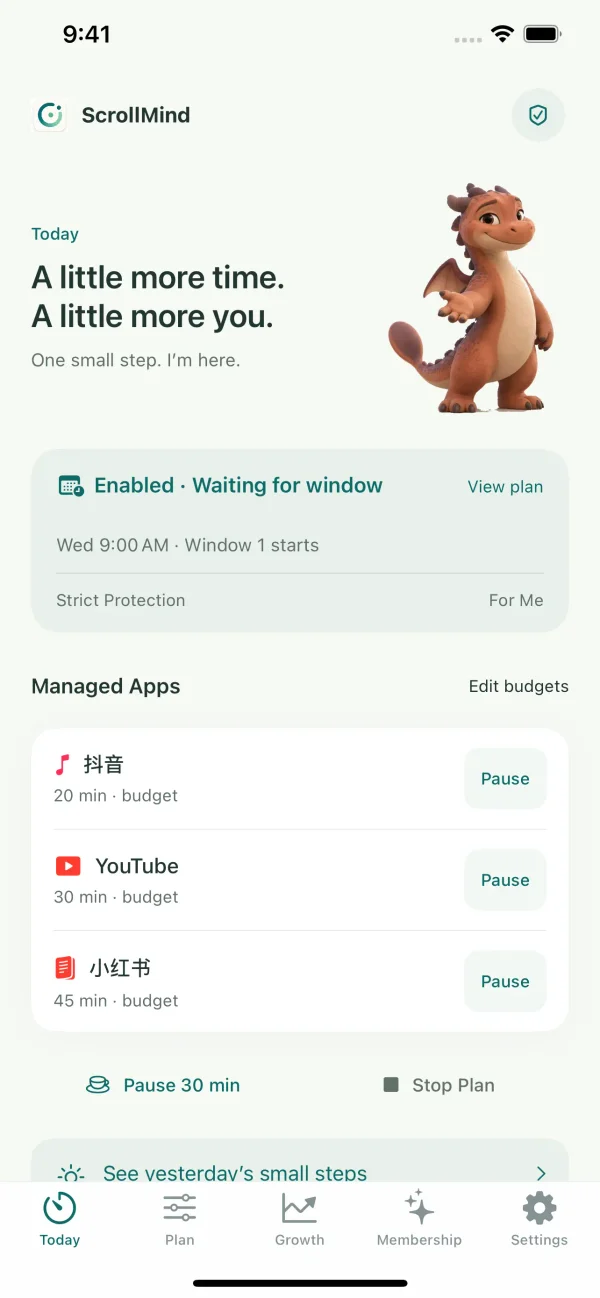
ScrollMind helps you manage screen time for short videos, social feeds, games and other distracting apps. Choose your apps, set a time budget and active hours, and let a friendly dragon encourage your next small step.
A PLAN THAT FITS YOUR DAY
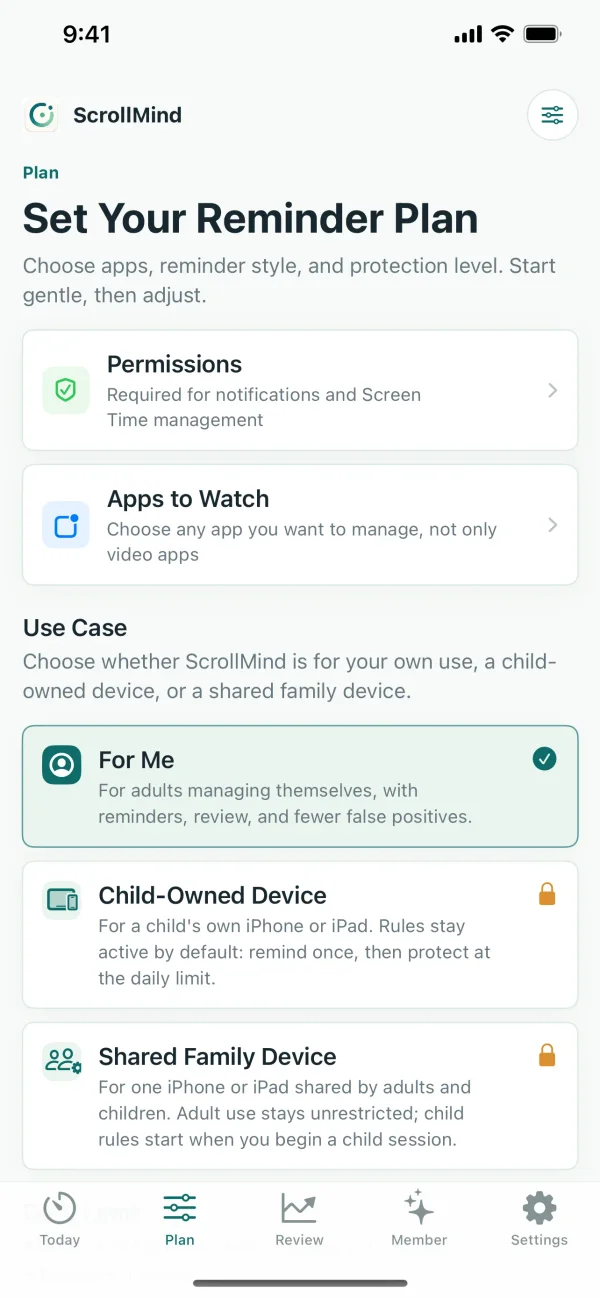
• Choose the apps you want to manage.
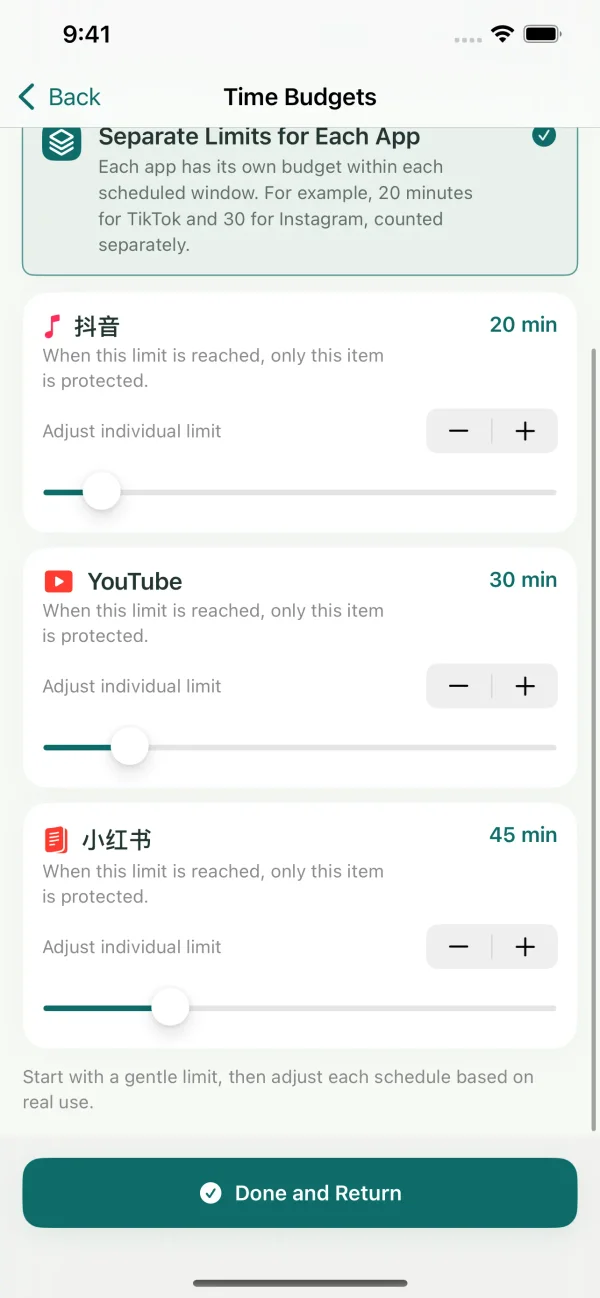
• Set a shared budget, or use Plus to give selected apps separate budgets.
• Choose weekdays and active hours for work, study and downtime.
• Get a heads-up before the budget is reached. Finish early or use the remaining time.
• At the limit, choose reminder-only mode or protection according to your plan.
• With Plus or Family, temporarily pause an individual app's restriction when you need it.
• See plan status, pause and stop controls in Today.
NOTICE YOUR SMALL STEPS
After Screen Time authorization, Recap's Time trends shows usage for selected apps today, yesterday and over the last seven days. When complete data is available, compare two seven-day periods. Devices remain separate, system data may be delayed, and missing data is never treated as zero usage.
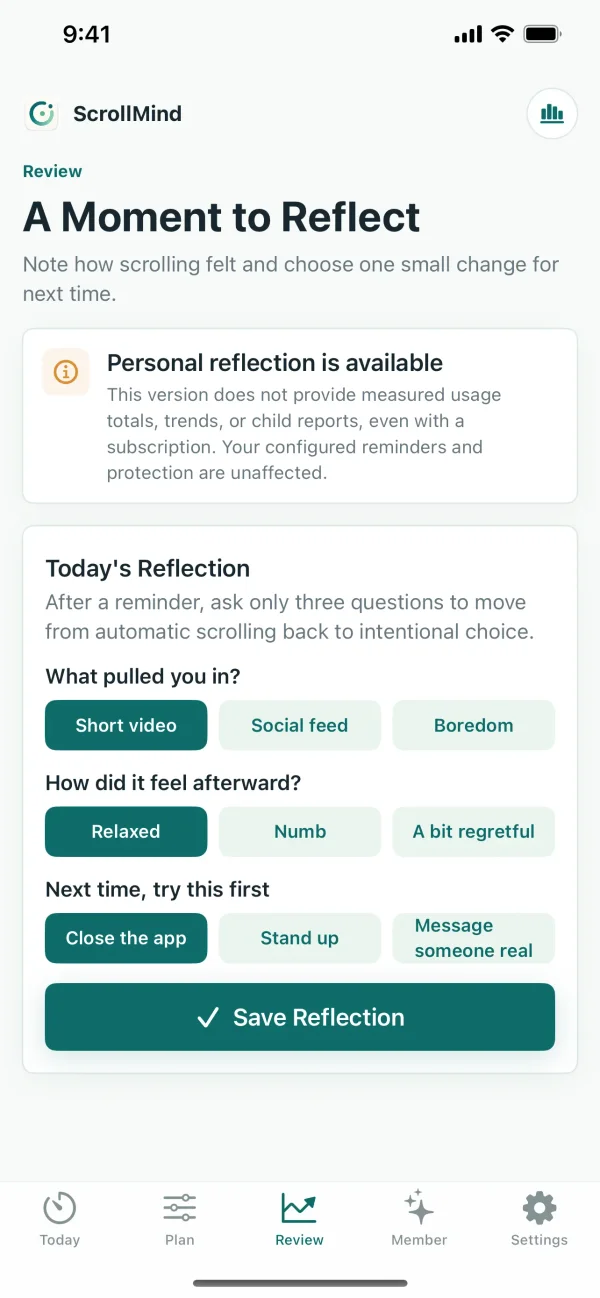
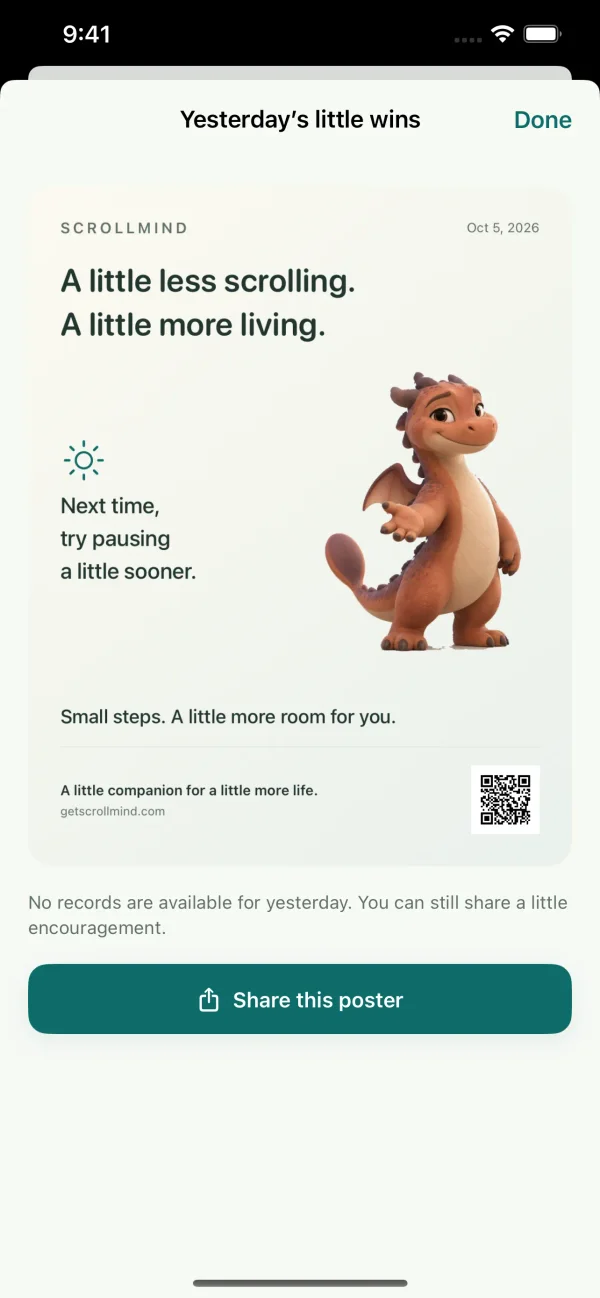
In Plan results, review choices you make at reminders and recorded budget thresholds. These records are not a budget-compliance score. Create a yesterday poster, choose whether to display counts, and pick a destination in the system share sheet. Poster counts describe reminder choices, not measured time saved or proof that you stopped using your phone. Choice history starts with this update.
An optional reflection journal lets you note how you felt and one small change to try next.
CLEAR BOUNDARIES FOR FAMILIES
Family supports a child's own device or a shared family iPhone or iPad. Parents set apps, time rules and an independent parent passcode on the protected device. Shared-device mode supports switching between adult and child use. Face ID or Touch ID does not replace the parent passcode.
Family controls work on the protected device. They do not provide remote control, member invitations or subscription sharing across accounts. Shared-device usage is not attributed to an individual child.
PRIVACY FIRST
No ScrollMind account is required. Settings, reflections and reminder-choice records stay on the device. Apple displays actual usage in a system-isolated report; we do not upload those durations to our servers. Shared posters exclude app names and usage durations.
ScrollMind does not read your messages, videos, contacts, payments, posts or browsing content. For multifunction apps, it manages the whole app's usage time and cannot distinguish working from scrolling. No advertising tracking or sale of personal data.
MEMBERSHIP
Free: manage one app.
Plus: multiple apps, shared or separate budgets, and flexible temporary pauses.
Family: Plus features with on-device child/shared-device controls, a parent passcode and school-time/bedtime protection.
Plus and Family offer monthly and annual subscriptions. Eligible new subscribers can receive a seven-day free trial. Prices, billing periods and eligibility are shown by the App Store at purchase. Manage or cancel automatic renewal in your Apple subscription settings.
Privacy: https://getscrollmind.com/privacy.html
Terms: https://www.apple.com/legal/internet-services/itunes/dev/stdeula/
Small steps count. Your companion is here to cheer you on.
Novidades
Versão 1.1.3 · 12/10/2026
See your intentional choices more clearly.
• A redesigned Recap separates selected-app usage trends from plan results.
• Review your responses to reminders and recorded budget thresholds. Compare complete periods when enough data is available.
• Updated report scrolling and date navigation, without a persistent manual-refresh control.
• Creator Mode now starts from Settings to keep your daily focus front and center.
• Companion reminders distinguish early reminders, budget reminders, and active protection.
Privacidade do app
O que DEHUO SUN declara na App Store sobre como este app lida com os dados.
-
Dados não coletados
O desenvolvedor não coleta nenhum dado deste app.
As práticas de privacidade podem variar, por exemplo, com base nos recursos que você usa ou na sua idade.
Informações
- Vendedor
- DEHUO SUN
- Categoria
- Produtividade
- Versão
- 1.1.3
- Atualizado
- 12/10/2026
- Lançamento
- 29/09/2026
- Tamanho
- 23,0 MB
- Requer
- iOS 16.0 ou posterior
- Classificação etária
- +4
- Preço
- Grátis
- Compras no app
- Sim
- Idiomas
- Chinês simplificado, Inglês
- Copyright
- © 2026 Dehuo Sun
Você também pode gostar
-
 GuardRail: Screen Time PauseProdutividade
-
 Orynt: Limite o tempo de telaBloqueador de sites e apps
-
 Pause - Bedtime App BlockerProdutividade
-
 Skye: Focus & Search AssistantProdutividade
-
 LockHour Pro: Bloqueio de appsBloquear apps e tempo de tela
-
 WhyOpen: Tempo de TelaBloqueio Apps & Timer Foco
-
 Meant To: App Blocker & FocusProdutividade
-
 FocusGuard: Tempo de TelaBloquear apps, foco e scroll
-
 Blobber: Bloqueador de AppsMais foco, estudo e menos tela
-
 Upchin: Diminuir Tempo de TelaSeja mais produtivo e focado