
- 対象年齢12+
- カテゴリ仕事効率化
- 開発元Neon Infotech FZ-LLC
- 言語英語ほか14言語
- サイズ49.7 MB
App Storeの公式ページにリンクしています
Download.orgはSheets - Excel Editorのファイルを一切ホストしていません。ボタンを押すと、Neon Infotech FZ-LLCが公開しているApp Storeのアプリページが開きます。ページの最終確認:2026/11/12。
スクリーンショット


概要
開発元はこのテキストをお使いの言語で提供していません。
Sheets - Excel Editor is a powerful and intuitive Excel editing tool for iOS, designed to help you manage, create, and edit spreadsheets with ease. Whether you’re working on a project, financial plan, or inventory list, this app is packed with features that streamline your spreadsheet experience.
Features:
1. Excel File Management:
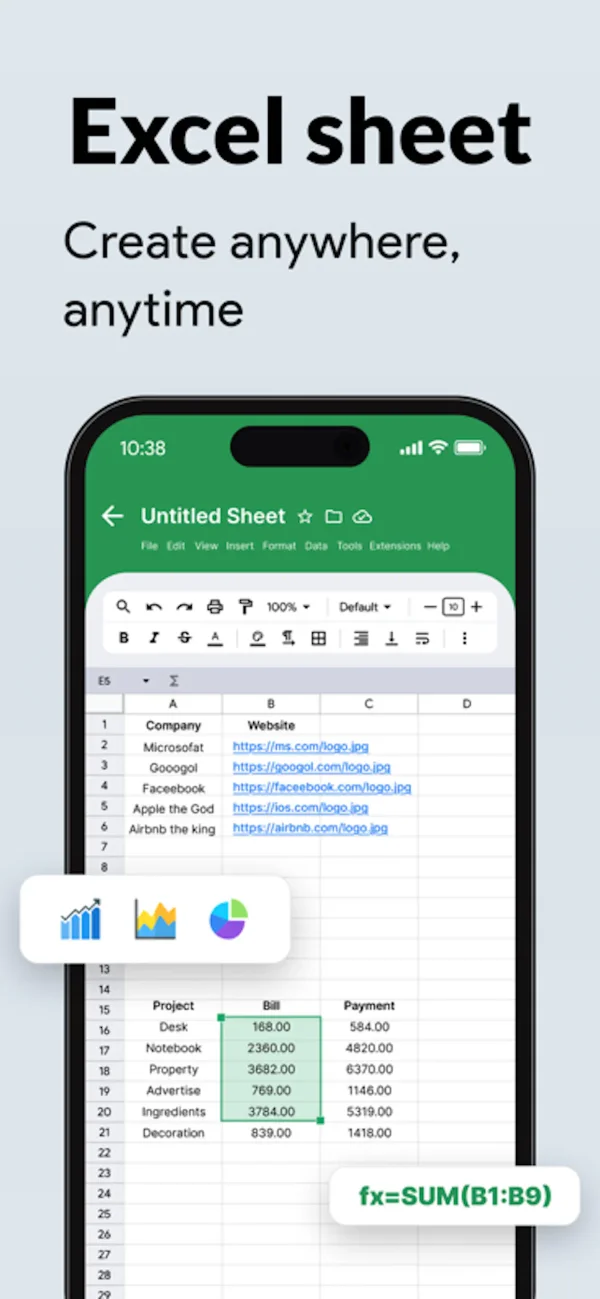
• Create New Excel Files – Start fresh by creating new Excel workbooks from scratch with ease.
• Import Existing Excel Files – Quickly import .xlsx files from your device.
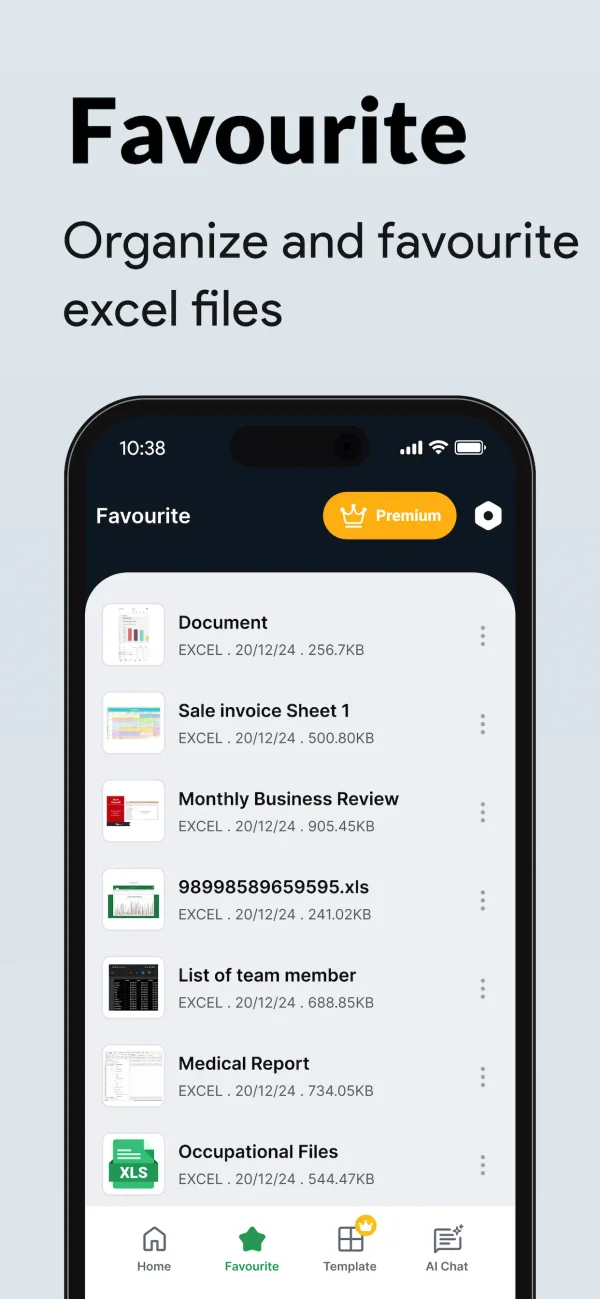
• Add to Favorites – Mark important files as favorites for quick and easy retrieval.
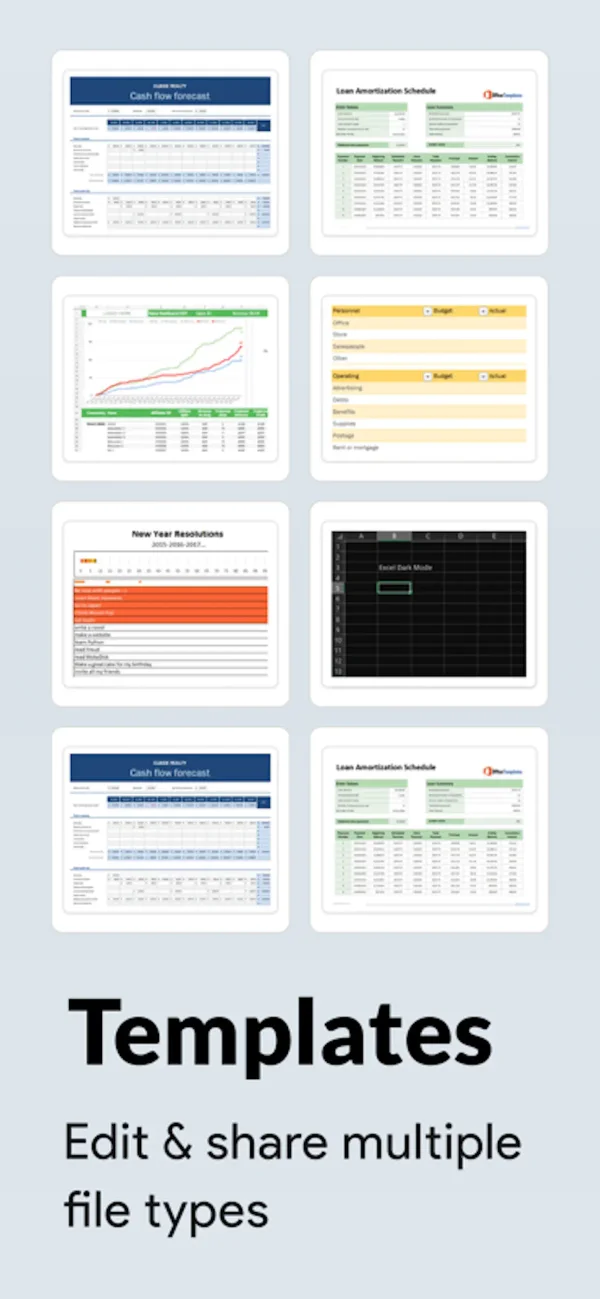
• Predefined Templates – Choose from templates designed for financial, project planning, inventory tracking, and more.
2. AI-Powered Assistance:
• AI Chat Integration – Get smart suggestions for formulas, troubleshoot issues, and receive helpful tips for data analysis.
3. Spreadsheet Creation & Editing
• Cell Formatting:
• Apply bold, italic, and strike-through styles to text
• Merge cells for improved data organisation
• Adjust text alignment horizontally (left, center, right) and vertically (top, middle, bottom)
• Change text and cell fill colors to enhance readability
• Apply or remove cell borders like inner, horizontal, vertical, outer, left, top, right, and bottom
• Undo/Redo functionality for seamless editing
• Search Text for finding data within large spreadsheets
• Set Fonts & Sizes:
• Choose from a variety of fonts and sizes to customize the appearance of your text.
• Insert & Delete Rows/Columns:
• Effortlessly insert and delete rows or columns to organise data as you need.
Subscription Details:
Payment will be charged to iTunes Account at confirmation of purchase
Subscription automatically renews unless auto-renew is turned off at least 24-hours before the end of the current period
Account will be charged for renewal within 24-hours prior to the end of the current period, and identify the cost of the renewal
No cancellation of the current subscription is allowed during active subscription period
Any unused portion of a free trial period, if offered, will be forfeited when the user purchases a subscription to that publication, where applicable
Note:-
For Further Information:
Privacy Policy: https://privacypolicycenter.com/new/view/id6737402064
Terms of Use: https://privacypolicycenter.com/new/terms/id6737402064
EULA: https://privacypolicycenter.com/new/eula/id6737402064
新機能
バージョン 1.2 · 2026/7/29
- Performance Improvement.
- Bugs Fixing.
アプリのプライバシー
このアプリのデータの取り扱いについて、Neon Infotech FZ-LLCがApp Storeで申告している内容です。
-
ユーザーのトラッキングに使用されるデータ
他社のアプリやウェブサイトを横断してユーザーをトラッキングする目的で使用される場合があります。
- 使用状況データ
-
ユーザーに関連付けられないデータ
収集される場合がありますが、ユーザーの識別情報には関連付けられません。
- ID
- 使用状況データ
- 診断
プライバシーの取り扱いは、ご利用の機能やお客様の年齢などに応じて異なる場合があります。
情報
- 販売元
- Neon Infotech FZ-LLC
- カテゴリ
- 仕事効率化
- バージョン
- 1.2
- 更新日
- 2026/7/29
- リリース
- 2025/2/14
- サイズ
- 49.7 MB
- 必要条件
- iOS 14.0以降
- 対象年齢
- 12+
- 価格
- 無料
- アプリ内課金
- あり
- 言語
- 英語, アラビア語, ベンガル語, フランス語, ドイツ語, ヒンディー語, イタリア語, 日本語, マレー語, ペルシア語, ポルトガル語, ロシア語 ほか3言語
- 著作権
- © @2026 NeonFZ LLC
こちらもおすすめ
-
 Make Spreadsheet: Excel Reader仕事効率化
-
 Forms AI+ Google Forms用Excel,クイズ,QR,Quiz,フォーム,グラフ,CSV
-
 WordをExcelに変換 - XLSXDOCとDOCXをXLSXに変換
-
 ExcelをPDFに変換 - XLSX PDF変換XLSやシートをPDFに変換 - Excel PDF変換
-
 表計算エディタ:XLS 閲覧xlsx編集、写真画像から表作成
-
 OCR image to excel - スプレッドシートJPG to excel, XLSX spreadsheet
-
 PDF から Excel へのコンバーター & XLSXPDF から表形式のデータを Excel に抽出する
-
 画像からexcel変換 - 写真をexcelに変換Excelファイルに画像変換 スプレッドシートまたは表内の画
-
 Forms: Spreadsheet Integration仕事効率化
-
 Bundle for MS Office TemplatesWord、PowerPoint、Excel のバンドル