
Sheets - Excel Editor
Entwickelt für iPhone, iPad, iPod touch
Kostenlos · In-App-Käufe
- Altersfreigabe12+
- KategorieProduktivität
- EntwicklerNeon Infotech FZ-LLC
- SprachenEnglisch+ 14 weitere
- Größe49,7 MB
Verlinkt auf die offizielle App Store-Seite
Download.org hostet keine Datei von Sheets - Excel Editor. Die Schaltfläche öffnet die App-Seite bei App Store, wo Neon Infotech FZ-LLC die App veröffentlicht. Eintrag zuletzt geprüft am 12.11.2026.
Screenshots


Info
Der Entwickler hat diesen Text nicht in Ihrer Sprache bereitgestellt.
Sheets - Excel Editor is a powerful and intuitive Excel editing tool for iOS, designed to help you manage, create, and edit spreadsheets with ease. Whether you’re working on a project, financial plan, or inventory list, this app is packed with features that streamline your spreadsheet experience.
Features:
1. Excel File Management:
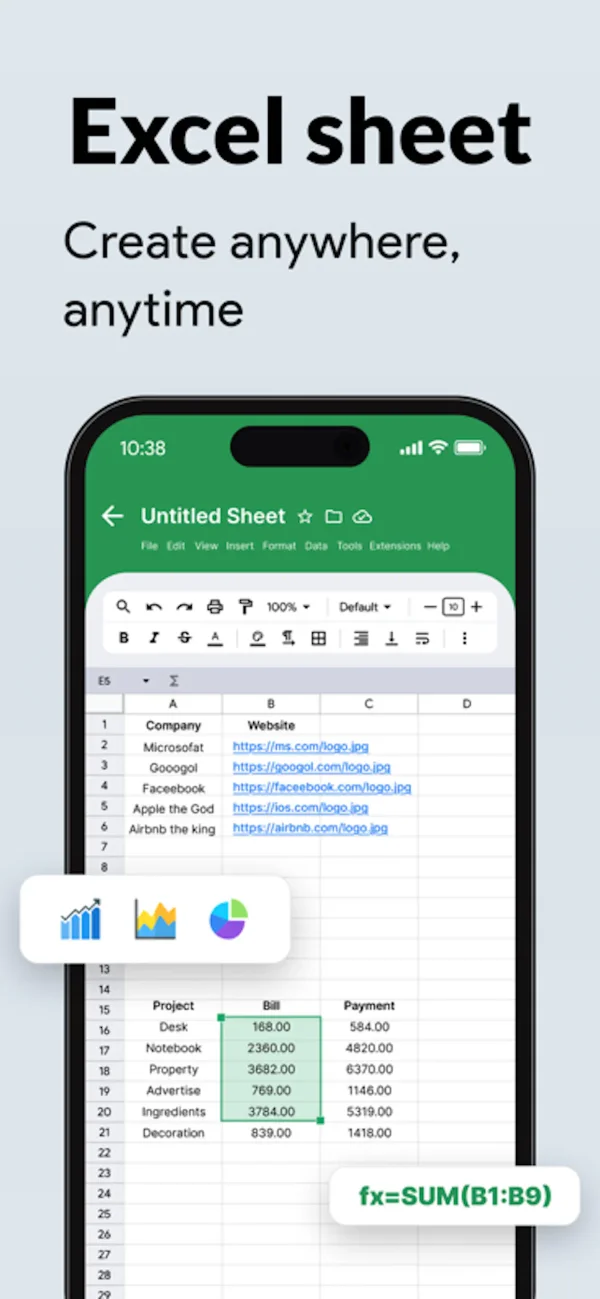
• Create New Excel Files – Start fresh by creating new Excel workbooks from scratch with ease.
• Import Existing Excel Files – Quickly import .xlsx files from your device.
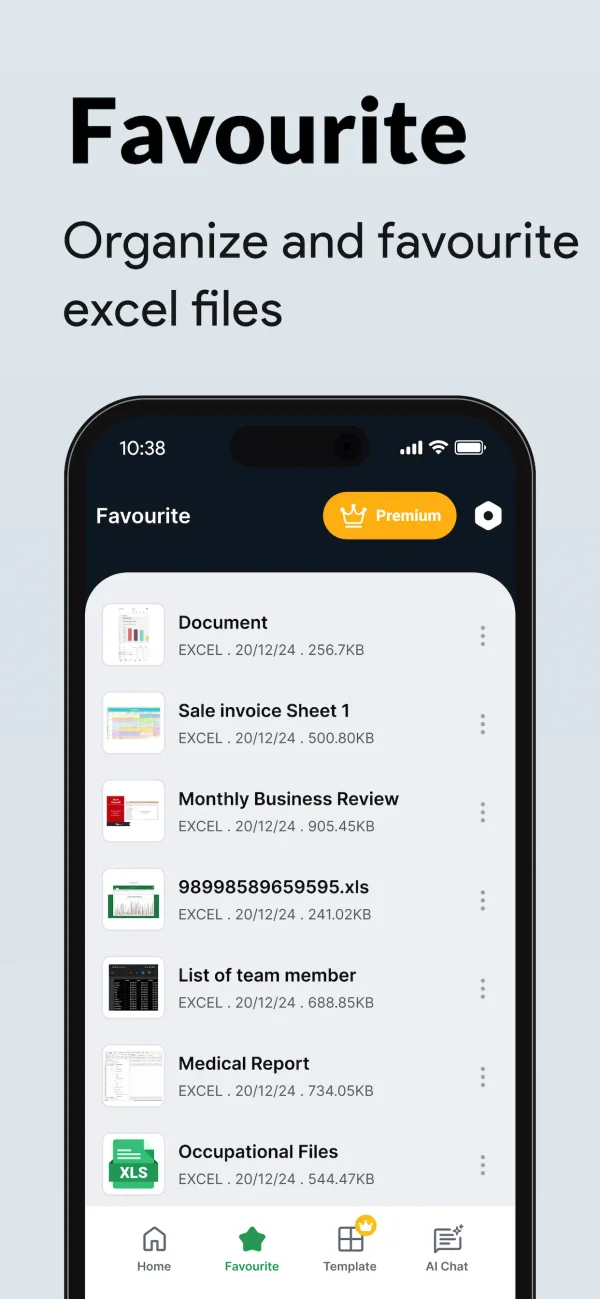
• Add to Favorites – Mark important files as favorites for quick and easy retrieval.
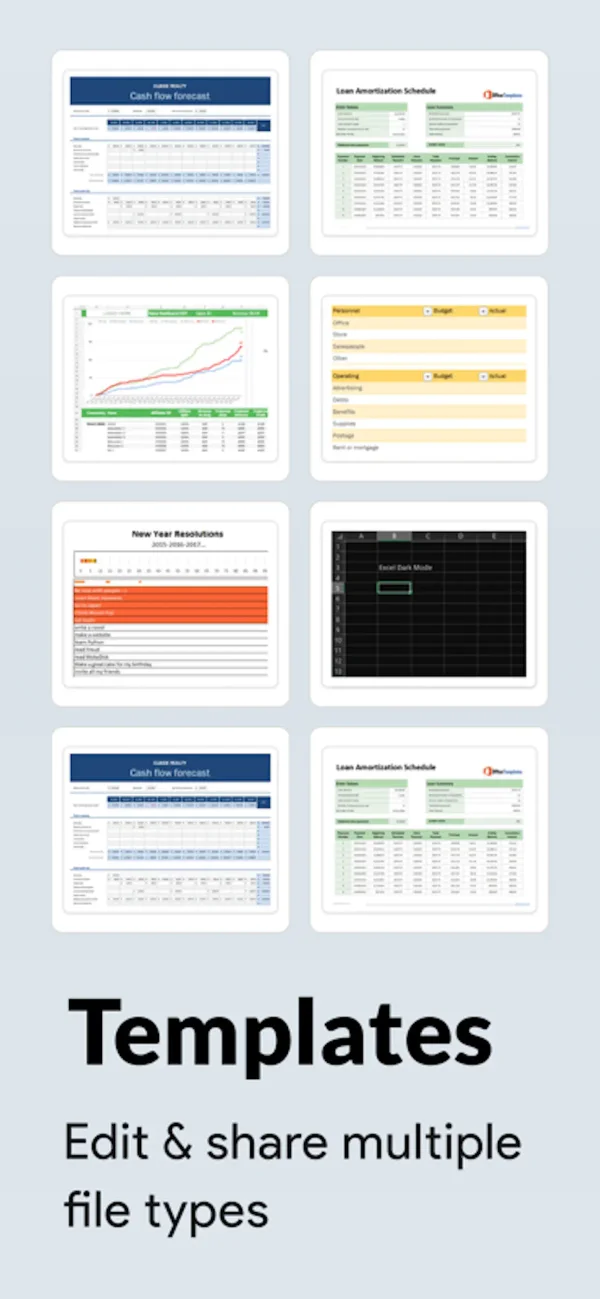
• Predefined Templates – Choose from templates designed for financial, project planning, inventory tracking, and more.
2. AI-Powered Assistance:
• AI Chat Integration – Get smart suggestions for formulas, troubleshoot issues, and receive helpful tips for data analysis.
3. Spreadsheet Creation & Editing
• Cell Formatting:
• Apply bold, italic, and strike-through styles to text
• Merge cells for improved data organisation
• Adjust text alignment horizontally (left, center, right) and vertically (top, middle, bottom)
• Change text and cell fill colors to enhance readability
• Apply or remove cell borders like inner, horizontal, vertical, outer, left, top, right, and bottom
• Undo/Redo functionality for seamless editing
• Search Text for finding data within large spreadsheets
• Set Fonts & Sizes:
• Choose from a variety of fonts and sizes to customize the appearance of your text.
• Insert & Delete Rows/Columns:
• Effortlessly insert and delete rows or columns to organise data as you need.
Subscription Details:
Payment will be charged to iTunes Account at confirmation of purchase
Subscription automatically renews unless auto-renew is turned off at least 24-hours before the end of the current period
Account will be charged for renewal within 24-hours prior to the end of the current period, and identify the cost of the renewal
No cancellation of the current subscription is allowed during active subscription period
Any unused portion of a free trial period, if offered, will be forfeited when the user purchases a subscription to that publication, where applicable
Note:-
For Further Information:
Privacy Policy: https://privacypolicycenter.com/new/view/id6737402064
Terms of Use: https://privacypolicycenter.com/new/terms/id6737402064
EULA: https://privacypolicycenter.com/new/eula/id6737402064
Neue Funktionen
Version 1.2 · 29.07.2026
- Performance Improvement.
- Bugs Fixing.
App-Datenschutz
Was Neon Infotech FZ-LLC im App Store zum Umgang dieser App mit Daten angibt.
-
Daten, die zum Tracking Ihrer Person verwendet werden
Können verwendet werden, um Sie über Apps und Websites anderer Unternehmen hinweg zu verfolgen.
- Nutzungsdaten
-
Nicht mit Ihnen verknüpfte Daten
Können erfasst werden, sind aber nicht mit Ihrer Identität verknüpft.
- Kennungen
- Nutzungsdaten
- Diagnose
Die Datenschutzpraktiken können variieren, zum Beispiel je nach den von Ihnen verwendeten Funktionen oder Ihrem Alter.
Informationen
- Anbieter
- Neon Infotech FZ-LLC
- Kategorie
- Produktivität
- Version
- 1.2
- Aktualisiert
- 29.07.2026
- Veröffentlicht
- 14.02.2025
- Größe
- 49,7 MB
- Erfordert
- iOS 14.0 oder neuer
- Altersfreigabe
- 12+
- Preis
- Kostenlos
- In-App-Käufe
- Ja
- Sprachen
- Englisch, Arabisch, Bengalisch, Französisch, Deutsch, Hindi, Italienisch, Japanisch, Malaiisch, Persisch, Portugiesisch, Russisch + 3 weitere
- Copyright
- © @2026 NeonFZ LLC
Das könnte Ihnen auch gefallen
-
 Make Spreadsheet: Excel ReaderProduktivität
-
 Forms AI+ für Google FormsExcel,Sheets,Quiz,Sheet,Survey
-
 Word zu Excel KonverterDOC und DOCX in XLSX umwandeln
-
 Excel in PDF Umwandeln - XLSXConvert XLS & Tabellen zu PDF
-
 Tabellen Editor: XLS Readerxlsx-Editor, Bild zu Tabelle
-
 Image to excel converterExcel umwandeln & spreadsheet
-
 PDF in Excel Umwandeln - XLSXPDF in Excel Tabelle umwandeln
-
 Bild zu Excel Konverter - XLSXBild zu Tabellenkalkulation
-
 Forms: Spreadsheet IntegrationProduktivität
-
 Bundle for MS Office TemplatesWord-, PowerPoint- und