
- 対象年齢4+
- カテゴリユーティリティ
- 開発元强 王
- 言語英語ほか12言語
- サイズ22.3 MB
App Storeの公式ページにリンクしています
Download.orgはSideTVsのファイルを一切ホストしていません。ボタンを押すと、强 王が公開しているApp Storeのアプリページが開きます。ページの最終確認:2026/11/15。
スクリーンショット
概要
開発元はこのテキストをお使いの言語で提供していません。
SideTVs — Turn Your iPhone into a TV Control Hub
SideTVs is a wireless control and screen-casting tool designed for TVs, smart TVs, and VR headsets. Simply connect your phone and device to the same Wi-Fi network to enable remote control, media casting, and screen mirroring—no extra hardware required.
【Device Connection】
• Supports three connection methods: manual IP entry, LAN scanning, and wireless debugging pairing codes
• Automatically saves device history and reconnects upon returning to the app
• Displays real-time connection status and device information
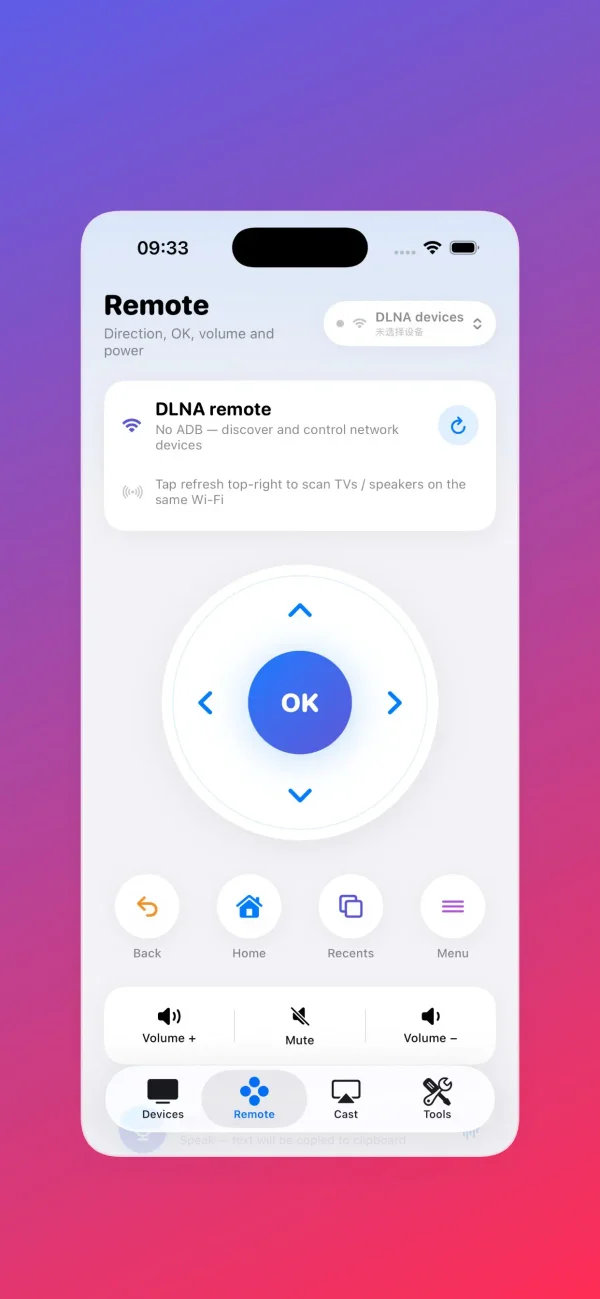
【Virtual Remote Control】
• Includes full directional keys, OK, Back, Home, Volume, Power, and media controls
• Supports ADB command transmission for controlling Android TVs and TV boxes
• Supports DLNA remote control and bridges ADB devices on the same IP for a complete control experience
• Compatible with native remote protocols for brands like Samsung, LG, Sony, and Roku
• Supports voice input for sending text to the TV for searches or data entry
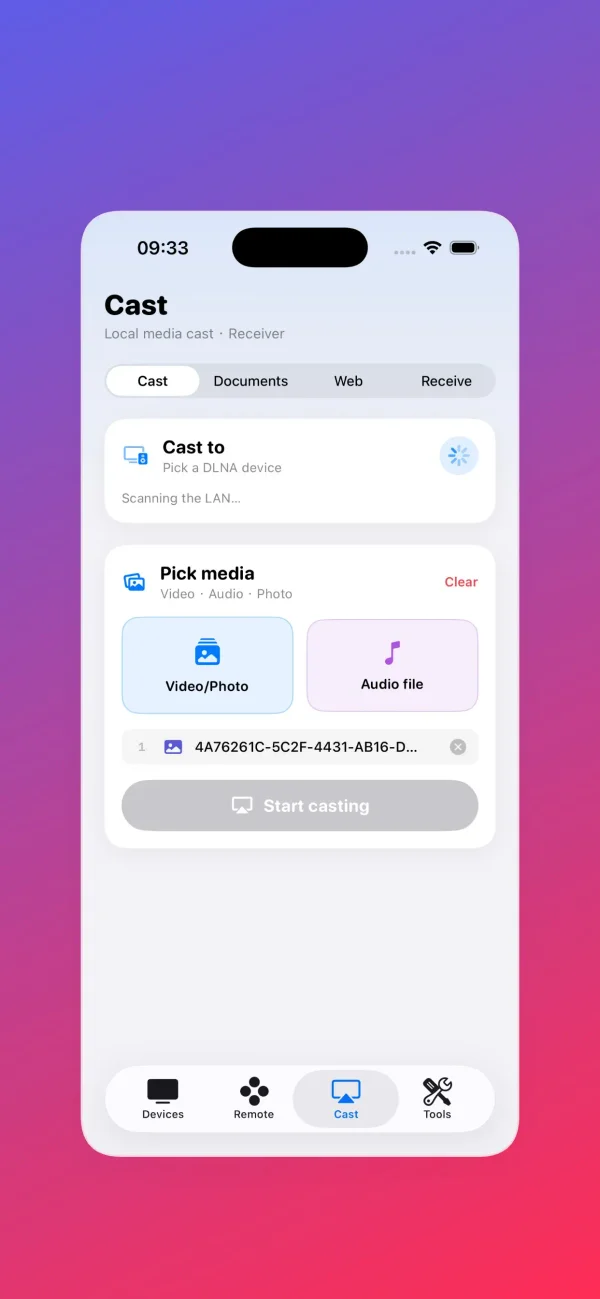
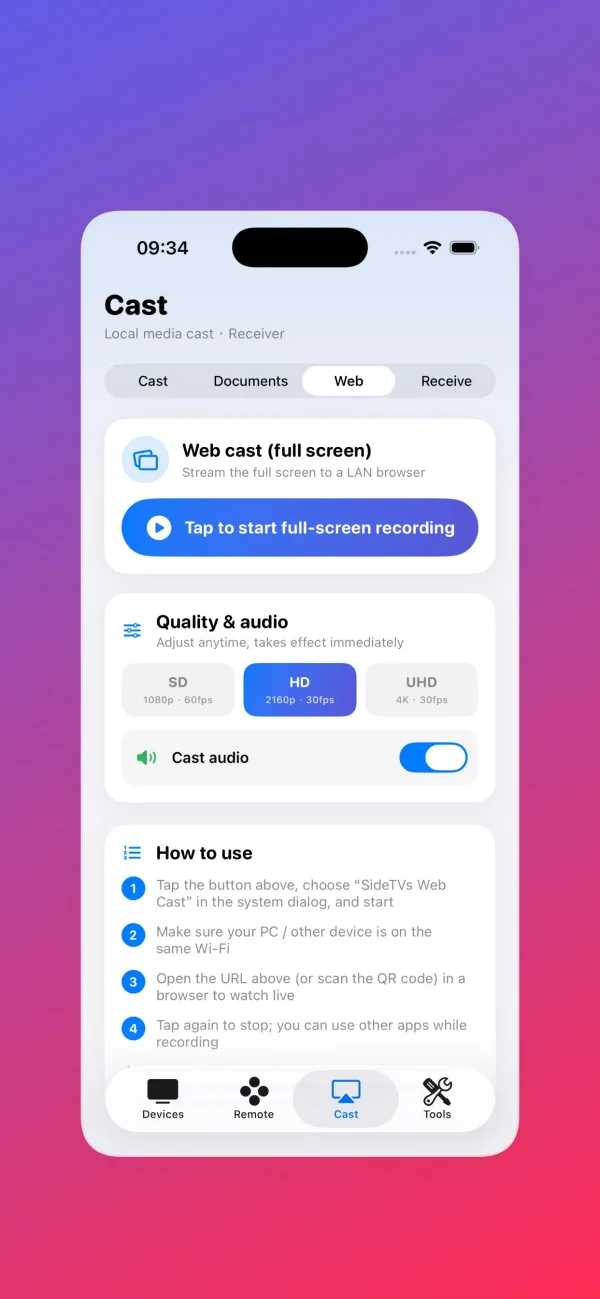
【Casting Hub】
• Media Casting: Cast local videos, audio, and images to DLNA-enabled TVs or speakers; supports simultaneous playback on multiple devices
• Document Casting: Import PDFs, PPTs, Word docs, etc., and cast them page-by-page to the TV; supports zooming and automatic slideshows
• Web Casting: Capture and stream the full screen to a LAN-based browser; viewable on computers or tablets via the link
• Receiver Mode: Turn your phone into a DLNA receiver to accept casts from other devices on the LAN
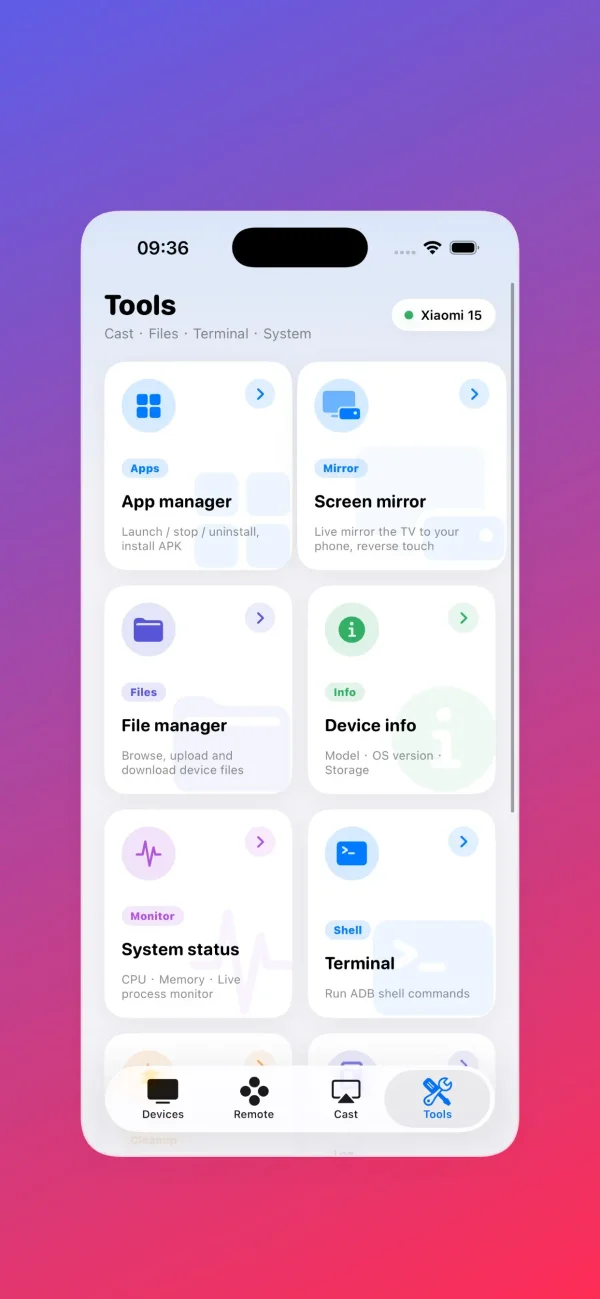
【Pro Tools】 (SideTV Pro)
• App Management: View, launch, uninstall, and install APKs
• Screen Mirroring: Low-latency H.264 mirroring with touch feedback; supports ultra-high-definition casting for Quest headsets
• File management, terminal shell, system status, log viewing, quick text input, one-tap cleanup, and more
【More Features】
• Home Screen widgets and Dynamic Island support for quick status checks and remote control
• Optimized for iPhone and iPad widescreen layouts
Usage Note
SideTVs requires local network permissions to discover and control devices on the same LAN. Some features rely on the device's wireless debugging (ADB) or DLNA capabilities; please ensure the corresponding options are enabled on your TV or streaming box. You can try the remote control and screen casting functions for free five times; upgrade to SideTVs Pro to unlock all professional features.
Terms of Use (EULA): https://www.apple.com/legal/internet-services/itunes/dev/stdeula/
Privacy Policy: https://www.termsfeed.com/live/c9a159bf-3dc0-4ee8-84fd-7d47f5ad3edd
新機能
バージョン 1.5.2 · 2026/10/15
General fixes and updates
アプリのプライバシー
このアプリのデータの取り扱いについて、强 王がApp Storeで申告している内容です。
-
データの収集なし
開発元はこのアプリからデータを収集しません。
プライバシーの取り扱いは、ご利用の機能やお客様の年齢などに応じて異なる場合があります。
情報
- 販売元
- 强 王
- カテゴリ
- ユーティリティ
- バージョン
- 1.5.2
- 更新日
- 2026/10/15
- リリース
- 2026/6/13
- サイズ
- 22.3 MB
- 必要条件
- iOS 16.0以降
- 対象年齢
- 4+
- 価格
- 無料
- アプリ内課金
- あり
- 言語
- 英語, アラビア語, デンマーク語, オランダ語, フランス語, ドイツ語, 日本語, 韓国語, ロシア語, 簡体字中国語, スウェーデン語, 繁体字中国語 ほか1言語
- 著作権
- © 2026 wangqiang
こちらもおすすめ
-
 Pinger - Network Monitorユーティリティ
-
 Private Vault – Offline Safeユーティリティ
-
 SilentProof: Noise Complaintユーティリティ
-
 小吉历-小清新万年历老黄历农历卡片日历节日节气实况天气预报ユーティリティ
-
 Unicode 記号・特殊文字キーボード特殊文字・矢印・数学記号をコピペ
-
 FastCut-快剪ユーティリティ
-
 MileageMate: Fuel Trackerユーティリティ
-
 Countix – Simple Counterユーティリティ
-
 ボイスレコーダーPro-録音&AI文字起こし議事録買い切り。話者自動識別とAI要約、講義や取材の記録にも
-
 Quick Check Splitterユーティリティ