- 対象年齢4+
- カテゴリ仕事効率化
- 開発元Sidus Link Ltd.
- 言語英語ほか13言語
- サイズ584.3 MB
App Storeの公式ページにリンクしています
Download.orgはSidus Link Proのファイルを一切ホストしていません。ボタンを押すと、Sidus Link Ltd.が公開しているApp Storeのアプリページが開きます。ページの最終確認:2026/11/17。
スクリーンショット


概要
開発元はこのテキストをお使いの言語で提供していません。
Sidus Link Pro is a powerful lighting control workstation that runs on your iPad and Mac.
Control Aputure lights wirelessly with Sidus Bluetooth and cue any DMX or CRMX-enabled light through sACN and Art-Net using the intuitive Sidus Link interface. Console-style lighting control has never been easier.
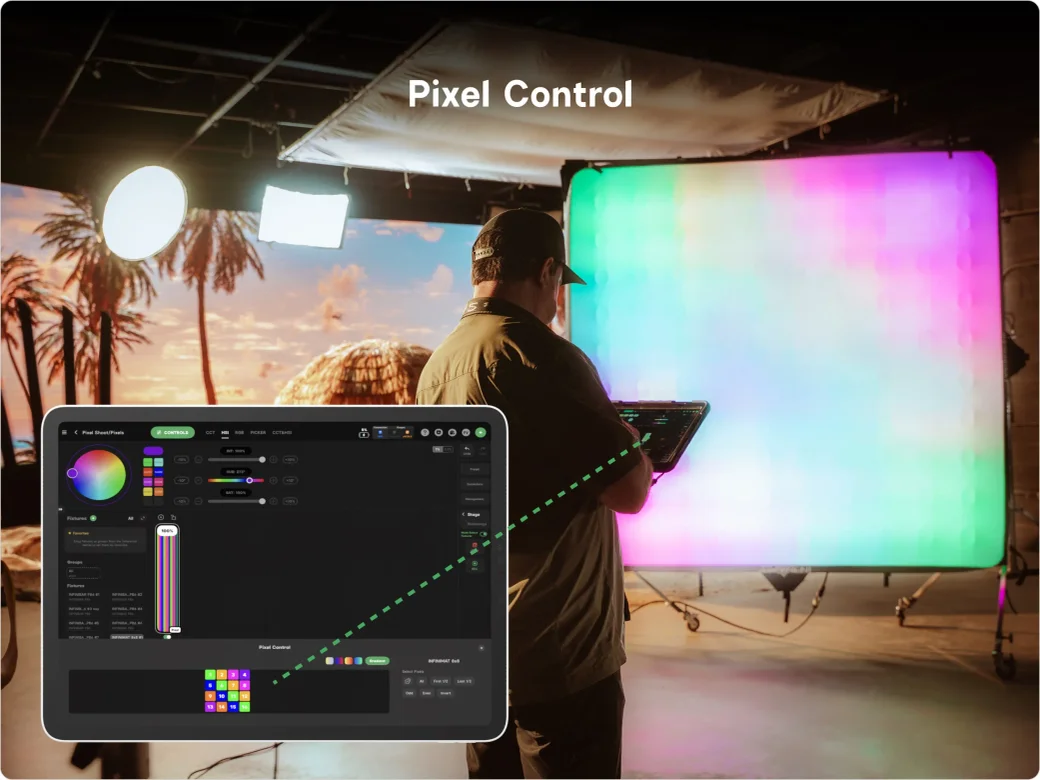
ENAHANCED PIXEL TOOLS
When selecting multi-pixel fixtures, inside the Pixel Window, there are tools for applying gradients across the fixtures, and easy selection tools for first half, second half, odd, even and invert.
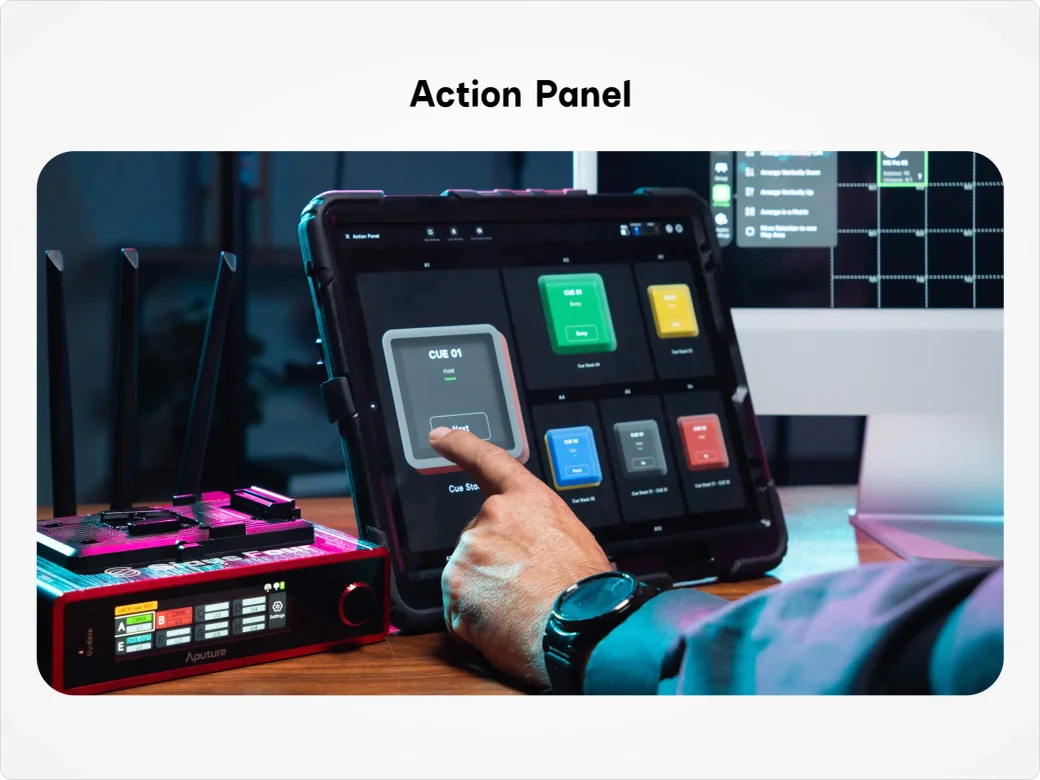
ACTION PANEL
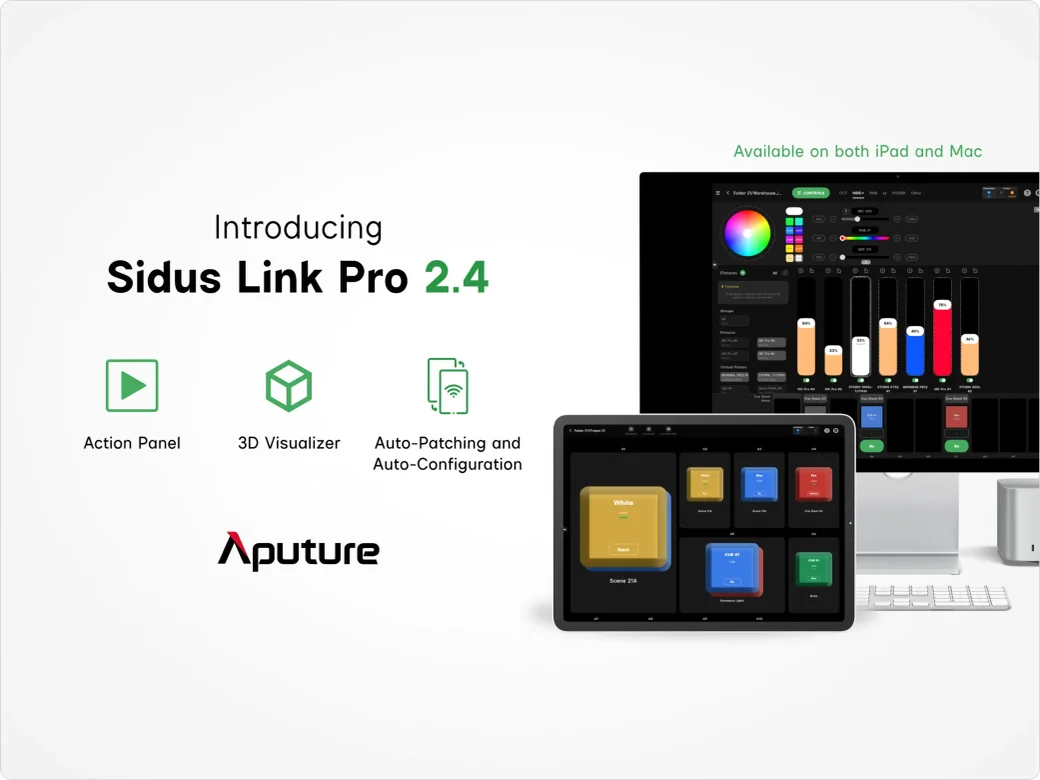
Turn your cues and Quickshots into big, simple “Go” buttons for fast, confident execution. With an optional passcode lock, Action Panel makes it easy to hand control to a client, operator, or venue team.
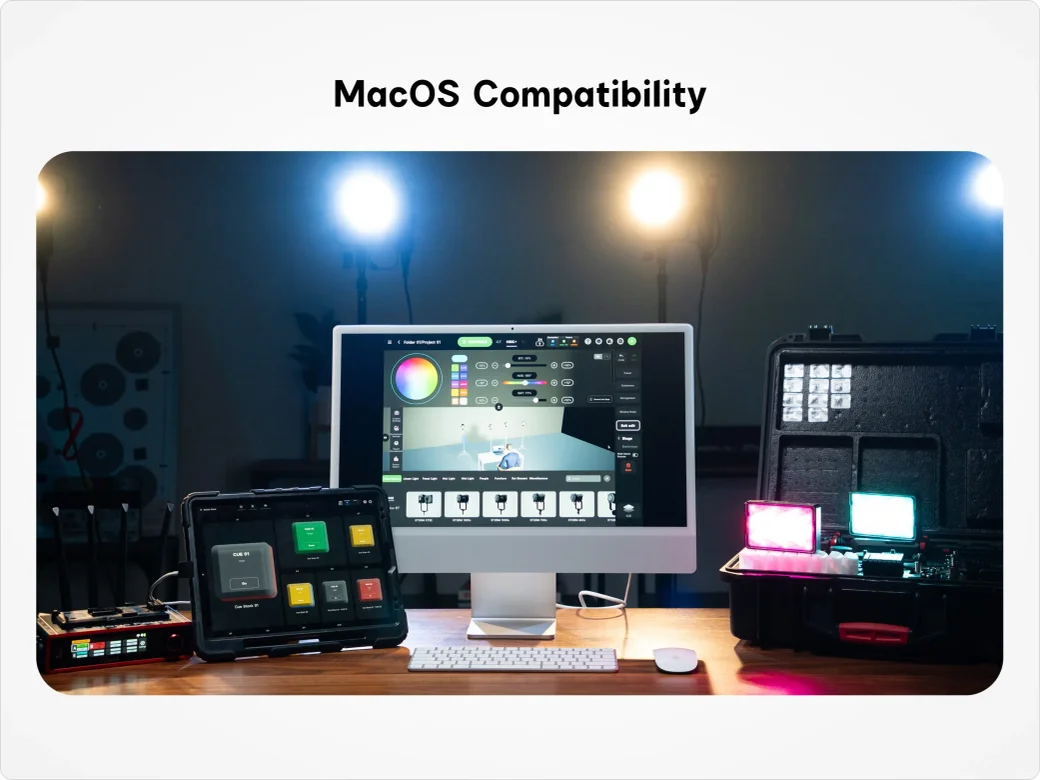
MAC SUPPORT
Plan, design, and refine your lighting setup on Mac with more screen space and keyboard-and-mouse precision.
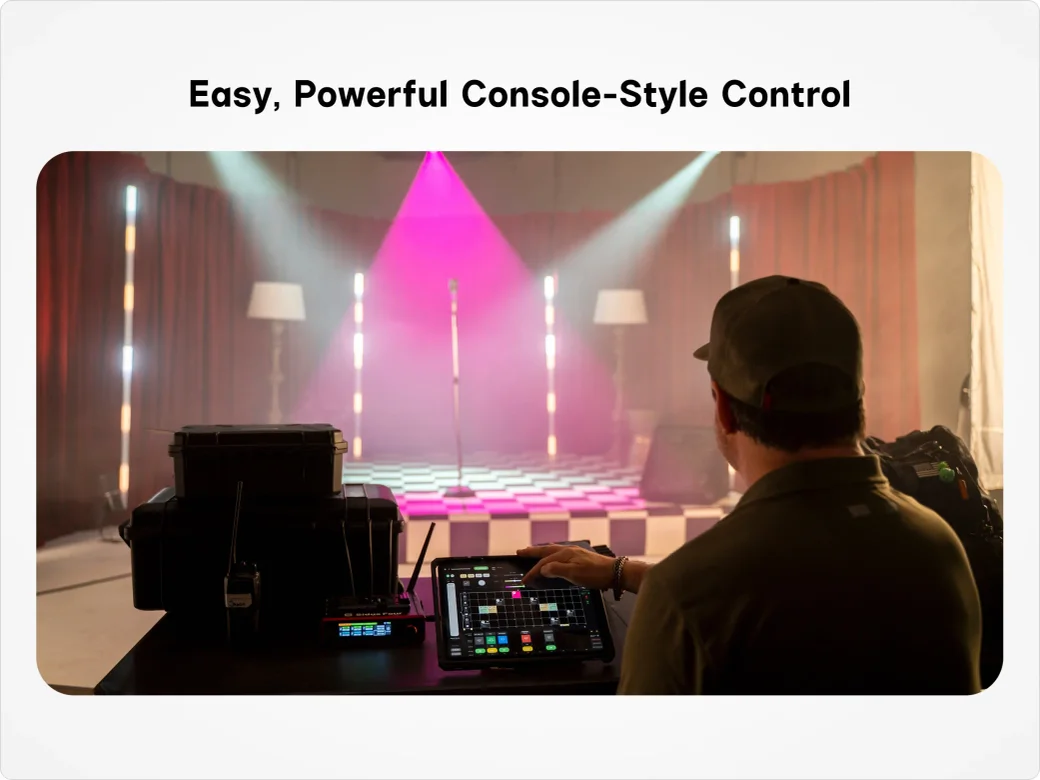
EASY, POWERFUL CONSOLE-STYLE CONTROL
Sidus Link Pro brings the power of a modern lighting console to your iPad and Mac without the complexity, menu diving, or manual reading. Speed is everything on set. Sidus Link Pro is built to be speedy. All of your most used functions are accessible with just a few taps.
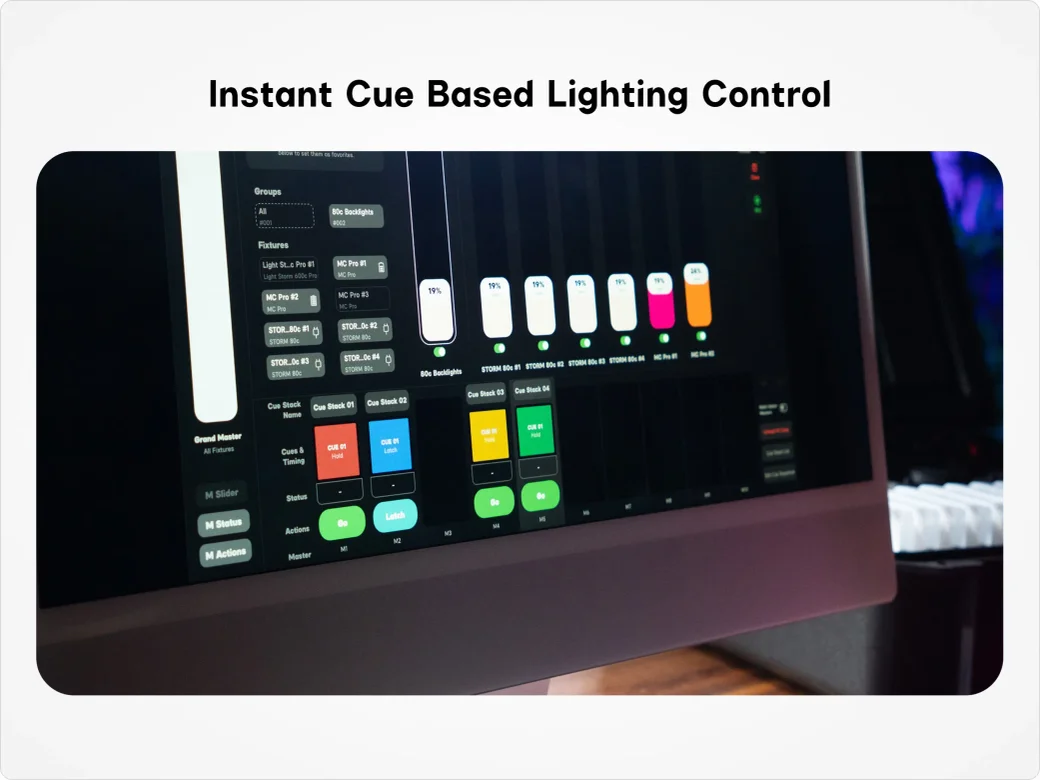
DESIGN DAZZLING SHOWS AND EFFECTS WITH REAL-TIME CUEING.
Send crisp, responsive cues to your DMX-enabled fixtures at the same time, with no Bluetooth delay. Create rich, synchronized lighting changes and organize them into cue stacks with precise timing, transitions, and loops. Drag and drop to reorder with the Cue Sequence Editor.
CONTROL ANY CRMX-ENABLED LIGHT
Sidus Link Pro speaks DMX and wireless CRMX, the control protocol that all lights use. Centralize control of your lighting network in Sidus Link Pro, no matter the fixture manufacturer.
THE CENTER OF YOUR LIGHTING ECOSYSTEM
Sidus Link Pro interfaces with hardware to control fixtures with wired DMX or wireless CRMX capability. Use with any transmitter, node, or router, or partner with Sidus Hardware to unlock powerful monitoring and setup functions. Sidus Link Pro transmits lighting control protocols sACN and Art-Net.
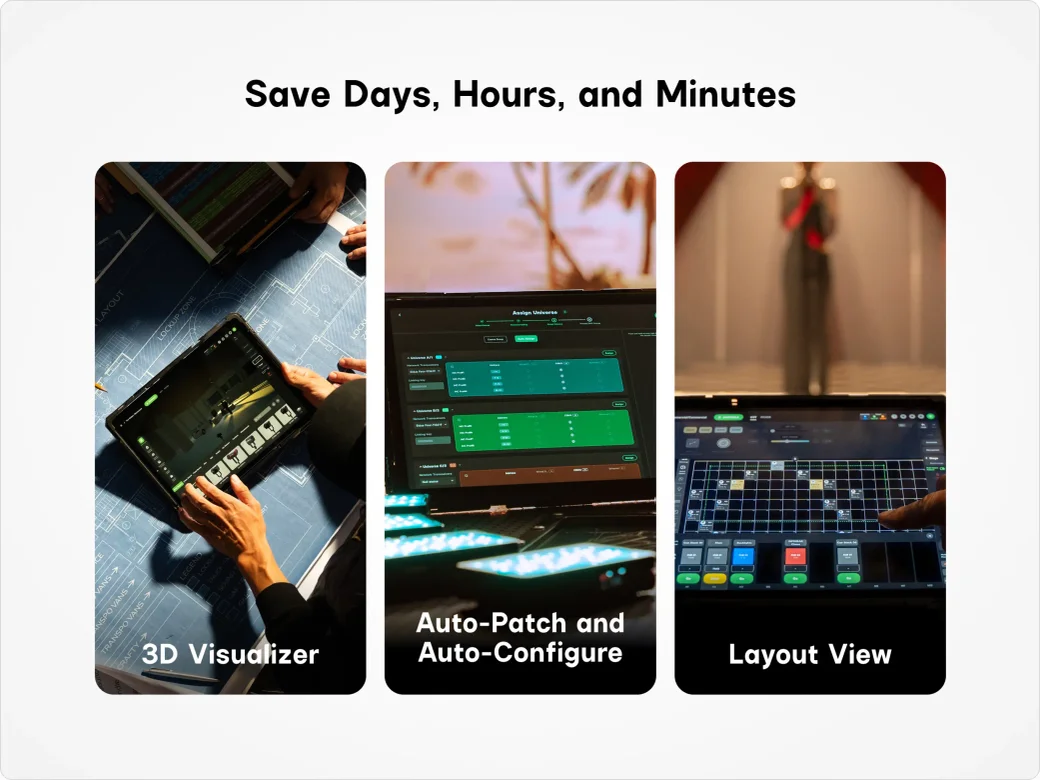
SAVE DAYS WITH 3D VISUALIZER
Plan your setup in a virtual environment. Create spaces, place lights, design looks, and explore ideas before touching physical fixtures. Since 3D Visualizer is built into your control workflow, cues and DMX settings move seamlessly from planning to execution.
SAVE HOURS WITH LIGHTNING FAST AUTO-PATCHING AND AUTO-CONFIGURATION
Skip the setup grind. Sidus Link Pro detects your Aputure lights and reduces your setup by up to hundreds of steps. Easily update fixture settings and DMX profiles from your iPad and Mac.
SAVE MINUTES WITH LAYOUT VIEW
Arrange fixtures in a visual grid to match your physical set. Layout View gives you a faster, more intuitive way to organize fixtures, select the right light, and preview lighting changes in real time.
STABLE, LONG-RANGE CONTROL
With DMX and CRMX workflows, Sidus Link Pro maintains reliable control. When used with Aputure fixtures and Sidus Hardware, gain additional range and real-time health alerts.
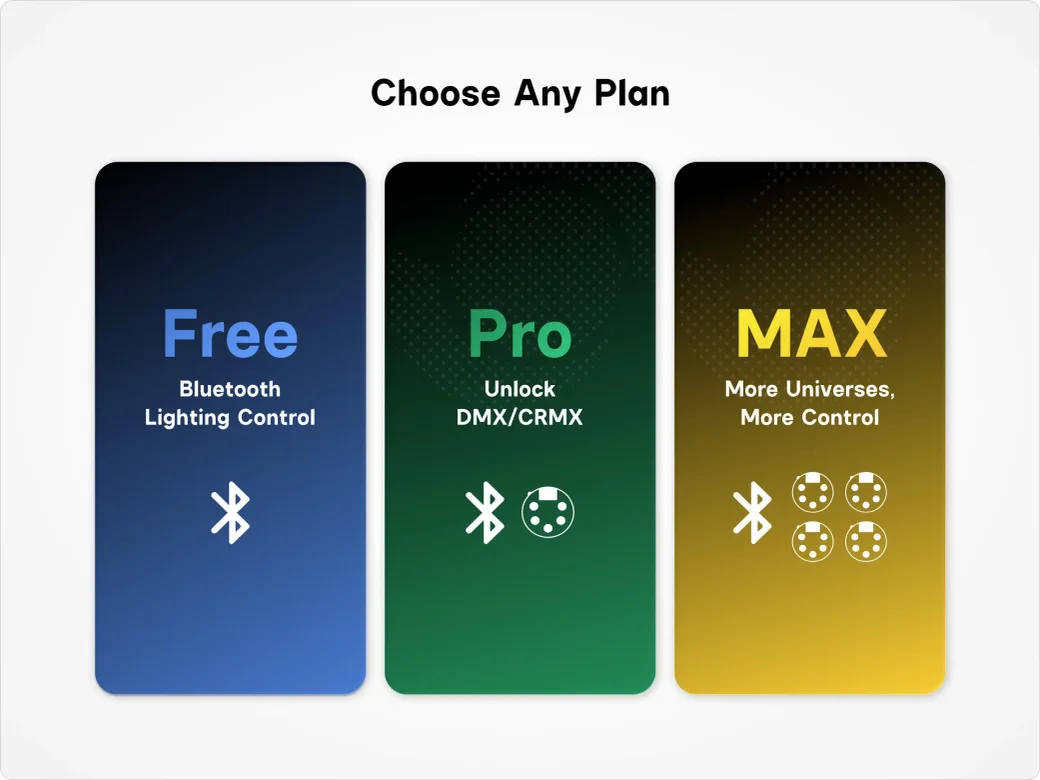
FREE BLUETOOTH CONTROL AND FILMMAKING TOOLS
The Free plan includes Bluetooth control for Aputure and amaran lights, plus access to our full library of Light Modes, FX, Quickshots, Magic Program Pro and Go, Magic Infinity FX, and Diagram Master.
OTHER FEATURES
• Dial in tone with color selection methods like CCT, HSI, CCT RGB, xy, and HSIC+
• Set DMX parameters like Intensity, +/- Green, Hue, Saturation, and Variable Crossfade
• Access DMX profiles, import GDTF profiles, and create your own profiles
• Preview changes before taking them live with the Backstage workspace
• Streamline Bluetooth control with Sidus BT View
• Save and recall presets for Aputure lights with Sidus BT Quickshots
• Auto-Configure, monitor, and update Aputure light firmware in the Fixture Manager
• Create lighting plots and sync with your team with Diagram Master
• Reference Illumination Handbook to compare fixtures and calculate output
新機能
バージョン 2.4.21 · 2026/10/22
1. Fixed some bugs
2. Optimized app performance
アプリのプライバシー
このアプリのデータの取り扱いについて、Sidus Link Ltd.がApp Storeで申告している内容です。
-
ユーザーのトラッキングに使用されるデータ
他社のアプリやウェブサイトを横断してユーザーをトラッキングする目的で使用される場合があります。
- ID
-
ユーザーに関連付けられたデータ
収集され、ユーザーの識別情報に関連付けられる場合があります。
- 連絡先情報
- ID
-
ユーザーに関連付けられないデータ
収集される場合がありますが、ユーザーの識別情報には関連付けられません。
- 位置情報
- 使用状況データ
- 診断
プライバシーの取り扱いは、ご利用の機能やお客様の年齢などに応じて異なる場合があります。
情報
- 販売元
- Sidus Link Ltd.
- カテゴリ
- 仕事効率化
- バージョン
- 2.4.21
- 更新日
- 2026/10/22
- リリース
- 2024/4/9
- サイズ
- 584.3 MB
- 必要条件
- iOS 15.0以降
- 対象年齢
- 4+
- 価格
- 無料
- アプリ内課金
- あり
- 言語
- 英語, フランス語, ドイツ語, イタリア語, 日本語, 韓国語, ポーランド語, ポルトガル語, ロシア語, 簡体字中国語, スペイン語, タイ語 ほか2言語
- 著作権
- ©2019-2026 Sidus Link Ltd. & Aputure Image Industries Co., Ltd. All rights reserved.