- 対象年齢17+
- カテゴリ写真/ビデオ
- 開発元JIRI CHOMAT
- 言語英語ほか14言語
- サイズ54.6 MB
App Storeの公式ページにリンクしています
Download.orgはSlowmo Proのファイルを一切ホストしていません。ボタンを押すと、JIRI CHOMATが公開しているApp Storeのアプリページが開きます。ページの最終確認:2026/11/17。
スクリーンショット

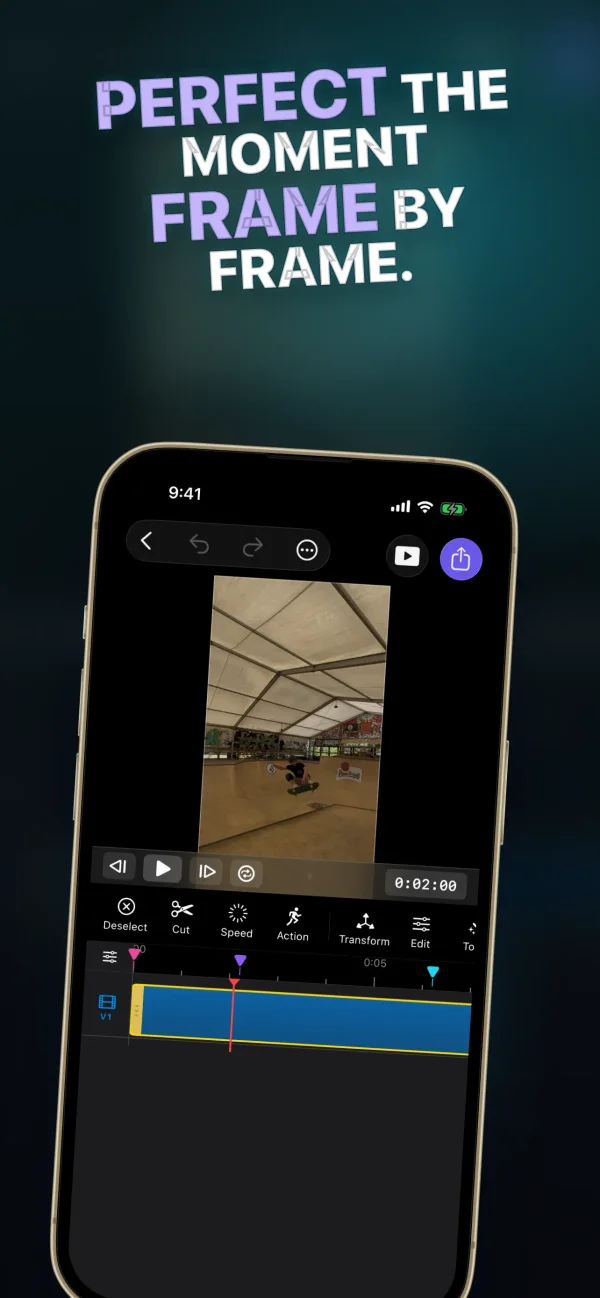
概要
開発元はこのテキストをお使いの言語で提供していません。
Capture more moments. Decide how time moves afterward.
Slowmo Pro is a camera-first slow-motion studio. Choose a frame rate your current camera really supports, record with the active FPS and resolution always visible, and open the finished take directly in a complete editor.
CAPTURE WITH CONFIDENCE
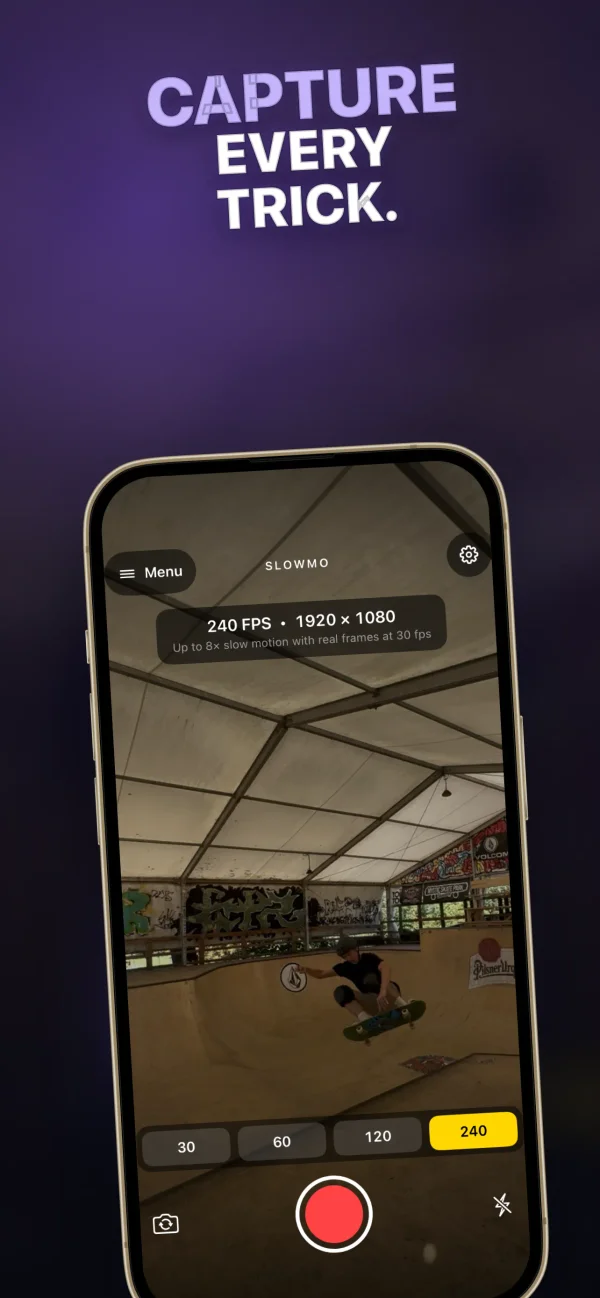
• Choose from supported 30, 60, 120, and 240 FPS formats
• See the exact committed frame rate and resolution before recording
• Switch cameras with automatic frame-rate revalidation
• Get a low-light hint when high-speed capture needs more light
• Keep a persistent red recording indicator and elapsed time on screen
• Recover a playable take after an interrupted session
SHAPE SLOW MOTION IN POST
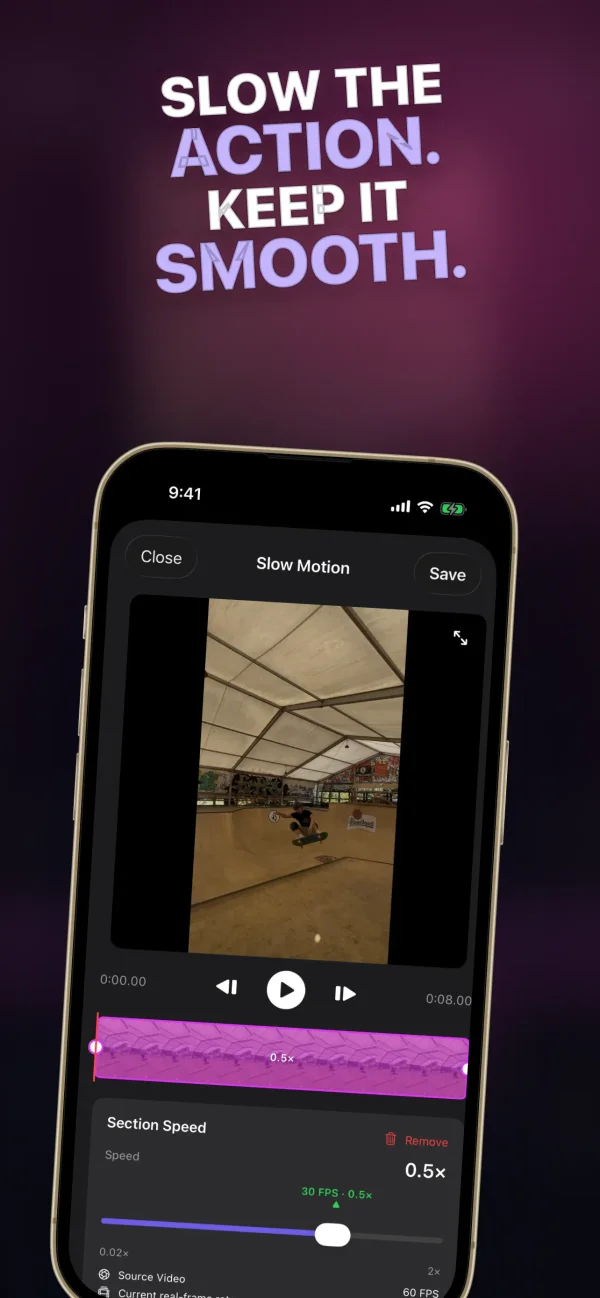
• Start with the full take slowed automatically, then add more sections if needed
• Adjust section boundaries and speed with a clear slider at any time
• See the effective frame rate for the selected speed and where 30 real FPS ends
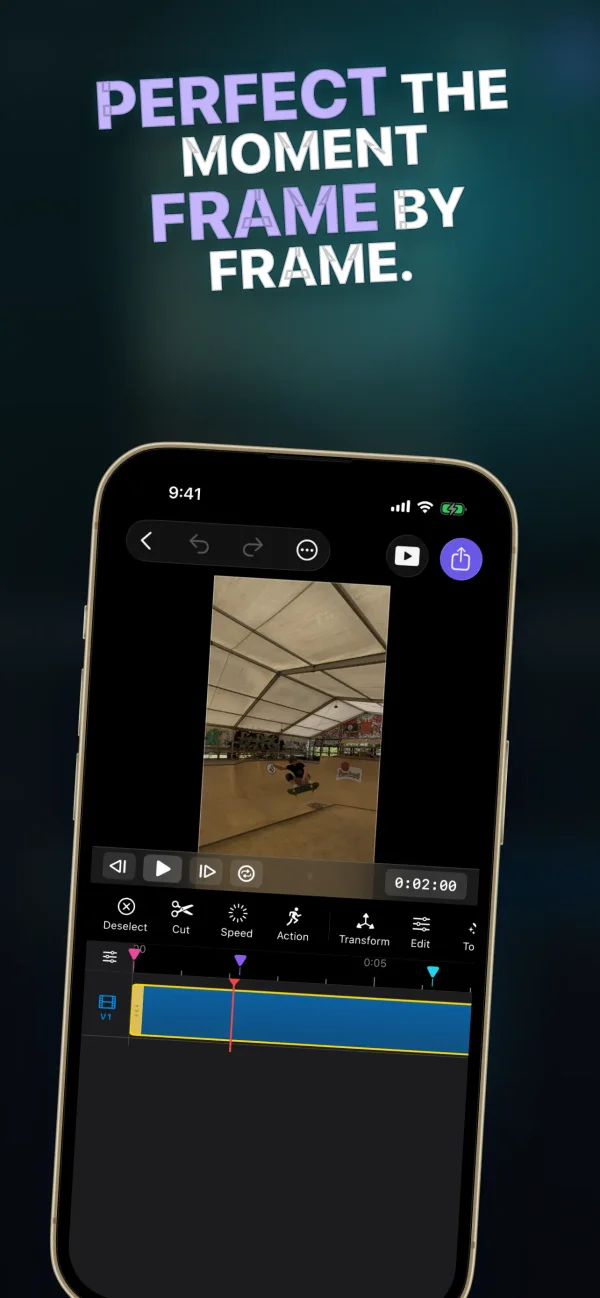
• Step frame by frame for precise timing
• Choose 30 or 60 FPS output
• See exactly where captured frames end and synthesized frames begin
• Keep pitch-preserving audio or create a silent slow-motion take
SMOOTH MOTION, HONESTLY LABELED
Slowmo Pro uses every real captured frame first. If you push a section beyond the capture budget, choose Blend or Enhanced Smooth Motion. Enhanced uses on-device motion estimation and automatically falls back to Blend when needed, so one difficult frame never ruins the whole render.
NON-DESTRUCTIVE BY DESIGN
Every speed-ramp edit renders from the untouched original capture—not from a previous slow-motion copy. Reopen the tool, change your timing, or remove the effect without degrading the source.
A COMPLETE EDITOR AFTER CAPTURE
Trim and split clips, add captions, text, graphics, color adjustments, audio, transitions, and effects, then export for your preferred social format. Import existing high-frame-rate footage from Photos or Files too.
PRIVATE BY DESIGN
Recording, motion estimation, editing, and export run on your device. No account is required. Your video and audio are not uploaded to our server.
Your first successful export is watermark-free. After that, Watermark-Free Export is an optional Pro purchase that removes only the watermark from exported videos. Every capture, Smooth Motion, editing, and export tool remains available for free.
Terms of Use: https://www.apple.com/legal/internet-services/itunes/dev/stdeula/
新機能
バージョン 1.0.2 · 2026/10/19
Improved preview stability after repeated high-frame-rate recordings. Slow Motion previews now recover when the media system resets. Saving exports to Photos is more reliable, with Save to Files available if saving is interrupted.
アプリのプライバシー
このアプリのデータの取り扱いについて、JIRI CHOMATがApp Storeで申告している内容です。
-
ユーザーに関連付けられたデータ
収集され、ユーザーの識別情報に関連付けられる場合があります。
- ユーザーコンテンツ
- ID
- 使用状況データ
- 診断
プライバシーの取り扱いは、ご利用の機能やお客様の年齢などに応じて異なる場合があります。
情報
- 販売元
- JIRI CHOMAT
- カテゴリ
- 写真/ビデオ
- バージョン
- 1.0.2
- 更新日
- 2026/10/19
- リリース
- 2026/9/8
- サイズ
- 54.6 MB
- 必要条件
- iOS 26.0以降
- 対象年齢
- 17+
- 価格
- 無料
- アプリ内課金
- あり
- 言語
- 英語, チェコ語, オランダ語, フランス語, ドイツ語, インドネシア語, イタリア語, 日本語, 韓国語, ポーランド語, ポルトガル語, 簡体字中国語 ほか3言語
- 著作権
- © 2026 Jiri Chomat