
Slowmo Pro
High-FPS Camera & Editor
Projetado para iPhone, iPad
Grátis · Compras no app
- Classificação etária17+
- CategoriaFoto e vídeo
- DesenvolvedorJIRI CHOMAT
- IdiomasInglêse mais 14
- Tamanho54,6 MB
Leva à página oficial na App Store
O Download.org não hospeda nenhum arquivo de Slowmo Pro. O botão abre a página do app na App Store, onde JIRI CHOMAT o publica. Página verificada pela última vez em 17/11/2026.
Capturas de tela

Sobre
O desenvolvedor não forneceu este texto no seu idioma.
Capture more moments. Decide how time moves afterward.
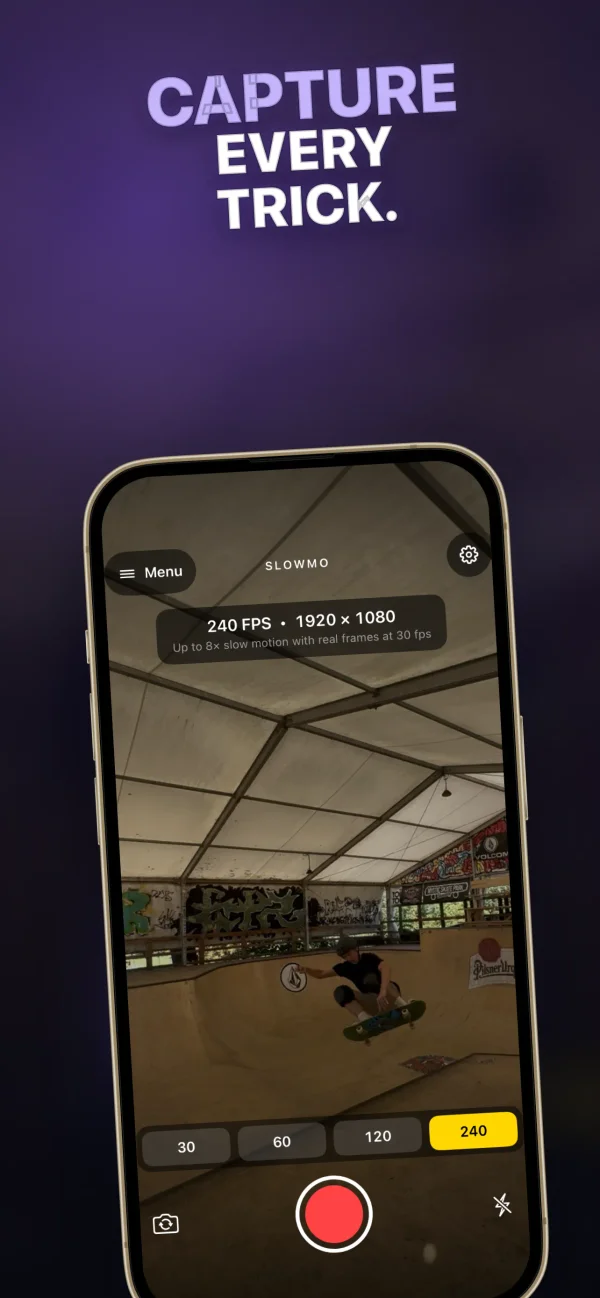
Slowmo Pro is a camera-first slow-motion studio. Choose a frame rate your current camera really supports, record with the active FPS and resolution always visible, and open the finished take directly in a complete editor.
CAPTURE WITH CONFIDENCE
• Choose from supported 30, 60, 120, and 240 FPS formats
• See the exact committed frame rate and resolution before recording
• Switch cameras with automatic frame-rate revalidation
• Get a low-light hint when high-speed capture needs more light
• Keep a persistent red recording indicator and elapsed time on screen
• Recover a playable take after an interrupted session
SHAPE SLOW MOTION IN POST
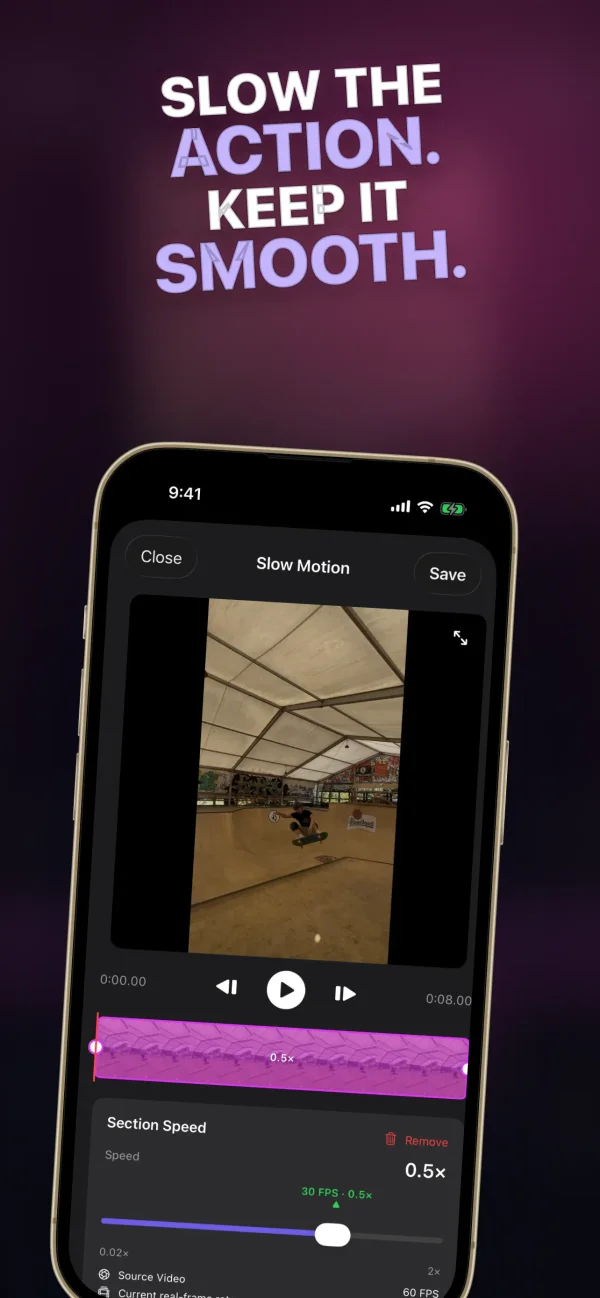
• Start with the full take slowed automatically, then add more sections if needed
• Adjust section boundaries and speed with a clear slider at any time
• See the effective frame rate for the selected speed and where 30 real FPS ends
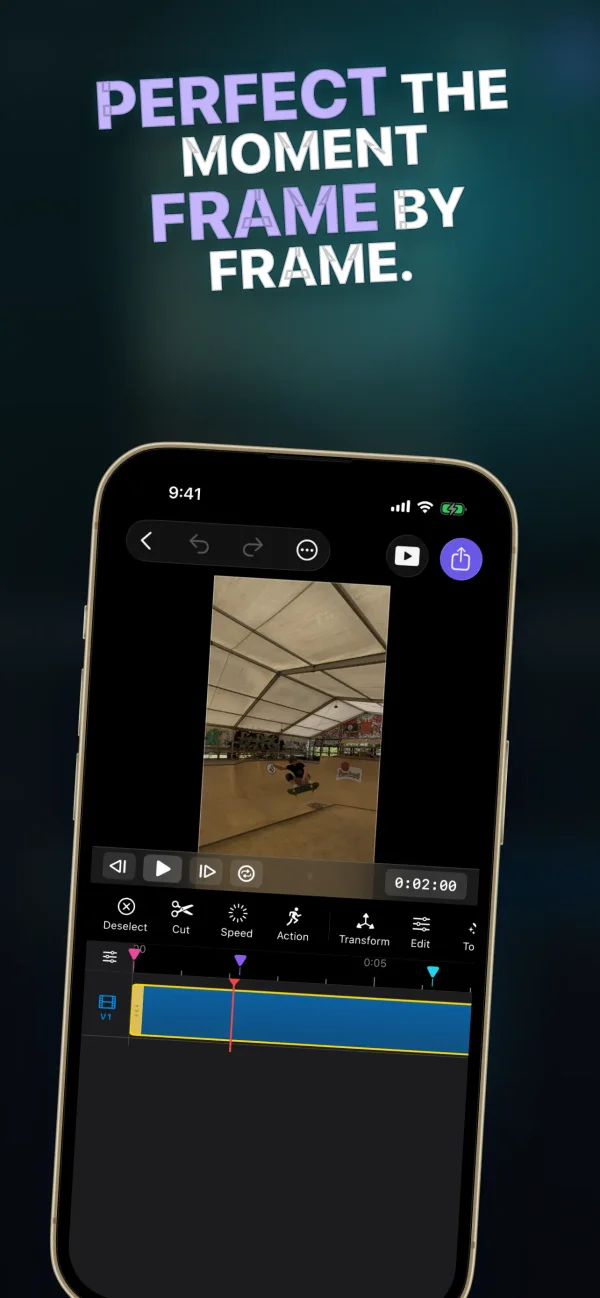
• Step frame by frame for precise timing
• Choose 30 or 60 FPS output
• See exactly where captured frames end and synthesized frames begin
• Keep pitch-preserving audio or create a silent slow-motion take
SMOOTH MOTION, HONESTLY LABELED
Slowmo Pro uses every real captured frame first. If you push a section beyond the capture budget, choose Blend or Enhanced Smooth Motion. Enhanced uses on-device motion estimation and automatically falls back to Blend when needed, so one difficult frame never ruins the whole render.
NON-DESTRUCTIVE BY DESIGN
Every speed-ramp edit renders from the untouched original capture—not from a previous slow-motion copy. Reopen the tool, change your timing, or remove the effect without degrading the source.
A COMPLETE EDITOR AFTER CAPTURE
Trim and split clips, add captions, text, graphics, color adjustments, audio, transitions, and effects, then export for your preferred social format. Import existing high-frame-rate footage from Photos or Files too.
PRIVATE BY DESIGN
Recording, motion estimation, editing, and export run on your device. No account is required. Your video and audio are not uploaded to our server.
Your first successful export is watermark-free. After that, Watermark-Free Export is an optional Pro purchase that removes only the watermark from exported videos. Every capture, Smooth Motion, editing, and export tool remains available for free.
Terms of Use: https://www.apple.com/legal/internet-services/itunes/dev/stdeula/
Novidades
Versão 1.0.2 · 19/10/2026
Improved preview stability after repeated high-frame-rate recordings. Slow Motion previews now recover when the media system resets. Saving exports to Photos is more reliable, with Save to Files available if saving is interrupted.
Privacidade do app
O que JIRI CHOMAT declara na App Store sobre como este app lida com os dados.
-
Dados vinculados a você
Podem ser coletados e vinculados à sua identidade.
- Conteúdo do usuário
- Identificadores
- Dados de uso
- Diagnóstico
As práticas de privacidade podem variar, por exemplo, com base nos recursos que você usa ou na sua idade.
Informações
- Vendedor
- JIRI CHOMAT
- Categoria
- Foto e vídeo
- Versão
- 1.0.2
- Atualizado
- 19/10/2026
- Lançamento
- 08/09/2026
- Tamanho
- 54,6 MB
- Requer
- iOS 26.0 ou posterior
- Classificação etária
- 17+
- Preço
- Grátis
- Compras no app
- Sim
- Idiomas
- Inglês, Checo, Holandês, Francês, Alemão, Indonésio, Italiano, Japonês, Coreano, Polonês, Português, Chinês simplificado e mais 3
- Copyright
- © 2026 Jiri Chomat
Você também pode gostar
-
 Comprimir Vídeo - TrimoraCorte, Junte, Extraia Áudio
-
 Video Speed ShiftFoto e vídeo
-
 Video Speed Editor - ChangerFoto e vídeo
-
 InfiniteFilmMonoB&W cam + Infinite Film labs
-
 AI Image PainterFoto e vídeo
-
 Add Reverb to Video & AudioFoto e vídeo
-
 Expono CameraFoto e vídeo
-
 ElasticClip – Video SpeedFoto e vídeo
-
 Reels Cut & Merge Video EditorFoto e vídeo
-
 Buttery SlomoFoto e vídeo