
Smart PDF Compressor: Reduce
Shrink PDFs offline, no upload
iPhone, iPad, Mac向けに設計
無料 · アプリ内課金
- 対象年齢4+
- カテゴリユーティリティ
- 開発元Quan Dang
- 言語英語ほか4言語
- サイズ4.3 MB
App Storeの公式ページにリンクしています
Download.orgはSmart PDF Compressor: Reduceのファイルを一切ホストしていません。ボタンを押すと、Quan Dangが公開しているApp Storeのアプリページが開きます。ページの最終確認:2026/11/24。
スクリーンショット

概要
開発元はこのテキストをお使いの言語で提供していません。
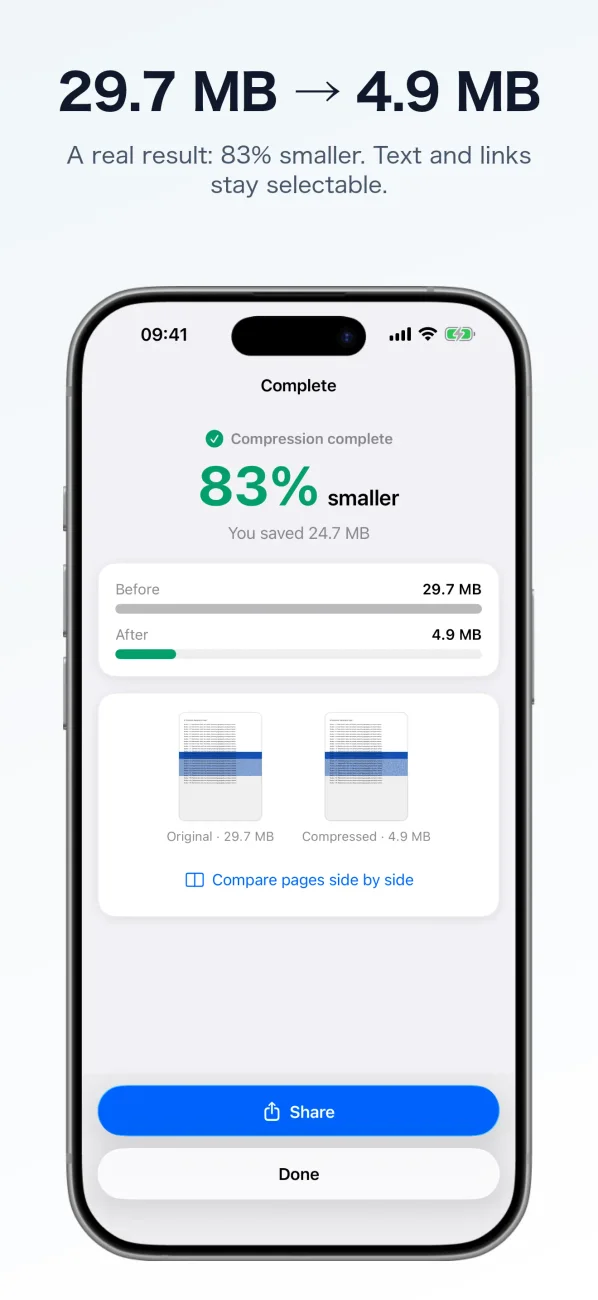
Smart PDF Compressor is a free, offline PDF compressor for iPhone and iPad that helps anyone emailing, uploading or storing a PDF dramatically reduce file size (for example, shrinking an 8-page scan from 5.6 MB to 669 KB, 88.1% smaller) — without the file ever leaving the device.
ALL PROCESSING IS LOCAL
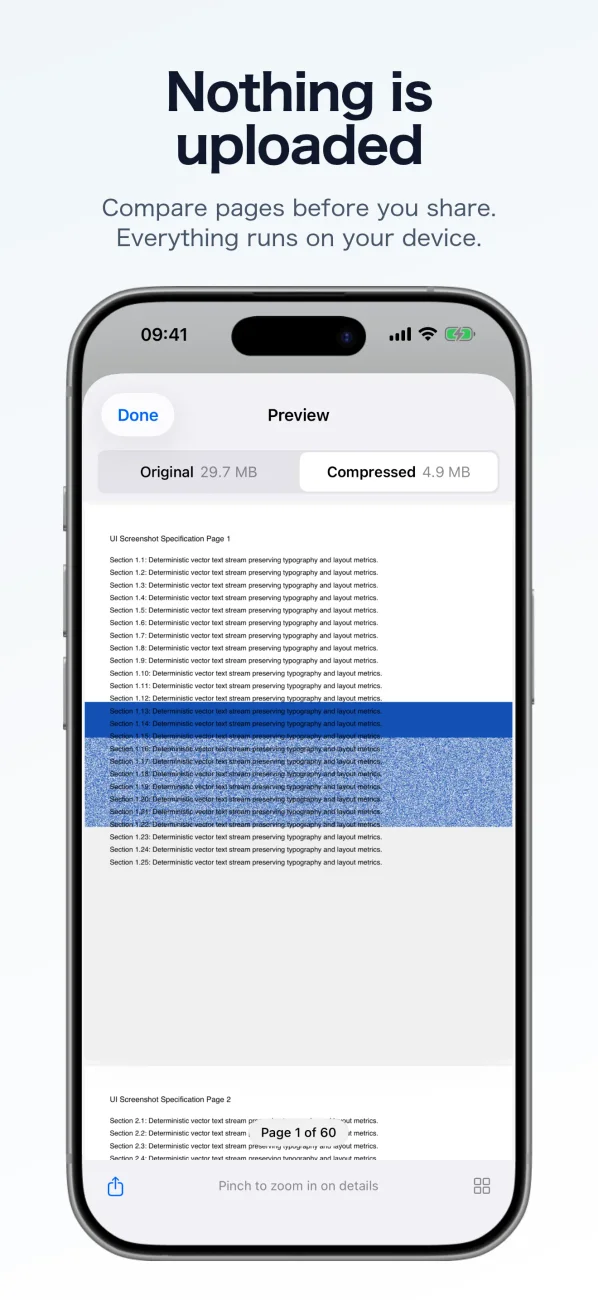
Your documents never leave your device. No internet connection required, no cloud uploads, no data collection. Complete privacy guaranteed.
KEY FEATURES
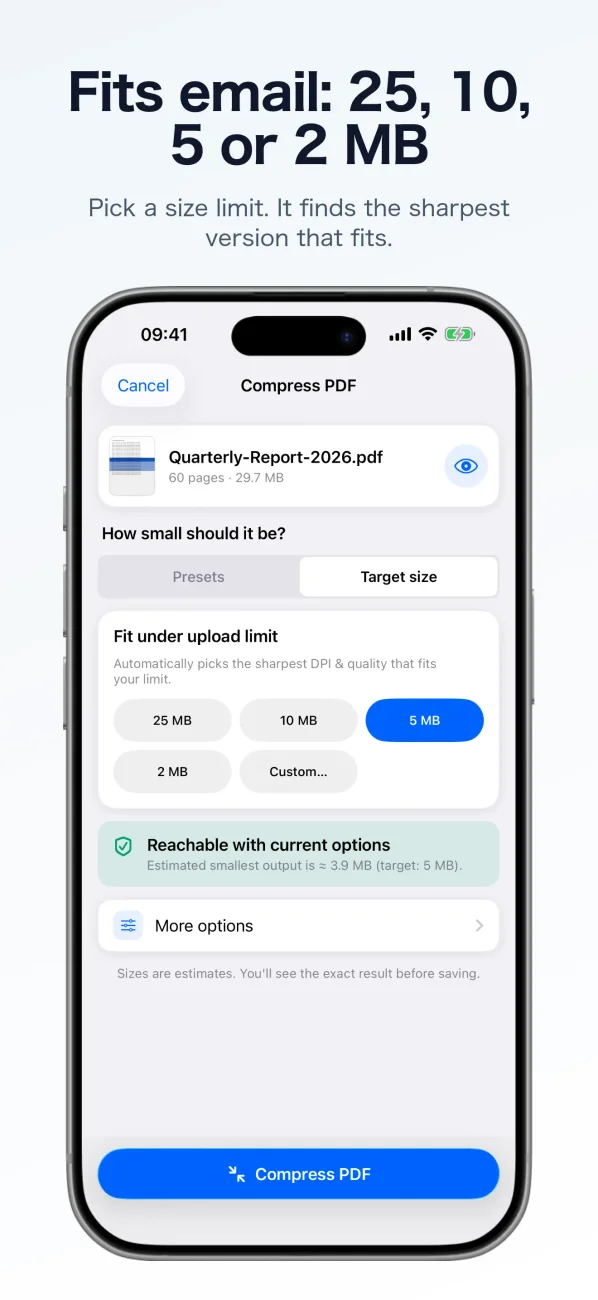
- Target Size Mode: Pick an exact target file size (25 MB, 10 MB, 5 MB, 2 MB, or custom) to fit email and upload limits
- Keep Text & Links Selectable: Preserves original text, hyperlinks, and document structure by default
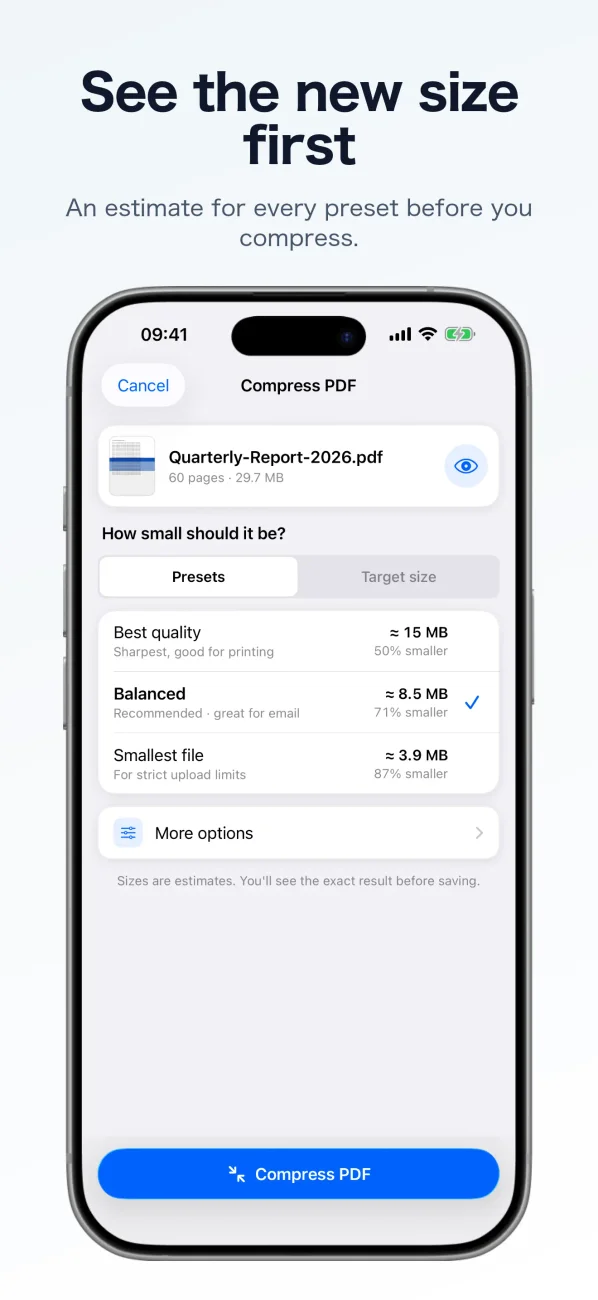
- Size Estimates First: See the estimated size for each option before you compress
- Three Presets: Best quality, Balanced (recommended) and Smallest file
- Advanced Options: 1-bit black & white mode, optional OCR text recognition, resolution override (72–300 DPI), and metadata removal
- Smart Compression: Automatically detects scanned vs. digital pages and applies suitable settings
- Batch Compression: Compress multiple PDFs at once with progress tracking
- Share as ZIP: Bundle several compressed PDFs into one ZIP archive and name it before you share
- Side-by-Side Preview: Compare original and compressed pages before saving
- File History: Browse, preview, rename, and share all your compressed files
- Appearance & Languages: Light/Dark mode and support for English, German, French, Japanese, and Korean
- Works on iPhone and iPad
HOW IT WORKS
1. Tap Choose PDF and pick a file from Files
2. Choose a preset or set a target size — see estimated results before compressing
3. Tap Compress PDF and see the exact before and after sizes
4. Share or save your compressed PDF, or send several as one ZIP
PERFECT FOR
- Reducing email attachment sizes
- Fitting strict upload limits on portals and government forms
- Saving storage space on your device
- Compressing scanned receipts, contracts, and books
- Preparing files for sharing via messaging apps
Smart PDF Compressor uses advanced on-device image processing and structure-preserving optimization to deliver fast, reliable compression without sacrificing readability.
新機能
バージョン 1.8 · 2026/10/24
• A quicker start: onboarding is two screens now and no longer asks for a rating before you have compressed anything.
• The App Store rating prompt now comes only after you have saved a few compressed PDFs, with no extra question first.
• Contact Us in Settings now fills in your app version and build, so we can help faster.
• Smaller fixes and polish.
アプリのプライバシー
このアプリのデータの取り扱いについて、Quan DangがApp Storeで申告している内容です。
-
データの収集なし
開発元はこのアプリからデータを収集しません。
プライバシーの取り扱いは、ご利用の機能やお客様の年齢などに応じて異なる場合があります。
情報
- 販売元
- Quan Dang
- カテゴリ
- ユーティリティ
- バージョン
- 1.8
- 更新日
- 2026/10/24
- リリース
- 2026/4/23
- サイズ
- 4.3 MB
- 必要条件
- iOS 18.0以降
- 対象年齢
- 4+
- 価格
- 無料
- アプリ内課金
- あり
- 言語
- 英語, フランス語, ドイツ語, 日本語, 韓国語
- 著作権
- © 2026 Quan Dang
こちらもおすすめ
-
 PDF Squeeze: PDF Compressorユーティリティ
-
 Compress PDF : PDF Size ReducePDF Compressor - Shrink PDF
-
 PDF圧縮 Compress It!ドキュメントサイズを縮小・圧縮
-
 PDF Compressor : Compress PDFユーティリティ
-
 PDF Compressor - Reduce Sizeユーティリティ
-
 Defyxユーティリティ
-
 PDF Converter ‧Photo to PDF, Word to PDF
-
 AM TUNNEL LITEユーティリティ
-
 Hiddify Proxy & VPNユーティリティ
-
 NumberBox:CallerIDユーティリティ