
Smart PDF Compressor: Reduce
Shrink PDFs offline, no upload
iPhone, iPad, Mac için tasarlandı
Ücretsiz · Uygulama içi satın alma
- Yaş sınırı4+
- KategoriYardımcılar
- GeliştiriciQuan Dang
- Dillerİngilizce+ 4 dil daha
- Boyut4,3 MB
Resmi App Store sayfasına bağlanır
Download.org, Smart PDF Compressor: Reduce için hiçbir dosya barındırmaz. Düğme, uygulamanın App Store üzerindeki sayfasını açar; uygulamayı orada Quan Dang yayınlar. Sayfanın son kontrolü: 24.11.2026.
Ekran görüntüleri

Hakkında
Geliştirici bu metni dilinizde sunmamış.
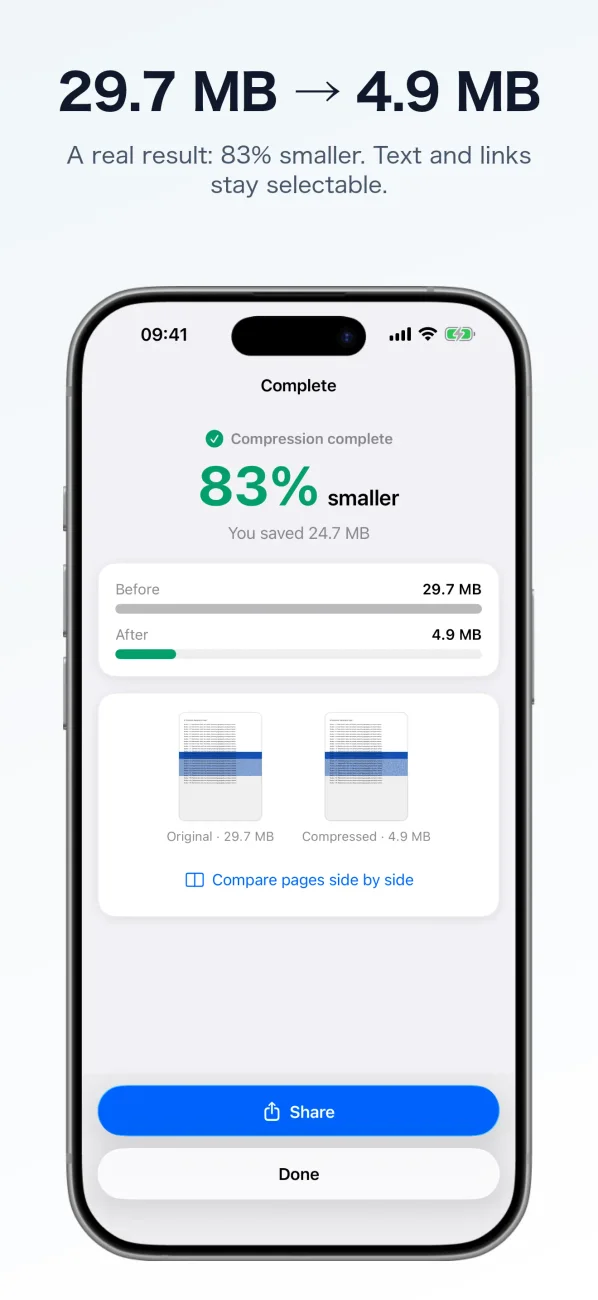
Smart PDF Compressor is a free, offline PDF compressor for iPhone and iPad that helps anyone emailing, uploading or storing a PDF dramatically reduce file size (for example, shrinking an 8-page scan from 5.6 MB to 669 KB, 88.1% smaller) — without the file ever leaving the device.
ALL PROCESSING IS LOCAL
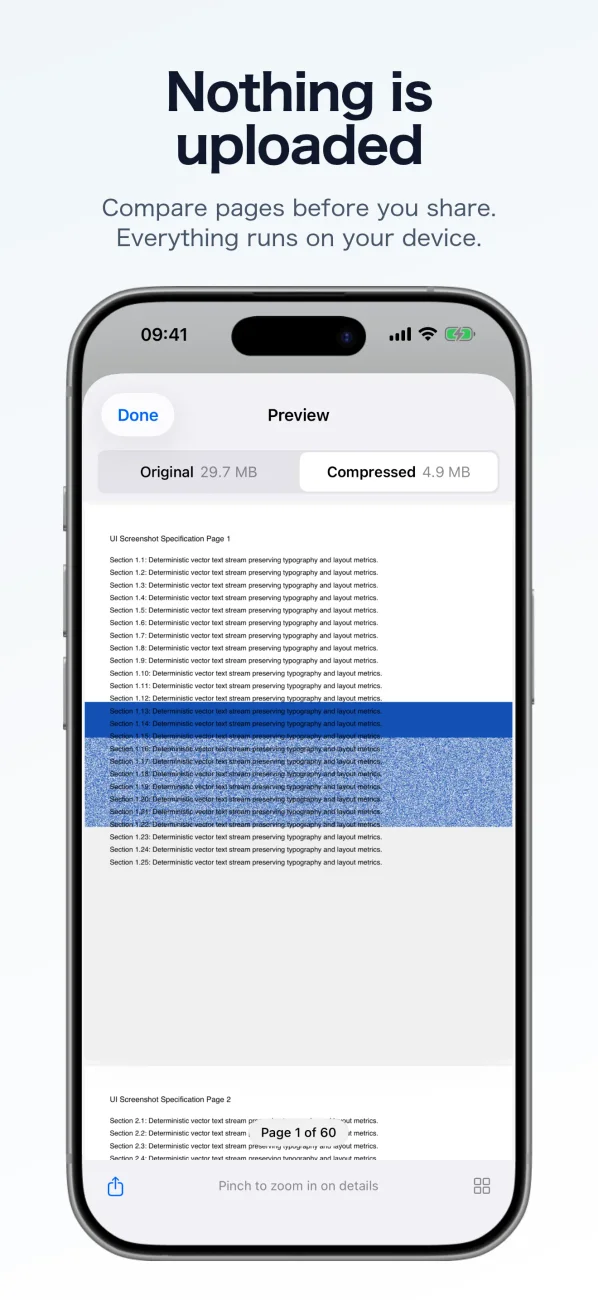
Your documents never leave your device. No internet connection required, no cloud uploads, no data collection. Complete privacy guaranteed.
KEY FEATURES
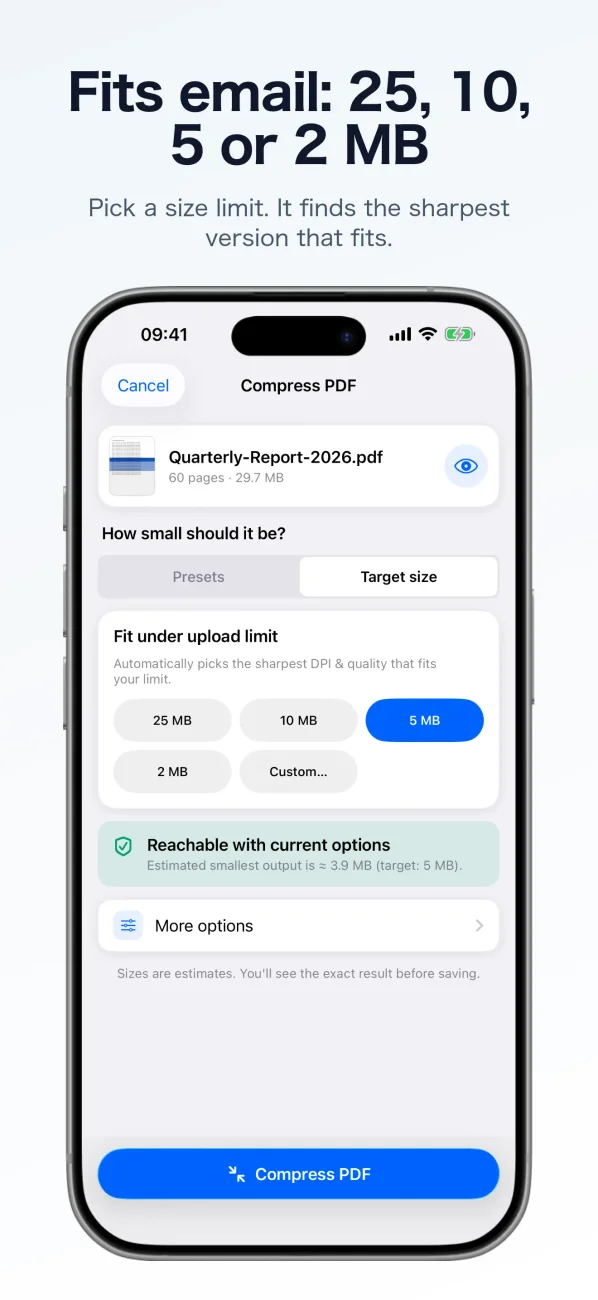
- Target Size Mode: Pick an exact target file size (25 MB, 10 MB, 5 MB, 2 MB, or custom) to fit email and upload limits
- Keep Text & Links Selectable: Preserves original text, hyperlinks, and document structure by default
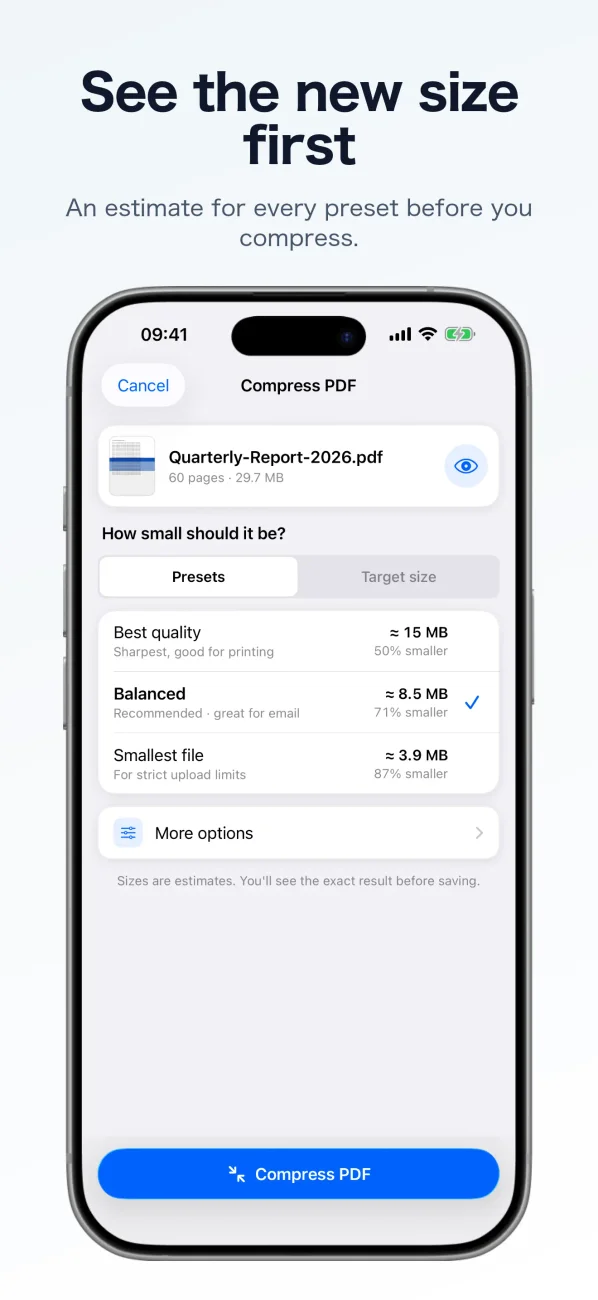
- Size Estimates First: See the estimated size for each option before you compress
- Three Presets: Best quality, Balanced (recommended) and Smallest file
- Advanced Options: 1-bit black & white mode, optional OCR text recognition, resolution override (72–300 DPI), and metadata removal
- Smart Compression: Automatically detects scanned vs. digital pages and applies suitable settings
- Batch Compression: Compress multiple PDFs at once with progress tracking
- Share as ZIP: Bundle several compressed PDFs into one ZIP archive and name it before you share
- Side-by-Side Preview: Compare original and compressed pages before saving
- File History: Browse, preview, rename, and share all your compressed files
- Appearance & Languages: Light/Dark mode and support for English, German, French, Japanese, and Korean
- Works on iPhone and iPad
HOW IT WORKS
1. Tap Choose PDF and pick a file from Files
2. Choose a preset or set a target size — see estimated results before compressing
3. Tap Compress PDF and see the exact before and after sizes
4. Share or save your compressed PDF, or send several as one ZIP
PERFECT FOR
- Reducing email attachment sizes
- Fitting strict upload limits on portals and government forms
- Saving storage space on your device
- Compressing scanned receipts, contracts, and books
- Preparing files for sharing via messaging apps
Smart PDF Compressor uses advanced on-device image processing and structure-preserving optimization to deliver fast, reliable compression without sacrificing readability.
Yenilikler
Sürüm 1.8 · 24.10.2026
• A quicker start: onboarding is two screens now and no longer asks for a rating before you have compressed anything.
• The App Store rating prompt now comes only after you have saved a few compressed PDFs, with no extra question first.
• Contact Us in Settings now fills in your app version and build, so we can help faster.
• Smaller fixes and polish.
Uygulama gizliliği
Bu uygulamanın verileri nasıl işlediği hakkında Quan Dang tarafından App Store üzerinde yapılan beyan.
-
Veri toplanmıyor
Geliştirici bu uygulamadan hiçbir veri toplamıyor.
Gizlilik uygulamaları, örneğin kullandığınız özelliklere veya yaşınıza göre değişiklik gösterebilir.
Bilgiler
- Satıcı
- Quan Dang
- Kategori
- Yardımcılar
- Sürüm
- 1.8
- Güncellendi
- 24.10.2026
- Yayın tarihi
- 23.04.2026
- Boyut
- 4,3 MB
- Gereksinim
- iOS 18.0 veya sonrası
- Yaş sınırı
- 4+
- Fiyat
- Ücretsiz
- Uygulama içi satın alma
- Evet
- Diller
- İngilizce, Fransızca, Almanca, Japonca, Korece
- Telif hakkı
- © 2026 Quan Dang
Bunları da beğenebilirsiniz
-
 PDF Squeeze: PDF CompressorYardımcılar
-
 Compress PDF : PDF Size ReducePDF Compressor - Shrink PDF
-
 Compress It! PDF CompressorYardımcılar
-
 PDF Compressor : Compress PDFYardımcılar
-
 PDF Compressor - Reduce SizeYardımcılar
-
 DefyxYardımcılar
-
 PDF Converter ‧Yardımcılar
-
 AM TUNNEL LITEYardımcılar
-
 Hiddify Proxy & VPNYardımcılar
-
 NumberBox:CallerIDYardımcılar