SMART-PDF: Document Scanner
Receipts, bills & deadlines
iPhone, iPad, Mac向けに設計
無料 · アプリ内課金
- 対象年齢4+
- カテゴリユーティリティ
- 開発元Bartnitzky, Böttcher und Springer GbR
- 言語英語ほか9言語
- サイズ16.0 MB
App Storeの公式ページにリンクしています
Download.orgはSMART-PDF: Document Scannerのファイルを一切ホストしていません。ボタンを押すと、Bartnitzky, Böttcher und Springer GbRが公開しているApp Storeのアプリページが開きます。ページの最終確認:2026/11/27。
スクリーンショット
概要
開発元はこのテキストをお使いの言語で提供していません。
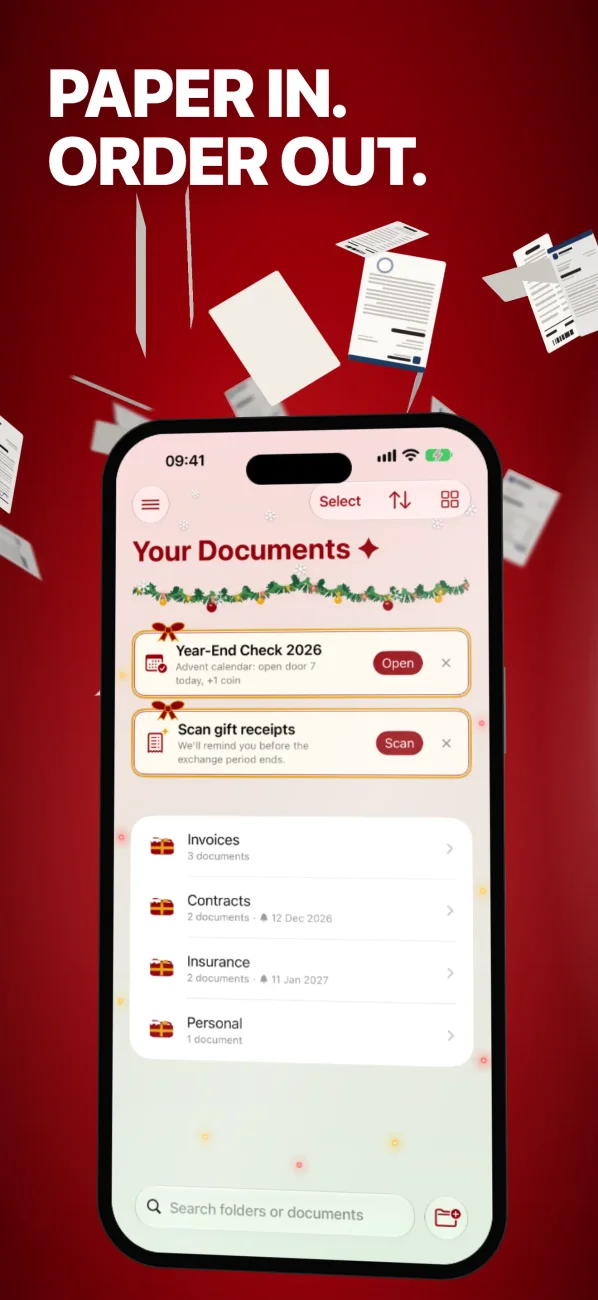
Paper in. Order out. SMART-PDF scans your paperwork, gives it fitting names and reminds you of deadlines. Everything stays on your own devices: no cloud, no account.
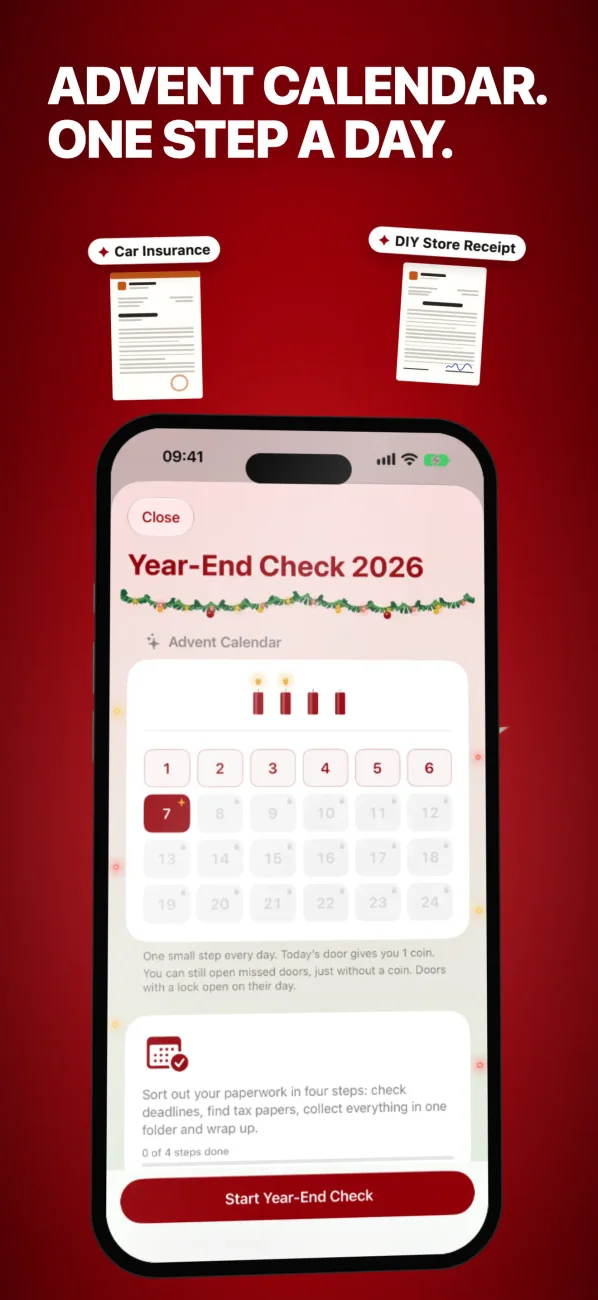
NEW IN 4.7: THE YEAR-END CHECK
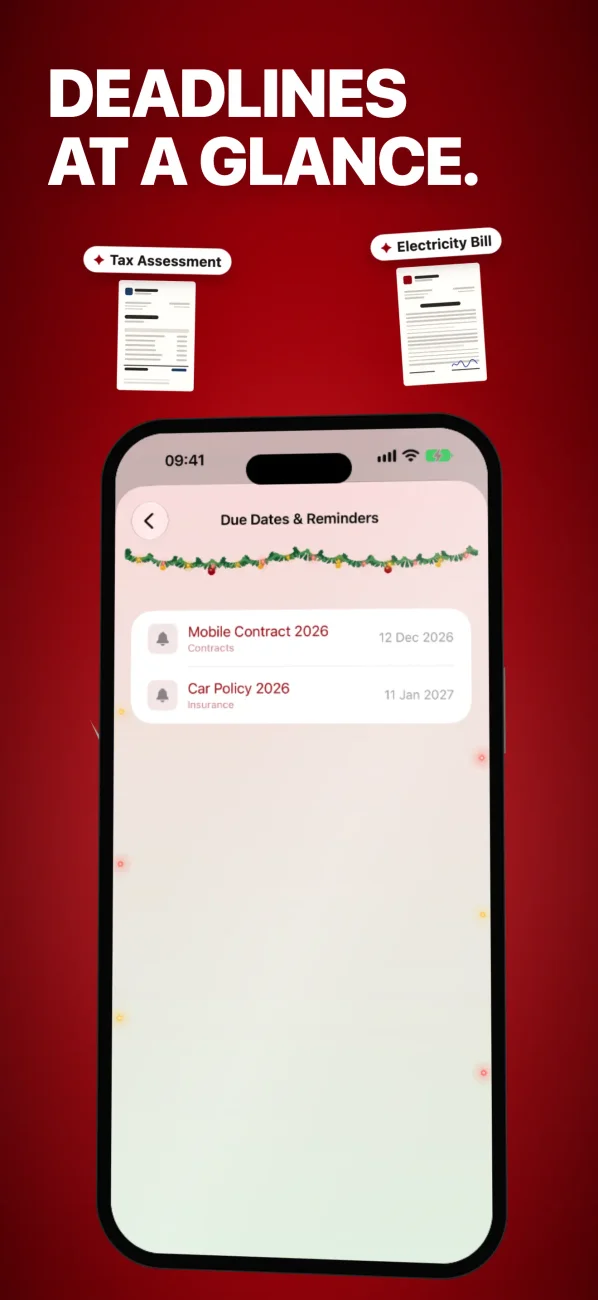
- All deadlines until the end of January and always one clear next step
- Find tax papers: SMART-PDF searches the text of your documents for wage statements, donation receipts and more, and you can add your own items
- Collect everything in a tax folder with one tap, move or copy, and send it to your tax adviser
NEW IN 4.6
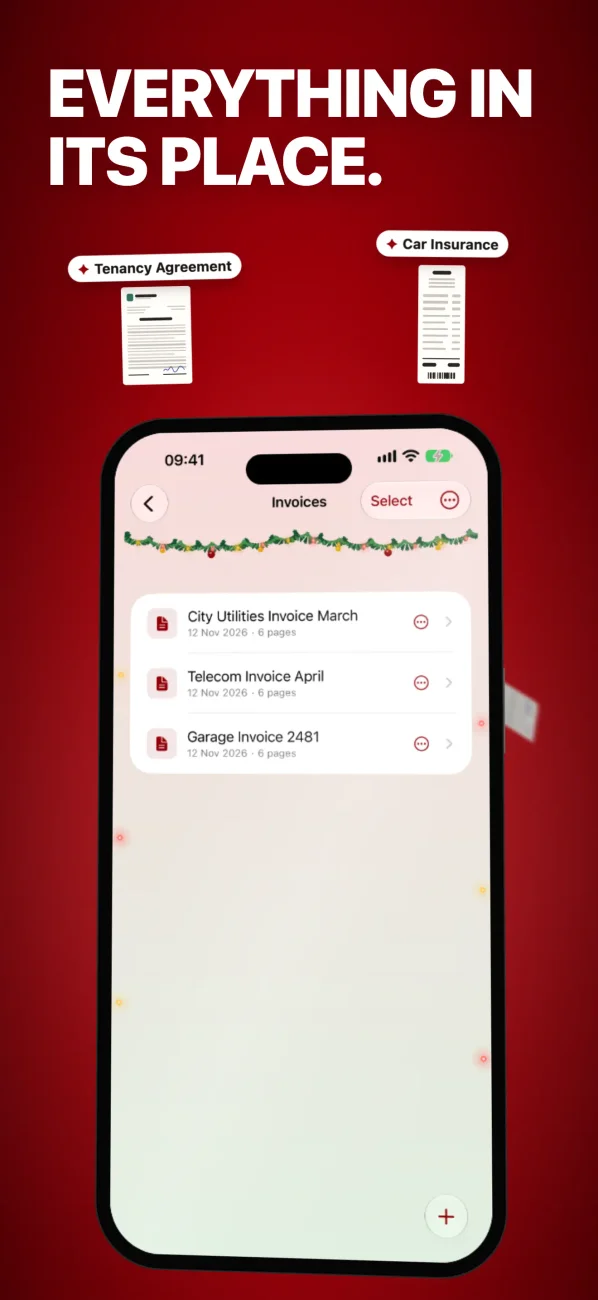
- Folders within folders: subfolders up to four levels deep, a protected folder protects everything inside
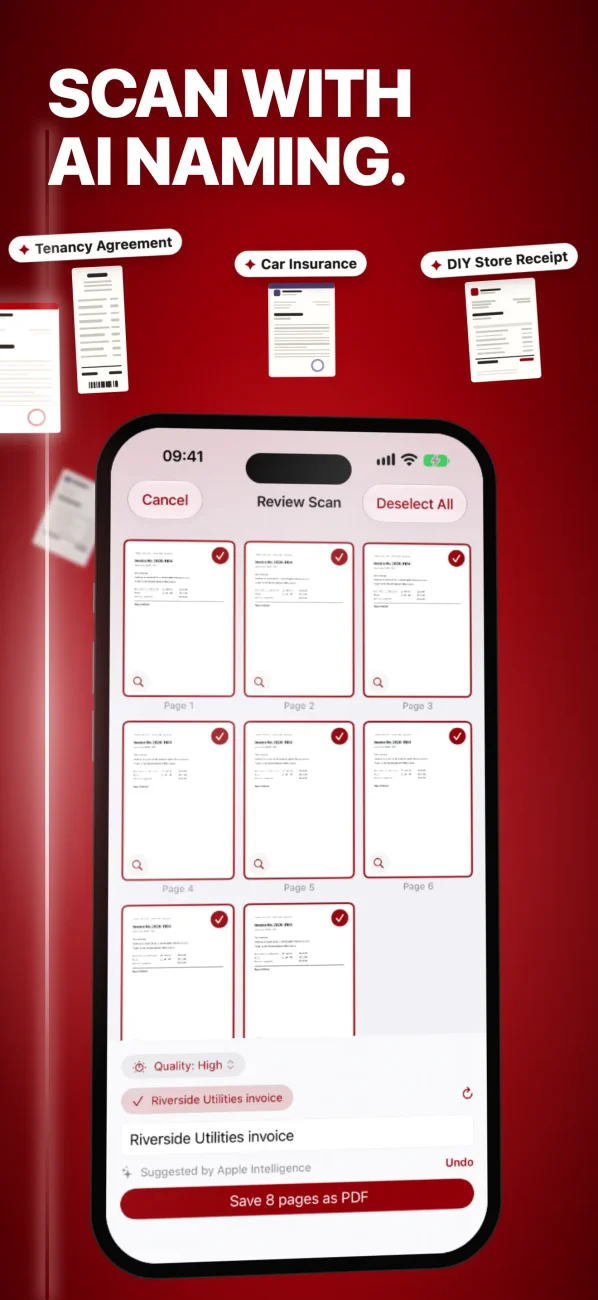
- Split documents: scanned several invoices in one go? SMART-PDF spots where each new document starts and leaves out blank back pages
- Name many documents at once, optionally with the date first
- New folder from your selection, with a fitting name from the content
- Move, rotate and resize drawings afterwards
SCAN AND NAME
- Scan documents with the camera, edges are detected automatically
- Name suggestions from the content, like “Energy Bill July 2026” instead of “Document 17”. With Apple Intelligence right on your device
- Quick Scan from a widget, Control Center, the Action button or Siri
- Bring in photos and PDFs from other apps, also via the share menu
ORDER THAT THINKS AHEAD
- Create and sort folders freely, as a list or a grid
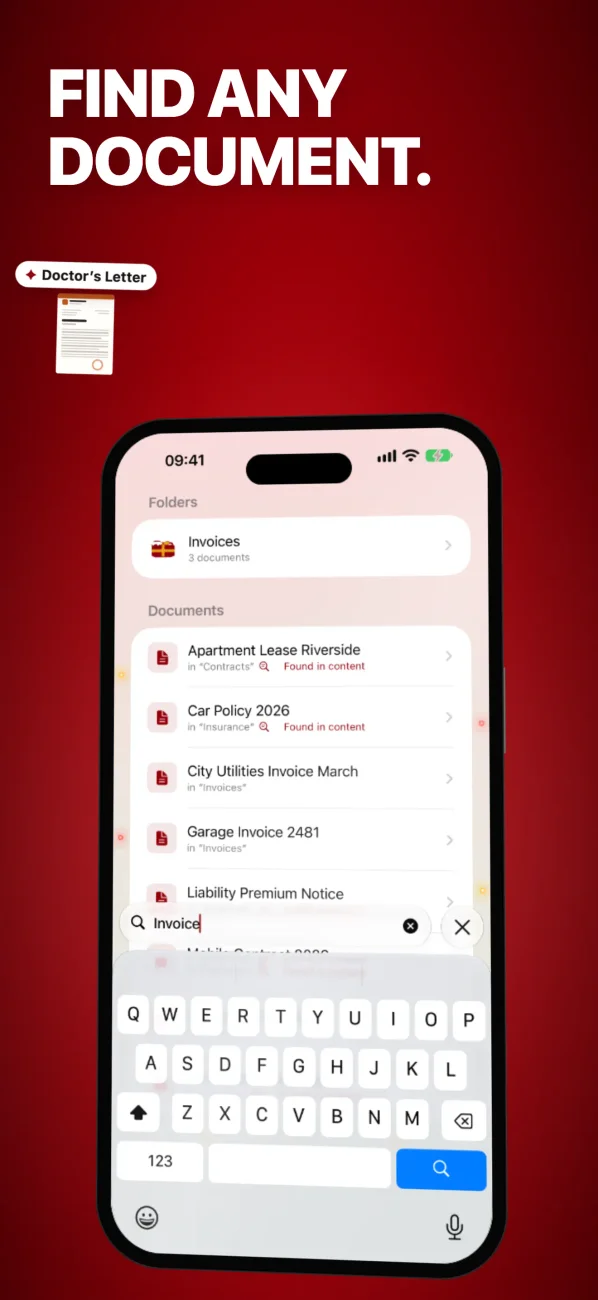
- Search the text of every document, also from iPhone search
- Deadlines such as notice periods and payment dates are detected in the document, with a reminder and optionally in your calendar
- Short summary of a document or a whole folder
EDIT AND SIGN
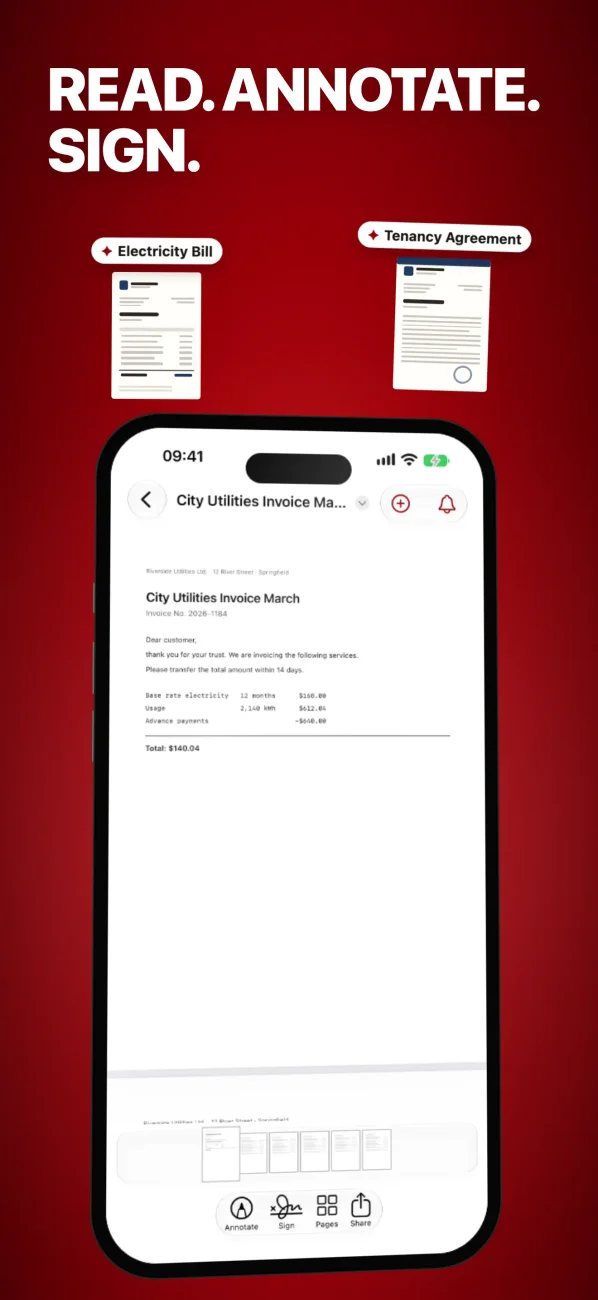
- Sign PDFs, add text and stamps
- Annotate with pen, highlighter and eraser
- Reorder, rotate and delete pages, or copy them into other documents
- Copy text from scans with Live Text
- Shrink large files
IPHONE, IPAD AND MAC
- Dedicated apps for iPhone, iPad and Mac
- “My Devices”: pair once, then your documents sync directly over the air, encrypted and without internet
SAFE AND PRIVATE
- Password folders with Face ID or Touch ID
- App lock at launch
- Share with a PDF password if you like
- Back up your whole library as a ZIP
PREMIUM AND COINS
Premium is ad-free and unlocks every feature without coins. The subscription works on iPhone, iPad and Mac with the same Apple Account and can be tried free for 7 days. Durations: 1, 3, 6 or 12 months.
Without a subscription you pay for single features with coins. Coins can be bought or earned by watching ads.
- Sign a PDF: 1 coin
- Share or export a PDF: 1 coin per file
- 3 more documents in a full folder: 1 coin
- Scan with more than 10 pages: 1 coin
- Shrink a document: 1 coin
- Summary of a document: 1 coin, the first one is free
- Folder overview: 2 coins
- Combine documents into a collection: 2 coins
Free: creating folders, setting deadlines, splitting and naming.
SUBSCRIPTION DETAILS
- Payment is charged to your Apple Account at confirmation of purchase.
- The subscription renews automatically unless auto-renew is turned off at least 24 hours before the end of the current period. Renewal is charged within 24 hours before the end of the period.
- You can manage and cancel subscriptions at any time in your Apple Account settings.
- Collected coins are kept when you switch to Premium.
Terms of use: https://deine-dokumente.de/agb-nutzungsbedingungen
Privacy: https://deine-dokumente.de/datenschutz
新機能
バージョン 4.8.0 · 2026/11/26
SMART-PDF 4.8
- New: the Advent calendar in the Year-End Check. From 1 to 24 December, one small tidying step a day, and today’s door earns 1 coin
- Scan gift receipts: SMART-PDF suggests the exchange deadline and reminds you in time
- Festive through December: a Christmas look from 1 to 26 December, with an optional Christmas app icon
- Turn it off in the menu under “Security & Appearance”; the calendar and hints stay
- Syncing between your devices is now easy to see
- Small improvements and bug fixes
アプリのプライバシー
このアプリのデータの取り扱いについて、Bartnitzky, Böttcher und Springer GbRがApp Storeで申告している内容です。
-
ユーザーのトラッキングに使用されるデータ
他社のアプリやウェブサイトを横断してユーザーをトラッキングする目的で使用される場合があります。
- 位置情報
- ID
- 使用状況データ
- 診断
-
ユーザーに関連付けられたデータ
収集され、ユーザーの識別情報に関連付けられる場合があります。
- 位置情報
- ID
- 使用状況データ
- 診断
プライバシーの取り扱いは、ご利用の機能やお客様の年齢などに応じて異なる場合があります。
情報
- 販売元
- Bartnitzky, Boettcher und Springer GbR
- カテゴリ
- ユーティリティ
- バージョン
- 4.8.0
- 更新日
- 2026/11/26
- リリース
- 2020/6/25
- サイズ
- 16.0 MB
- 必要条件
- iOS 17.0以降
- 対象年齢
- 4+
- 価格
- 無料
- アプリ内課金
- あり
- 言語
- 英語, アラビア語, フランス語, ドイツ語, ギリシャ語, ヒンディー語, イタリア語, ポルトガル語, ロシア語, スペイン語
- 著作権
- © 2026 Bartnitzky, Böttcher und Springer GbR (BBSoftware)