
- 対象年齢4+
- カテゴリ仕事効率化
- 開発元RYDER MCCAIN TETREAULT
- 言語英語
- サイズ45.1 MB
App Storeの公式ページにリンクしています
Download.orgはSnapShift: Schedule Scannerのファイルを一切ホストしていません。ボタンを押すと、RYDER MCCAIN TETREAULTが公開しているApp Storeのアプリページが開きます。ページの最終確認:2026/11/14。
スクリーンショット

概要
開発元はこのテキストをお使いの言語で提供していません。
SnapShift turns a photo of your work schedule into a calendar you can actually use. Snap a picture of the printout on the breakroom wall, drop in a screenshot from your scheduling app, and SnapShift reads the shifts and adds them to your calendar. No typing, no copy-paste, no account.
Built for hourly workers, shift workers, and anyone tired of re-entering their schedule by hand every
week.
KEY FEATURES
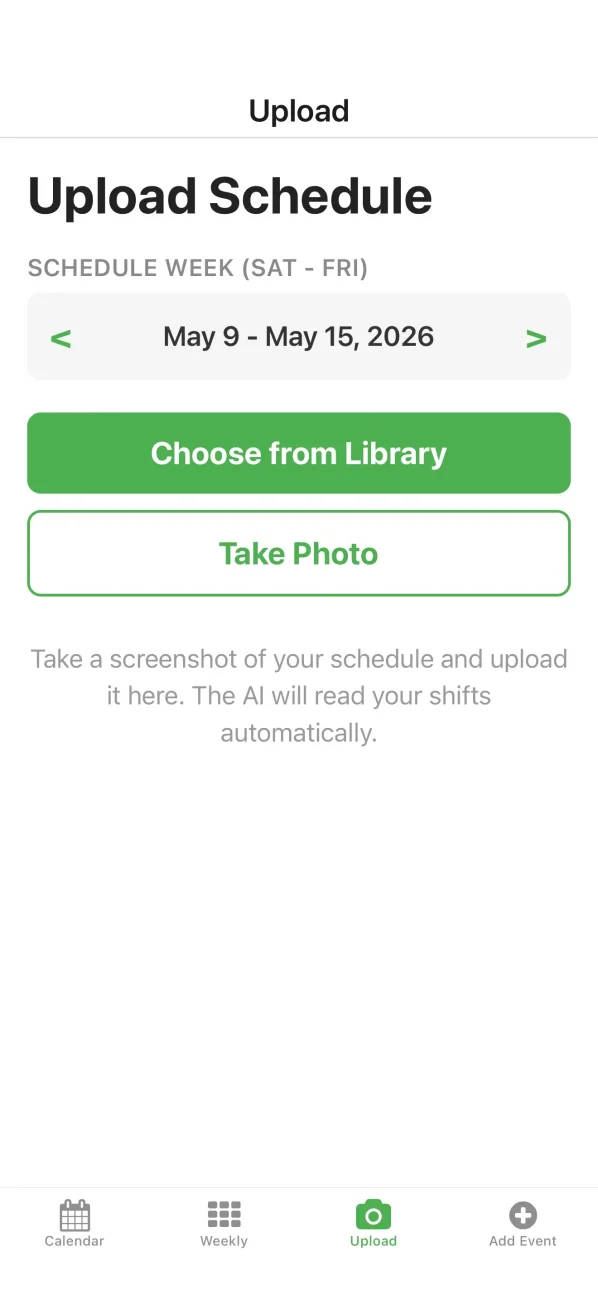
• Schedule reading. Take a photo or pick a screenshot of your work schedule. SnapShift reads the
shifts automatically. If your schedule has an unusual layout, an AI assistant takes over to handle it.
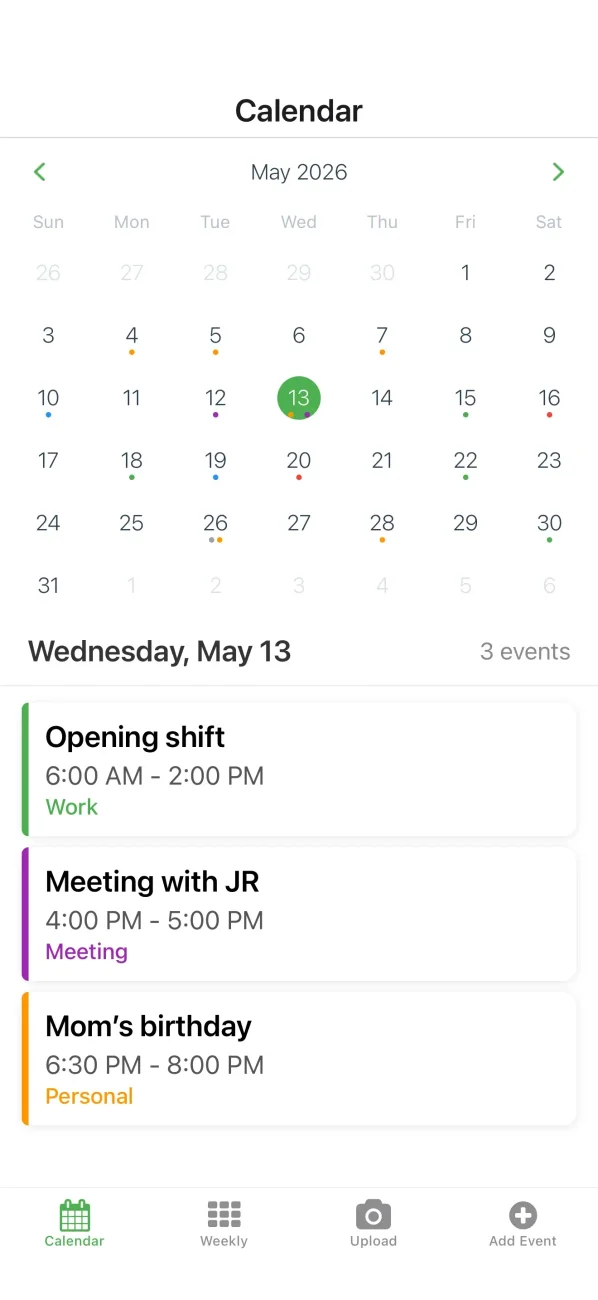
• Monthly calendar. A clean monthly view with color-coded dots so you can see your month at a glance.
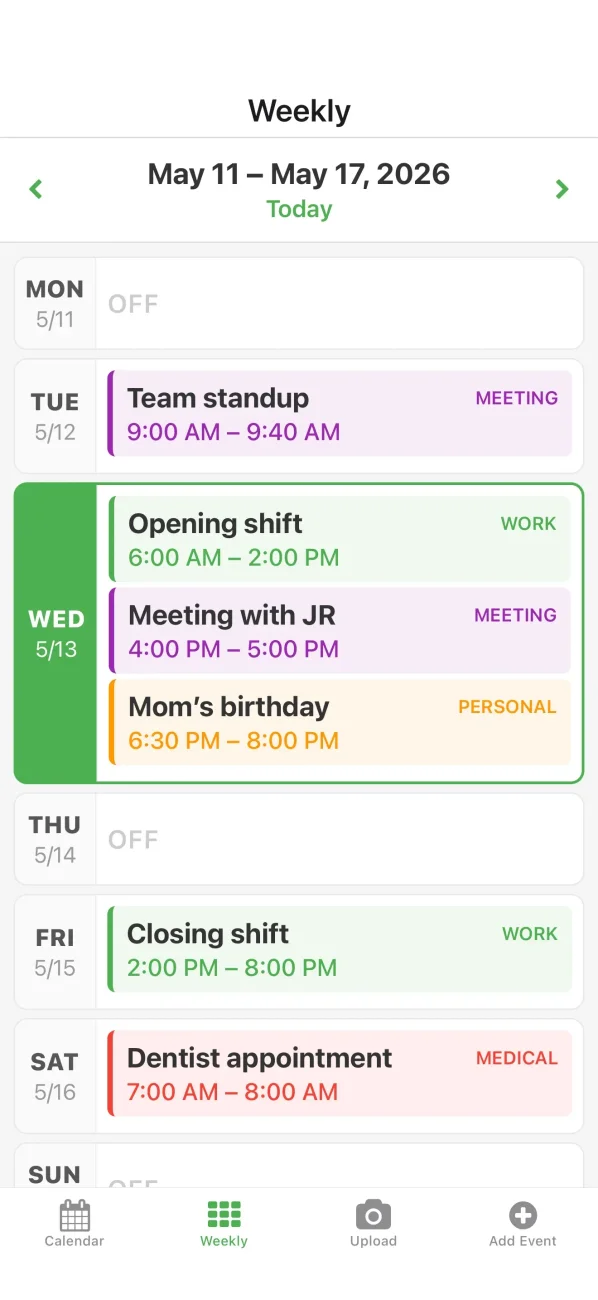
• Weekly view. A 7-day overview with compact shift blocks, easy week navigation, and today
highlighted.
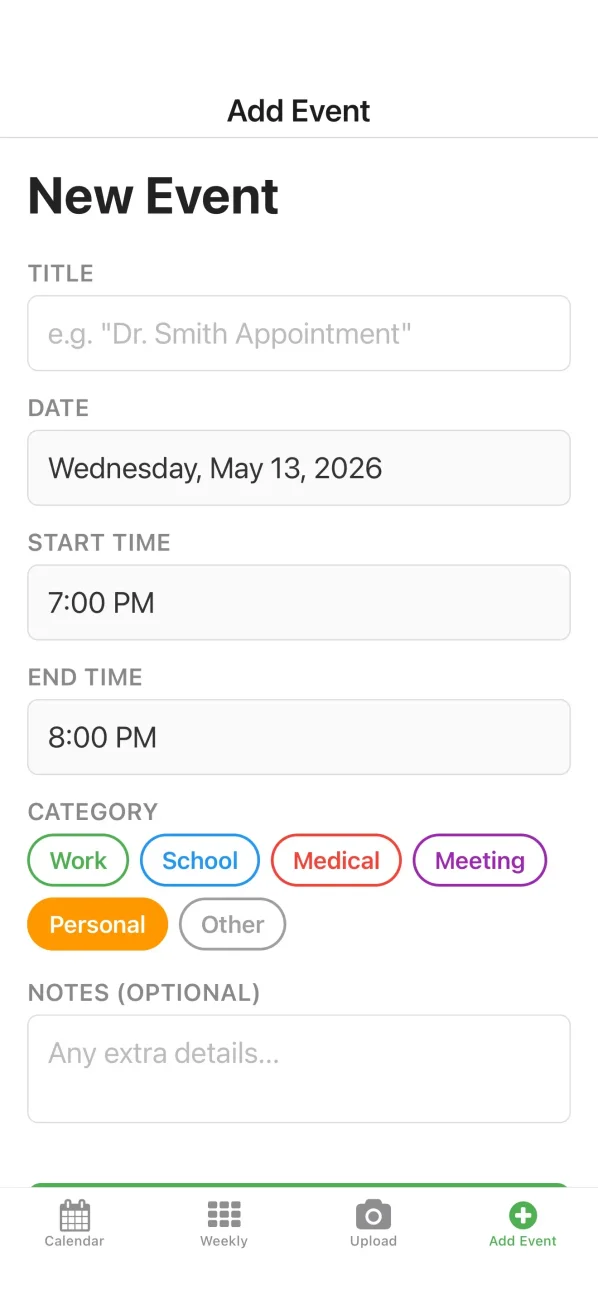
• Manual events. Add anything by hand: title, date, start and end times, category, and notes. Great
for appointments, classes, or anything that isn't on the work schedule.
• Repeating events. Schedule something that happens every week, every other Tuesday and Thursday, or
on the 1st of every month. End on a date or keep it going.
• iPhone Calendar sync. See your existing iPhone Calendar events alongside SnapShift events, and
optionally save SnapShift events to a dedicated SnapShift calendar on iPhone.
• Smarter schedule reading. Whether your schedule is a list with times or a monthly grid with markers,
SnapShift handles it.
• Edit and delete. Tap any event to view, edit every field, or remove it.
• Color-coded categories. Work, personal, medical, school, and other. Glance and know what kind of day
you're looking at.
• On-device storage. Every event lives on your phone. No accounts, no sign-up, no cloud sync, no
analytics. Uninstall the app and the data is gone with it.
WHO IT'S FOR
• Retail, hospitality, healthcare, and other shift workers who get a new schedule every week
• Students juggling class times, work, and appointments
• Anyone whose schedule arrives as a photo, screenshot, or printout
PRIVACY
SnapShift does not collect, store, or transmit personal information. Schedule images are sent to
text-recognition services (OCR.space for standard scans, Google's Gemini API for harder layouts) only
to extract shifts from them. They are not stored by SnapShift, linked to you, or used for tracking. If
you tap "Send screenshot to improve" after a failed scan, the image goes to the developer for review
and is deleted after triage.
Everything else stays on your device. Connected iPhone Calendar events are read on-device only and are
never transmitted anywhere.
Full privacy policy: rydertetreault.dev/projects/snapshift/privacy-policy
Snap. Shift. Done.
新機能
バージョン 1.3.2 · 2026/7/26
Bug fixes and improvements
アプリのプライバシー
このアプリのデータの取り扱いについて、RYDER MCCAIN TETREAULTがApp Storeで申告している内容です。
-
ユーザーに関連付けられないデータ
収集される場合がありますが、ユーザーの識別情報には関連付けられません。
- ユーザーコンテンツ
プライバシーの取り扱いは、ご利用の機能やお客様の年齢などに応じて異なる場合があります。
情報
- 販売元
- RYDER MCCAIN TETREAULT
- カテゴリ
- 仕事効率化
- バージョン
- 1.3.2
- 更新日
- 2026/7/26
- リリース
- 2026/5/15
- サイズ
- 45.1 MB
- 必要条件
- iOS 15.1以降
- 対象年齢
- 4+
- 価格
- 無料
- 言語
- 英語
- 著作権
- © 2026 Ryder Tetreault
こちらもおすすめ
-
 Lumical - カレンダースキャナーシフト表・勤務表を自動登録
-
 ShiftInbox:シフト勤務表OCR読取・変更比較・カレンダー同期
-
 シフトカレンダー・勤務表・シフト管理シフト表スキャン看護師・RosterClip
-
 Shift2Cal シフト管理 給料計算 バイト 夜勤 勤怠カレンダー 予定表 看護師 共有 勤務表 手帳 写真 仕事
-
 EventScan: Picture to Calendar仕事効率化
-
 EasEvent: Calendar Assistant仕事効率化
-
 ShiftCheck: Work & Pay仕事効率化
-
 Shift Schedules仕事効率化
-
 ShiftPal仕事効率化
-
 ShiftSync Plus仕事効率化