
- Độ tuổi4+
- Danh mụcHiệu Suất
- Nhà phát triểnRYDER MCCAIN TETREAULT
- Ngôn ngữTiếng Anh
- Kích thước45,1 MB
Liên kết đến trang App Store chính thức
Download.org không lưu trữ tệp nào của SnapShift: Schedule Scanner. Nút này mở trang ứng dụng trên App Store, nơi RYDER MCCAIN TETREAULT phát hành ứng dụng. Trang được kiểm tra lần cuối: 14/11/2026.
Ảnh chụp màn hình

Giới thiệu
Nhà phát triển chưa cung cấp nội dung này bằng ngôn ngữ của bạn.
SnapShift turns a photo of your work schedule into a calendar you can actually use. Snap a picture of the printout on the breakroom wall, drop in a screenshot from your scheduling app, and SnapShift reads the shifts and adds them to your calendar. No typing, no copy-paste, no account.
Built for hourly workers, shift workers, and anyone tired of re-entering their schedule by hand every
week.
KEY FEATURES
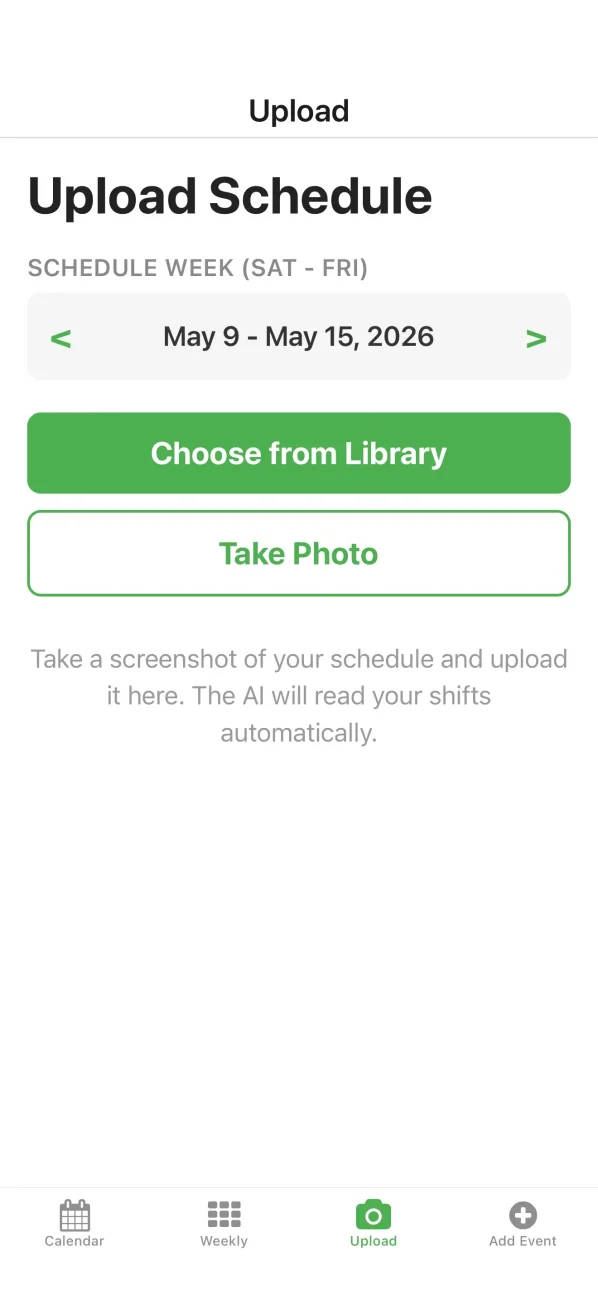
• Schedule reading. Take a photo or pick a screenshot of your work schedule. SnapShift reads the
shifts automatically. If your schedule has an unusual layout, an AI assistant takes over to handle it.
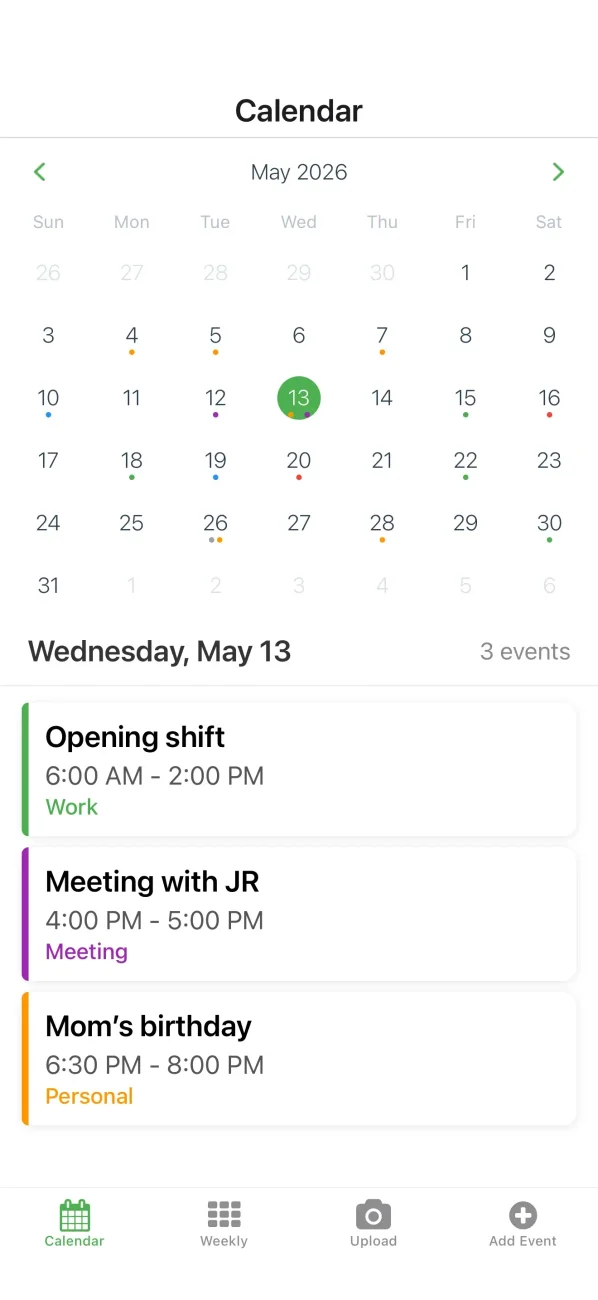
• Monthly calendar. A clean monthly view with color-coded dots so you can see your month at a glance.
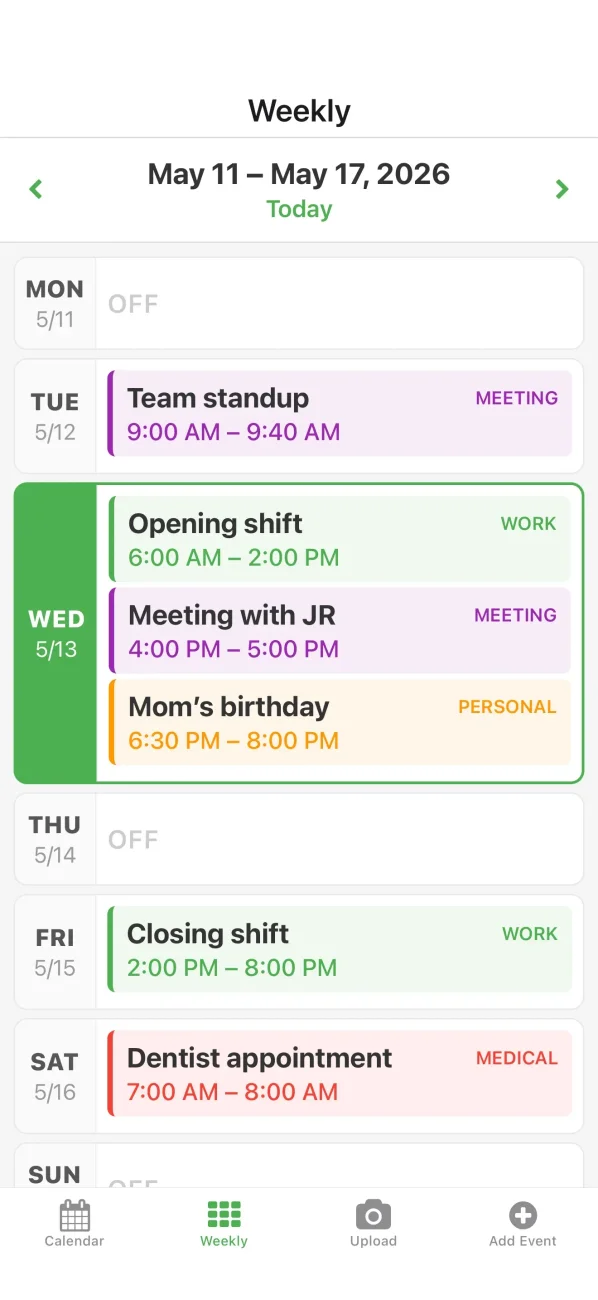
• Weekly view. A 7-day overview with compact shift blocks, easy week navigation, and today
highlighted.
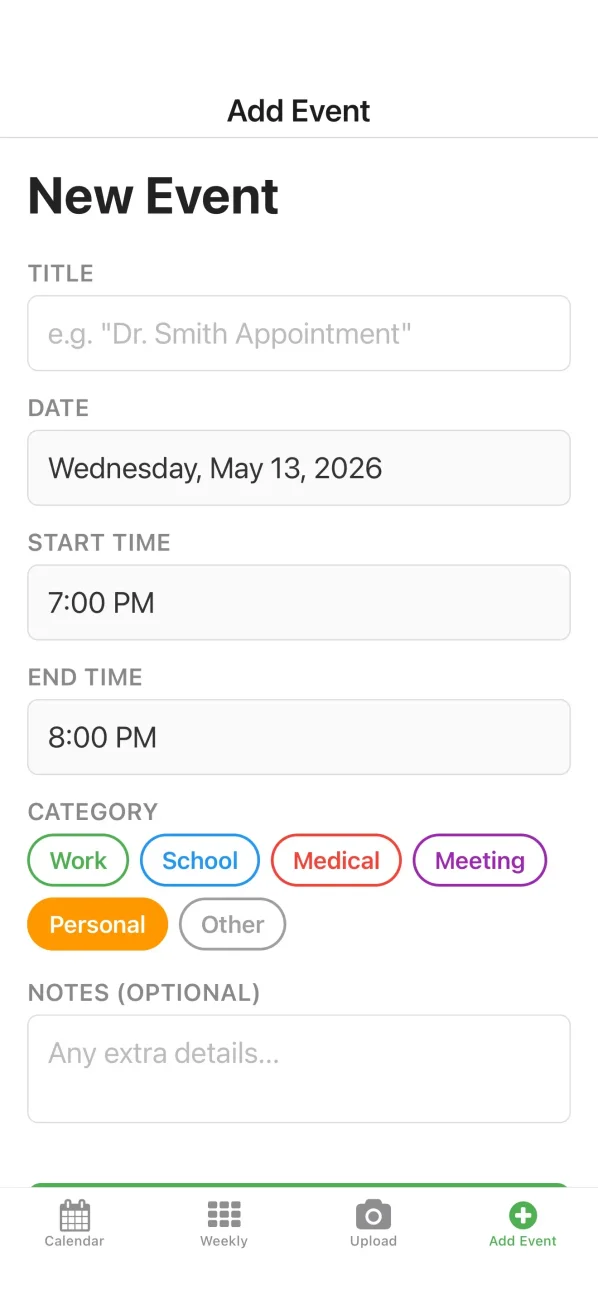
• Manual events. Add anything by hand: title, date, start and end times, category, and notes. Great
for appointments, classes, or anything that isn't on the work schedule.
• Repeating events. Schedule something that happens every week, every other Tuesday and Thursday, or
on the 1st of every month. End on a date or keep it going.
• iPhone Calendar sync. See your existing iPhone Calendar events alongside SnapShift events, and
optionally save SnapShift events to a dedicated SnapShift calendar on iPhone.
• Smarter schedule reading. Whether your schedule is a list with times or a monthly grid with markers,
SnapShift handles it.
• Edit and delete. Tap any event to view, edit every field, or remove it.
• Color-coded categories. Work, personal, medical, school, and other. Glance and know what kind of day
you're looking at.
• On-device storage. Every event lives on your phone. No accounts, no sign-up, no cloud sync, no
analytics. Uninstall the app and the data is gone with it.
WHO IT'S FOR
• Retail, hospitality, healthcare, and other shift workers who get a new schedule every week
• Students juggling class times, work, and appointments
• Anyone whose schedule arrives as a photo, screenshot, or printout
PRIVACY
SnapShift does not collect, store, or transmit personal information. Schedule images are sent to
text-recognition services (OCR.space for standard scans, Google's Gemini API for harder layouts) only
to extract shifts from them. They are not stored by SnapShift, linked to you, or used for tracking. If
you tap "Send screenshot to improve" after a failed scan, the image goes to the developer for review
and is deleted after triage.
Everything else stays on your device. Connected iPhone Calendar events are read on-device only and are
never transmitted anywhere.
Full privacy policy: rydertetreault.dev/projects/snapshift/privacy-policy
Snap. Shift. Done.
Có gì mới
Phiên bản 1.3.2 · 26/07/2026
Bug fixes and improvements
Quyền riêng tư của ứng dụng
Những gì RYDER MCCAIN TETREAULT khai báo trên App Store về cách ứng dụng này xử lý dữ liệu.
-
Dữ liệu không liên kết với bạn
Có thể được thu thập nhưng không liên kết với danh tính của bạn.
- Nội dung của người dùng
Phương thức đảm bảo quyền riêng tư có thể khác nhau, chẳng hạn như tuỳ theo các tính năng bạn sử dụng hoặc độ tuổi của bạn.
Thông tin
- Người bán
- RYDER MCCAIN TETREAULT
- Danh mục
- Hiệu Suất
- Phiên bản
- 1.3.2
- Cập nhật
- 26/07/2026
- Phát hành
- 15/05/2026
- Kích thước
- 45,1 MB
- Yêu cầu
- iOS 15.1 trở lên
- Độ tuổi
- 4+
- Giá
- Miễn phí
- Ngôn ngữ
- Tiếng Anh
- Bản quyền
- © 2026 Ryder Tetreault
Có thể bạn cũng thích
-
 Lumical - Quét vào LịchQuét Lịch Làm Việc, Sự Kiện
-
 ShiftInbox: Shift ScheduleHiệu Suất
-
 Lịch Ca Làm Việc: RosterClipQuét Bảng Trực & Đêm AI
-
 Lịch Ca Làm Việc: Kế hoạch AIQuản lý lịch trình & ca làm
-
 EventScan: Picture to CalendarHiệu Suất
-
 EasEvent: Calendar AssistantHiệu Suất
-
 ShiftCheck: Work & PayHiệu Suất
-
 Shift SchedulesHiệu Suất
-
 ShiftPalHiệu Suất
-
 ShiftSync PlusHiệu Suất