
- 対象年齢4+
- カテゴリ仕事効率化
- 開発元BLADESOFTWARE Limited Liability Company
- 言語英語
- サイズ8.5 MB
App Storeの公式ページにリンクしています
Download.orgはSorcerer's Noteのファイルを一切ホストしていません。ボタンを押すと、BLADESOFTWARE Limited Liability Companyが公開しているApp Storeのアプリページが開きます。ページの最終確認:2026/11/20。
スクリーンショット

概要
開発元はこのテキストをお使いの言語で提供していません。
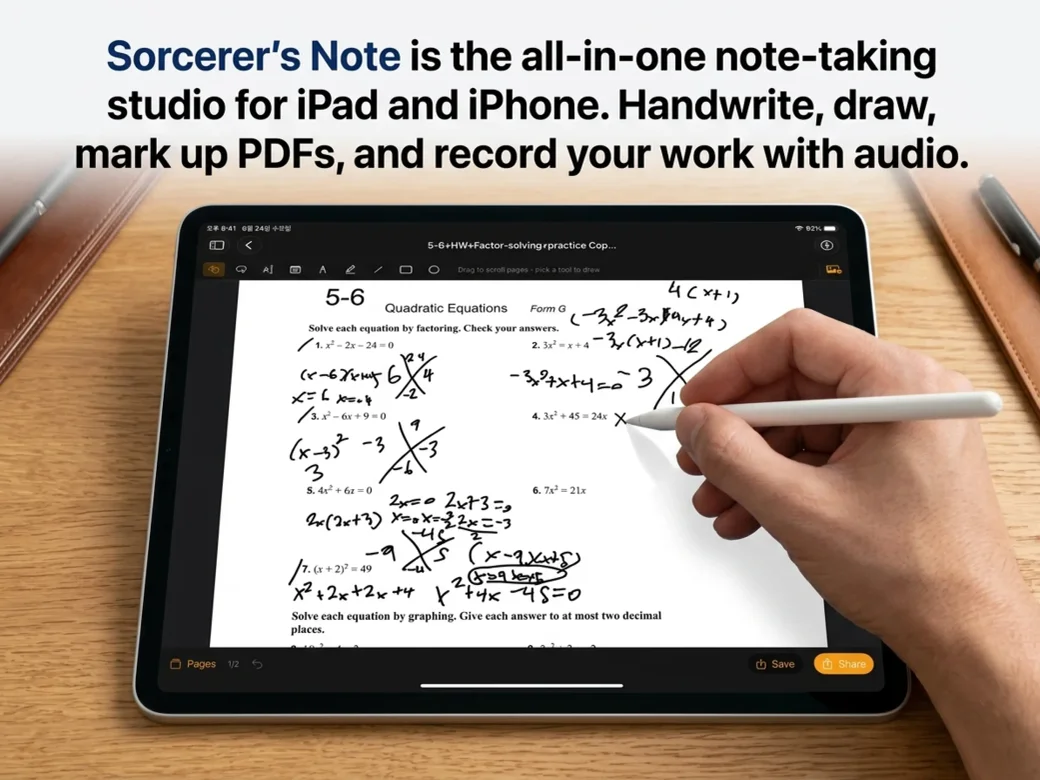
Sorcerer's Note is the all-in-one note-taking studio for iPad and iPhone. Handwrite, draw, mark up PDFs, and record your work with audio—then watch your notes rebuild themselves, stroke by stroke, perfectly in time with what you said.
Whether you're a student in a lecture, a professional reviewing documents, or a creator making tutorials, SNote turns a blank page into a living record of your ideas.
HANDWRITING & DRAWING
• Smooth, low-latency inking with pressure support for stylus and finger
• Pen and highlighter with adjustable color and width
• Pinch to zoom and two-finger scroll in every tool
• Clean, distraction-free canvas
PDF & NOTEBOOK MARKUP
• Import any PDF and annotate it directly
• Create blank notebooks with ruled, grid, dotted, and plain page templates
• Add text boxes, sticky notes, lines, rectangles, and ovals
• Drop in photos and images
• Select, move, restyle, and delete any element
• Multi-page documents: add, reorder, and delete pages
• Portrait and landscape pages
RECORD & REPLAY (the magic)
• Tap record to capture audio while you write and edit
• Play it back and watch every stroke, shape, and edit reappear in sync with your voice
• Scrub, skip, pause, and change playback speed
• Perfect for revising lectures, narrating walkthroughs, and capturing your thinking
SHARE TO YOUTUBE
• Turn any recording into a video—your replayed notes plus the original audio
• Upload privately to your connected YouTube channel
• Keep working while uploads run in the background; progress stays pinned to each recording
ORGANIZE & FIND
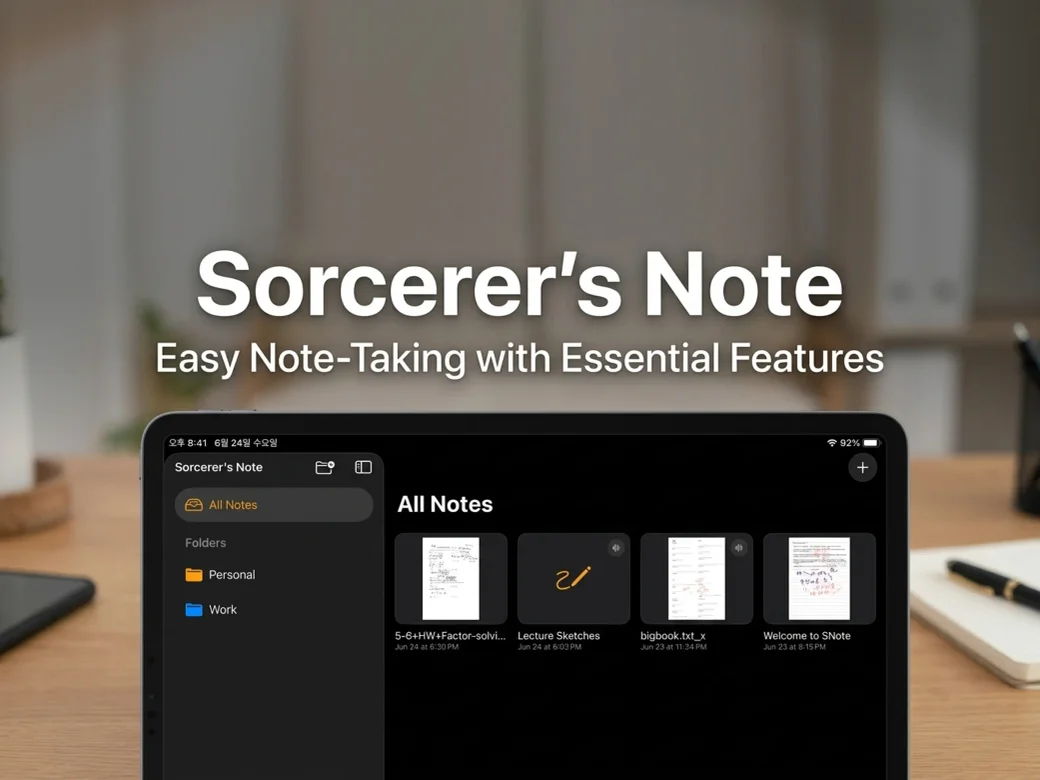
• Sort notes into colorful folders
• Full-text search across every note, including text inside your PDFs
• Quick previews with matching snippets
ICLOUD SYNC
• Your notes, folders, and recordings stay up to date across your devices
• Last-writer-wins syncing keeps everything consistent
DESIGNED FOR FOCUS
• A fast, native interface built for iPad and iPhone
• Export and share notes as PDF or images
FREE TO START
Every feature is unlocked for one month after you install. Try handwriting, PDF markup, recording, and YouTube upload with no commitment.
After your free month, keep full editing and uploading with SNote Pro. Your notes always remain readable—Pro re-enables creating, editing, recording, and uploading.
• SNote (Yearly): $7.99 per year
Payment is charged to your Apple ID at confirmation of purchase. The subscription renews automatically unless it is cancelled at least 24 hours before the end of the current period. Your account is charged for renewal within 24 hours prior to the end of the period. You can manage or cancel your subscription in your App Store account settings after purchase. Purchases can be restored anytime from Settings.
Start writing, recording, and sharing—download SNote today.
Payments and Renewal:
Payment will be charged to iTunes Account at confirmation of purchase. Subscription automatically renews unless auto-renew is turned off at least 24-hours before the end of the current period.
Account will be charged for renewal within 24-hours prior to the end of the current period.
You can manage or turn off auto-renew in your Account settings at any time after purchase
No cancellation of the current subscription is allowed during the active period.
Terms of Use (EULA):
https://www.apple.com/legal/internet-services/itunes/dev/stdeula/
新機能
バージョン 1.1 · 2026/8/18
Fixed issue for dark mode
Erase tool update
アプリのプライバシー
このアプリのデータの取り扱いについて、BLADESOFTWARE Limited Liability CompanyがApp Storeで申告している内容です。
-
データの収集なし
開発元はこのアプリからデータを収集しません。
プライバシーの取り扱いは、ご利用の機能やお客様の年齢などに応じて異なる場合があります。
情報
- 販売元
- BLADESOFTWARE Limited Liability Company
- カテゴリ
- 仕事効率化
- バージョン
- 1.1
- 更新日
- 2026/8/18
- リリース
- 2026/8/10
- サイズ
- 8.5 MB
- 必要条件
- iOS 18.6以降
- 対象年齢
- 4+
- 価格
- 無料
- アプリ内課金
- あり
- 言語
- 英語
- 著作権
- © 2026 BLADE SOFTWARE LLC.
こちらもおすすめ
-
 Notiva: Notes & PDF仕事効率化
-
 FileForge: PDF Toolkit仕事効率化
-
 Brenda's Note仕事効率化
-
 Markdown Editor & AI Notes仕事効率化
-
 VARAK PDF Editor & Scanner仕事効率化
-
 Nodebook: PDF Notes & Mind Map仕事効率化
-
 Pronotes: Notes & PDF仕事効率化
-
 Amazing Notes: Lecture & PDF仕事効率化
-
 mimosa: ノート・PDF・スキャナー間違いノートと手書き勉強アプリ
-
 Inkwell: 録音とタイムラプスノート手書きと録音を時間で同期