
- 対象年齢4+
- カテゴリエンターテインメント
- 開発元Brad Howes
- 言語英語
- サイズ187.0 MB
App Storeの公式ページにリンクしています
Download.orgはSoundFontsのファイルを一切ホストしていません。ボタンを押すと、Brad Howesが公開しているApp Storeのアプリページが開きます。ページの最終確認:2026/11/14。
スクリーンショット






概要
開発元はこのテキストをお使いの言語で提供していません。
This is a straightforward yet powerful app that acts as a polyphonic audio synthesizer with a virtually unlimited collection of sounds. Under the hood, It uses an AVAudioUnitSampler to generate the audio output when you touch one or more keys. The sounds that are available come from soundfont (SF2) files, such as those available online for free (and of variable quality).
The app also exists as an AUv3 plug-in (included) so you can use it in your favorite music generation application such as GarageBand, Logic, or AUM. It also includes two AUv3 effects units – reverb and delay - which you can use separately as well..
The app supports MIDI input -- just connect a MIDI keyboard/controller to your iOS device and you should be good to go! There is also support for MIDI over Bluetooth. You can also control some app settings using MIDI controls, including the active favorite preset and the audio effects.
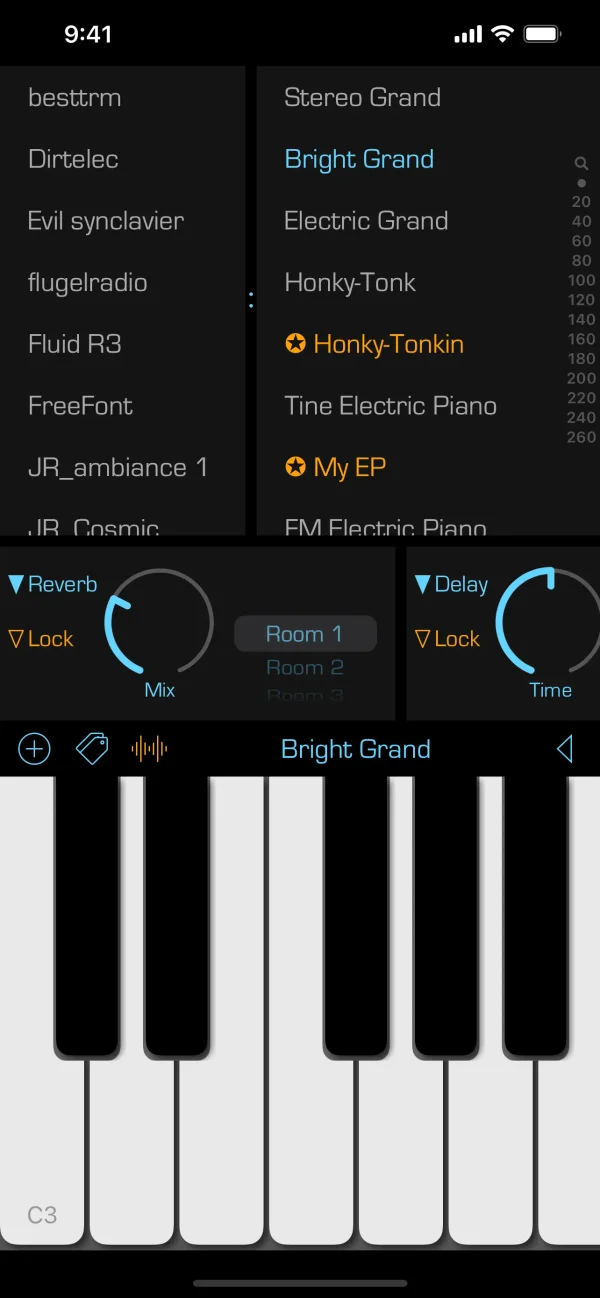
To use, simply select a SoundFont name in the left list, then a patch name on the right and start playing. Some additional hints to get going:
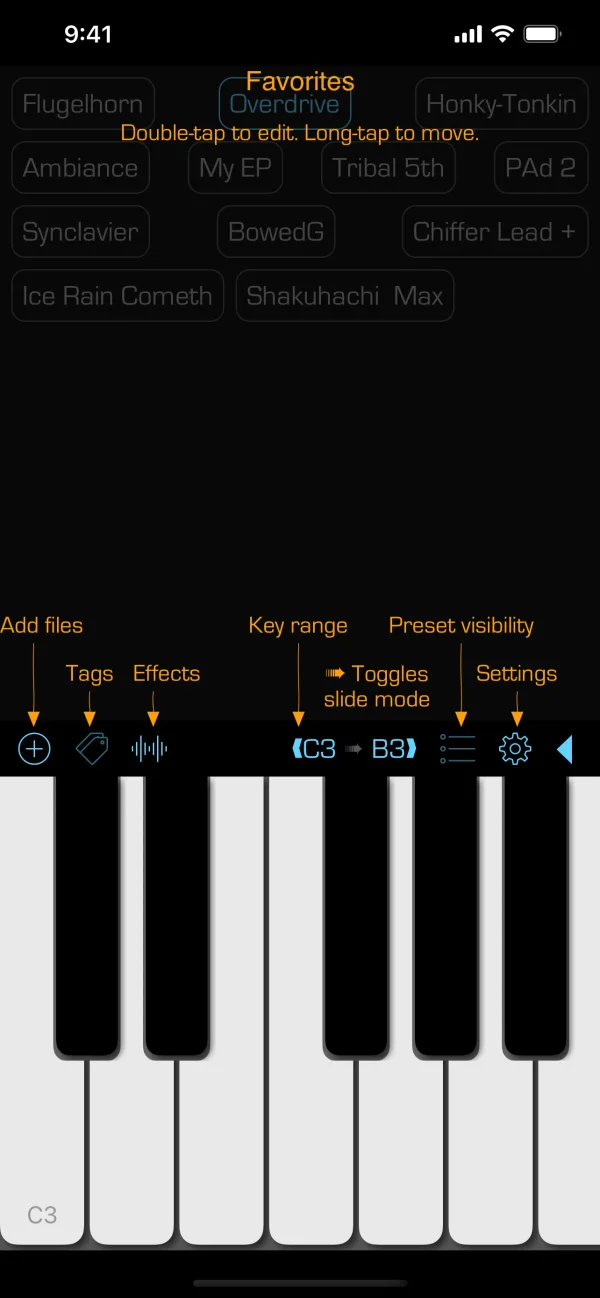
• Add a SoundFont (SF2) file that you have downloaded onto your iCloud Drive. Press the "+" button and then locate the file to add. You can always change the display name of the SoundFont by swiping right. And you can remove a SoundFont that you no longer want by swiping left on its name.
• Bring up reverb and delay effects by touching the wavy "signal" button.
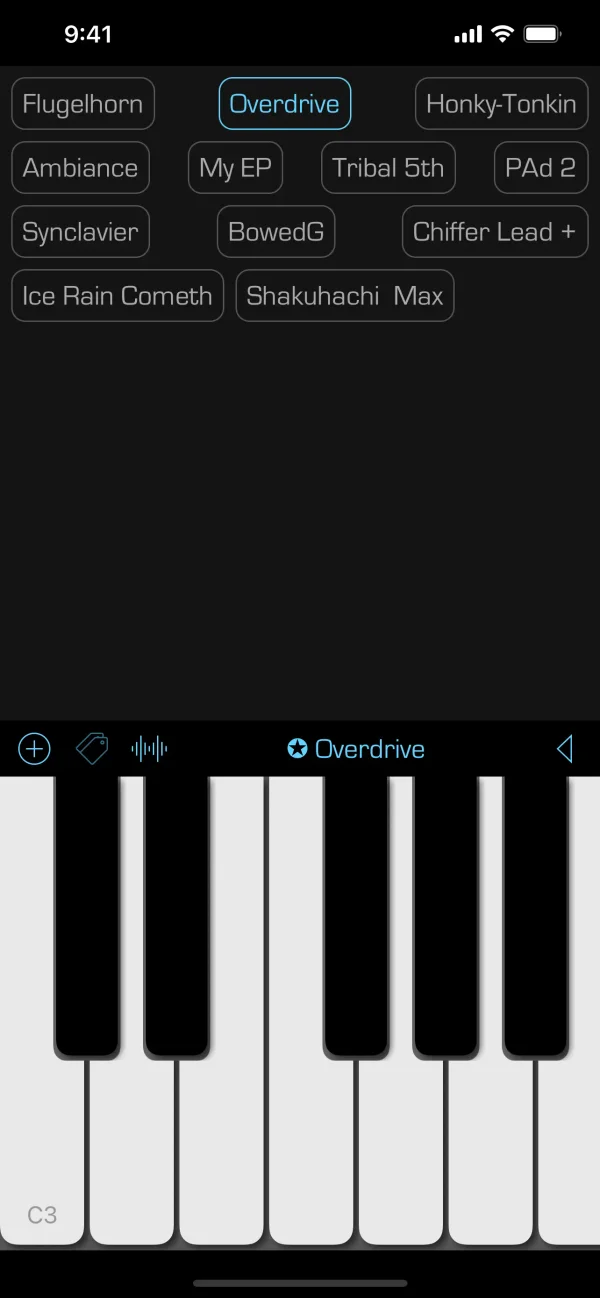
• Swipe right on a patch name to make it a favorite. Favorited patches have a star next to their name. You can edit the name of the favorite by again swiping right and selecting the edit action. You can remove a favorite by swiping left and selecting the remove action.
• Touch the labels at either end of the black bar to change the range of the keyboard. You can go as low as "C0" and as high as "C9". You can also change the range by swiping left/right on the black bar. Note that this ability does not exist in the AUv3 extension -- use the native application keyboard controls to achieve the same results. You can also toggle the keyboard sliding feature by touching the small arrow between the note labels.
• Switch between the soundfont patches listing and the favorites view by double-tapping on the patch name in the black bar above the keyboard. You can also swipe left/right with two fingers in the patches and favorites views to switch to the other view.
• In the view of favorites, you can edit a favorite button by double-tapping on it. You can rearrange the favorite buttons with a tap-and-hold gesture.
Finally, you can check out the source code! Go to the Support URL to find out more.
新機能
バージョン 2.32.5 · 2026/6/16
• Fix crash in AUv3 component
アプリのプライバシー
このアプリのデータの取り扱いについて、Brad HowesがApp Storeで申告している内容です。
-
データの収集なし
開発元はこのアプリからデータを収集しません。
プライバシーの取り扱いは、ご利用の機能やお客様の年齢などに応じて異なる場合があります。
情報
- 販売元
- Brad Howes
- カテゴリ
- エンターテインメント
- バージョン
- 2.32.5
- 更新日
- 2026/6/16
- リリース
- 2019/2/19
- サイズ
- 187.0 MB
- 必要条件
- iOS 14.0以降
- 対象年齢
- 4+
- 価格
- ¥1,300
- 言語
- 英語
- 著作権
- © 2025 Brad Howes
こちらもおすすめ
-
 UTM SE: Retro PC emulatorエンターテインメント
-
 TierMaker.comエンターテインメント
-
 FANDOM ニュース & ストーリーエンターテインメント
-
 RTM-EMU : PS2 PS3 PS4 X360 PS1エンターテインメント
-
 Provenance Appエンターテインメント
-
 VoicemodVoice Changer & Soundboard
-
 Manic EMU - ゲームエミュレーターレトロ GBA NDS PSP 3DS N64
-
 Delta - Game Emulatorエンターテインメント
-
 Gamuroid:オールインワン ゲームエミュレーターEMU Retro Console Emulator
-
 Stick Nodes - 棒人間アニメーターアニメを作ろう!