StarLight - PC Streaming
PC Streaming & Controller Test
iPhone, iPad, iPod touch向けに設計
¥500
- 対象年齢4+
- カテゴリユーティリティ
- 開発元健 耿
- 言語英語ほか3言語
- サイズ62.4 MB
App Storeの公式ページにリンクしています
Download.orgはStarLight - PC Streamingのファイルを一切ホストしていません。ボタンを押すと、健 耿が公開しているApp Storeのアプリページが開きます。ページの最終確認:2026/11/14。
スクリーンショット

概要
開発元はこのテキストをお使いの言語で提供していません。
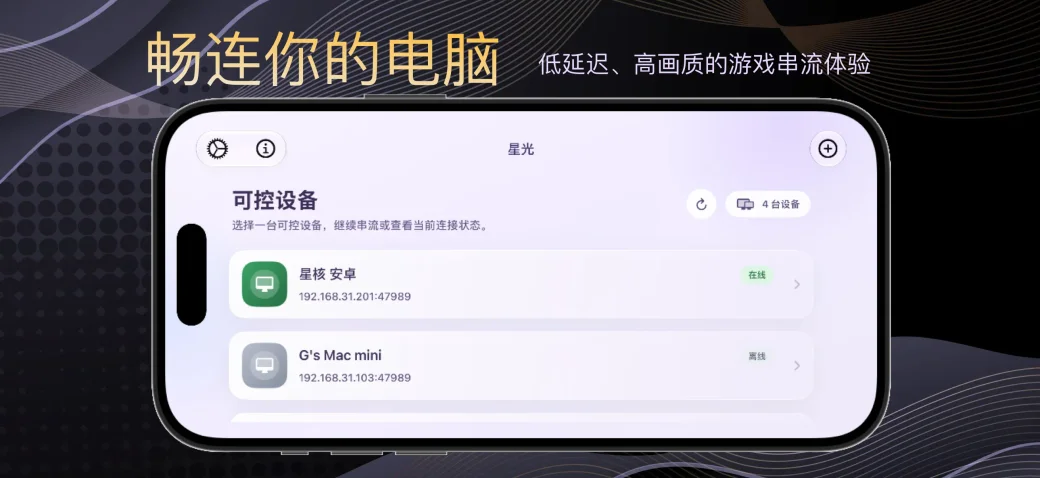
StarLight is a remote PC access and streaming utility designed for iPhone and iPad. It provides low-latency video streaming, Apple Pencil input, virtual controls, controller testing, and flexible display options.
Whether you want to control your desktop, access installed apps and games, or stream content between your own devices, StarLight provides a convenient and customizable experience.
Core Features
Remote PC Access
• Connect to and control your own PC
• View and interact with your desktop remotely
• Support for local and remote network connections
• High frame rates, multiple resolutions, and portrait or landscape streaming
• Suitable for remote desktop use, installed apps, games, and personal content
Video and Audio Enhancements
• High-performance Metal rendering
• MetalFX upscaling, sharpening, and multiple scaling modes
• HDR and multiple video codecs on supported devices
• Adjustable video alignment, safe area, and orientation
• Audio haptics that convert sound into tactile feedback
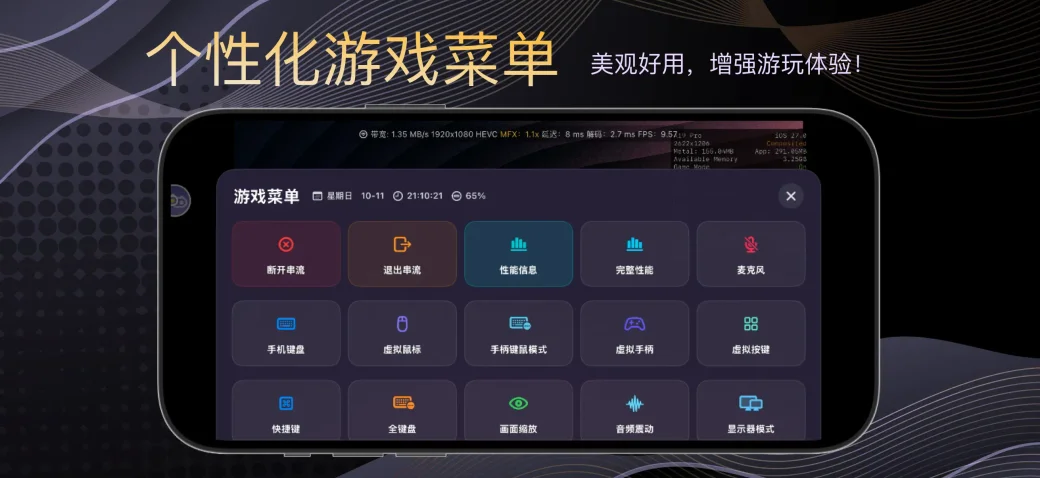
• Performance statistics for frame rate, latency, and network conditions
Apple Pencil and Touch
• Apple Pencil input support
• Follow Touch, Native Pen, and Mouse modes
• Native Pen mode for compatible drawing, design, and productivity apps
• Mouse mode turns Apple Pencil into a pointer
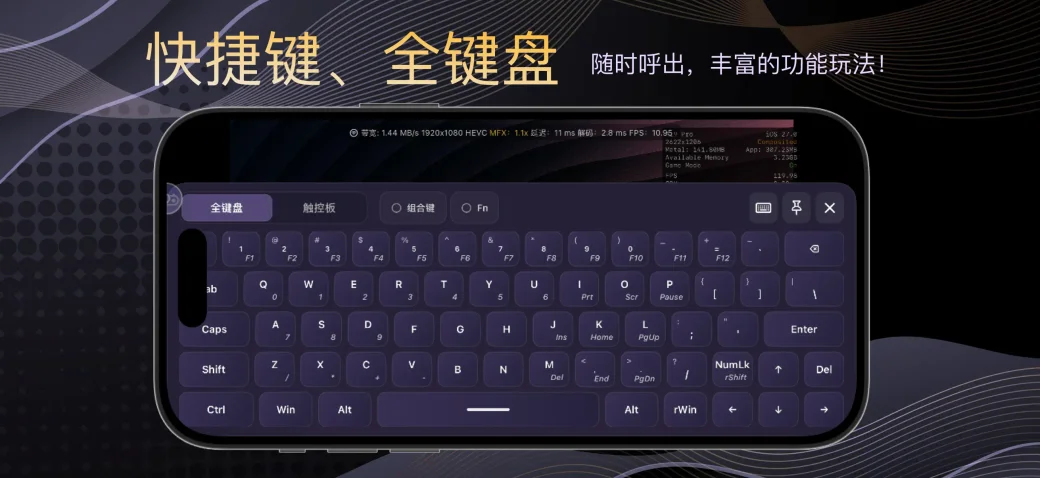
• Multi-touch, trackpad, and mouse control options
Virtual Controls and Gamepads
• Support for external game controllers
• Customizable on-screen buttons and virtual gamepads
• Adjustable joystick range, sensitivity, opacity, and margins
• Multiple controllers, motion input, and vibration feedback
• Backup, import, and restore virtual control layouts
Controller Testing
• Real-time controller button detection
• Test analog sticks, triggers, directional pads, and motion input
• Visualized input response
• Support for a wide range of game controllers
• Helps diagnose controller connection, input, and vibration issues
Common Uses
• Access your PC from an iPhone or iPad
• Remotely use apps, games, and personal content installed on your PC
• Use Apple Pencil with compatible drawing and productivity software
• Connect to a home or office PC over a local network
• Access your own device while away from home
• Test controller buttons, sticks, triggers, and input behavior
Compatible host software must be configured on your own PC before use. Video quality, latency, and feature availability depend on your host performance, network conditions, and device capabilities.
StarLight does not sell or provide digital content, games, or in-app game items. It is intended only for remotely accessing and controlling PCs owned or managed by the user.
新機能
バージョン 1.2.5 · 2026/10/29
- Improved compatibility with iPhone Duo
- Added host wake-up support via Shortcuts
- Fixed known issues and improved stability and user experience
アプリのプライバシー
このアプリのデータの取り扱いについて、健 耿がApp Storeで申告している内容です。
-
データの収集なし
開発元はこのアプリからデータを収集しません。
プライバシーの取り扱いは、ご利用の機能やお客様の年齢などに応じて異なる場合があります。
情報
- 販売元
- 健 耿
- カテゴリ
- ユーティリティ
- バージョン
- 1.2.5
- 更新日
- 2026/10/29
- リリース
- 2026/4/14
- サイズ
- 62.4 MB
- 必要条件
- iOS 15.0以降
- 対象年齢
- 4+
- 価格
- ¥500
- 言語
- 英語, 日本語, 簡体字中国語, 繁体字中国語
- 著作権
- © 2026 阿西西 Inc.
こちらもおすすめ
-
 Neko Dash - Just a Dashboardユーティリティ
-
 Scrollie: 長いスクショ結合・字幕コラージュスクショ連結・モザイク・ぼかし・画像結合
-
 YingBoxユーティリティ
-
 Aria2 Manager - NeoAria2ユーティリティ
-
 フリースタイル電卓 - 式編集・単位変換・為替計算・テーマリアルタイム計算機・履歴・科学・ウィジェット・関数・カスタム
-
 Pinlist値下げ・無料化アプリを通知
-
 My NATユーティリティ
-
 壳图图 - 带壳截图ユーティリティ
-
 Jinx - 全局広告ブロック & プライバシー保護AppとSafariの広告を強力遮断。高速で安全
-
 Calendar Islandユーティリティ