
StarLight - PC Streaming
PC Streaming & Controller Test
Designed for iPhone, iPad, iPod touch
$2.99
- Age rating4+
- CategoryUtilities
- Developer健 耿
- LanguagesEnglish+ 3 more
- Size62.4 MB
Links to the official App Store page
Download.org hosts no file of StarLight - PC Streaming. The button opens its official App Store page, published by 健 耿. Listing last checked on Nov 14, 2026.
Screenshots


About
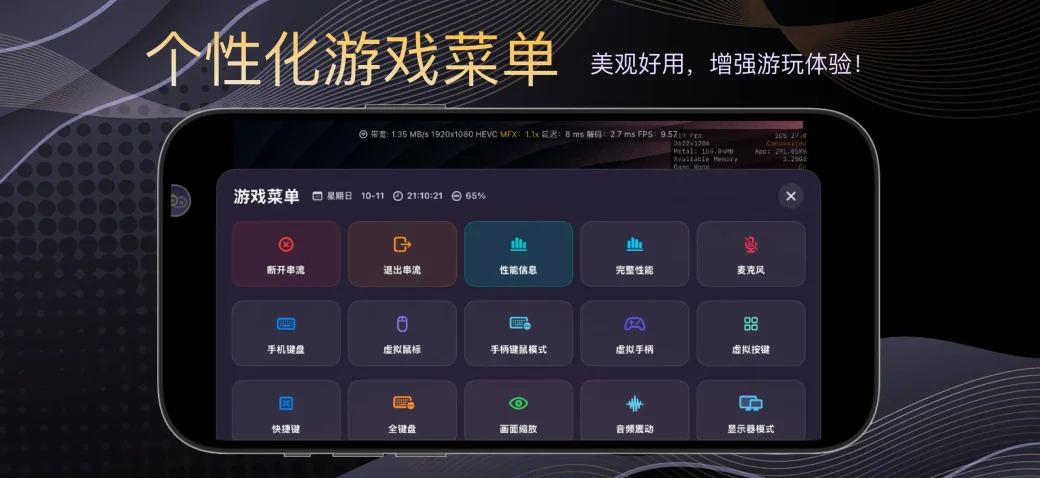
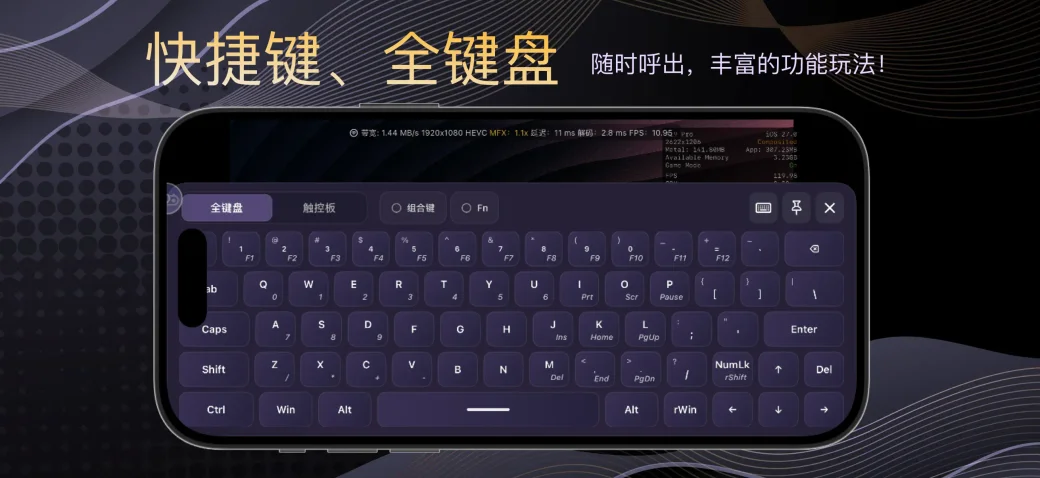
StarLight is a remote PC access and streaming utility designed for iPhone and iPad. It provides low-latency video streaming, Apple Pencil input, virtual controls, controller testing, and flexible display options.
Whether you want to control your desktop, access installed apps and games, or stream content between your own devices, StarLight provides a convenient and customizable experience.
Core Features
Remote PC Access
• Connect to and control your own PC
• View and interact with your desktop remotely
• Support for local and remote network connections
• High frame rates, multiple resolutions, and portrait or landscape streaming
• Suitable for remote desktop use, installed apps, games, and personal content
Video and Audio Enhancements
• High-performance Metal rendering
• MetalFX upscaling, sharpening, and multiple scaling modes
• HDR and multiple video codecs on supported devices
• Adjustable video alignment, safe area, and orientation
• Audio haptics that convert sound into tactile feedback
• Performance statistics for frame rate, latency, and network conditions
Apple Pencil and Touch
• Apple Pencil input support
• Follow Touch, Native Pen, and Mouse modes
• Native Pen mode for compatible drawing, design, and productivity apps
• Mouse mode turns Apple Pencil into a pointer
• Multi-touch, trackpad, and mouse control options
Virtual Controls and Gamepads
• Support for external game controllers
• Customizable on-screen buttons and virtual gamepads
• Adjustable joystick range, sensitivity, opacity, and margins
• Multiple controllers, motion input, and vibration feedback
• Backup, import, and restore virtual control layouts
Controller Testing
• Real-time controller button detection
• Test analog sticks, triggers, directional pads, and motion input
• Visualized input response
• Support for a wide range of game controllers
• Helps diagnose controller connection, input, and vibration issues
Common Uses
• Access your PC from an iPhone or iPad
• Remotely use apps, games, and personal content installed on your PC
• Use Apple Pencil with compatible drawing and productivity software
• Connect to a home or office PC over a local network
• Access your own device while away from home
• Test controller buttons, sticks, triggers, and input behavior
Compatible host software must be configured on your own PC before use. Video quality, latency, and feature availability depend on your host performance, network conditions, and device capabilities.
StarLight does not sell or provide digital content, games, or in-app game items. It is intended only for remotely accessing and controlling PCs owned or managed by the user.
What’s new
Version 1.2.5 · Oct 29, 2026
- Improved compatibility with iPhone Duo
- Added host wake-up support via Shortcuts
- Fixed known issues and improved stability and user experience
App privacy
What 健 耿 declares on the App Store about how this app handles data.
-
Data not collected
The developer does not collect any data from this app.
Privacy practices may vary, for example with the features you use or your age.
Information
- Seller
- 健 耿
- Category
- Utilities
- Version
- 1.2.5
- Updated
- Oct 29, 2026
- Released
- Apr 14, 2026
- Size
- 62.4 MB
- Requires
- iOS 15.0 or later
- Age rating
- 4+
- Price
- $2.99
- Languages
- English, Japanese, Simplified Chinese, Traditional Chinese
- Copyright
- © 2026 阿西西 Inc.
You might also like
-
 Neko Dash - Just a Dashboard连接并管理已有 Clash 控制器前端工具
-
 Scrollie: Long ScreenshotStitch, Blur & Movie Subtitles
-
 YingBoxPrivate Media Player
-
 Aria2 Manager - NeoAria2easier to use Aria2
-
 Freestyle Calculator: Sci & FXFormula·Percent·Math·Sync·Tape
-
 Pinlist: App Price TrackerPrice Drops & Apps Gone Free
-
 My NATUtilities
-
 壳图图 - 带壳截图Utilities
-
 Jinx - System-Wide Ad BlockerBlock ads &Fast Private Secure
-
 Calendar IslandReminders & Calendar in Island