- 対象年齢4+
- カテゴリ仕事効率化
- 開発元飞 成
- 言語英語ほか1言語
- サイズ14.5 MB
App Storeの公式ページにリンクしています
Download.orgはStop Scrolling: Pauseのファイルを一切ホストしていません。ボタンを押すと、飞 成が公開しているApp Storeのアプリページが開きます。ページの最終確認:2026/11/23。
スクリーンショット


概要
開発元はこのテキストをお使いの言語で提供していません。
You open your phone to reply to a message. Half an hour later, you are still scrolling.
One last video before bed becomes another late night.
You put the phone down, then reach for it again without thinking.
You do not need another reason to feel bad about it. Sometimes you just need a moment to remember what you meant to do.
Scroll Less — listed on the App Store as Stop Scrolling: Pause — helps you find that moment.
BEFORE THE SCROLL TAKES OVER
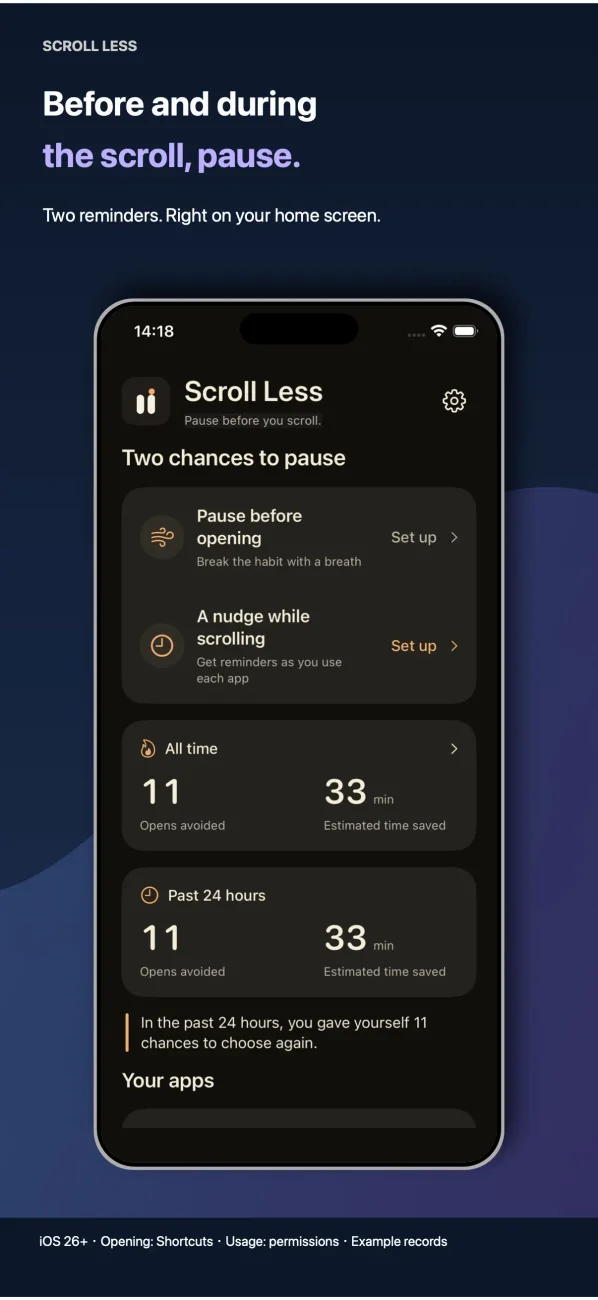
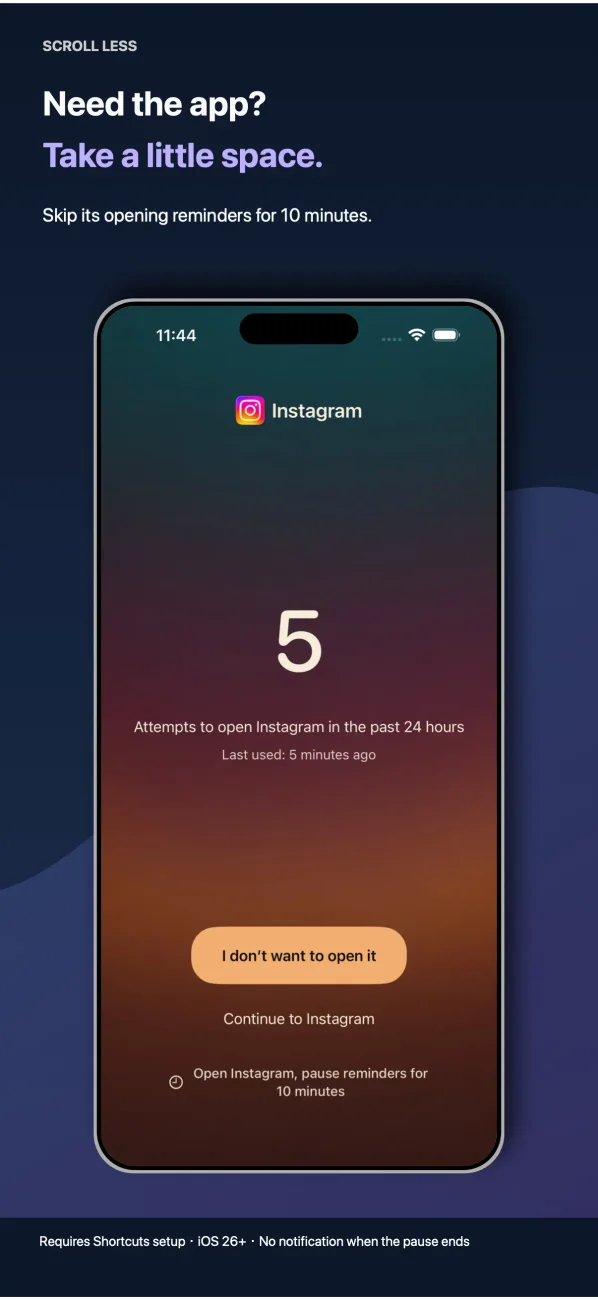
A short breathing pause slows the automatic tap and gives you time to ask: What did I come here to do? If you need the app, continue. If it was just a habit, you can step away. You keep the choice.
WHEN YOU LOSE TRACK OF TIME
In A nudge while scrolling, choose one mode for each app. Notification sends a nudge at the interval you set, and you can keep using the app. Show pause screen stops the app after 5 minutes of use. Choose Stop for now or Use 5 more minutes to start a fresh round.
WHEN YOU REALLY NEED YOUR PHONE
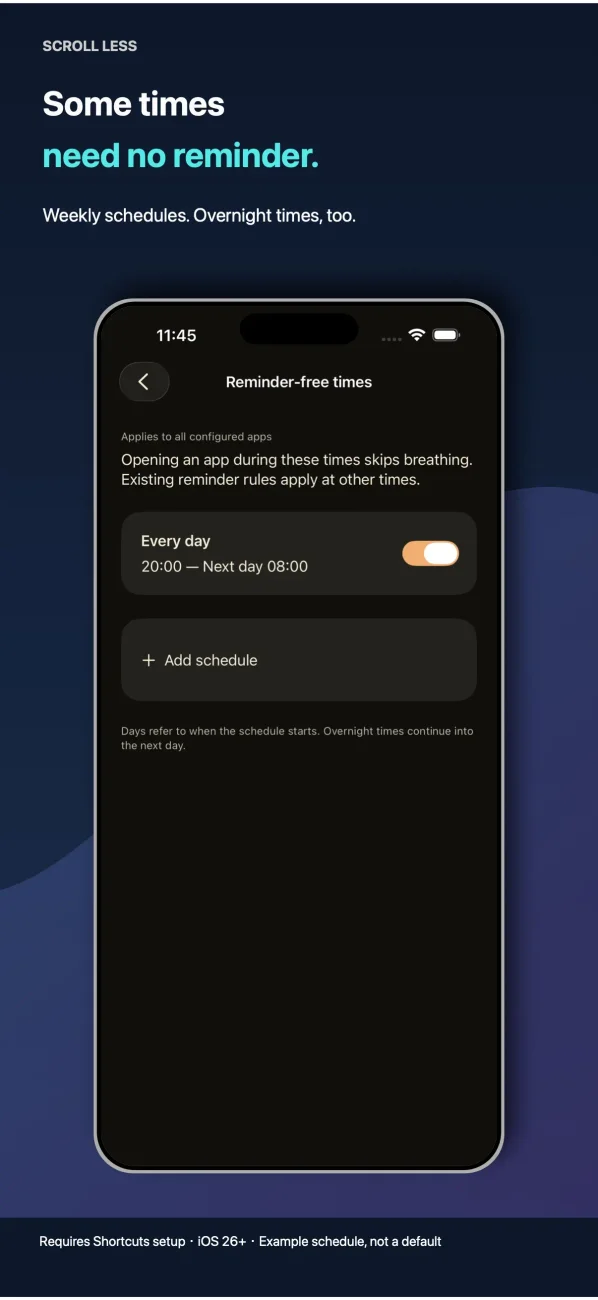
Work, conversations, and time to unwind all have a place. Give the current app a short break from opening reminders, or plan weekly times when you do not want to be interrupted. Find a rhythm that fits your day.
MAKE ROOM FOR WHAT MATTERS TO YOU
An earlier bedtime. A few more pages of a book. The task you wanted to finish. Or simply a quiet moment. Write a reminder in your own words, and see it the next time you reach for an app out of habit.
LET SMALL CHOICES COUNT
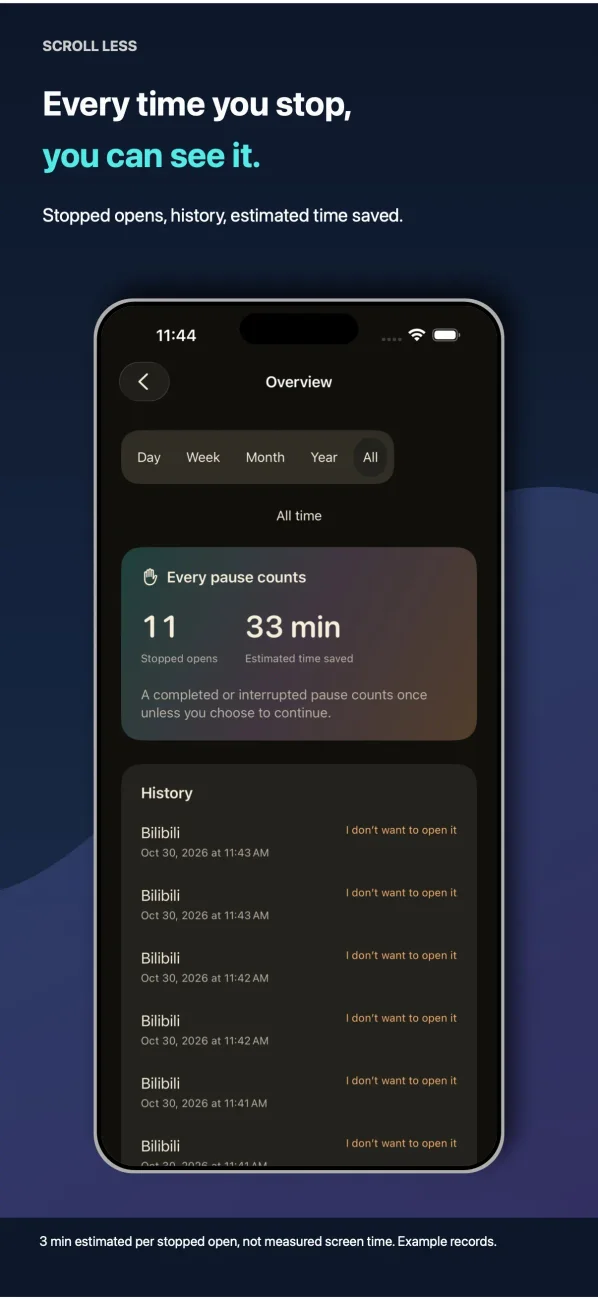
See a record of the times you chose not to open an app. Time saved is an estimate of 3 minutes per stopped opening, not a measurement of actual screen time or time saved.
No account, ads, subscription, or developer-operated data collection. Your settings, custom prompts, and activity records stay on your device.
GETTING STARTED
Requires an iPhone with iOS 26 or later. Opening pauses require an Apple Shortcuts automation; follow the illustrated guide for each of the 32 supported target apps. Returning to an app depends on it being installed and available in your region. Usage reminders require Screen Time permission. If you choose Notification, also allow notifications. Focus and notification settings may affect delivery.
Scroll a little less. Make room for your life.
Support: chengfei001001@gmail.com
新機能
バージョン 1.0.6 · 2026/11/19
Choose what happens when you reach your app usage limit.
• Notification: get a nudge at the interval you set and keep using the app.
• Show pause screen: after 5 minutes of use, choose Stop for now or Use 5 more minutes.
• A short setup guide explains both options and takes you to settings.
アプリのプライバシー
このアプリのデータの取り扱いについて、飞 成がApp Storeで申告している内容です。
-
データの収集なし
開発元はこのアプリからデータを収集しません。
プライバシーの取り扱いは、ご利用の機能やお客様の年齢などに応じて異なる場合があります。
情報
- 販売元
- 飞 成
- カテゴリ
- 仕事効率化
- バージョン
- 1.0.6
- 更新日
- 2026/11/19
- リリース
- 2026/10/29
- サイズ
- 14.5 MB
- 必要条件
- iOS 26.0以降
- 対象年齢
- 4+
- 価格
- 無料
- 言語
- 英語, 簡体字中国語
- 著作権
- © 2026 Chengfei
こちらもおすすめ
-
 スクリーンタイム制限: ScrollLessアプリ制限でスマホ依存対策
-
 Think First: スマホ依存対策アプリをブロックして集中
-
 StillTabs: Block Reels, Shorts仕事効率化
-
 Scroll Less Block Reels Shorts仕事効率化
-
 FeedOff: Block Reels & Shorts仕事効率化
-
 UnSwipe: Beat Social Addiction仕事効率化
-
 Habits Firstアプリを取り戻そう
-
 No Scroll - Limit Screen Time仕事効率化
-
 習慣トラッカー - Kabitルーティン・目標・継続記録
-
 Curiosity Quench: scroll less仕事効率化