- Age rating4+
- CategoryProductivity
- Developer飞 成
- LanguagesEnglish+ 1 more
- Size14.5 MB
Links to the official App Store page
Download.org hosts no file of Stop Scrolling: Pause. The button opens its official App Store page, published by 飞 成. Listing last checked on Nov 23, 2026.
Screenshots


About
You open your phone to reply to a message. Half an hour later, you are still scrolling.
One last video before bed becomes another late night.
You put the phone down, then reach for it again without thinking.
You do not need another reason to feel bad about it. Sometimes you just need a moment to remember what you meant to do.
Scroll Less — listed on the App Store as Stop Scrolling: Pause — helps you find that moment.
BEFORE THE SCROLL TAKES OVER
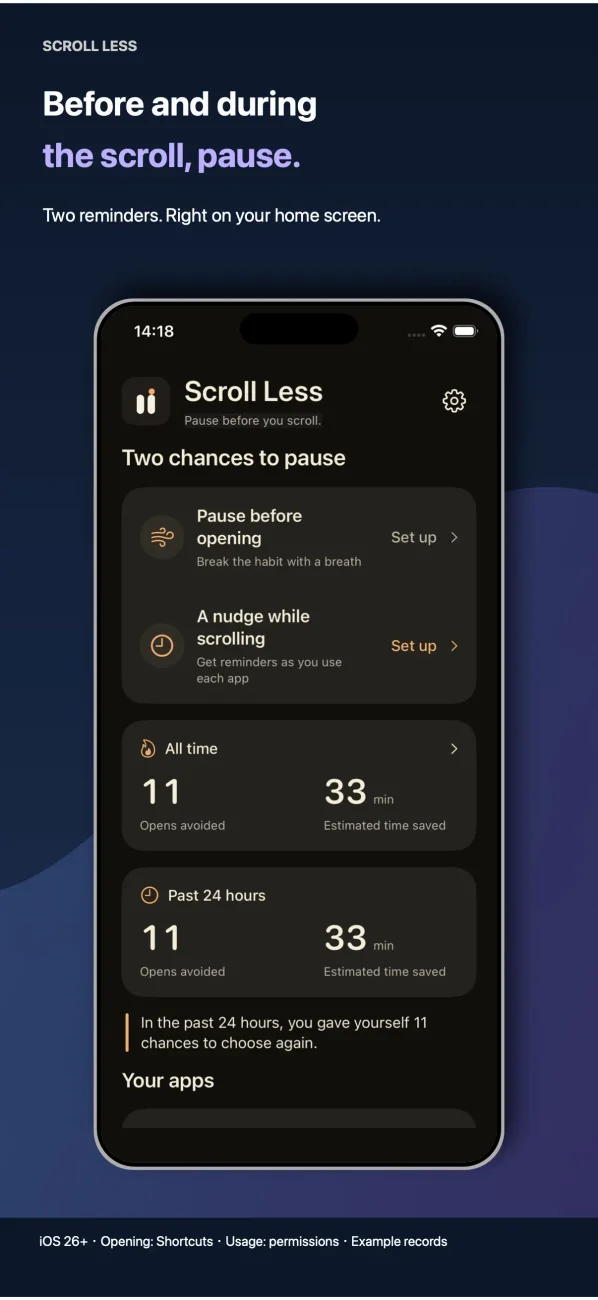
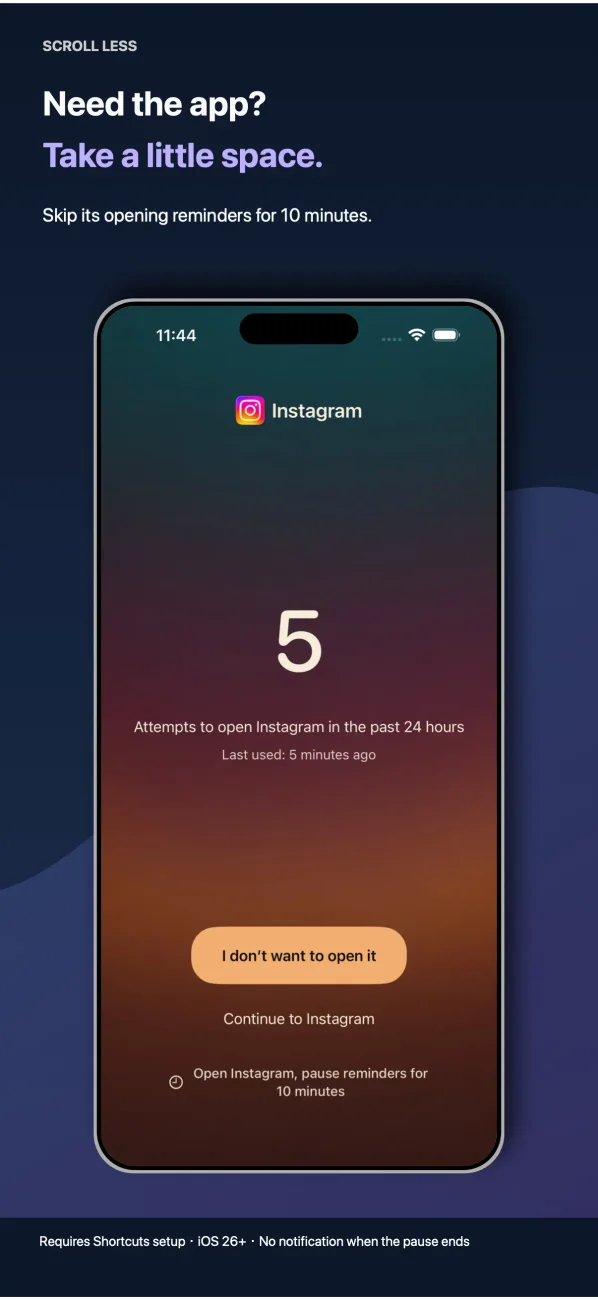
A short breathing pause slows the automatic tap and gives you time to ask: What did I come here to do? If you need the app, continue. If it was just a habit, you can step away. You keep the choice.
WHEN YOU LOSE TRACK OF TIME
In A nudge while scrolling, choose one mode for each app. Notification sends a nudge at the interval you set, and you can keep using the app. Show pause screen stops the app after 5 minutes of use. Choose Stop for now or Use 5 more minutes to start a fresh round.
WHEN YOU REALLY NEED YOUR PHONE
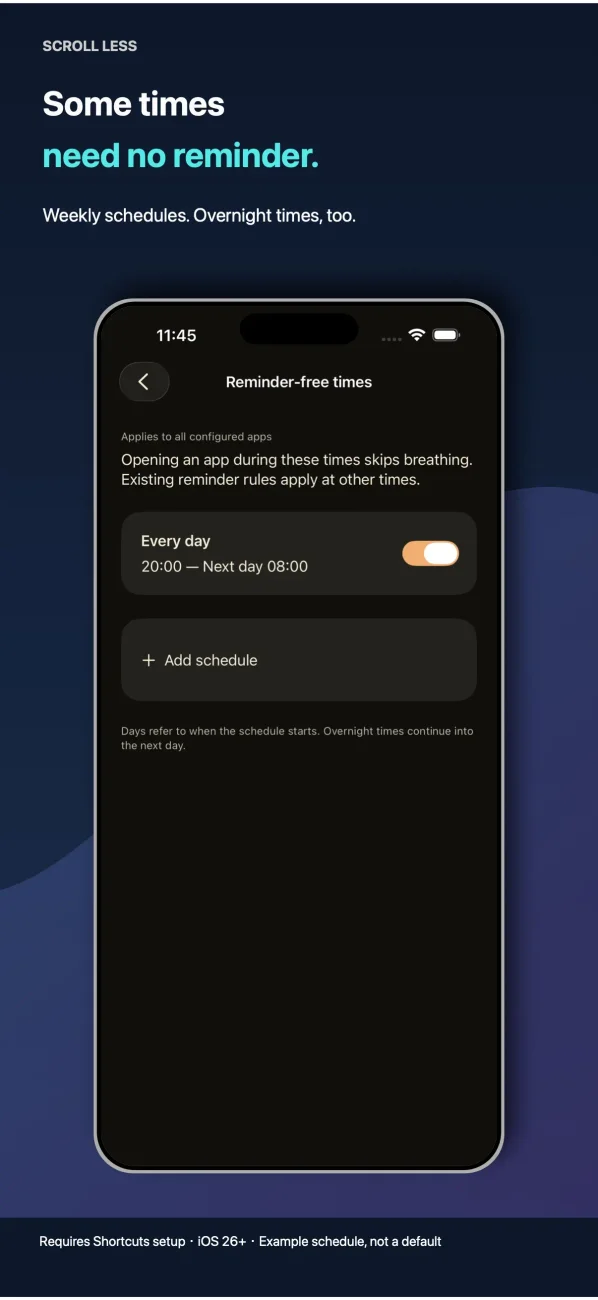
Work, conversations, and time to unwind all have a place. Give the current app a short break from opening reminders, or plan weekly times when you do not want to be interrupted. Find a rhythm that fits your day.
MAKE ROOM FOR WHAT MATTERS TO YOU
An earlier bedtime. A few more pages of a book. The task you wanted to finish. Or simply a quiet moment. Write a reminder in your own words, and see it the next time you reach for an app out of habit.
LET SMALL CHOICES COUNT
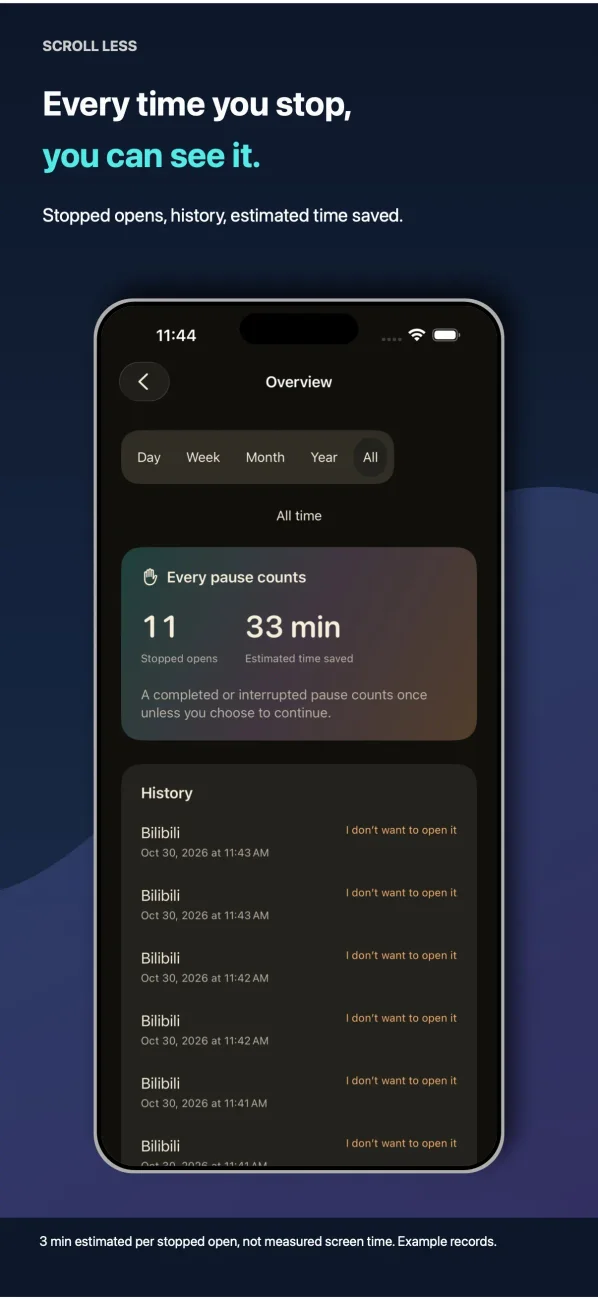
See a record of the times you chose not to open an app. Time saved is an estimate of 3 minutes per stopped opening, not a measurement of actual screen time or time saved.
No account, ads, subscription, or developer-operated data collection. Your settings, custom prompts, and activity records stay on your device.
GETTING STARTED
Requires an iPhone with iOS 26 or later. Opening pauses require an Apple Shortcuts automation; follow the illustrated guide for each of the 32 supported target apps. Returning to an app depends on it being installed and available in your region. Usage reminders require Screen Time permission. If you choose Notification, also allow notifications. Focus and notification settings may affect delivery.
Scroll a little less. Make room for your life.
Support: chengfei001001@gmail.com
What’s new
Version 1.0.6 · Nov 19, 2026
Choose what happens when you reach your app usage limit.
• Notification: get a nudge at the interval you set and keep using the app.
• Show pause screen: after 5 minutes of use, choose Stop for now or Use 5 more minutes.
• A short setup guide explains both options and takes you to settings.
App privacy
What 飞 成 declares on the App Store about how this app handles data.
-
Data not collected
The developer does not collect any data from this app.
Privacy practices may vary, for example with the features you use or your age.
Information
- Seller
- 飞 成
- Category
- Productivity
- Version
- 1.0.6
- Updated
- Nov 19, 2026
- Released
- Oct 29, 2026
- Size
- 14.5 MB
- Requires
- iOS 26.0 or later
- Age rating
- 4+
- Price
- Free
- Languages
- English, Simplified Chinese
- Copyright
- © 2026 Chengfei
You might also like
-
 Screen Time Limit: ScrollLessBlock Apps, Stop Doomscrolling
-
 Think First: Screen TimeApp Blocker & Focus Timer
-
 StillTabs: Block Reels, ShortsThe calm side of social media
-
 Scroll Less Block Reels ShortsBlock Reels. Keep your DMs
-
 FeedOff: Block Reels & ShortsKeep Your DMs, Lose the Feed
-
 UnSwipe: Beat Social AddictionLess scrolling, more living
-
 Habits FirstEarn your apps back
-
 No Scroll - Limit Screen TimeApp Blocker, Control + Reduce
-
 Simple Habit Tracker - KabitDaily habits, goals & streaks
-
 Curiosity Quench: scroll lessFocus lifetime > screen time