- 対象年齢4+
- カテゴリ教育
- 開発元VELI KECECI
- 言語英語ほか1言語
- サイズ5.2 MB
App Storeの公式ページにリンクしています
Download.orgはStudyNotes: Notebook & PDFのファイルを一切ホストしていません。ボタンを押すと、VELI KECECIが公開しているApp Storeのアプリページが開きます。ページの最終確認:2026/11/14。
スクリーンショット


概要
開発元はこのテキストをお使いの言語で提供していません。
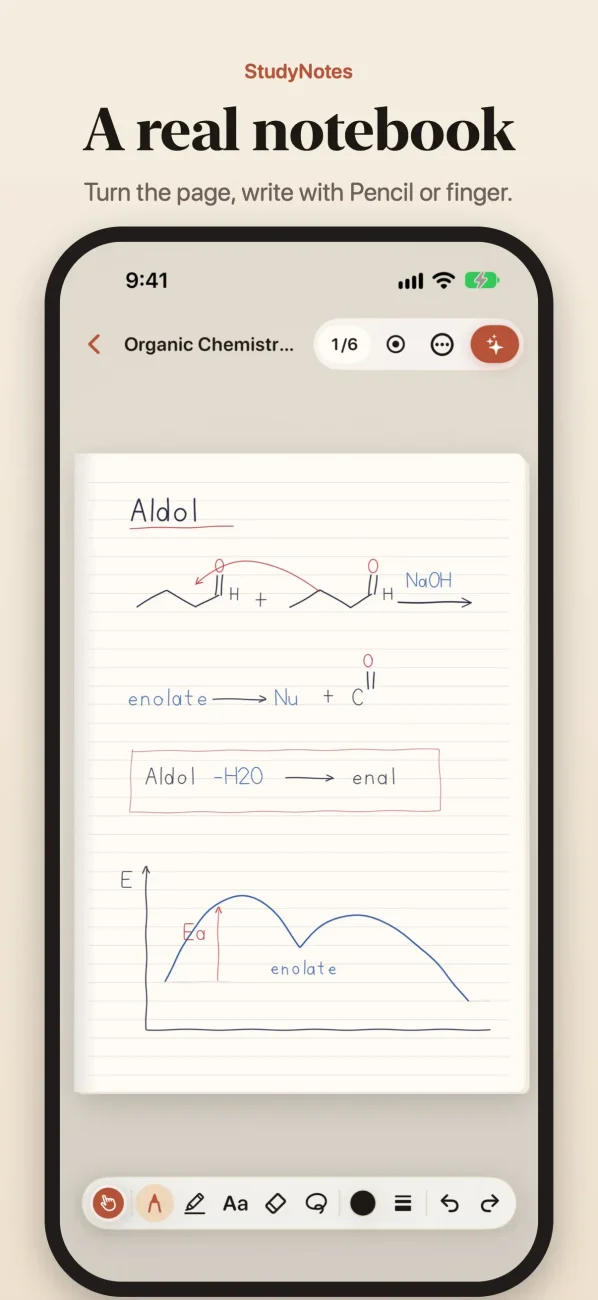
StudyNotes works like a real notebook. Open a notebook, write with Apple Pencil or your finger, type text anywhere on the page and turn pages just like paper. Start right away without an account; your notebooks are stored on your device.
WRITE
• Pencil mode with Apple Pencil: the pencil writes, your finger turns pages
• Finger mode: one finger writes, two fingers turn pages, so you get the whole notebook even without a pencil
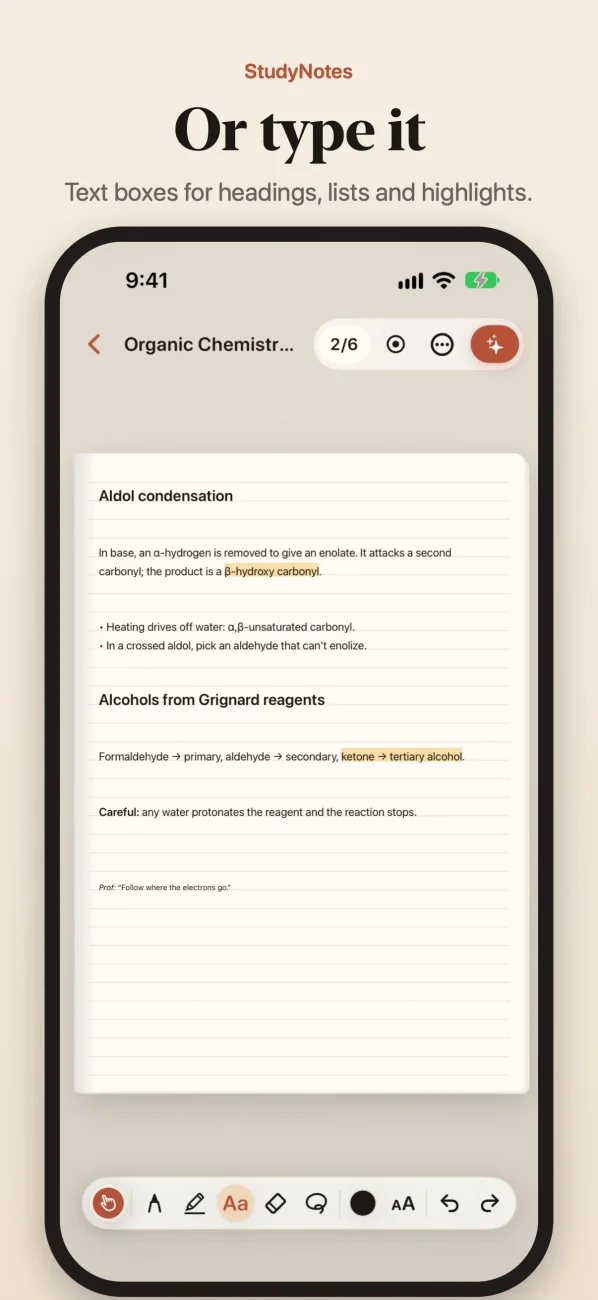
• Text boxes anywhere on the page: bold, italic, underline, highlight, bullets and checklists you tick off; a font and point size for each box; on lined paper the text sits on the lines
• Pen, felt-tip, highlighter, eraser and lasso; each pen keeps its own color and thickness, and every page has its own undo history
• Ruler and shapes: hold a stroke still at its end and it becomes a straight line, circle, triangle or rectangle
• Stickers: star, heart, check, cross, important and more; write a short note on one and set its transparency
TURN THE PAGE
• Pages that curl as they turn, like paper; on iPad in landscape the notebook lies open with two pages side by side
• In the page grid, jump to a page, drag to reorder, add, duplicate or delete pages; bookmark any page
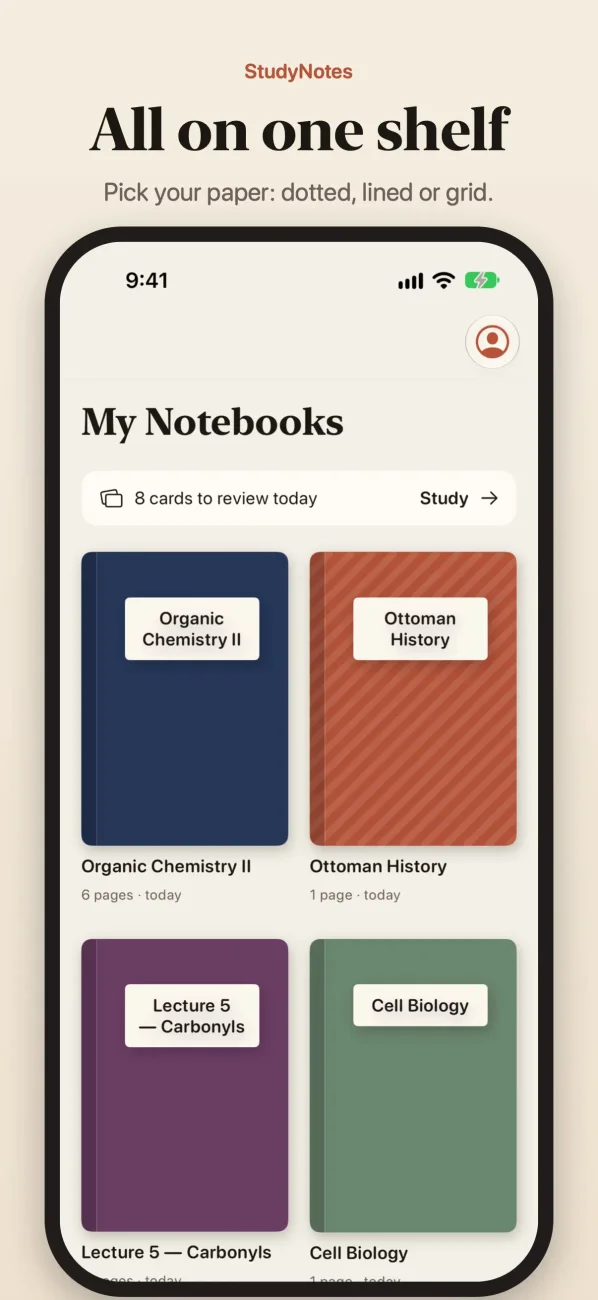
• Blank, lined, grid and dotted paper; weekly, daily and monthly planners, a class schedule and a habit tracker; A5, B5 and A4 pages
• Export a notebook as PDF any time; text boxes become selectable text in the PDF
IPHONE DUO
• Closed, you get a single page; open, the fold becomes the notebook's spine with two pages side by side
• Half folded, the page sits on top with tools and keyboard below; open or close it and your writing stays in place
STUDY WITH PRO
• Unlimited notebooks and pages
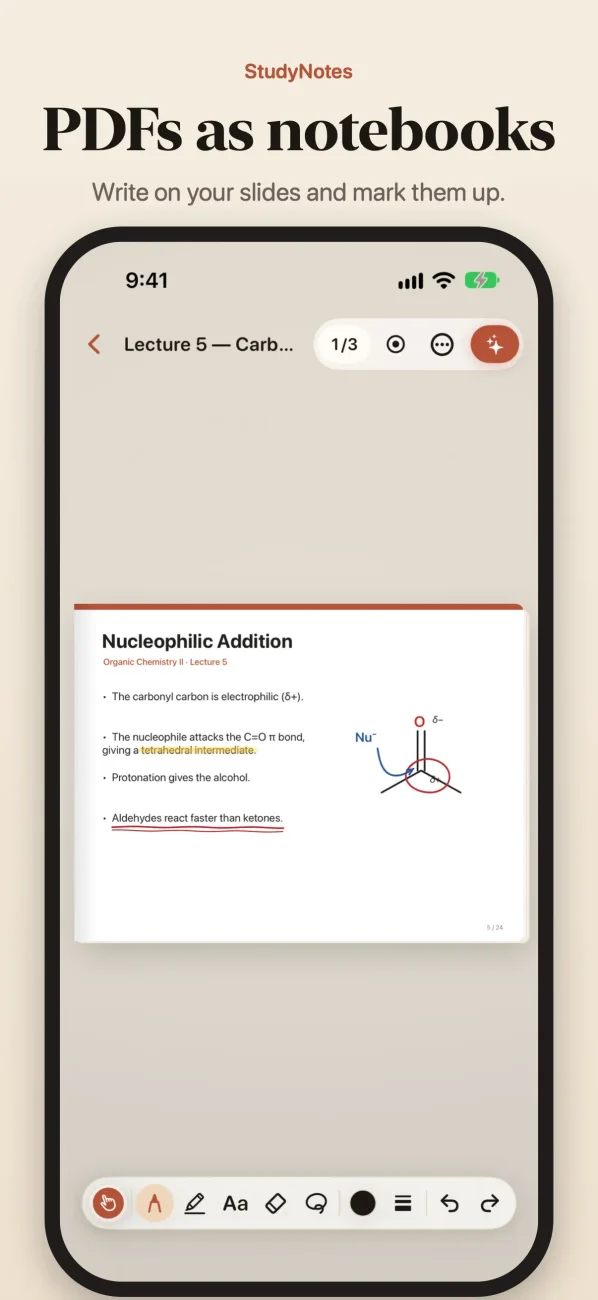
• PDFs as notebooks: open lecture notes or a book and write on its pages; the highlighter snaps to the text's lines, underline or strike through; the contents and links lead to their pages
• AI summaries: every point shows the page you wrote it on, and a tap turns to that page
• Question cards with spaced repetition, quizzes with instant feedback, and a mistakes list that collects what you got wrong
• Turn your handwriting into text and search your notebook
• Record a lecture: on playback, the notebook turns to the page you were writing on at that moment
• Sync and cloud backup across iPhone, iPad and iPhone Duo
FREE AND PRO
The free plan includes 1 notebook with 10 pages, all writing tools, text boxes, PDF export and 3 AI trial runs. The AI trial requires signing in with Apple or Google; runs do not renew. Pro is offered monthly and yearly with the same features. If your subscription ends, none of your notebooks are deleted; you can read and export them all and keep writing in one notebook you choose.
SUBSCRIPTION INFORMATION
StudyNotes Pro is offered as monthly and yearly auto-renewing subscriptions. The yearly plan may include a free trial; if it does, the purchase screen shows it with its length. Payment is charged to your Apple Account when you confirm the purchase. The subscription renews automatically at the same price unless it is cancelled at least 24 hours before the end of the current period. You can manage and cancel your subscription in your App Store account settings. Any unused part of a free trial ends when you buy a subscription.
Privacy policy: https://studynotes.velikececi.com/privacy
Terms of use (EULA): https://www.apple.com/legal/internet-services/itunes/dev/stdeula/
Support: https://studynotes.velikececi.com/support
新機能
バージョン 2.1.0 · 2026/11/2
• Felt-tip pen; the pen, felt-tip and highlighter each keep their own color and thickness, with 12 colors and a thickness slider
• Size the eraser with a slider and clear a page's ink in one step
• Stickers: stick them on a page, write a short note on one, set its transparency
• Planner papers: weekly, daily, monthly, class schedule and habit tracker, with dated pages and checklists you tick off
• Ten fonts and point sizes for text boxes; drag a box by its grip to move it
• Ruler and shapes: hold a stroke still at its end to get a straight line, circle, triangle or rectangle
• Page bookmarks
• In PDF notebooks, highlights that snap to the text's lines, underline and strike-through, plus contents and links (Pro)
• Apple Pencil double tap and squeeze follow your system setting
• Handwriting is read line by line, more accurately (Pro)
• A zoomed page stays in place, and writing at the page edge shows
アプリのプライバシー
このアプリのデータの取り扱いについて、VELI KECECIがApp Storeで申告している内容です。
-
ユーザーに関連付けられたデータ
収集され、ユーザーの識別情報に関連付けられる場合があります。
- 購入
- 連絡先情報
- ユーザーコンテンツ
- ID
プライバシーの取り扱いは、ご利用の機能やお客様の年齢などに応じて異なる場合があります。
情報
- 販売元
- VELI KECECI
- カテゴリ
- 教育
- バージョン
- 2.1.0
- 更新日
- 2026/11/2
- リリース
- 2026/10/18
- サイズ
- 5.2 MB
- 必要条件
- iOS 18.0以降
- 対象年齢
- 4+
- 価格
- 無料
- アプリ内課金
- あり
- 言語
- 英語, トルコ語
- 著作権
- © 2026 Veli KEÇECİ