
- 対象年齢4+
- カテゴリ写真/ビデオ
- 開発元Andrey Potapov
- 言語英語
- サイズ64.8 MB
App Storeの公式ページにリンクしています
Download.orgはSUFLER.PROのファイルを一切ホストしていません。ボタンを押すと、Andrey Potapovが公開しているApp Storeのアプリページが開きます。ページの最終確認:2026/11/24。
スクリーンショット




概要
開発元はこのテキストをお使いの言語で提供していません。
We've tried to make the process of working with the prompter as convenient as possible.
App Features:
* Read text and record videos from your phone in the video prompter mode.
* Read text and record videos in the mirror prompter mode using a separate camera and a prompter, such as PIXAERO MOBUS.
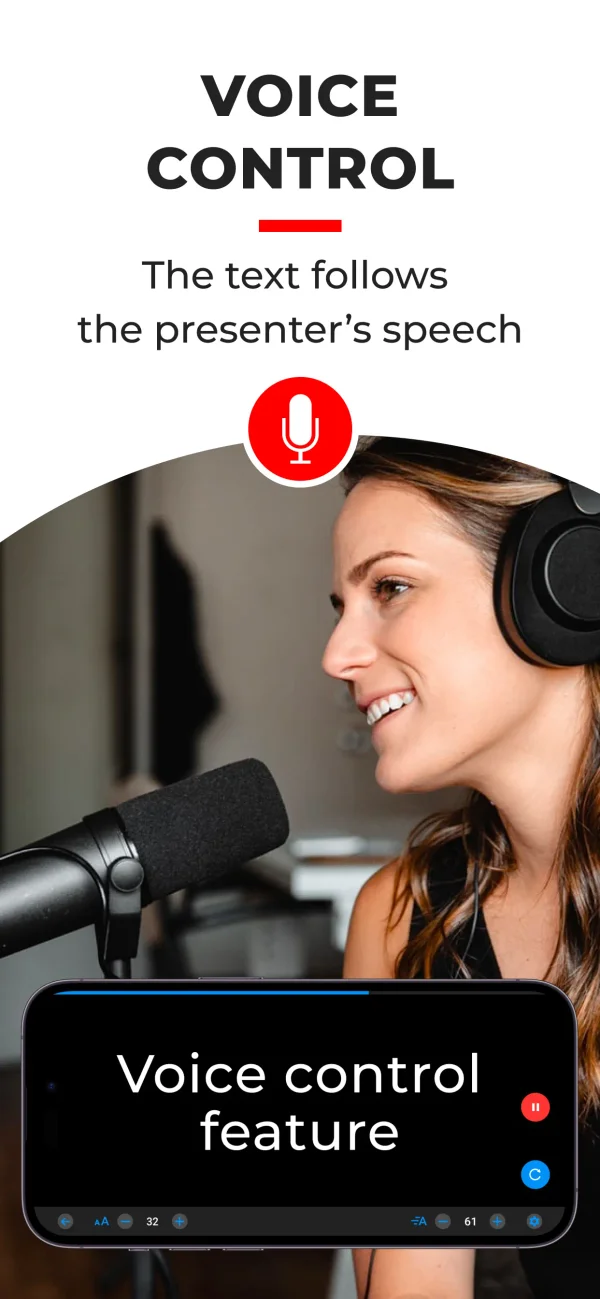
* Use voice recognition for the mirror prompter mode (requires subscription).
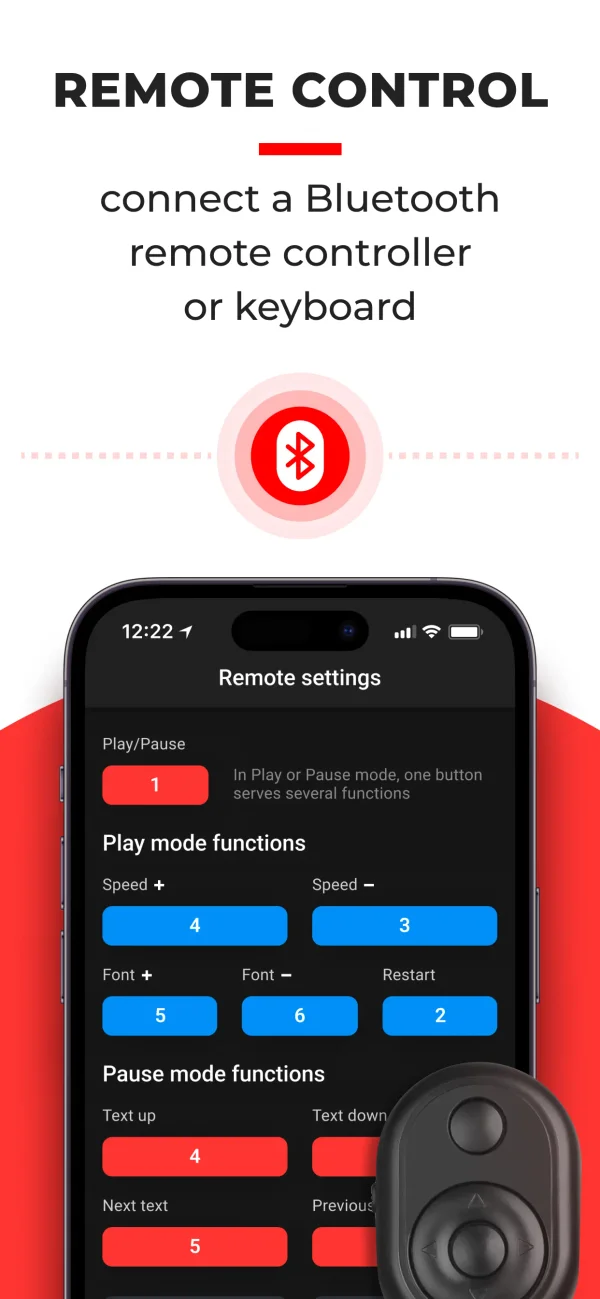
* Connect a remote control or a keyboard using Bluetooth (requires subscription).
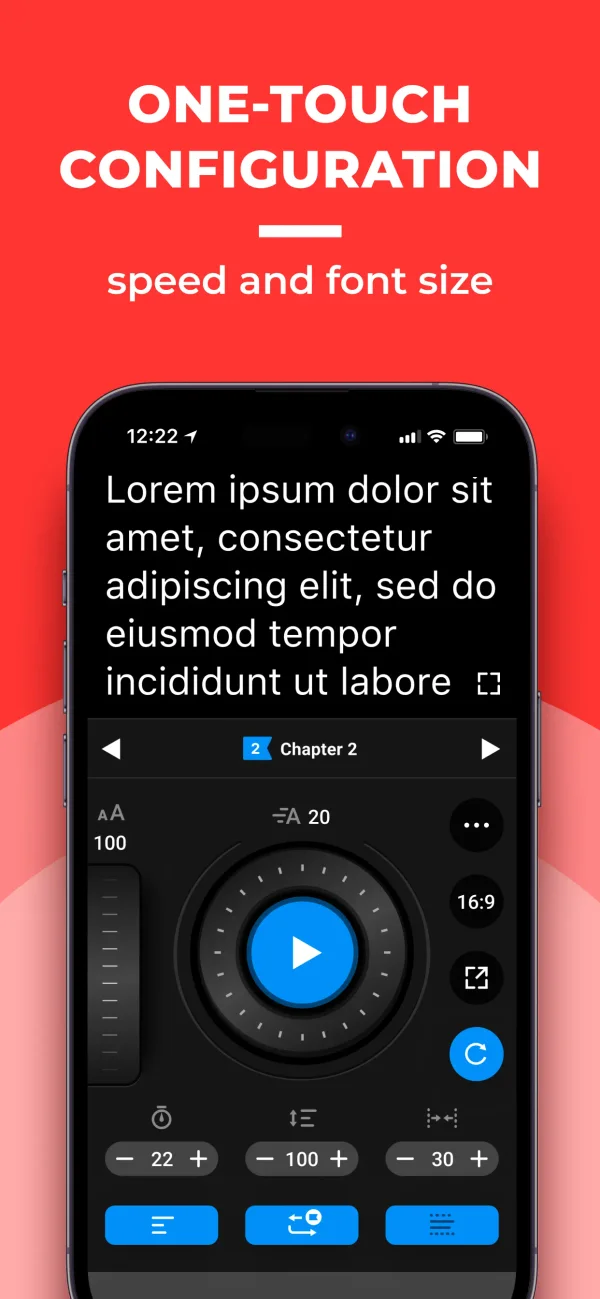
* Control text speed and font size settings on the player screen.
* Make the most of cloud synchronization. Register on SUFLER.PRO website, write and edit your texts on a computer, and all the changes will be automatically synced into the app.
* Customize settings to your liking: scroll speed and font size, start delay, text padding, font height, text alignment. Turn on or off center-focused line, text mirroring or playback loop.
* Tap the screen to pause or resume the text playback.
* Choose between vertical and horizontal screen orientation.
If you have ideas on how to make the application more convenient, write to us: https://pixaero.pro/contacts/
Learn more about the convenience and compactness of PIXAERO MOBUS mobile teleprompter: https://en.pixaero.pro/catalog/teleprompters/teleprompter_pixaero_mobus
Terms of use: https://sufler.pro/terms_of_use_en.pdf
Privacy policy: https://sufler.pro/privacy_policy_en.pdf
新機能
バージョン 5.0 · 2026/10/14
• The text now moves together with the centring line.
• Network error messages now tell you what is wrong: no internet or the server is not responding.
• In remote control, the text on the second device now fills the whole screen width, just like on the first one.
• Fixed a bug: after the “Mirror” command the text or slide disappeared on the second device.
• Fixed a bug: slide numbers in the editor could shift relative to the text.
• Fixed a bug: with chapter repeat on, the text started from the first chapter.
• Fixed a bug: the “invalid QR code” message kept appearing again and again.
アプリのプライバシー
このアプリのデータの取り扱いについて、Andrey PotapovがApp Storeで申告している内容です。
-
ユーザーに関連付けられないデータ
収集される場合がありますが、ユーザーの識別情報には関連付けられません。
- 連絡先情報
- ユーザーコンテンツ
- ID
プライバシーの取り扱いは、ご利用の機能やお客様の年齢などに応じて異なる場合があります。
情報
- 販売元
- Andrey Potapov
- カテゴリ
- 写真/ビデオ
- バージョン
- 5.0
- 更新日
- 2026/10/14
- リリース
- 2019/9/24
- サイズ
- 64.8 MB
- 必要条件
- iOS 15.5以降
- 対象年齢
- 4+
- 価格
- 無料
- アプリ内課金
- あり
- 言語
- 英語
- 著作権
- © 2019 ИП Потапов А. Д.
こちらもおすすめ
-
 Teleprompter Teletoto写真/ビデオ
-
 Draft AI:カルーセルと投稿音声からコンテンツと台本へ
-
 Teleprompter Automatic[テレプロンプター・アプリ
-
 テレプロンプター, 字幕 と スクリプトTeleprompter for Video & Vlog
-
 Nootro写真/ビデオ
-
 テレプロンプター:カンペ動画撮影声に合わせて台本が進む。発表やスピーチに
-
 Суфлёр — строка у камеры写真/ビデオ
-
 AI Captions for Video: GARMASH写真/ビデオ
-
 テレプロンプター&動画編集 – SufleAI字幕・テロップと声で自動スクロール
-
 Teleprompter: フローティングスクリプトAIプロンプター、スクリプト&オートキュー