- 対象年齢4+
- カテゴリユーティリティ
- 開発元MATTHEW BROOKS LINABERRY
- サイズ1.4 MB
App Storeの公式ページにリンクしています
Download.orgはSumCamのファイルを一切ホストしていません。ボタンを押すと、MATTHEW BROOKS LINABERRYが公開しているApp Storeのアプリページが開きます。ページの最終確認:2026/11/20。
スクリーンショット


概要
開発元はこのテキストをお使いの言語で提供していません。
SUMCAM turns your iPhone or iPad camera into a calculator for printed numbers. Point at a label, check the detected value, and tap to add it to your running total.
POINT. TAP. TOTAL.
• Recognize printed numbers on labels, receipts, invoices, and other documents.
• See up to three of the largest recognized numbers in the scan frame, based on printed digit size. Hide the outlines in Settings if you prefer.
• Tap a highlighted number or tap or swipe its centered card to add it.
• Add numbers manually whenever you need to.
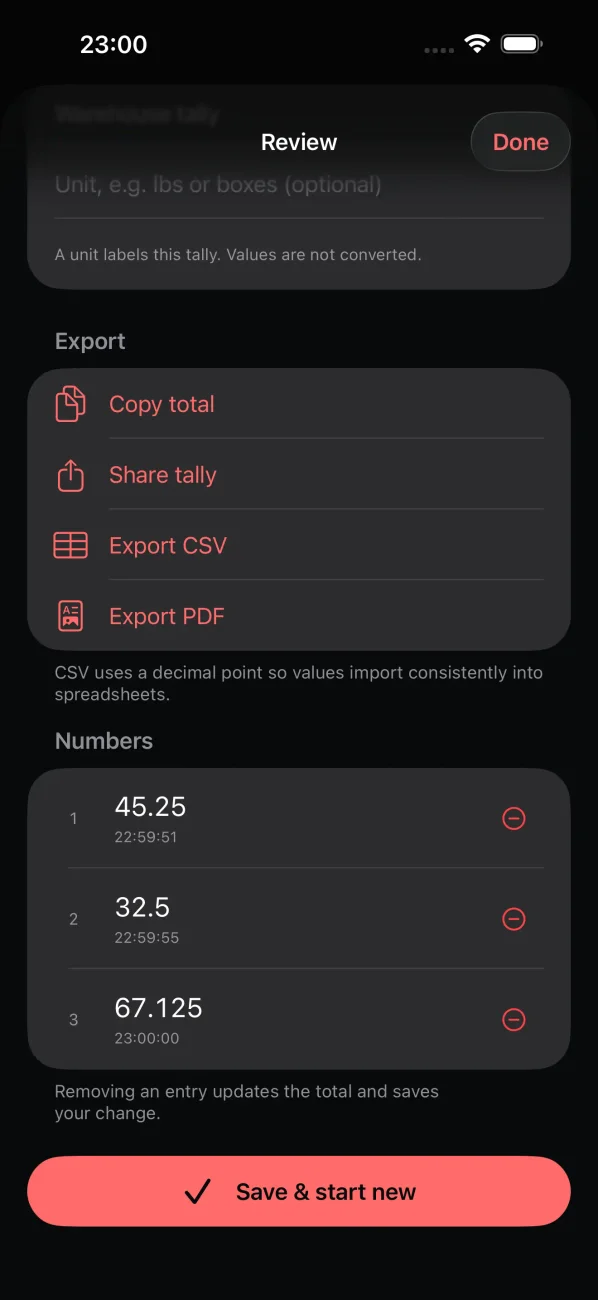
• Undo your last entry or remove individual entries in Review.
KEEP YOUR WORK
• Your active tally saves as you go.
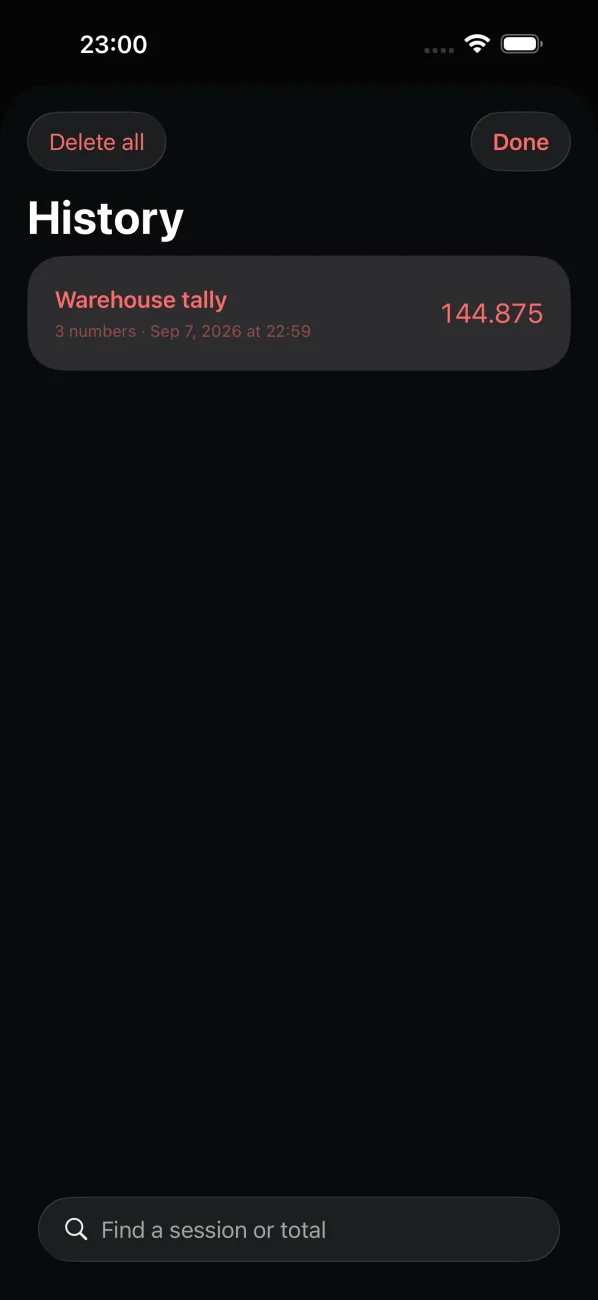
• Name sessions and find them later in History.
• Copy a total, share a tally, or export CSV and PDF files.
• Add an optional unit label such as lbs or boxes. Units label your tally; they do not convert values.
PRECISE TOTALS
• Add positive and negative decimal values without display rounding.
• Choose decimal-point or decimal-comma number formats.
• Support for up to 24 digits and 9 decimal places, with a visible error if a total exceeds that range.
PRIVATE BY DESIGN
Camera recognition happens on your device. SUMCAM does not save camera images or use accounts, ads, tracking, or analytics. Your sessions stay in local app storage. You control sharing and exports; device backups follow your Apple settings.
Designed for iPhone and iPad, in portrait and landscape. SUMCAM automatically uses the ultra-wide camera when available, or the main rear camera on other devices. Recognition depends on lighting, print quality, and camera movement. Check every detected value before adding it. Camera scanning can select numbers within labels, such as 42 in N42FF, and separate clock fields, such as 12 and 45 in 12:45. A printed 24% offers 24. SUMCAM does not convert times, percentages, or units. Slash-separated dates and fractions are excluded.
アプリのプライバシー
このアプリのデータの取り扱いについて、MATTHEW BROOKS LINABERRYがApp Storeで申告している内容です。
-
データの収集なし
開発元はこのアプリからデータを収集しません。
プライバシーの取り扱いは、ご利用の機能やお客様の年齢などに応じて異なる場合があります。
情報
- 販売元
- MATTHEW BROOKS LINABERRY
- カテゴリ
- ユーティリティ
- バージョン
- 2.0
- 更新日
- 2026/9/19
- リリース
- 2026/9/19
- サイズ
- 1.4 MB
- 必要条件
- iOS 17.0以降
- 対象年齢
- 4+
- 価格
- ¥150
- 著作権
- © 2026 Matthew Brooks Linaberry