- Độ tuổi4+
- Danh mụcTiện Ích
- Nhà phát triểnMATTHEW BROOKS LINABERRY
- Kích thước1,4 MB
Liên kết đến trang App Store chính thức
Download.org không lưu trữ tệp nào của SumCam. Nút này mở trang ứng dụng trên App Store, nơi MATTHEW BROOKS LINABERRY phát hành ứng dụng. Trang được kiểm tra lần cuối: 20/11/2026.
Ảnh chụp màn hình


Giới thiệu
Nhà phát triển chưa cung cấp nội dung này bằng ngôn ngữ của bạn.
SUMCAM turns your iPhone or iPad camera into a calculator for printed numbers. Point at a label, check the detected value, and tap to add it to your running total.
POINT. TAP. TOTAL.
• Recognize printed numbers on labels, receipts, invoices, and other documents.
• See up to three of the largest recognized numbers in the scan frame, based on printed digit size. Hide the outlines in Settings if you prefer.
• Tap a highlighted number or tap or swipe its centered card to add it.
• Add numbers manually whenever you need to.
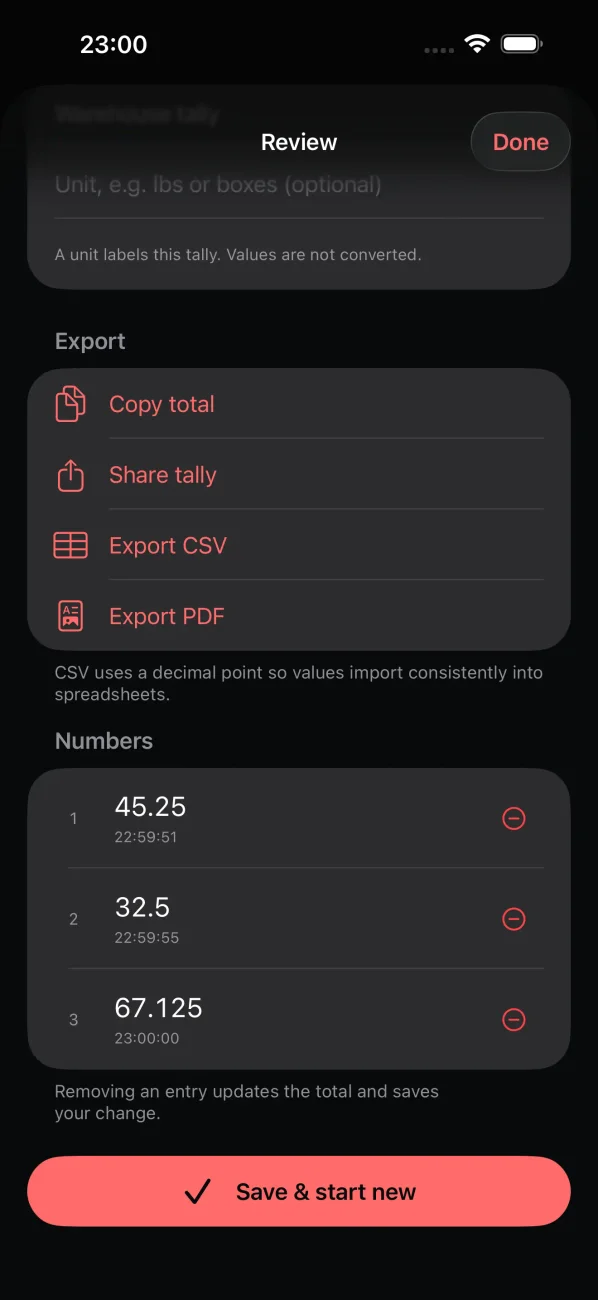
• Undo your last entry or remove individual entries in Review.
KEEP YOUR WORK
• Your active tally saves as you go.
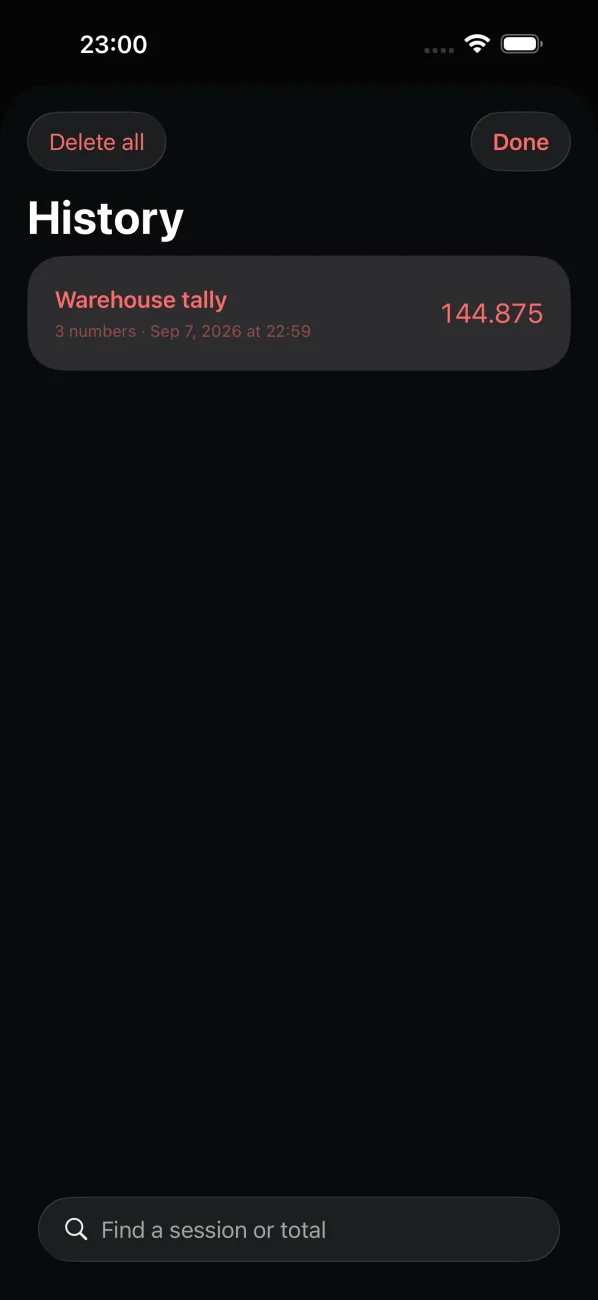
• Name sessions and find them later in History.
• Copy a total, share a tally, or export CSV and PDF files.
• Add an optional unit label such as lbs or boxes. Units label your tally; they do not convert values.
PRECISE TOTALS
• Add positive and negative decimal values without display rounding.
• Choose decimal-point or decimal-comma number formats.
• Support for up to 24 digits and 9 decimal places, with a visible error if a total exceeds that range.
PRIVATE BY DESIGN
Camera recognition happens on your device. SUMCAM does not save camera images or use accounts, ads, tracking, or analytics. Your sessions stay in local app storage. You control sharing and exports; device backups follow your Apple settings.
Designed for iPhone and iPad, in portrait and landscape. SUMCAM automatically uses the ultra-wide camera when available, or the main rear camera on other devices. Recognition depends on lighting, print quality, and camera movement. Check every detected value before adding it. Camera scanning can select numbers within labels, such as 42 in N42FF, and separate clock fields, such as 12 and 45 in 12:45. A printed 24% offers 24. SUMCAM does not convert times, percentages, or units. Slash-separated dates and fractions are excluded.
Quyền riêng tư của ứng dụng
Những gì MATTHEW BROOKS LINABERRY khai báo trên App Store về cách ứng dụng này xử lý dữ liệu.
-
Dữ liệu không được thu thập
Nhà phát triển không thu thập bất kỳ dữ liệu nào từ ứng dụng này.
Phương thức đảm bảo quyền riêng tư có thể khác nhau, chẳng hạn như tuỳ theo các tính năng bạn sử dụng hoặc độ tuổi của bạn.
Thông tin
- Người bán
- MATTHEW BROOKS LINABERRY
- Danh mục
- Tiện Ích
- Phiên bản
- 2.0
- Cập nhật
- 19/09/2026
- Phát hành
- 19/09/2026
- Kích thước
- 1,4 MB
- Yêu cầu
- iOS 17.0 trở lên
- Độ tuổi
- 4+
- Giá
- 29.000đ
- Bản quyền
- © 2026 Matthew Brooks Linaberry
Có thể bạn cũng thích
-
 ScoreCard - For Any GameTiện Ích
-
 CartSnap: Local Grocery ScanTiện Ích
-
 ThreadSplit: Tweet SplitterTiện Ích
-
 Calki: Scanner CalculatorTiện Ích
-
 VDD by D5T5.comTiện Ích
-
 Battery percentage (%) widgetTiện Ích
-
 OpenClip for SafariTiện Ích
-
 Days Since - Track MemoriesTiện Ích
-
 MLabelTiện Ích
-
 Okai GlobalTiện Ích