- 対象年齢4+
- カテゴリ開発ツール
- 開発元Yash Agarwal
- 言語英語
- サイズ105.4 MB
App Storeの公式ページにリンクしています
Download.orgはThumbdeskのファイルを一切ホストしていません。ボタンを押すと、Yash Agarwalが公開しているApp Storeのアプリページが開きます。ページの最終確認:2026/11/17。
スクリーンショット



概要
開発元はこのテキストをお使いの言語で提供していません。
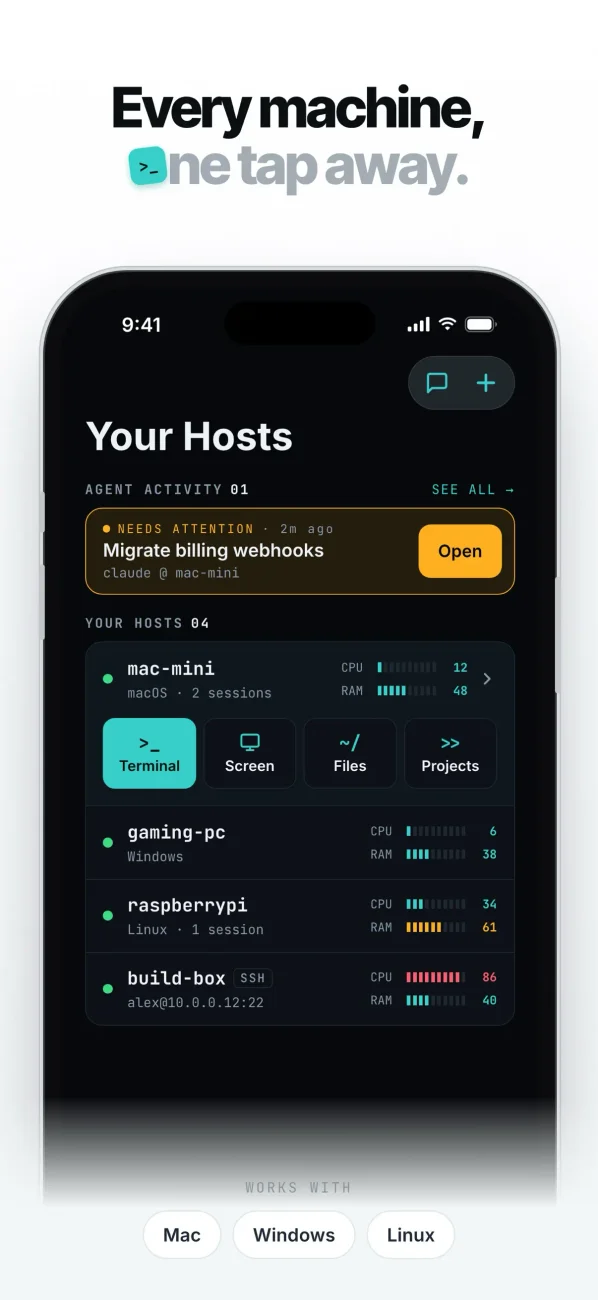
Reach every computer you own from your iPhone or iPad: terminals, the full screen, files, projects and live stats. Pair a machine by scanning a QR code, or connect to any SSH server with nothing to install.
PocketShell is now Thumbdesk. Same app, same account, same hosts, with a new name.
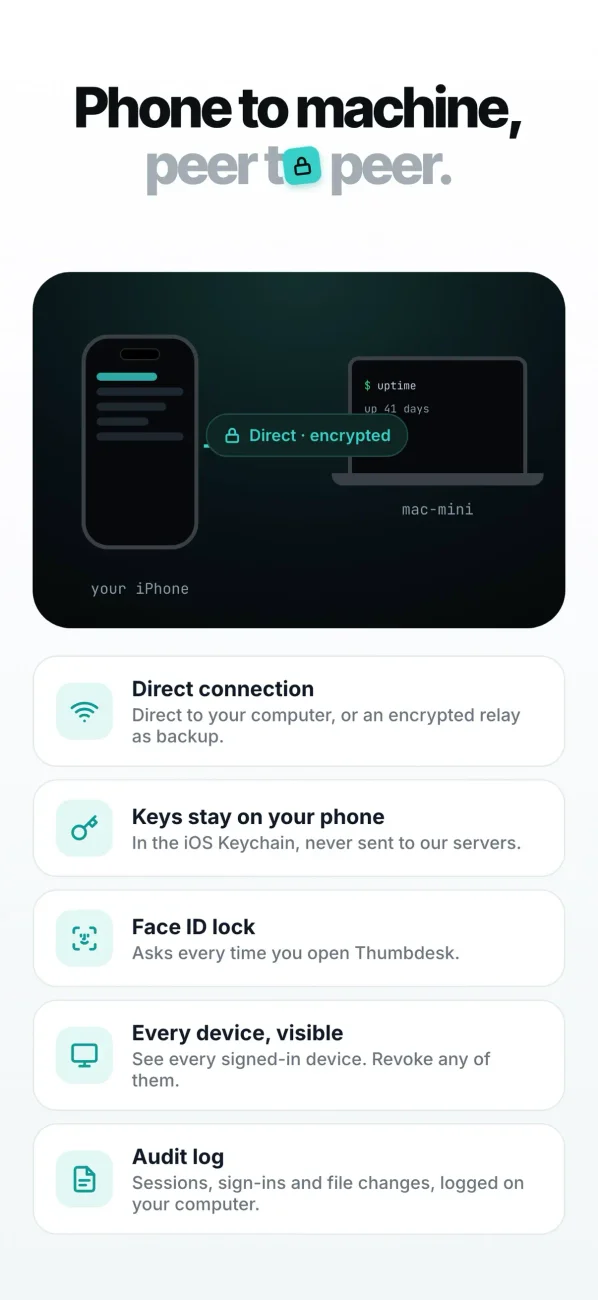
Install the lightweight Thumbdesk agent on a Mac, Windows or Linux machine, scan the QR code, and you're connected. No SSH keys to copy, no ports to forward, no VPN to set up. Connections go directly between your phone and your machine over encrypted peer-to-peer links whenever the network allows.
Built for developers, on-call engineers, homelab users and self-hosters who need safe access to machines they own, from anywhere.
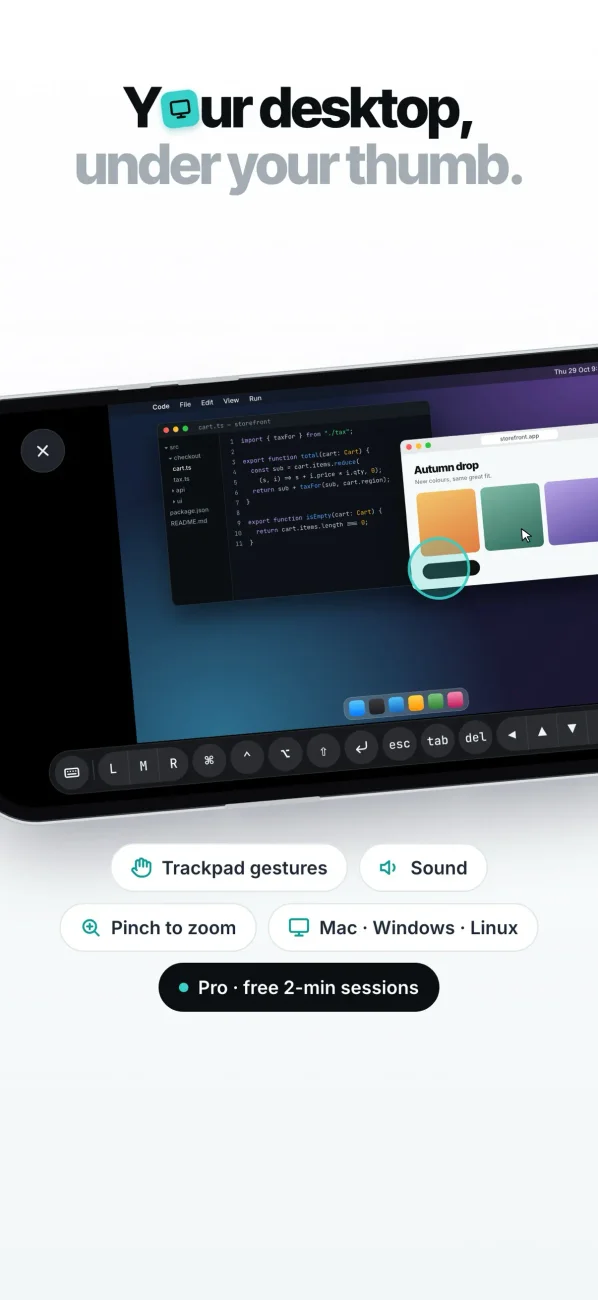
SCREEN SHARING
- See and control your Mac, Windows or Linux desktop
- Trackpad-style gestures, pinch to zoom and direct touch
- Soft keyboard with modifier keys and platform shortcuts
- Pick a display and quality, and hear the computer's sound
- Clipboard sync between phone and computer
TERMINAL
- Real terminal sessions with a mobile-friendly key bar
- Sessions resume where you left off, even after switching networks
- Snap a photo, crop it and drop it straight into the terminal
- Works with tmux and long-running jobs
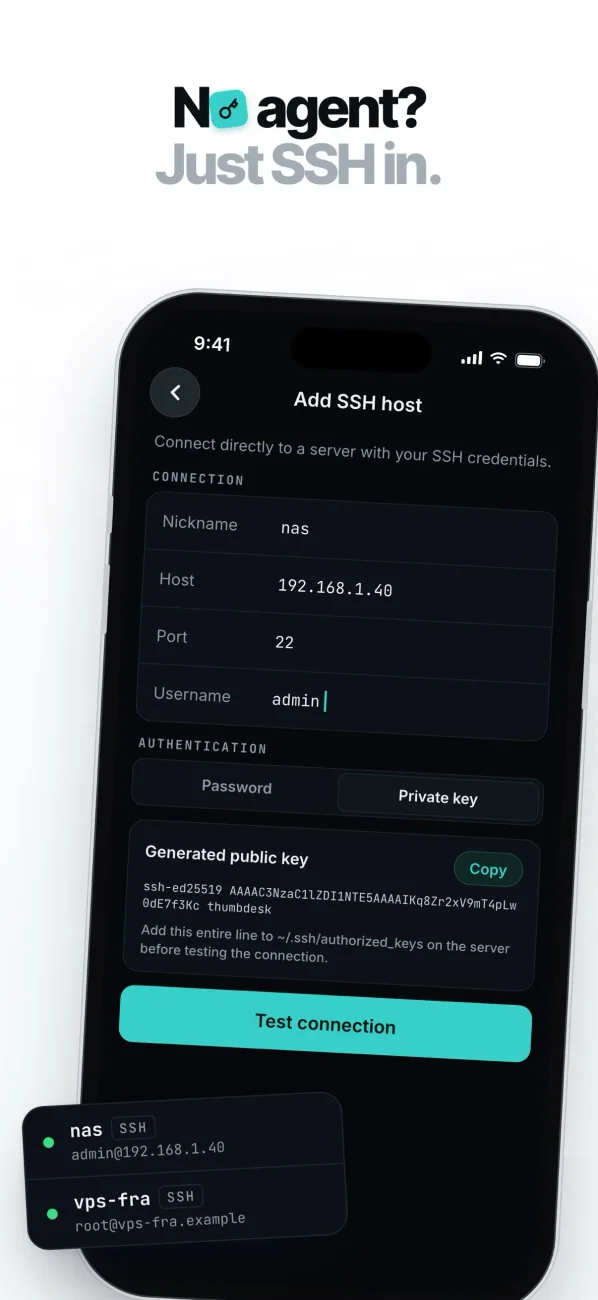
SSH HOSTS, NOTHING TO INSTALL
- Add any server you can reach over SSH: VPS, Raspberry Pi, NAS
- Terminal, SFTP files, stats and projects without installing anything on the server
- Host keys are verified before your credentials are sent
FILES AND PROJECTS
- Browse, preview, upload and download files
- Transfers resume after a dropped connection and keep going in the background
- Upload from any app with the share sheet
- Open projects with a code editor, search, and Git status, diffs, staging and commits
- Preview local dev servers in the built-in browser
CODING AGENTS
- Browse and resume Claude Code, Codex and Grok sessions running on your machines
- See which agents are working with a Live Activity and widgets
- Get notified when an agent finishes
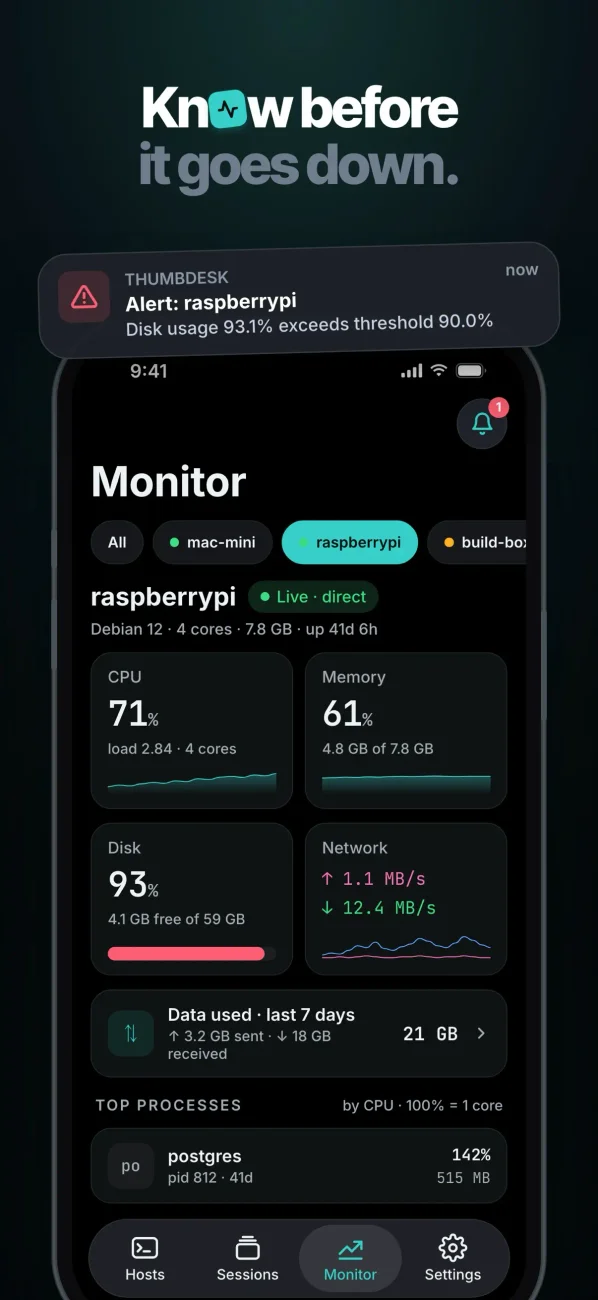
MONITORING
- Live CPU, memory, disk, network and process stats for every host
- Alerts for the disks and thresholds you care about
- Stats history charts
HOW IT WORKS
1. Install the Thumbdesk agent on your computer with one command, or add an SSH server
2. Scan the QR code to pair your phone
3. Open terminals, the screen, files, projects and stats from anywhere
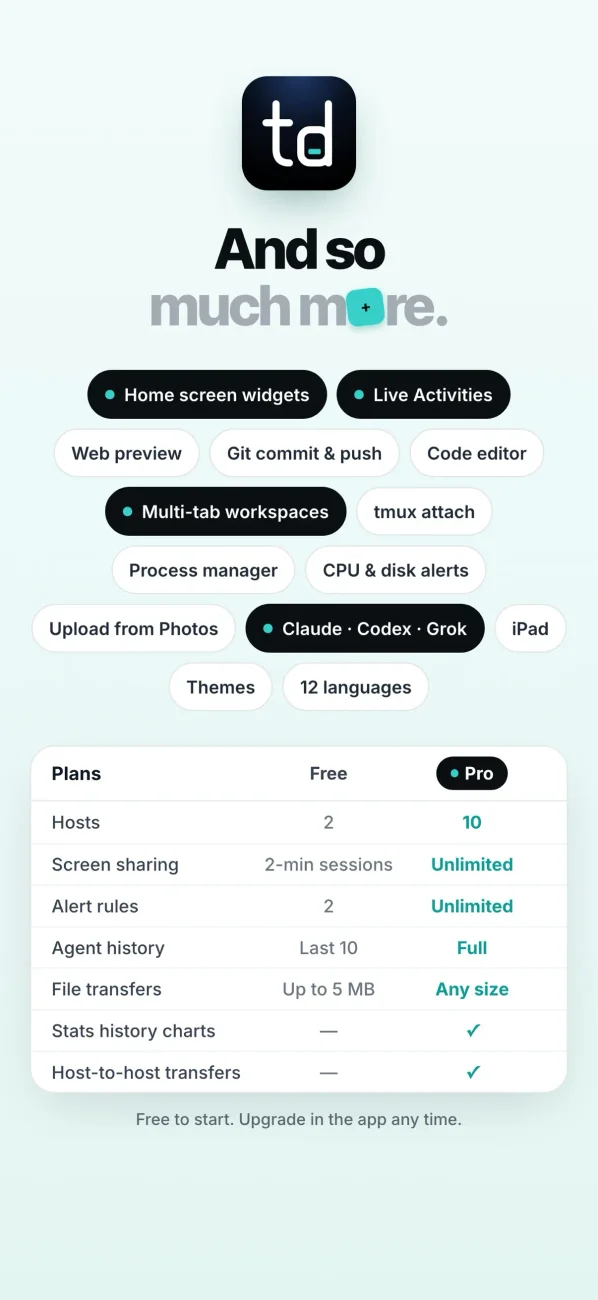
FREE
- Up to 2 hosts
- Terminals, files, projects, monitoring and dev previews
- Screen sharing in 2-minute sessions
- 2 alert rules and your latest 10 agent sessions
THUMBDESK PRO
- Up to 10 hosts
- Unlimited screen sharing
- Unlimited alert rules
- Full agent session history
- Stats history charts
- Files over 5 MB
- Direct host-to-host file transfers
SECURITY
Thumbdesk uses device-bound pairing, Ed25519 keys, biometric unlock and trusted-device approval. Terminal contents are never stored on our servers. Terminal I/O, files, screen video and stats flow directly between your phone and your machine whenever the network allows.
Thumbdesk is for accessing machines you own or are authorized to operate.
Privacy Policy: https://thumbdesk.com/privacy
Terms of Use (EULA): https://www.apple.com/legal/internet-services/itunes/dev/stdeula/
新機能
バージョン 2.0.0 · 2026/11/1
PocketShell is now Thumbdesk. Same app, same account, same hosts, new name, plus the biggest update yet.
• Screen sharing: see and control your Mac, Windows or Linux desktop with gestures, zoom, a full keyboard and optional sound
• SSH hosts: add any server you can reach over SSH and get a terminal, files, stats and projects with nothing to install
• Faster, steadier terminal: sessions resume reliably after network switches, a new key bar, and photos you can crop and send
• Files rebuilt: transfers resume after drops and keep running in the background, multi-select, a new editor, and upload from the share sheet
• Coding agents: resume Claude Code, Codex and Grok sessions, with a cleaner transcript view
• Live Activity and widgets show which agents are working
• Redesigned Home, host pages, Sessions tab, onboarding and Monitor, with per-disk alerts
• Better layouts on iPad and wide screens
• Security hardening, bug fixes and performance improvements throughout
Screen sharing and the new features need the Thumbdesk agent 2.0 or later on your computer. Update it from the app or with "pocketshell update".
アプリのプライバシー
このアプリのデータの取り扱いについて、Yash AgarwalがApp Storeで申告している内容です。
-
ユーザーに関連付けられたデータ
収集され、ユーザーの識別情報に関連付けられる場合があります。
- 購入
- 連絡先情報
- ID
- 使用状況データ
- 診断
プライバシーの取り扱いは、ご利用の機能やお客様の年齢などに応じて異なる場合があります。
情報
- 販売元
- Yash Agarwal
- カテゴリ
- 開発ツール
- バージョン
- 2.0.0
- 更新日
- 2026/11/1
- リリース
- 2026/5/24
- サイズ
- 105.4 MB
- 必要条件
- iOS 16.4以降
- 対象年齢
- 4+
- 価格
- 無料
- アプリ内課金
- あり
- 言語
- 英語
- 著作権
- © 2026 Yash Agrawal