TILT: ADHD Focus & Study Timer
Pomodoro, App Blocker & Sounds
iPhone, Mac向けに設計
無料 · アプリ内課金
- 対象年齢4+
- カテゴリ仕事効率化
- 開発元AVE ROYD SANTIAGO
- 言語英語
- サイズ30.7 MB
App Storeの公式ページにリンクしています
Download.orgはTILT: ADHD Focus & Study Timerのファイルを一切ホストしていません。ボタンを押すと、AVE ROYD SANTIAGOが公開しているApp Storeのアプリページが開きます。ページの最終確認:2026/11/10。
スクリーンショット

概要
開発元はこのテキストをお使いの言語で提供していません。
A focus timer you tilt, not tap. No buttons and no setup between you and the work.
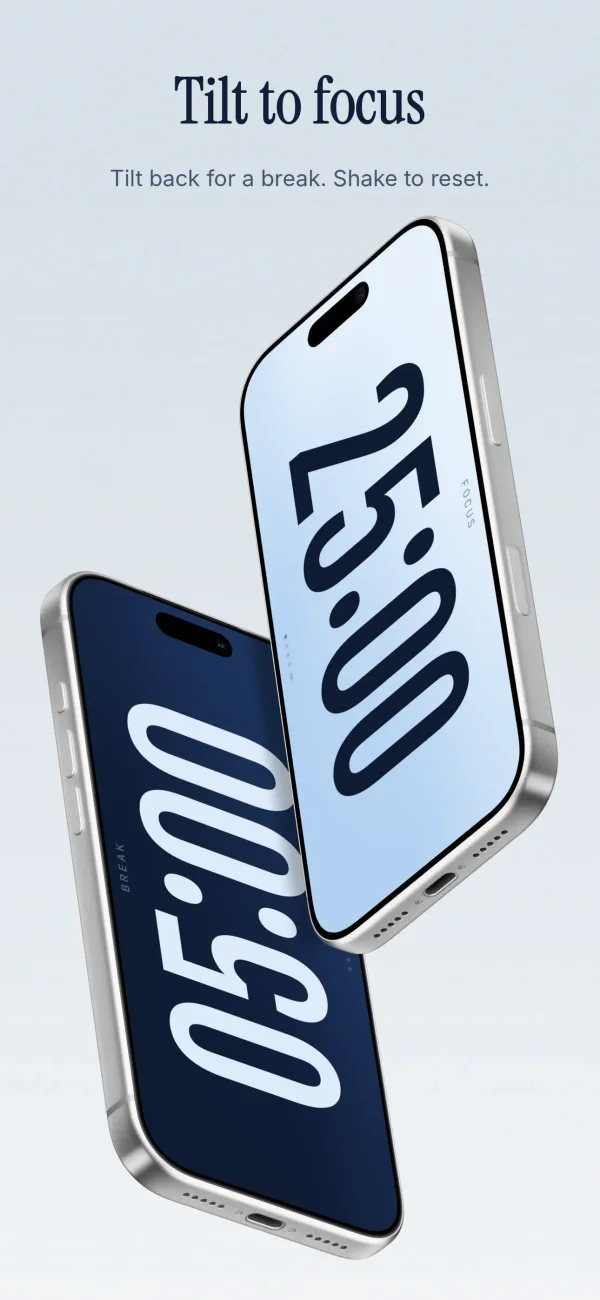
TILT TO FOCUS
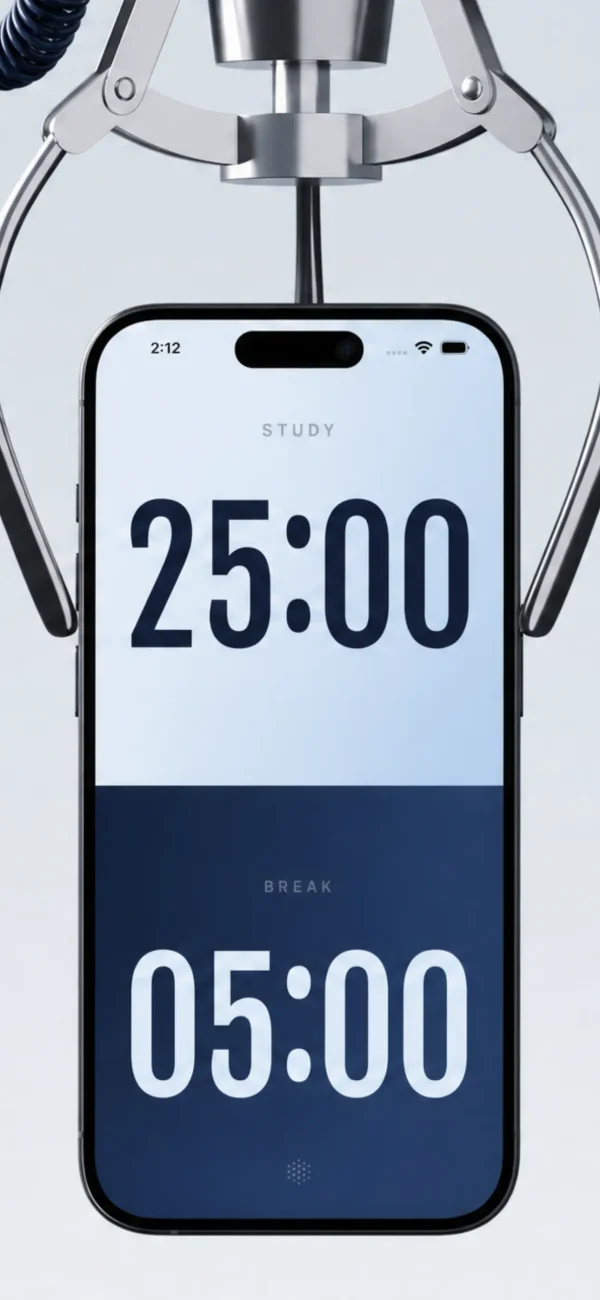
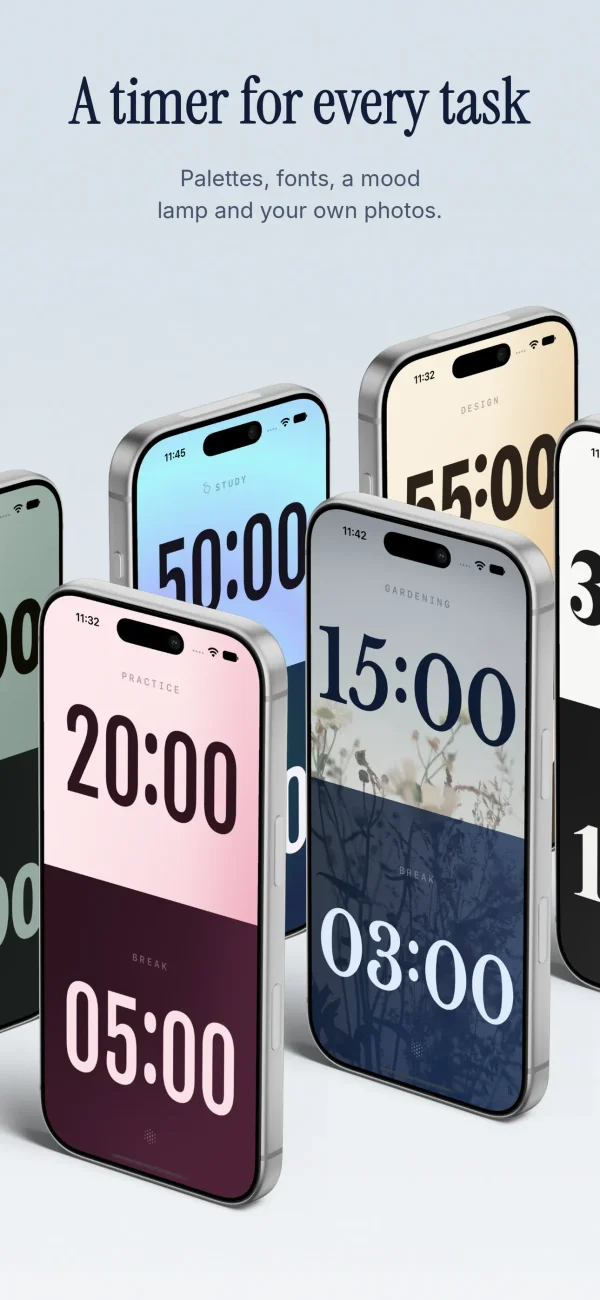
The screen splits into a FOCUS timer and a BREAK timer. Turn your phone LEFT and FOCUS starts. Turn it RIGHT for a break. SHAKE to reset. Your phone becomes the timer.
BUILT FOR BRAINS THAT STRUGGLE TO START
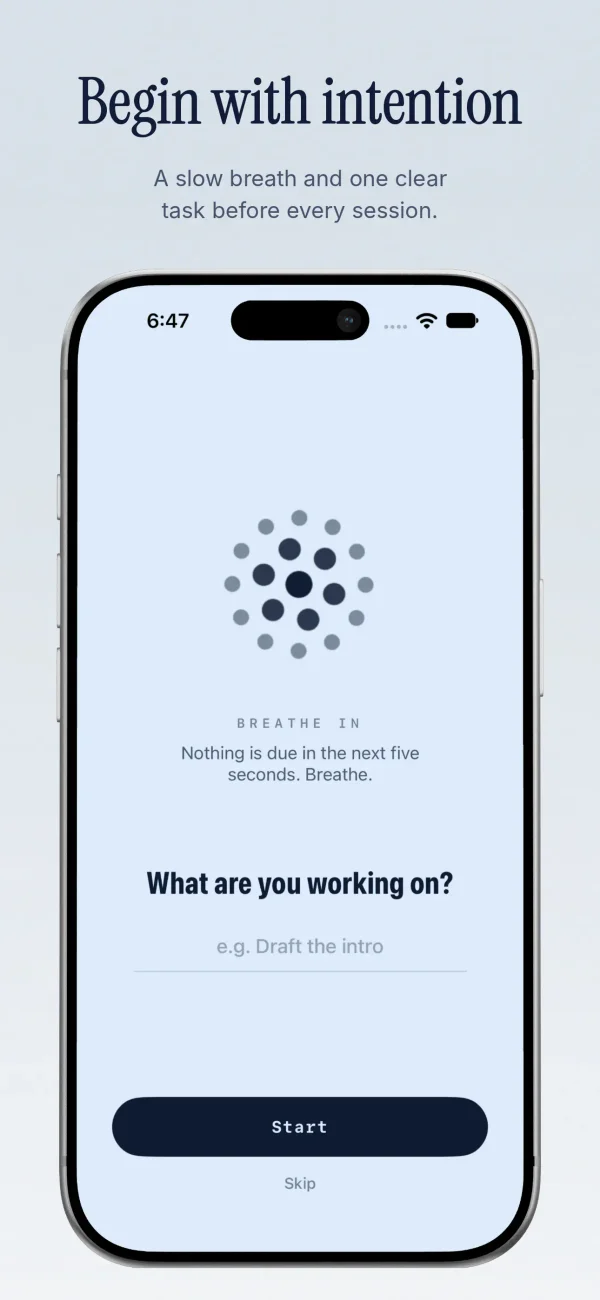
Starting is the hard part, so TILT removes every step between deciding and doing. Begin with intention: one slow breath and one clear task before every session. A reminder can nudge you at the time you usually begin.
BLOCK DISTRACTIONS
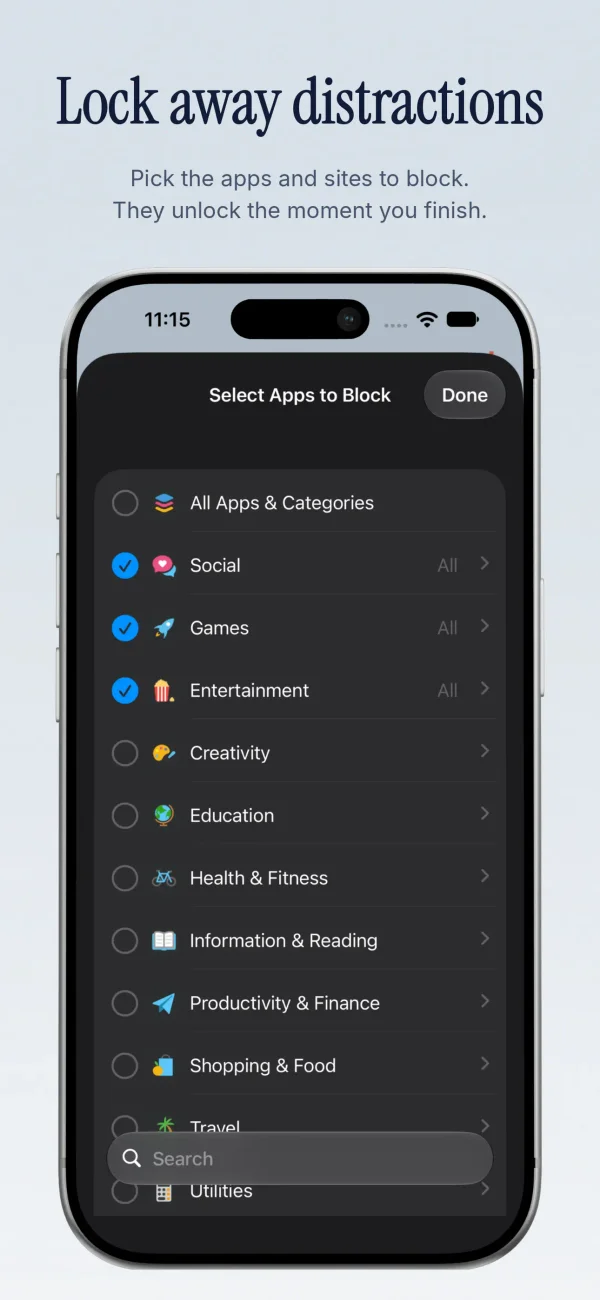
Pick the apps and sites that steal your attention. TILT blocks them while you focus and unblocks them during your breaks.
KEEP GOING
Continuous mode rolls focus into a break and back again, with a longer break every few sessions. Tap the dots to add a session or stretch the long break.
ON YOUR WRIST
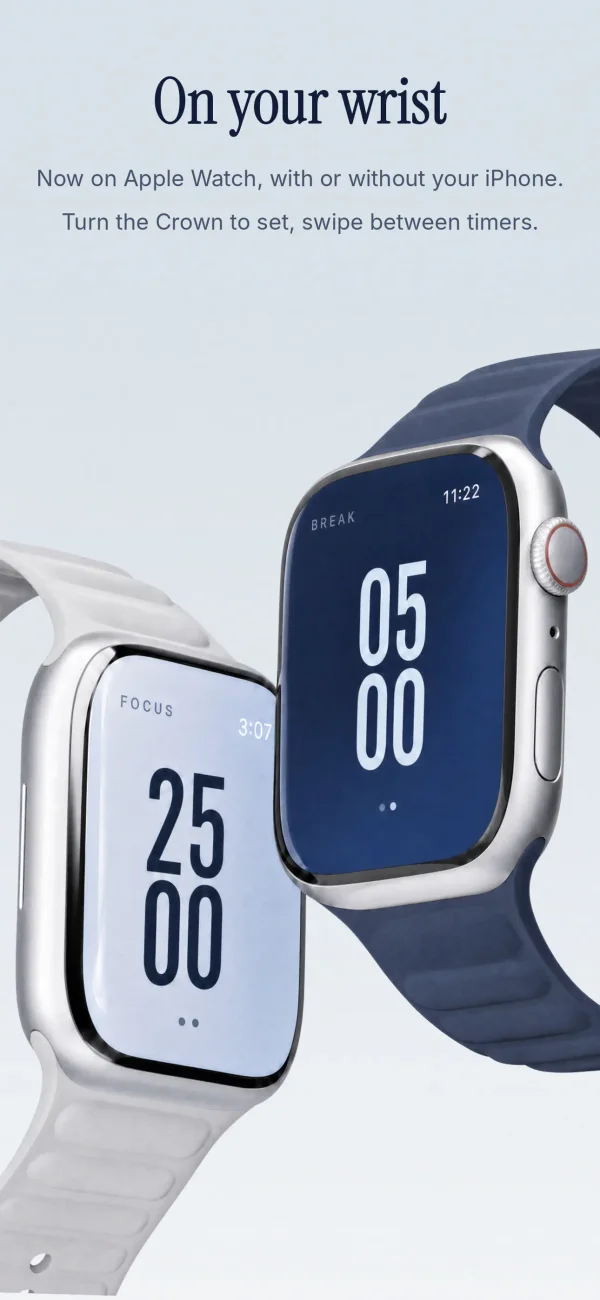
TILT on Apple Watch works with simple, intuitive gestures: turn the Crown to set the time, tap to start, swipe to switch. It runs on its own or stays in step with your iPhone, and complications and the Smart Stack keep the time left in view.
ON YOUR MAC
TILT for Mac keeps your timer in the menu bar. With TILT Plus, a session you start on your iPhone shows on your Mac within seconds, and the other way round.
ON IPHONE DUO
Closed, tilt it. Open, tap it. Fold it on your desk and each half holds a timer: tip it over to switch.
ON YOUR LOCK SCREEN
A live countdown on the Lock Screen and in the Dynamic Island, so you never have to open the app to check the time. Widgets for the Home Screen and Lock Screen show today's focus, your week and your deep work. Tap Start on a widget and a focus session begins.
SOUNDSPACES
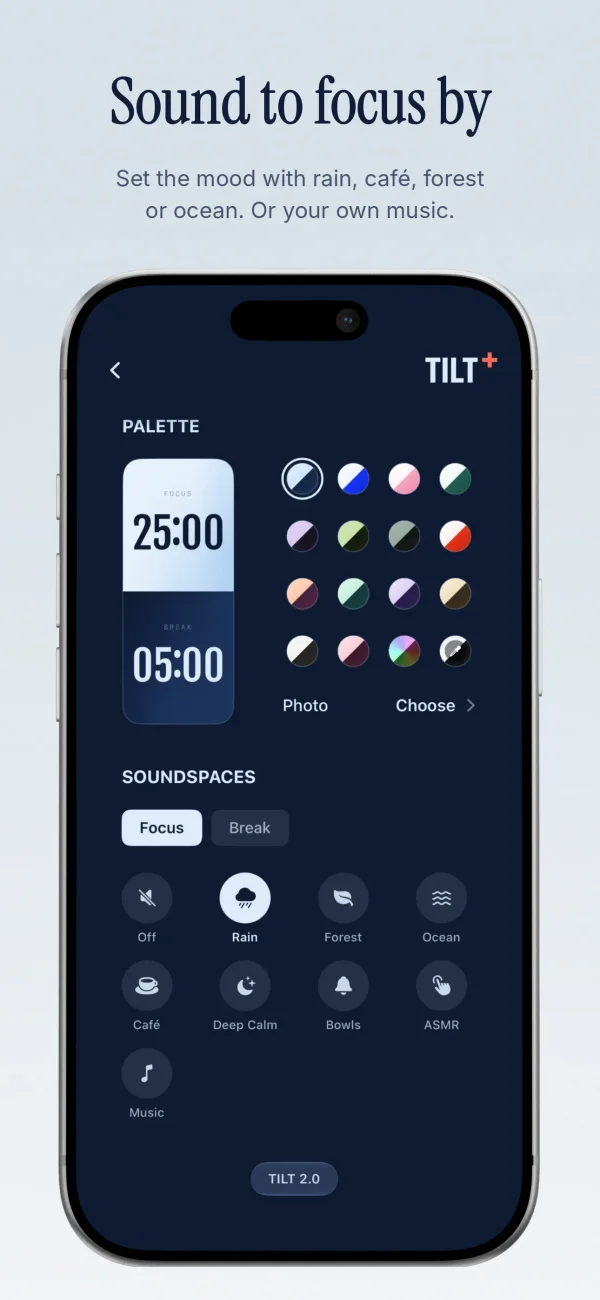
Set the mood with rain, forest, ocean, café, deep calm, singing bowls or ASMR, or play a playlist, album or song from Apple Music. Pick a different sound for focus and for break.
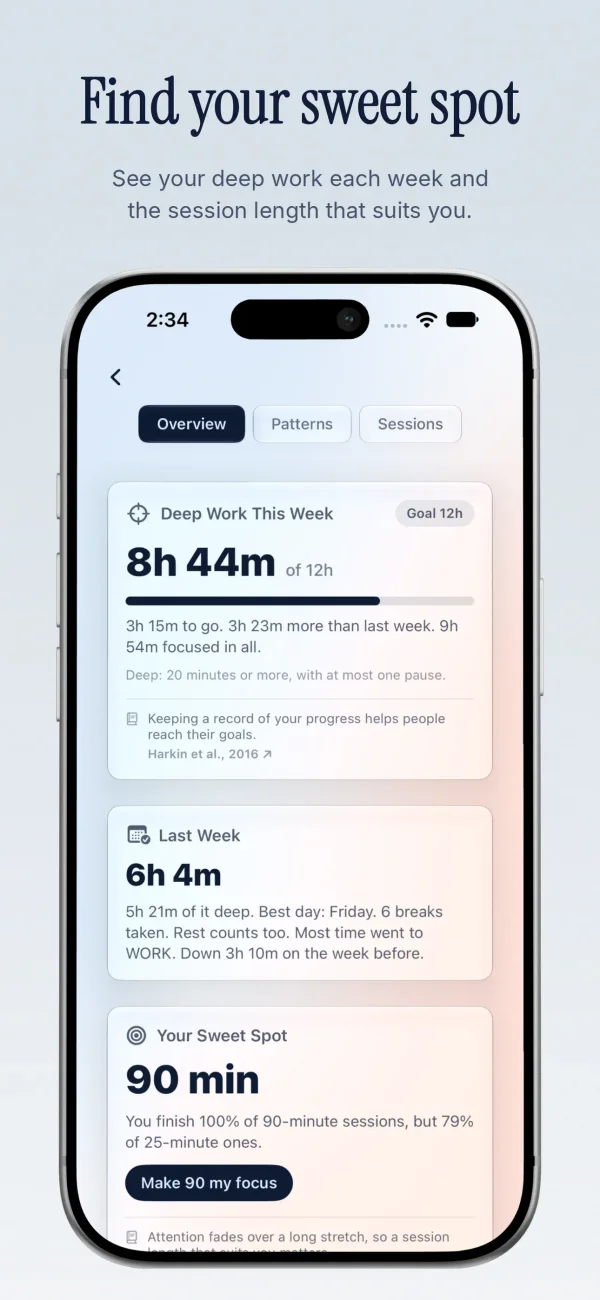
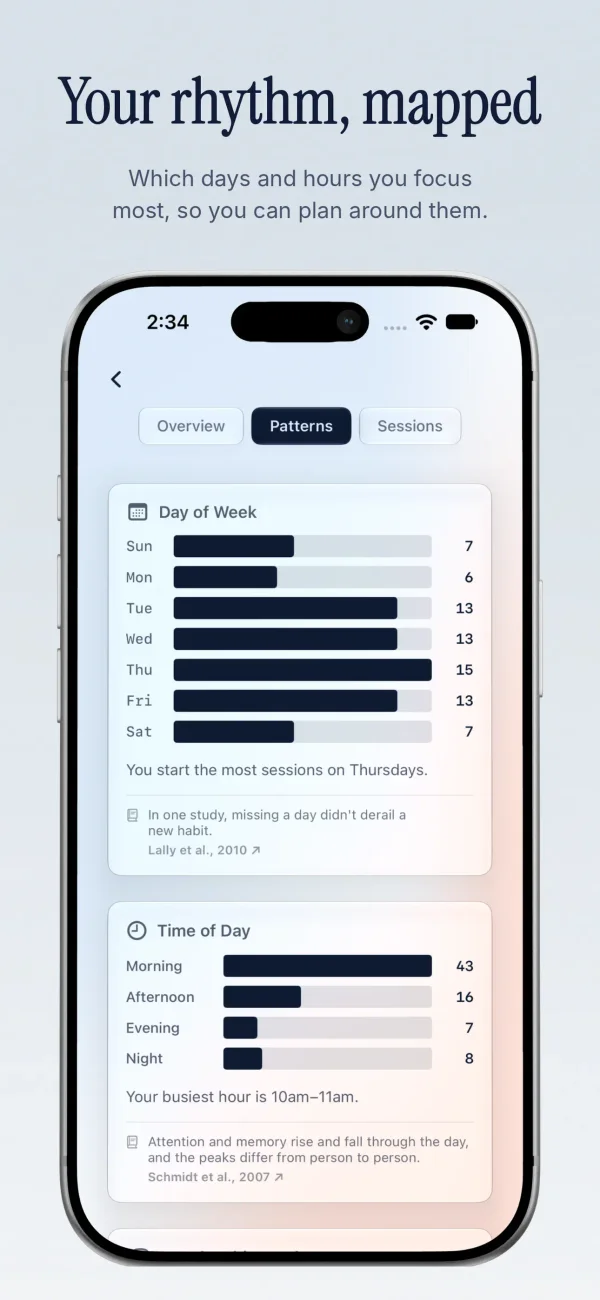
SEE YOUR DEEP WORK
Insights tracks your deep work: every focus session of 20 minutes or more. Set a weekly goal, get a Monday recap, find the session length you actually finish and the times of day you focus best, and see where your hours go across labels like STUDY and WORK.
MAKE IT YOURS
Save a preset for each kind of work, with its own label, length, colors and sound. Make a palette from any two colors, use your own photos, or choose Aura, a mesmerizing gradient that drifts while you work. Then pick a timer font.
PRIVATE BY DESIGN
No accounts. No ads. No tracking. Everything stays on your devices, and syncing goes through your own iCloud.
ACCESSIBLE
Touch mode lets you tap to start and swipe to switch when tilting isn't handy. VoiceOver, Reduce Motion and high-contrast palettes are supported too.
FREE, WITH TILT PLUS WHEN YOU WANT MORE
TILT is free with 25-minute focus and 5-minute break sessions, touch mode, the Apple Watch app, the Today widgets, the Live Activity and reminders. TILT Plus adds sessions up to 120 minutes, continuous mode, the App Blocker, Insights, soundspaces and Apple Music, the start ritual, live sessions with your Mac, every palette, font and photo, plus presets and labels. Try Annual free for 7 days, or pay once for Lifetime. Prices are shown in the app.
Privacy Policy: https://code.roydsantiago.com/tilt/privacy/
Terms of Use: https://www.apple.com/legal/internet-services/itunes/dev/stdeula/
新機能
バージョン 2.3.2 · 2026/10/26
Photo backgrounds now show on iPhone Duo when it's open.
アプリのプライバシー
このアプリのデータの取り扱いについて、AVE ROYD SANTIAGOがApp Storeで申告している内容です。
-
データの収集なし
開発元はこのアプリからデータを収集しません。
プライバシーの取り扱いは、ご利用の機能やお客様の年齢などに応じて異なる場合があります。
情報
- 販売元
- AVE ROYD SANTIAGO
- カテゴリ
- 仕事効率化
- バージョン
- 2.3.2
- 更新日
- 2026/10/26
- リリース
- 2026/5/11
- サイズ
- 30.7 MB
- 必要条件
- iOS 17.6以降
- 対象年齢
- 4+
- 価格
- 無料
- アプリ内課金
- あり
- 言語
- 英語
- 著作権
- © 2026 Royd Santiago
こちらもおすすめ
-
 Pomodoro Timer - Focus & Study仕事効率化
-
 Otama:スクリーンタイム管理アプリブロックでスマホ依存対策
-
 Pomates: Pomodoro Focus Timer仕事効率化
-
 Kofe Flow: Pomodoro Timer仕事効率化
-
 ClearTime: Visual Timer仕事効率化
-
 Ember Pomodoro仕事効率化
-
 Blank Phone: Dumb Phone仕事効率化
-
 Pomodoro Minimalista仕事効率化
-
 Aura: ADHD Focus Timer & Flow仕事効率化
-
 HabitFlow – Habit Builder仕事効率化