TILT: ADHD Focus & Study Timer
Pomodoro, App Blocker & Sounds
Được thiết kế cho iPhone, Mac
Miễn phí · Mua hàng trong ứng dụng
- Độ tuổi4+
- Danh mụcHiệu Suất
- Nhà phát triểnAVE ROYD SANTIAGO
- Ngôn ngữTiếng Anh
- Kích thước30,7 MB
Liên kết đến trang App Store chính thức
Download.org không lưu trữ tệp nào của TILT: ADHD Focus & Study Timer. Nút này mở trang ứng dụng trên App Store, nơi AVE ROYD SANTIAGO phát hành ứng dụng. Trang được kiểm tra lần cuối: 10/11/2026.
Ảnh chụp màn hình

Giới thiệu
Nhà phát triển chưa cung cấp nội dung này bằng ngôn ngữ của bạn.
A focus timer you tilt, not tap. No buttons and no setup between you and the work.
TILT TO FOCUS
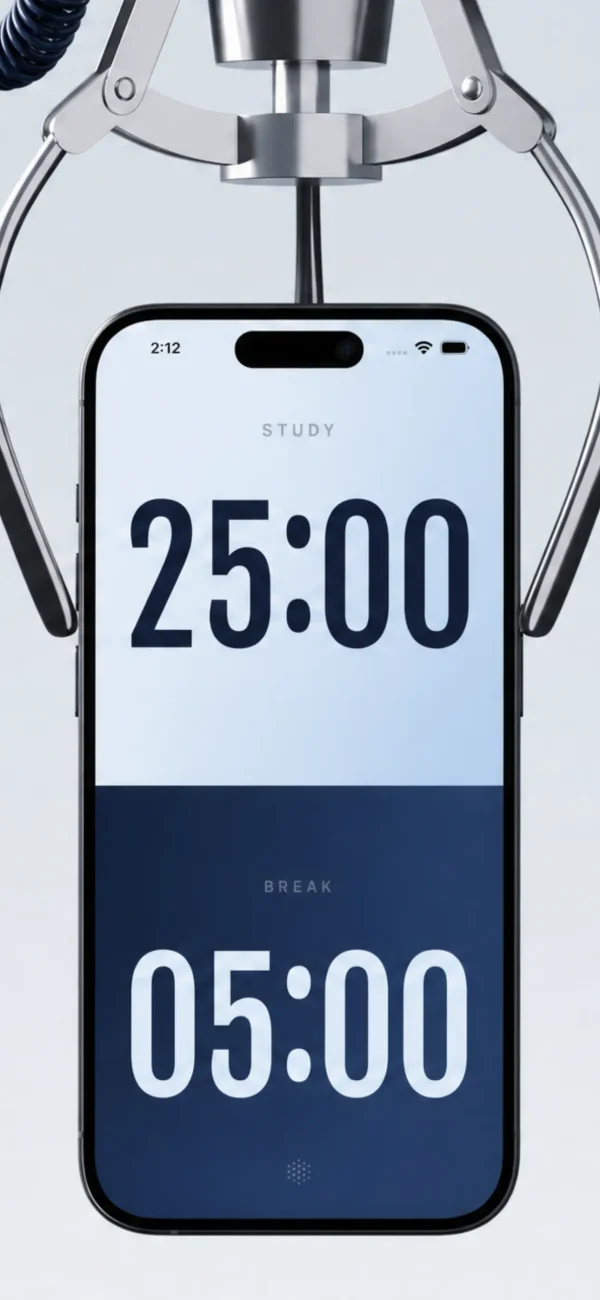
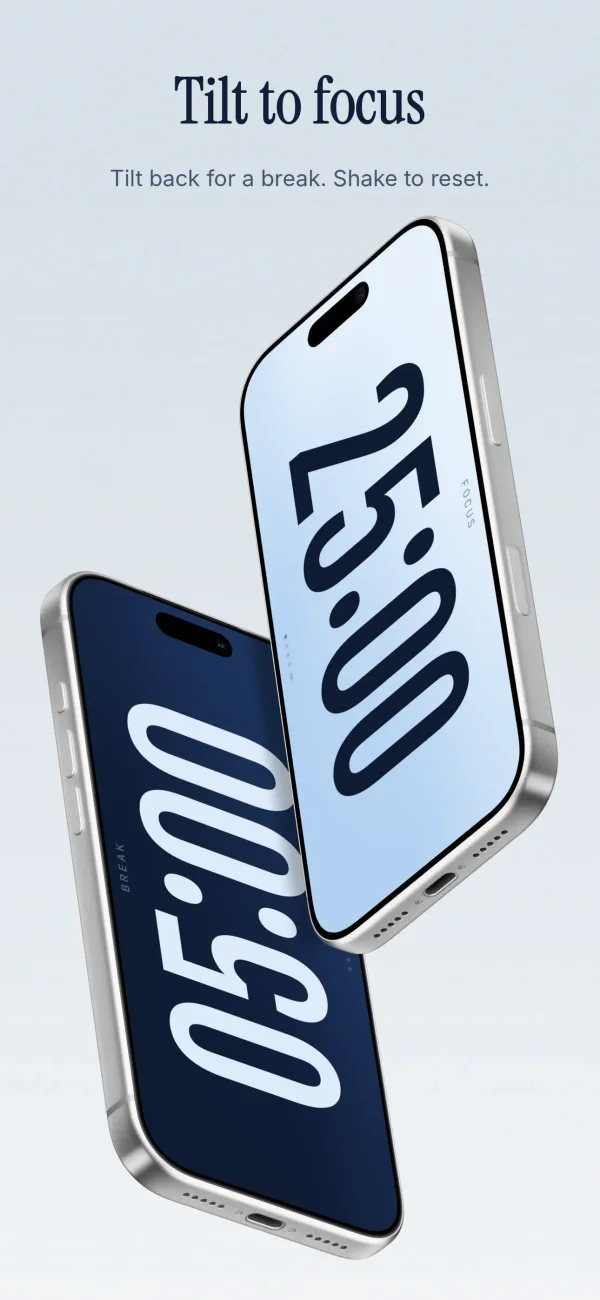
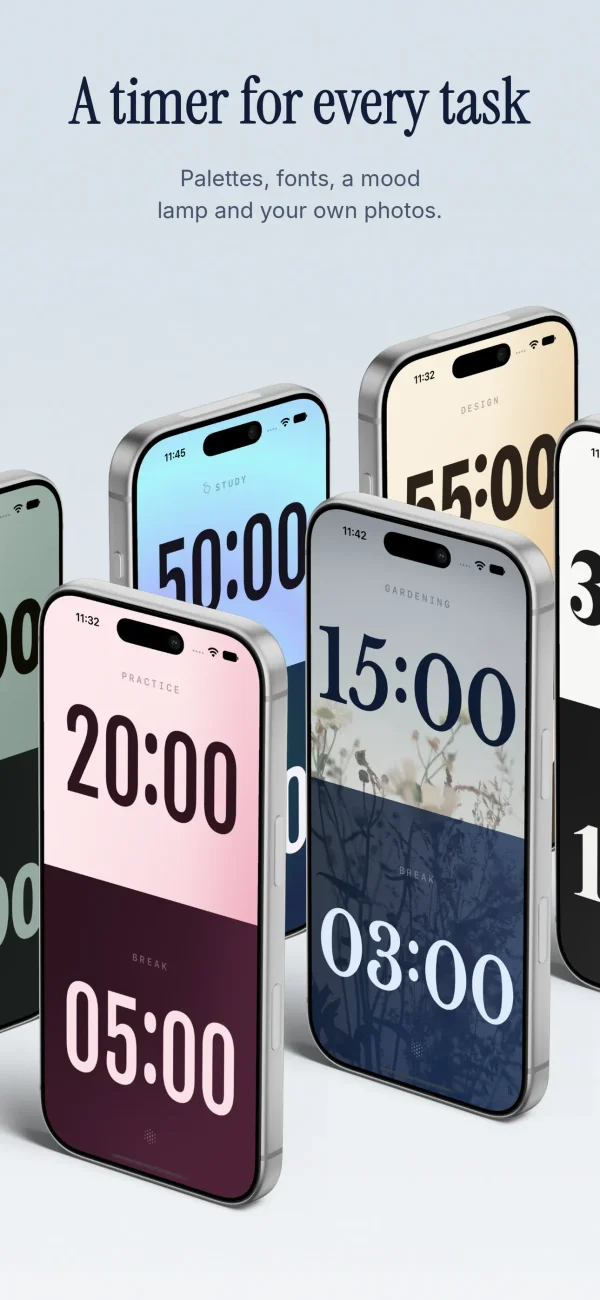
The screen splits into a FOCUS timer and a BREAK timer. Turn your phone LEFT and FOCUS starts. Turn it RIGHT for a break. SHAKE to reset. Your phone becomes the timer.
BUILT FOR BRAINS THAT STRUGGLE TO START
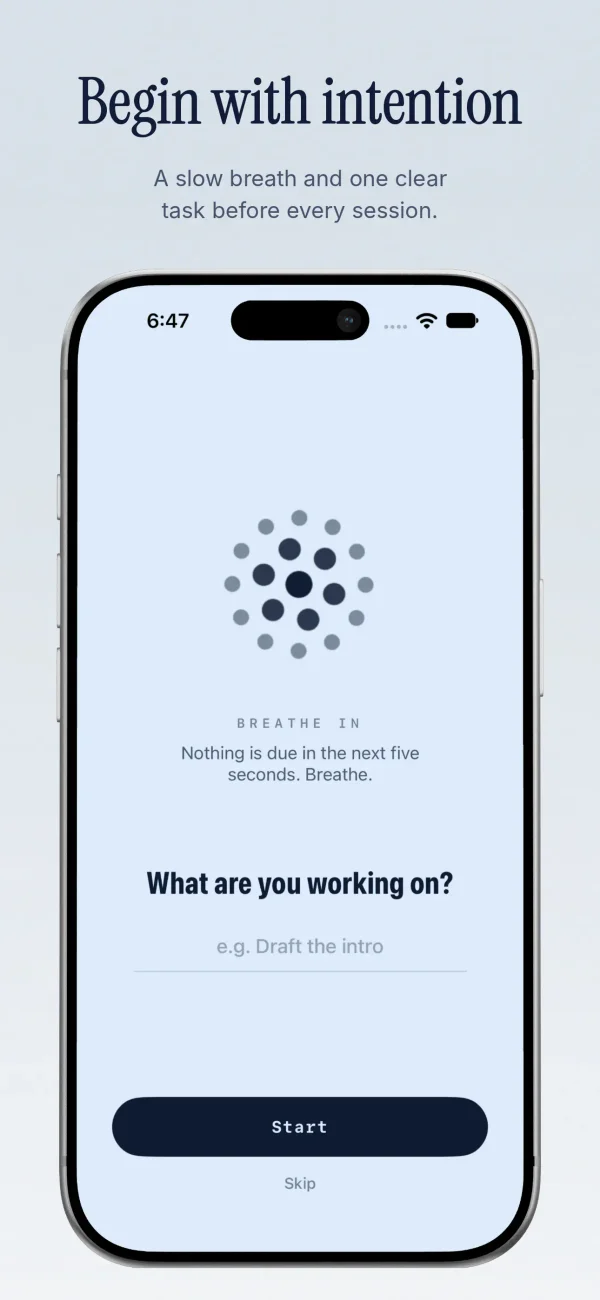
Starting is the hard part, so TILT removes every step between deciding and doing. Begin with intention: one slow breath and one clear task before every session. A reminder can nudge you at the time you usually begin.
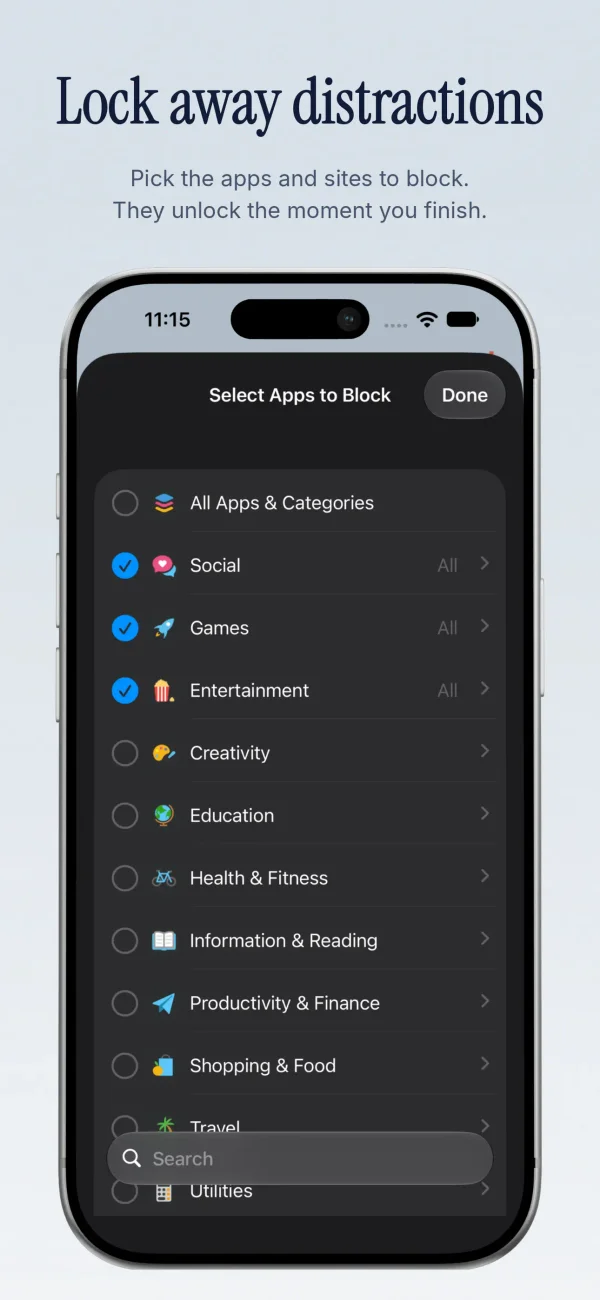
BLOCK DISTRACTIONS
Pick the apps and sites that steal your attention. TILT blocks them while you focus and unblocks them during your breaks.
KEEP GOING
Continuous mode rolls focus into a break and back again, with a longer break every few sessions. Tap the dots to add a session or stretch the long break.
ON YOUR WRIST
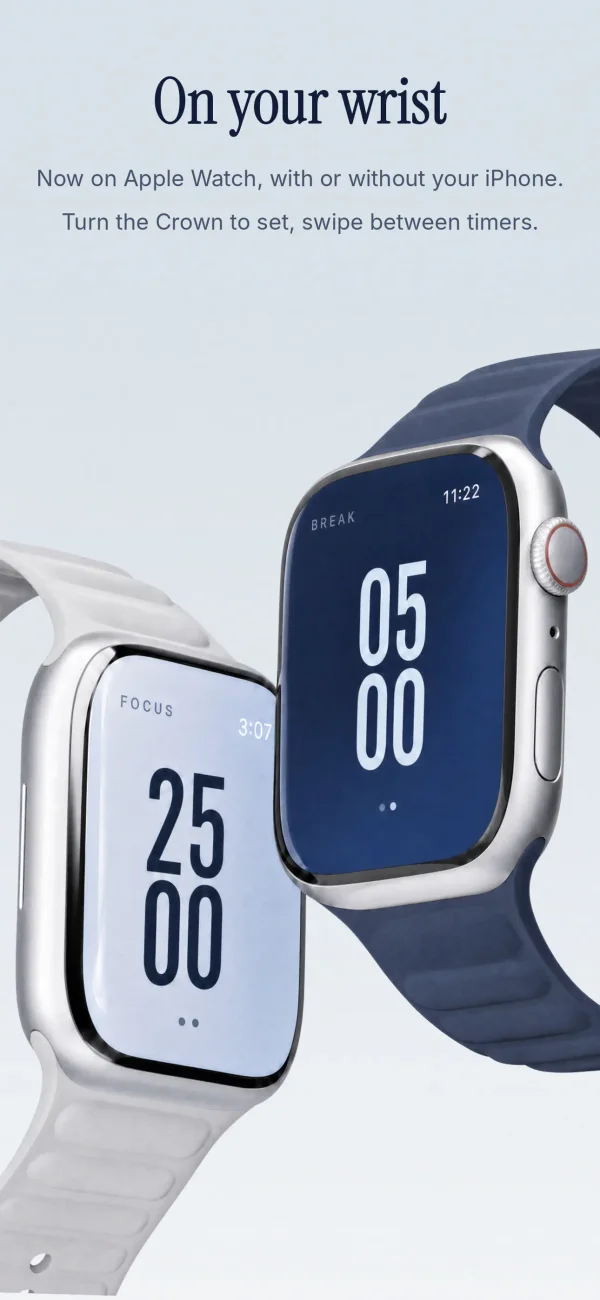
TILT on Apple Watch works with simple, intuitive gestures: turn the Crown to set the time, tap to start, swipe to switch. It runs on its own or stays in step with your iPhone, and complications and the Smart Stack keep the time left in view.
ON YOUR MAC
TILT for Mac keeps your timer in the menu bar. With TILT Plus, a session you start on your iPhone shows on your Mac within seconds, and the other way round.
ON IPHONE DUO
Closed, tilt it. Open, tap it. Fold it on your desk and each half holds a timer: tip it over to switch.
ON YOUR LOCK SCREEN
A live countdown on the Lock Screen and in the Dynamic Island, so you never have to open the app to check the time. Widgets for the Home Screen and Lock Screen show today's focus, your week and your deep work. Tap Start on a widget and a focus session begins.
SOUNDSPACES
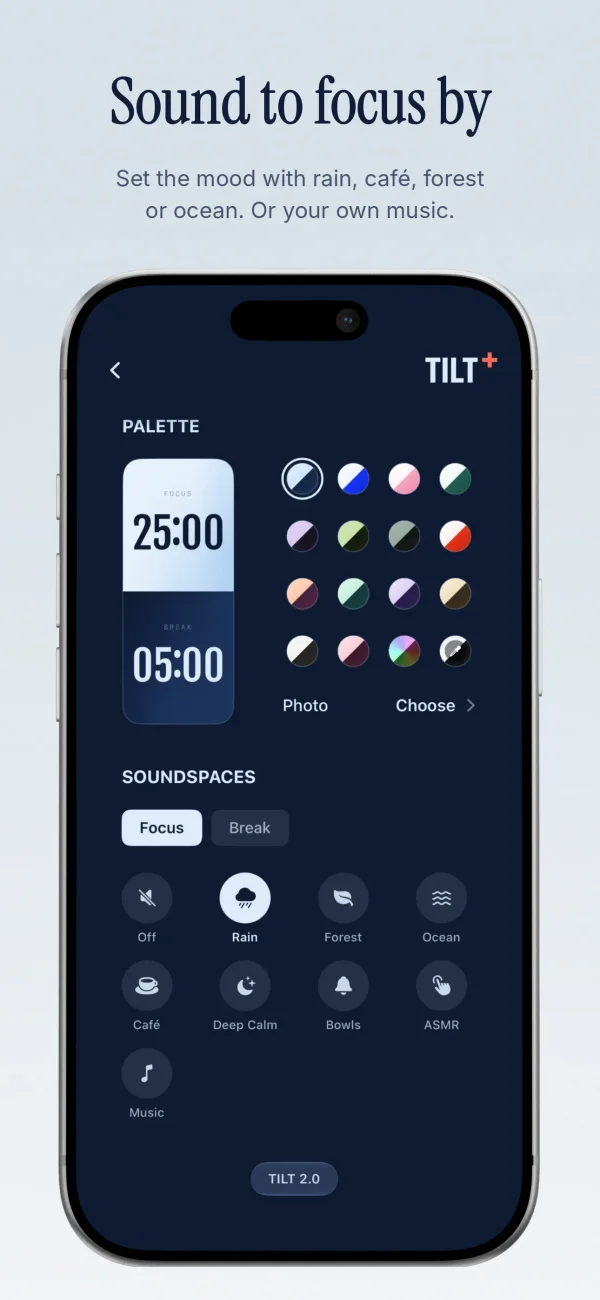
Set the mood with rain, forest, ocean, café, deep calm, singing bowls or ASMR, or play a playlist, album or song from Apple Music. Pick a different sound for focus and for break.
SEE YOUR DEEP WORK
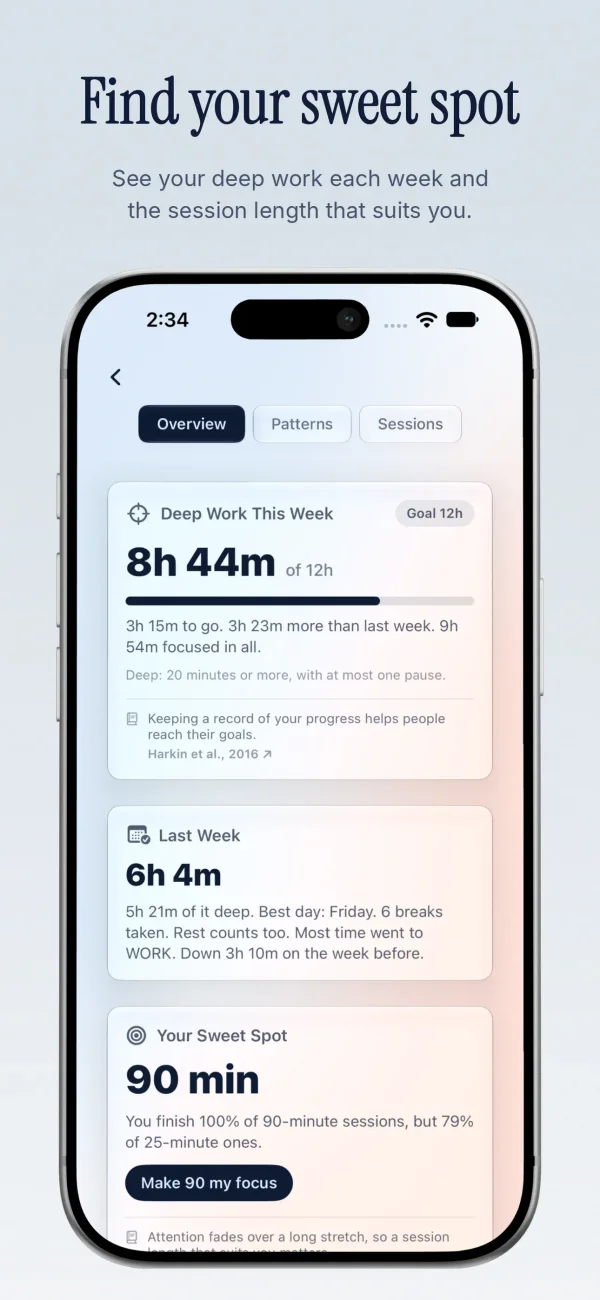
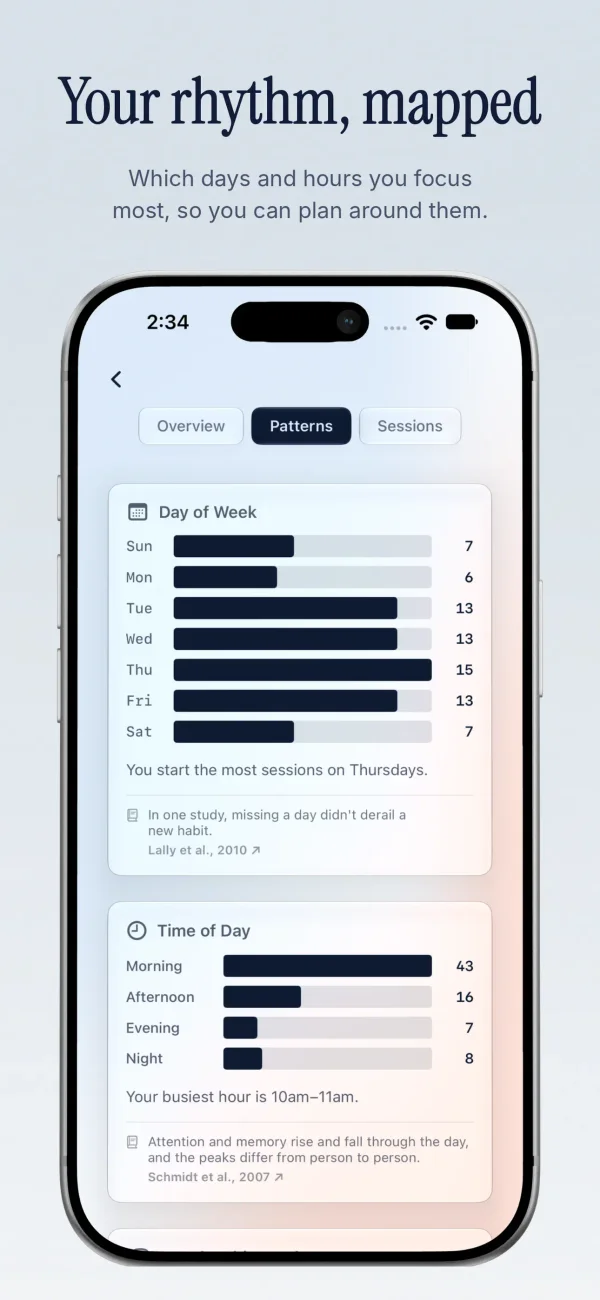
Insights tracks your deep work: every focus session of 20 minutes or more. Set a weekly goal, get a Monday recap, find the session length you actually finish and the times of day you focus best, and see where your hours go across labels like STUDY and WORK.
MAKE IT YOURS
Save a preset for each kind of work, with its own label, length, colors and sound. Make a palette from any two colors, use your own photos, or choose Aura, a mesmerizing gradient that drifts while you work. Then pick a timer font.
PRIVATE BY DESIGN
No accounts. No ads. No tracking. Everything stays on your devices, and syncing goes through your own iCloud.
ACCESSIBLE
Touch mode lets you tap to start and swipe to switch when tilting isn't handy. VoiceOver, Reduce Motion and high-contrast palettes are supported too.
FREE, WITH TILT PLUS WHEN YOU WANT MORE
TILT is free with 25-minute focus and 5-minute break sessions, touch mode, the Apple Watch app, the Today widgets, the Live Activity and reminders. TILT Plus adds sessions up to 120 minutes, continuous mode, the App Blocker, Insights, soundspaces and Apple Music, the start ritual, live sessions with your Mac, every palette, font and photo, plus presets and labels. Try Annual free for 7 days, or pay once for Lifetime. Prices are shown in the app.
Privacy Policy: https://code.roydsantiago.com/tilt/privacy/
Terms of Use: https://www.apple.com/legal/internet-services/itunes/dev/stdeula/
Có gì mới
Phiên bản 2.3.2 · 26/10/2026
Photo backgrounds now show on iPhone Duo when it's open.
Quyền riêng tư của ứng dụng
Những gì AVE ROYD SANTIAGO khai báo trên App Store về cách ứng dụng này xử lý dữ liệu.
-
Dữ liệu không được thu thập
Nhà phát triển không thu thập bất kỳ dữ liệu nào từ ứng dụng này.
Phương thức đảm bảo quyền riêng tư có thể khác nhau, chẳng hạn như tuỳ theo các tính năng bạn sử dụng hoặc độ tuổi của bạn.
Thông tin
- Người bán
- AVE ROYD SANTIAGO
- Danh mục
- Hiệu Suất
- Phiên bản
- 2.3.2
- Cập nhật
- 26/10/2026
- Phát hành
- 11/05/2026
- Kích thước
- 30,7 MB
- Yêu cầu
- iOS 17.6 trở lên
- Độ tuổi
- 4+
- Giá
- Miễn phí
- Mua hàng trong ứng dụng
- Có
- Ngôn ngữ
- Tiếng Anh
- Bản quyền
- © 2026 Royd Santiago
Có thể bạn cũng thích
-
 Pomodoro Timer - Focus & StudyHiệu Suất
-
 Screen Time Blocker - OtamaHiệu Suất
-
 Pomates: Pomodoro Focus TimerHiệu Suất
-
 Kofe Flow: Pomodoro TimerHiệu Suất
-
 ClearTime: Visual TimerHiệu Suất
-
 Ember PomodoroHiệu Suất
-
 Blank Phone: Dumb PhoneHiệu Suất
-
 Pomodoro MinimalistaHiệu Suất
-
 Aura: ADHD Focus Timer & FlowHiệu Suất
-
 HabitFlow – Habit BuilderHiệu Suất