- 対象年齢4+
- カテゴリユーティリティ
- 開発元Matthias Gansrigler-Hrad
- 言語英語ほか2言語
- サイズ36.4 MB
App Storeの公式ページにリンクしています
Download.orgはTransloaderのファイルを一切ホストしていません。ボタンを押すと、Matthias Gansrigler-Hradが公開しているApp Storeのアプリページが開きます。ページの最終確認:2026/11/12。
スクリーンショット
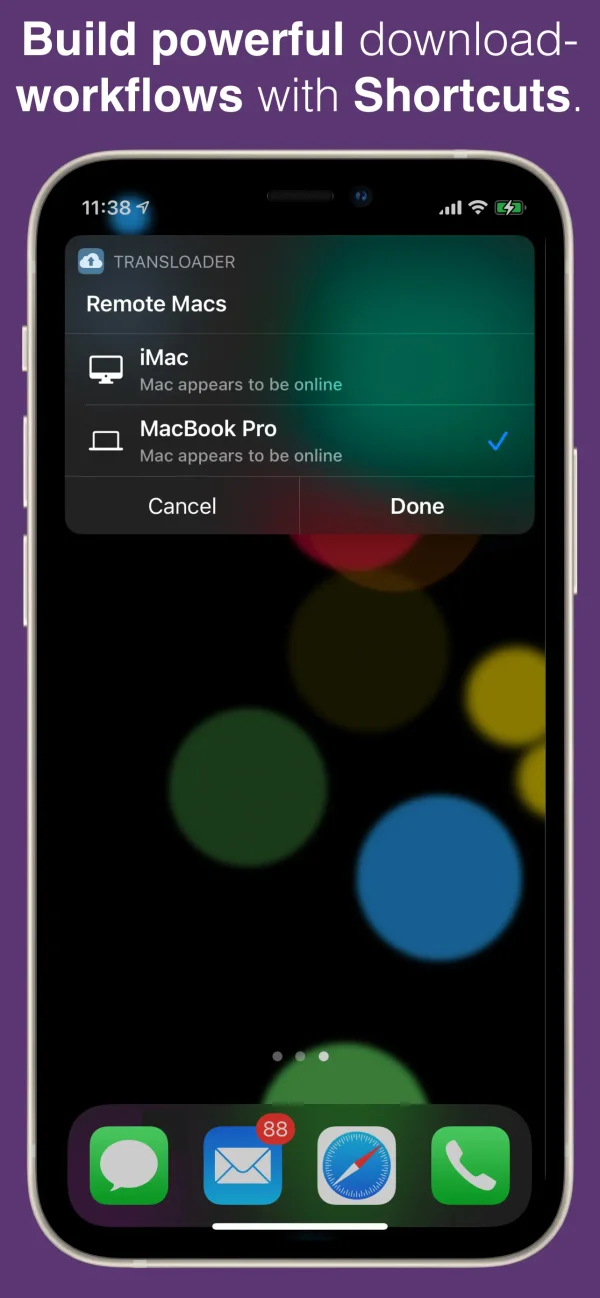
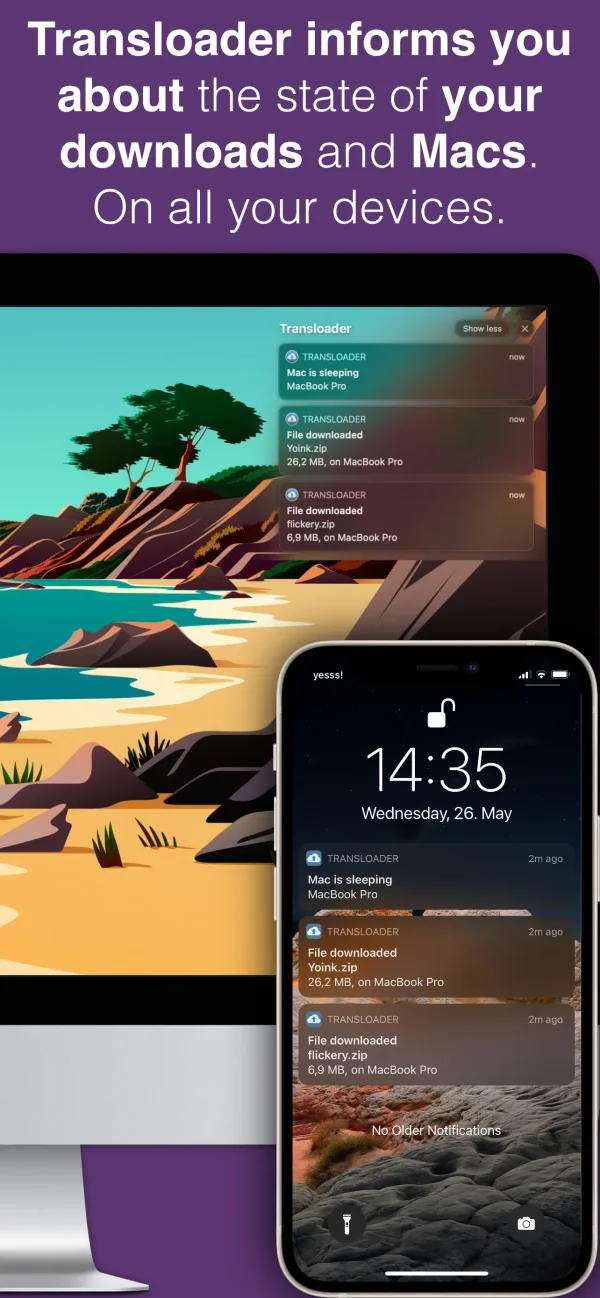

概要
開発元はこのテキストをお使いの言語で提供していません。
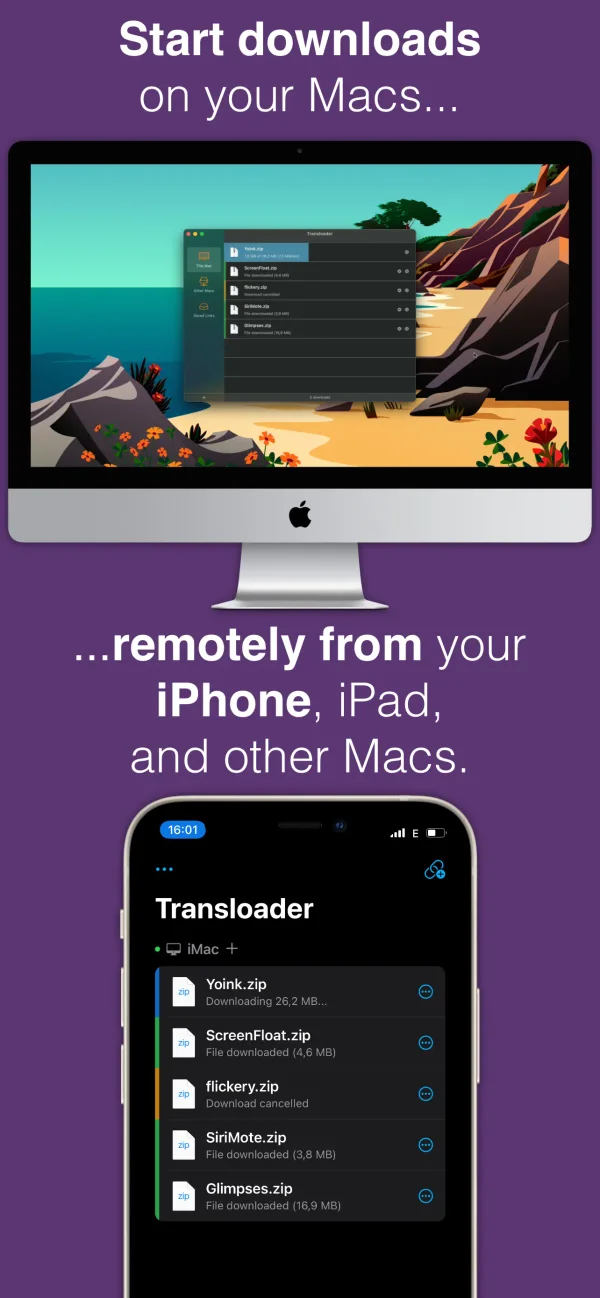
With Transloader, you can initiate downloads on any and all of your Macs - remotely from your iPhone, iPad, or other Macs.
Say you're browsing on your iPhone and come across a Mac app demo you'd like to give a try.
Now, you could fumble for an app to save that link in for later, and hope to remember to download it afterwards.
Or you can use Transloader, and assign that link for download to a Mac right away - no need for fumbling, or remembering. Even better, when you return to your Mac, the file will be ready for you.
Main Features:
- Initiate downloads on a remote Mac
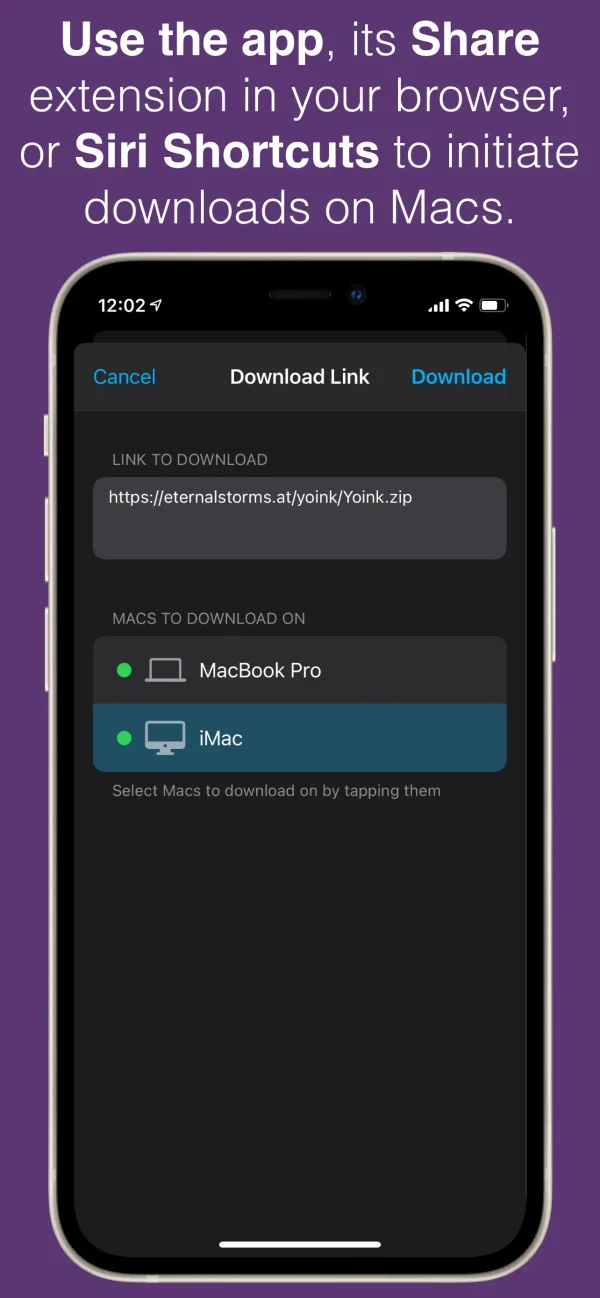
Wether you're on another Mac, an iPhone or an iPad, you can enter the link into the app on your device and assign it to a specific Mac for download. Or use the app's Share extension to start downloads right from within your browser.
- Login to Download
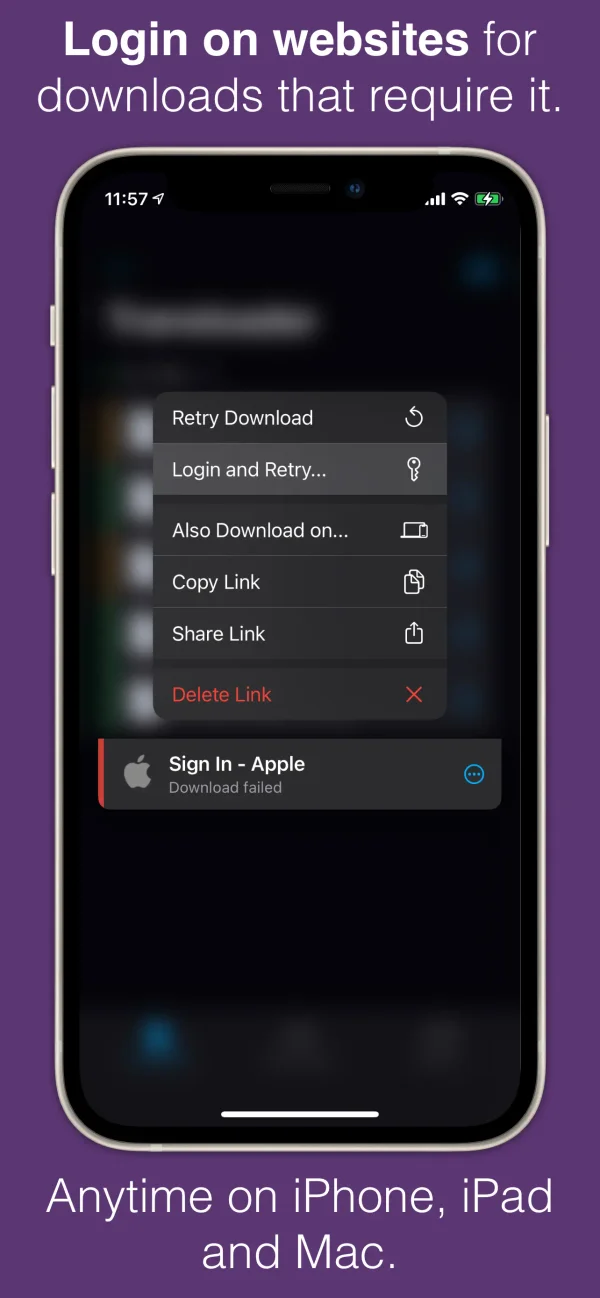
If a file requires a login on the website before it can be downloaded, Transloader lets you do that now. You can log in to websites at any time, from any device.
- Link- and File Actions on Mac
Link Actions tell Transloader on Mac which app or Automator workflow should open specific links (based on criteria like host or URL scheme), instead of downloading them in Transloader. For example, you can open ftp links with the ftp app of choice.
A File Action lets Transloader on Mac open a file after its downloaded with an app or Automator workflow, based on criteria like file type/extension, or the link's host. For example, unzip zip files right away after they're downloaded, or organize downloaded images in folders.
- Save links for later
If your desired Mac is not yet registered with Transloader, or you'd just like to wait before you initiate the download of a link on a Mac, you can save it, and assign the link to a Mac for download later.
Requirements:
- The Mac app, available for purchase on the Mac App Store
- A (free) iCloud account
Here's what customers say about Transloader:
"Extremely useful." - dcdixon, US App Store
"As easy as it should be with Apple products!" - piotrekbielaska, Polish App Store
"I'd never be able to live without it." - Navrik1323, UK App Store
Here's what the press says about Transloader:
"It works great and you should already be clicking the Purchase button." - Mikhail Madnani, beautifulpixels.com
"Transloader is very helpful and saves me a lot of time." - macreview.com
"Transloader is a simple, easy-to-use app and I've found it to be so useful." - Dan Frakes, macworld.com
For further information, please visit Transloader's website.
If you have any feedback or questions, please do not hesitate to write me by mail at support@eternalstorms.at, or on twitter at @TransloaderApp or @eternalstorms.
Thank you.
新機能
バージョン 3.1.95 · 2026/9/18
Transloader v3.1.95 (2026.09.17) contains the following improvements and bug fixes:
= IMPROVEMENTS =
- Improves compatibility with macOS 27 “Golden Gate”
- Improved login detection on websites
- Improved support for downloads of dropbox, pixeldrain, onedrive, box.com, and iCloud links
- Improved loading of filenames for added links
- Improved backgrounding of the iOS app (iOS)
- Instead of using a generic doc icon for some links, the .webloc file icon is now used (macOS)
- Improved iCloud synchronization
- Links assigned to a Mac which will be handled by a Link Action are now excluded from the “maximum simultaneous downloads” limit (macOS)
- Improved the zoom-window-button window sizing (macOS)
- Improved the menu bar item’s behavior (macOS)
- Adds “Sort” option to the popover’s advanced menu (macOS)
= BUG FIXES =
- Improved a few text passages
- Fixes a bug where sometimes a link would be downloaded a second time after it was successfully downloaded already
- Fixes a bug where links would get stuck at “waiting for download”, yet no download was initiated
- Fixes a bug where the toolbar would interfere with the links list sometimes (macOS)
- Fixes a bug where right-clicking a link sometimes wouldn’t work right away (macOS)
- Fixes a UI issue where on occasion a downloading link would say “Downloading 0KB” instead of “Initiating download…” (iOS)
- Fixes a bug where, when dragging a link from Transloader, the drag icon would appear out of place (macOS)
Thank you for using Transloader. I hope you're enjoying the app!
If you have some time and if it's not too much to ask, please consider leaving a rating or review of Transloader on the App Store - it would help me out a lot!
If you'd like to get in touch or connect with me, please visit https://eternalstorms.at/contact for all options.
Yours truly,
Matthias
アプリのプライバシー
このアプリのデータの取り扱いについて、Matthias Gansrigler-HradがApp Storeで申告している内容です。
-
データの収集なし
開発元はこのアプリからデータを収集しません。
プライバシーの取り扱いは、ご利用の機能やお客様の年齢などに応じて異なる場合があります。
情報
- 販売元
- Matthias Gansrigler-Hrad
- カテゴリ
- ユーティリティ
- バージョン
- 3.1.95
- 更新日
- 2026/9/18
- リリース
- 2012/12/10
- サイズ
- 36.4 MB
- 必要条件
- iOS 17.6以降
- 対象年齢
- 4+
- 価格
- 無料
- 言語
- 英語, ドイツ語, 簡体字中国語
- 著作権
- © 2012-2026, Eternal Storms Software
こちらもおすすめ
-
 AI Actions for Shortcutsユーティリティ
-
 Clipboard Manager - OneTapユーティリティ
-
 Parachute Backup Mobileユーティリティ
-
 Acidity - View Page Archivesユーティリティ
-
 Text Workflow: Clean any Textユーティリティ
-
 StopTheMadness Proユーティリティ
-
 GizmoPackユーティリティ
-
 CCC Mobile バックアップ写真とファイルをバックアップ
-
 Gnome: Find and Share GIFsユーティリティ
-
 SheetBox: Sheets to Shortcutsユーティリティ