- 対象年齢4+
- カテゴリ仕事効率化
- 開発元KRISHI CHANDRA MOTAM
- 言語英語
- サイズ37.7 MB
App Storeの公式ページにリンクしています
Download.orgはtry this oneのファイルを一切ホストしていません。ボタンを押すと、KRISHI CHANDRA MOTAMが公開しているApp Storeのアプリページが開きます。ページの最終確認:2026/11/20。
スクリーンショット


概要
開発元はこのテキストをお使いの言語で提供していません。
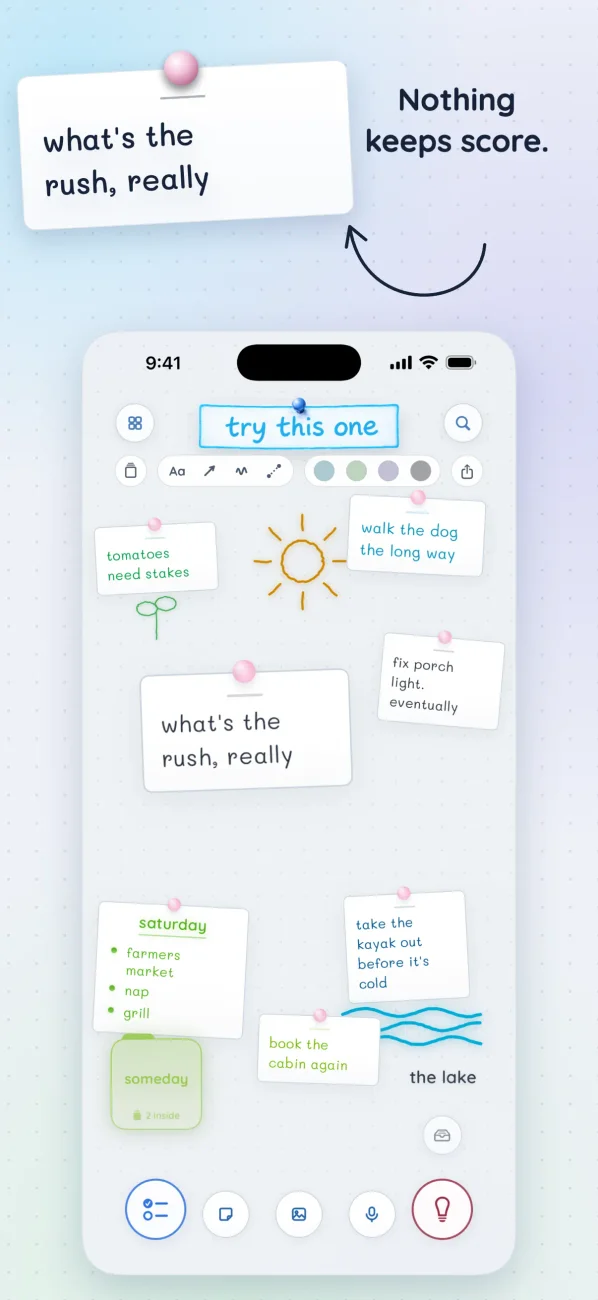
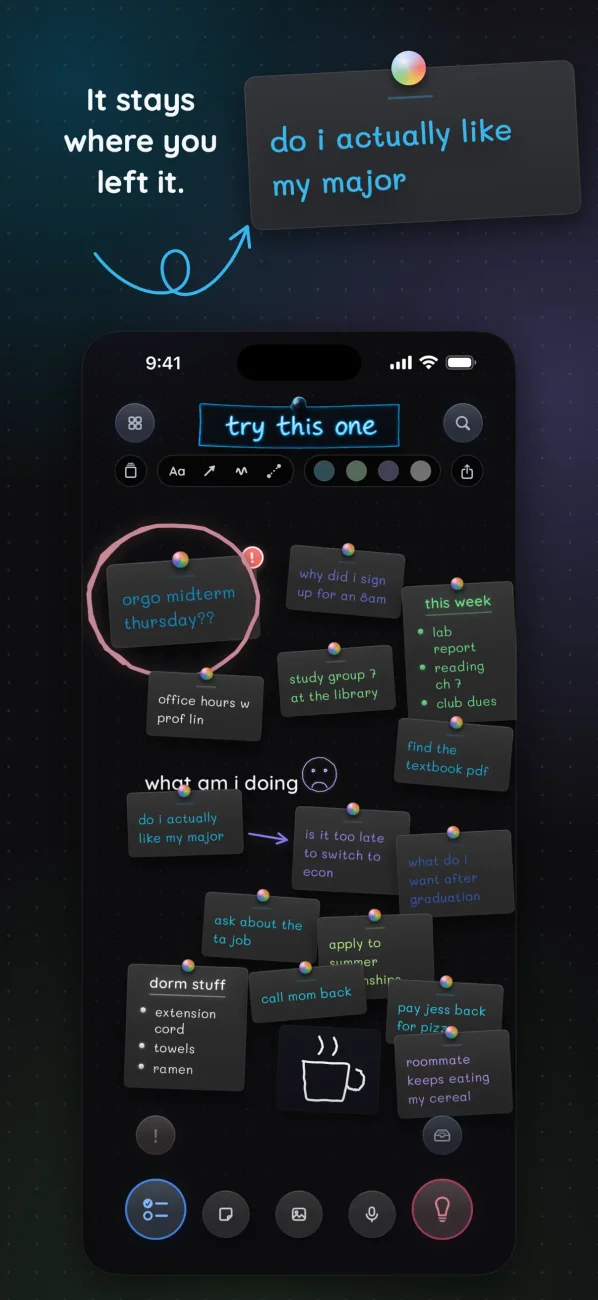
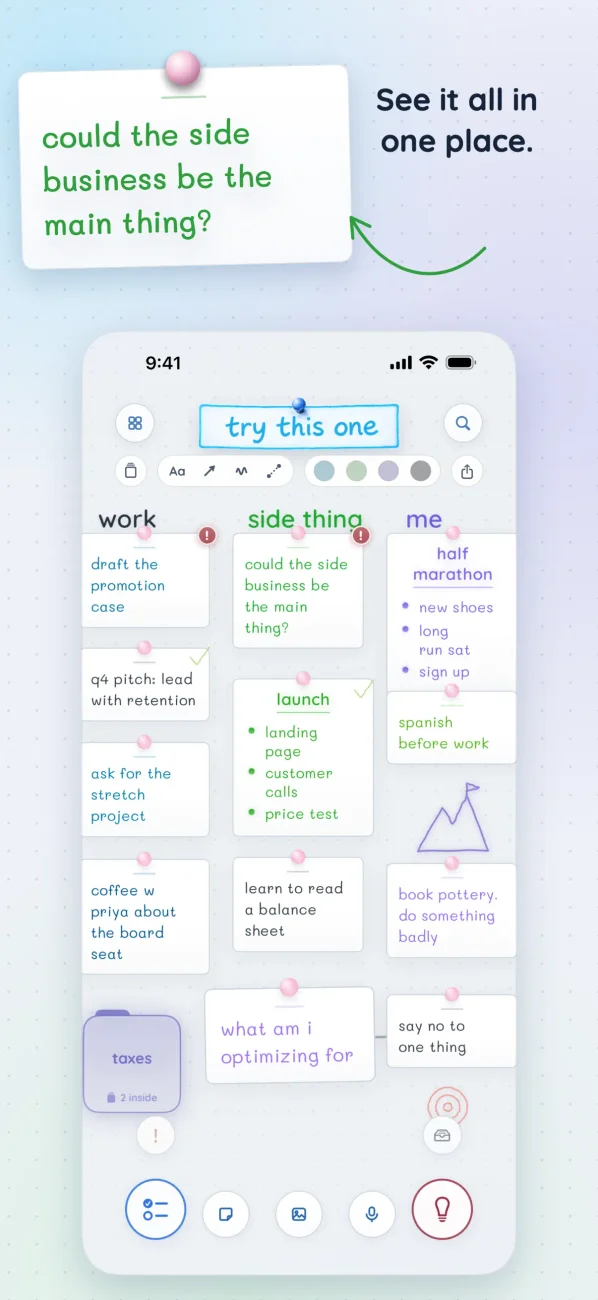
Open the app and you'll find a wall. Double-tap anywhere and a note appears. Write what's on your mind, drag it where it belongs, and give everything you just wrote out a look of your choice.
PUT IT DOWN
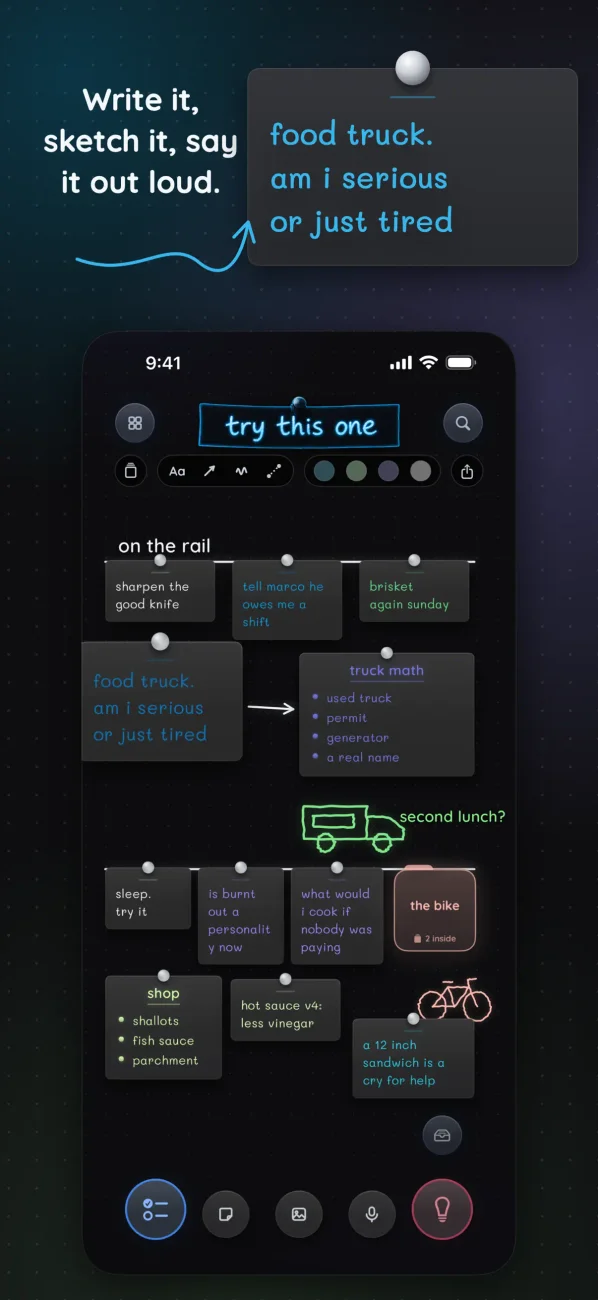
• Notes, checklists, voice memos, photos, quick drawings, or an image you search for on the spot
• Catch the thought in class, in a meeting or at 2am, before it slips away
• No pages to flip and no files to name. Just space
WATCH IT GROW
• Move notes around until they make sense to you
• Color-code them, draw arrows between them, write across the wall
• Notes deepen in shade as you add more, so you can see the order your thoughts came in
• Tuck notes into folders, and folders into folders
• Give each part of your life its own project, with its own wall and its own look
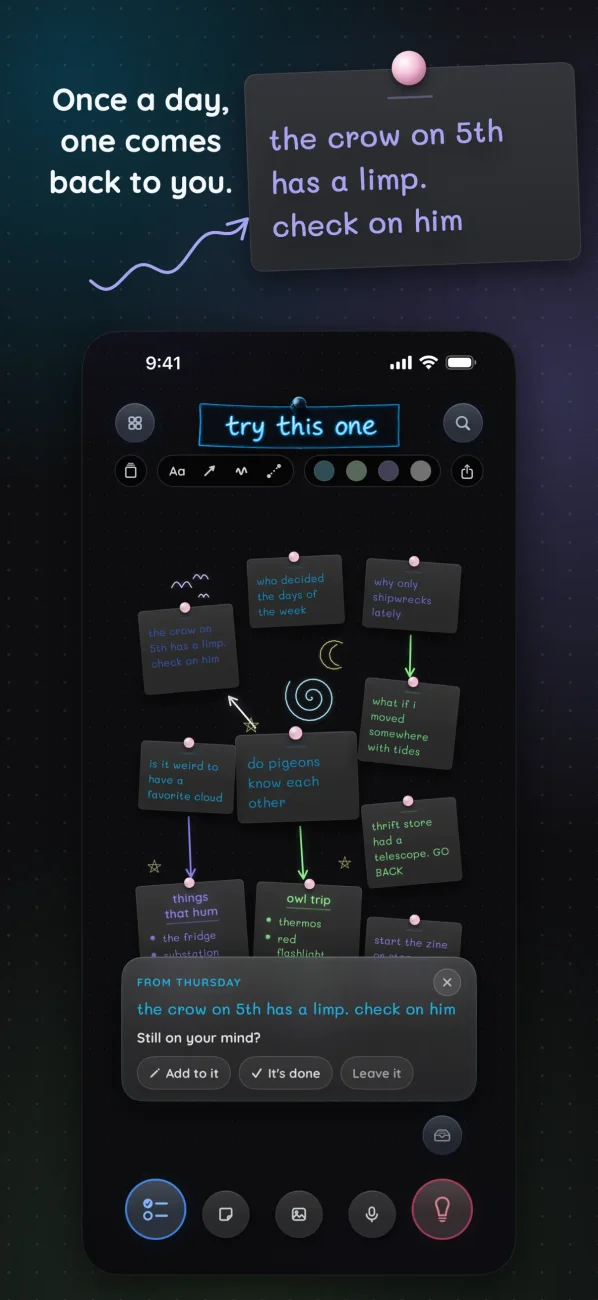
• Search everything, or go through your notes one at a time and decide what stays
• Now and then, an older note comes back for a second look
MAKE IT SOMETHING
• Tap + on any note to make it a task, and ! to mark it important. Add a reminder or a deadline
• Everything you need to do sits in one list, made from your own notes
• Bring a few notes into Ideas and new cards appear around them: a question you hadn't asked, a direction you hadn't tried
• Share a project as a link anyone can open, no app needed
WHEN YOUR HEAD IS FULL
Four guided modes help you through it: Mind Dump to get everything out, Procrastination to start the thing you've been avoiding, Worry Jar to set worries down somewhere safe, and Reflect to look back on your day.
YOUR IDEAS STAY YOURS
The AI in Ideas starts from what you've written. Its suggestions sit beside your notes and never write over them. You lead; it offers another angle.
MAKE IT LOOK LIKE YOU
Light or dark. Dot grids, notebook paper, starry space and more. Dozens of pins to hold your notes up.
Sign in with Apple or Google to back up your wall, or skip it and start writing.
Pro adds more Ideas sessions, every background, every pin and your own colors. Weekly, monthly or yearly.
新機能
バージョン 1.1.0 · 2026/11/16
this is a big one...
Ideas: bring a thought and get questions, perspectives and connections you might not have reached alone. Your words stay yours.
Tasks are your memos now. Tap + on any memo, mark what's Important, hold + for a first step. Your old lists came along as task memos.
Guided modes for a full head, including Worry Jar and Reflect.
Folders, light mode, and new wall patterns and pins.
Back up your memos with an account.
Pro, for more Ideas sessions and every look. The rest stays free.
アプリのプライバシー
このアプリのデータの取り扱いについて、KRISHI CHANDRA MOTAMがApp Storeで申告している内容です。
-
ユーザーに関連付けられたデータ
収集され、ユーザーの識別情報に関連付けられる場合があります。
- 購入
- 連絡先情報
- ユーザーコンテンツ
- ID
- 使用状況データ
プライバシーの取り扱いは、ご利用の機能やお客様の年齢などに応じて異なる場合があります。
情報
- 販売元
- KRISHI CHANDRA MOTAM
- カテゴリ
- 仕事効率化
- バージョン
- 1.1.0
- 更新日
- 2026/11/16
- リリース
- 2026/10/5
- サイズ
- 37.7 MB
- 必要条件
- iOS 18.0以降
- 対象年齢
- 4+
- 価格
- 無料
- 言語
- 英語
- 著作権
- © 2026 KM Works LLC
こちらもおすすめ
-
 ReadyLists仕事効率化
-
 YearlyQuestあなたの成功をトレンドに
-
 Tended: Home & Life Reminders仕事効率化
-
 Planly: カレンダーと予定管理ToDoリストとタスク管理
-
 Loom: Life Manager仕事効率化
-
 D-Plan: Daily Planner & TasksTasks, Notes & Focus in One
-
 Win Focus: ADHD Focus Timer仕事効率化
-
 Pebble AI: To-Do & Focus仕事効率化
-
 Ignite - Become Disciplined仕事効率化
-
 TaskFire : To-Do List & TasksSiri対応のToDoリスト&プランナー