- Độ tuổi4+
- Danh mụcHiệu Suất
- Nhà phát triểnKRISHI CHANDRA MOTAM
- Ngôn ngữTiếng Anh
- Kích thước37,7 MB
Liên kết đến trang App Store chính thức
Download.org không lưu trữ tệp nào của try this one. Nút này mở trang ứng dụng trên App Store, nơi KRISHI CHANDRA MOTAM phát hành ứng dụng. Trang được kiểm tra lần cuối: 20/11/2026.
Ảnh chụp màn hình


Giới thiệu
Nhà phát triển chưa cung cấp nội dung này bằng ngôn ngữ của bạn.
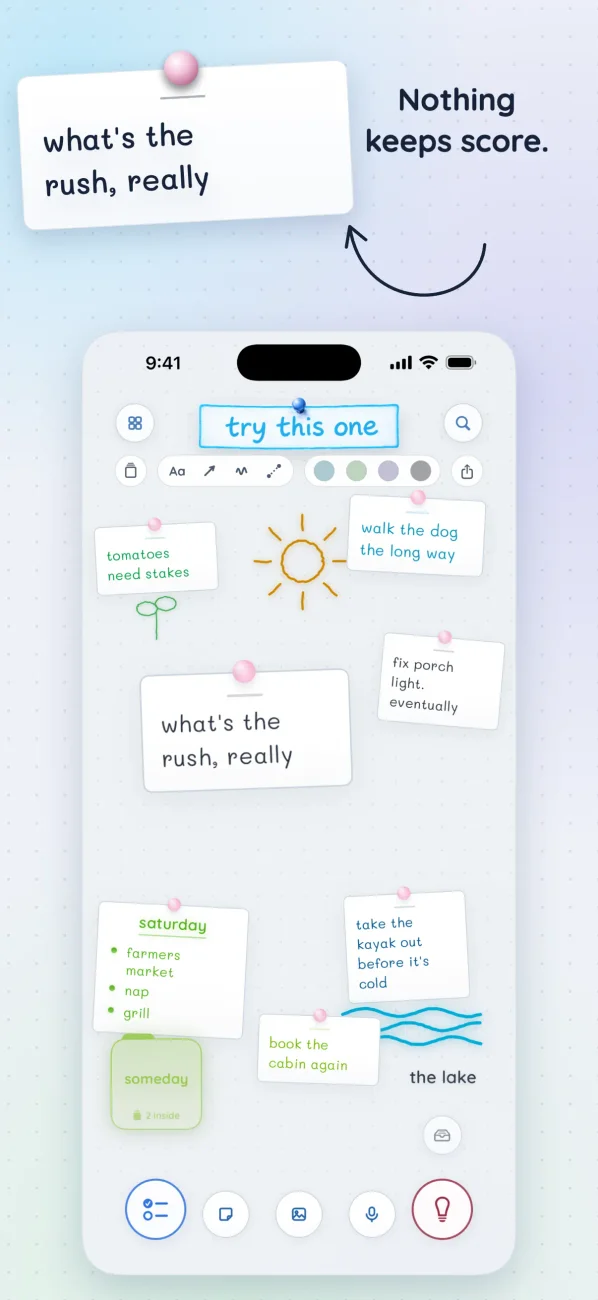
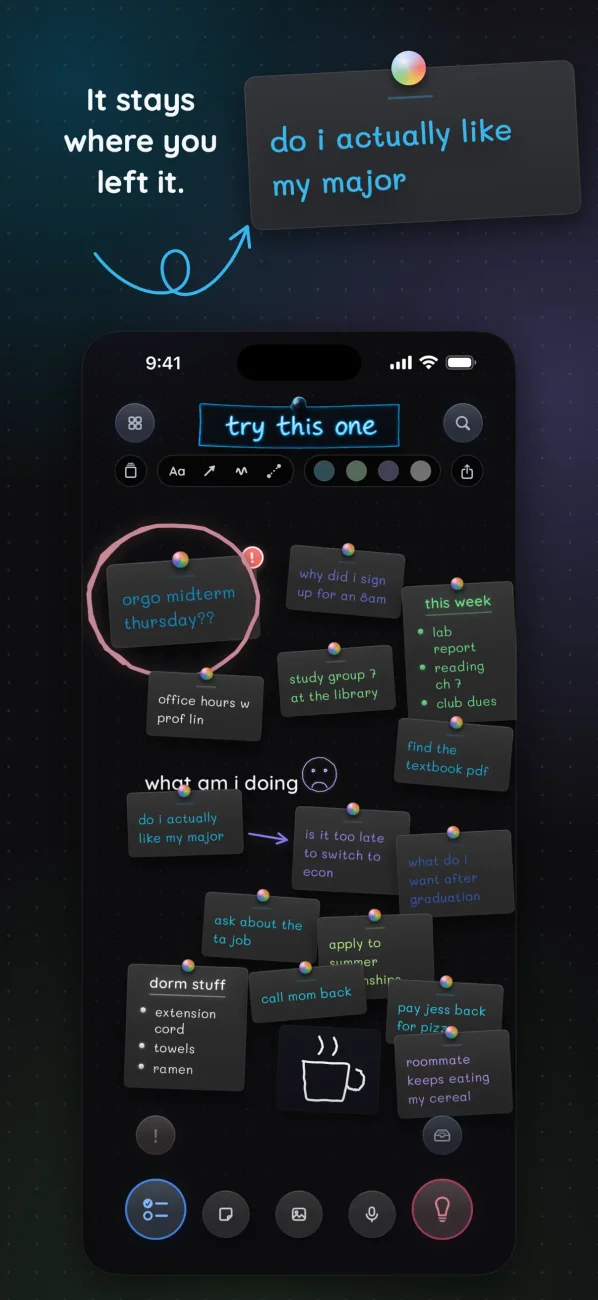
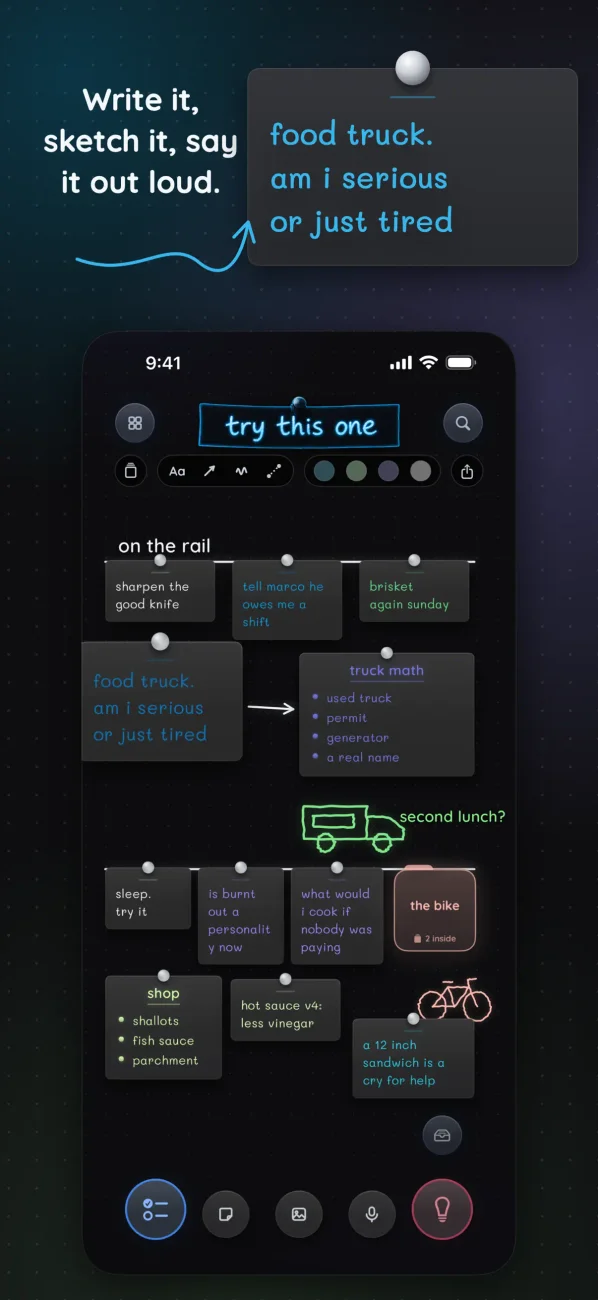
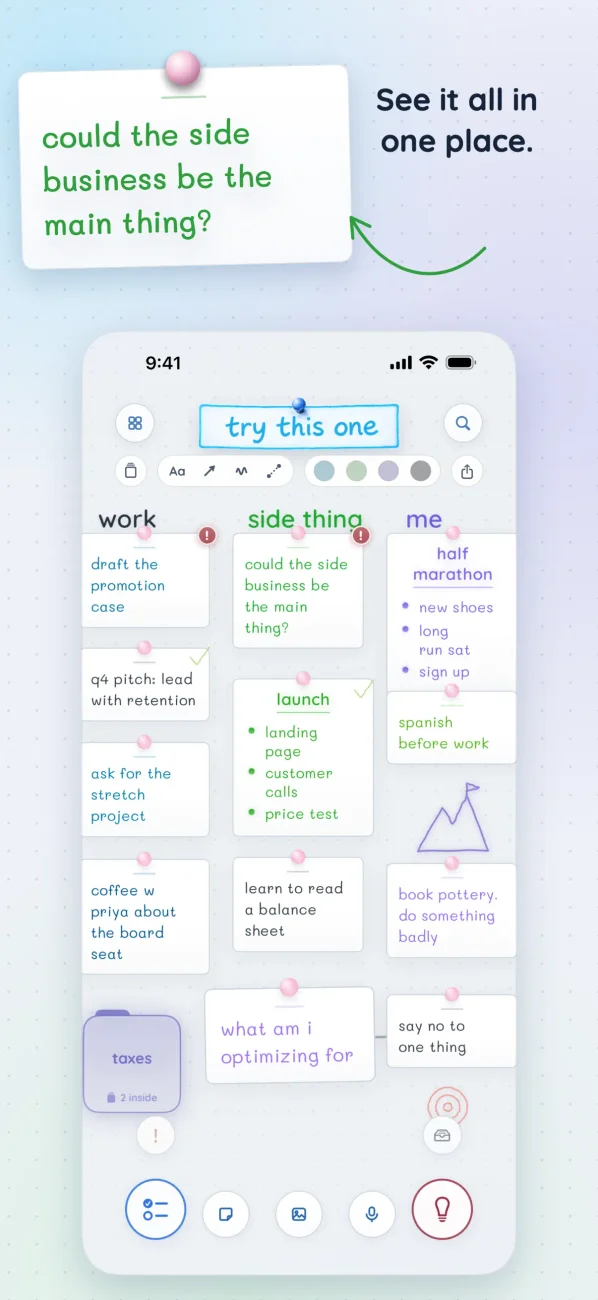
Open the app and you'll find a wall. Double-tap anywhere and a note appears. Write what's on your mind, drag it where it belongs, and give everything you just wrote out a look of your choice.
PUT IT DOWN
• Notes, checklists, voice memos, photos, quick drawings, or an image you search for on the spot
• Catch the thought in class, in a meeting or at 2am, before it slips away
• No pages to flip and no files to name. Just space
WATCH IT GROW
• Move notes around until they make sense to you
• Color-code them, draw arrows between them, write across the wall
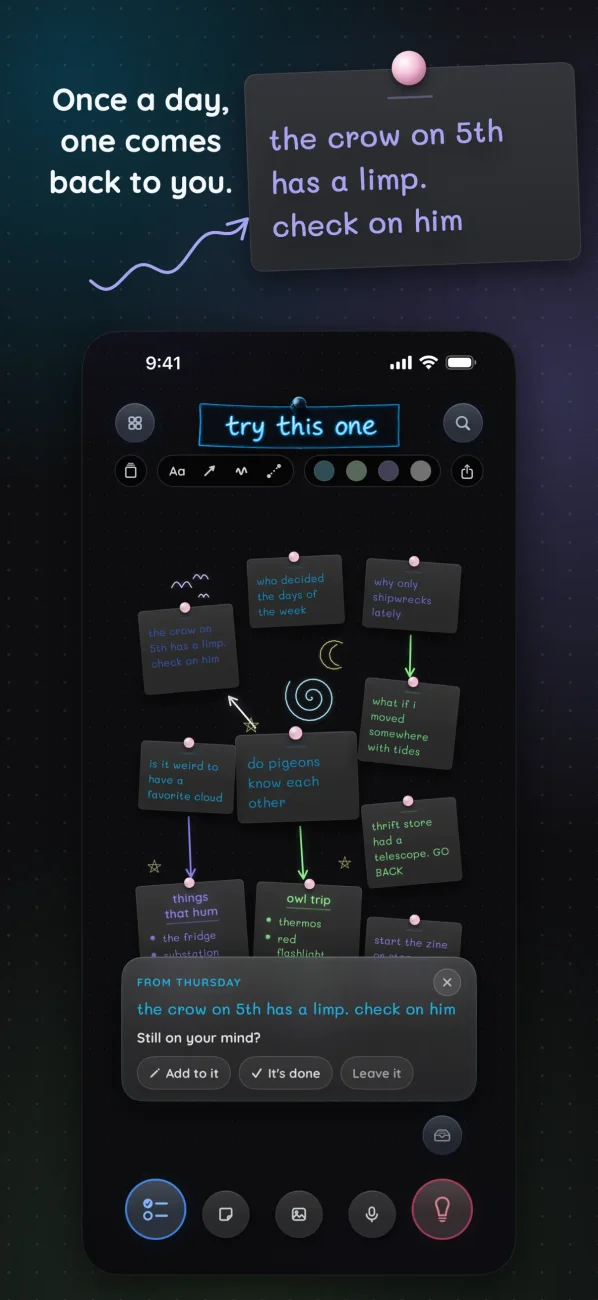
• Notes deepen in shade as you add more, so you can see the order your thoughts came in
• Tuck notes into folders, and folders into folders
• Give each part of your life its own project, with its own wall and its own look
• Search everything, or go through your notes one at a time and decide what stays
• Now and then, an older note comes back for a second look
MAKE IT SOMETHING
• Tap + on any note to make it a task, and ! to mark it important. Add a reminder or a deadline
• Everything you need to do sits in one list, made from your own notes
• Bring a few notes into Ideas and new cards appear around them: a question you hadn't asked, a direction you hadn't tried
• Share a project as a link anyone can open, no app needed
WHEN YOUR HEAD IS FULL
Four guided modes help you through it: Mind Dump to get everything out, Procrastination to start the thing you've been avoiding, Worry Jar to set worries down somewhere safe, and Reflect to look back on your day.
YOUR IDEAS STAY YOURS
The AI in Ideas starts from what you've written. Its suggestions sit beside your notes and never write over them. You lead; it offers another angle.
MAKE IT LOOK LIKE YOU
Light or dark. Dot grids, notebook paper, starry space and more. Dozens of pins to hold your notes up.
Sign in with Apple or Google to back up your wall, or skip it and start writing.
Pro adds more Ideas sessions, every background, every pin and your own colors. Weekly, monthly or yearly.
Có gì mới
Phiên bản 1.1.0 · 16/11/2026
this is a big one...
Ideas: bring a thought and get questions, perspectives and connections you might not have reached alone. Your words stay yours.
Tasks are your memos now. Tap + on any memo, mark what's Important, hold + for a first step. Your old lists came along as task memos.
Guided modes for a full head, including Worry Jar and Reflect.
Folders, light mode, and new wall patterns and pins.
Back up your memos with an account.
Pro, for more Ideas sessions and every look. The rest stays free.
Quyền riêng tư của ứng dụng
Những gì KRISHI CHANDRA MOTAM khai báo trên App Store về cách ứng dụng này xử lý dữ liệu.
-
Dữ liệu liên kết với bạn
Có thể được thu thập và liên kết với danh tính của bạn.
- Mục mua
- Thông tin liên hệ
- Nội dung của người dùng
- Mã định danh
- Dữ liệu sử dụng
Phương thức đảm bảo quyền riêng tư có thể khác nhau, chẳng hạn như tuỳ theo các tính năng bạn sử dụng hoặc độ tuổi của bạn.
Thông tin
- Người bán
- KRISHI CHANDRA MOTAM
- Danh mục
- Hiệu Suất
- Phiên bản
- 1.1.0
- Cập nhật
- 16/11/2026
- Phát hành
- 05/10/2026
- Kích thước
- 37,7 MB
- Yêu cầu
- iOS 18.0 trở lên
- Độ tuổi
- 4+
- Giá
- Miễn phí
- Ngôn ngữ
- Tiếng Anh
- Bản quyền
- © 2026 KM Works LLC
Có thể bạn cũng thích
-
 ReadyListsHiệu Suất
-
 YearlyQuestXu hướng thành công của bạn
-
 Tended: Home & Life RemindersHiệu Suất
-
 Planly: Calendar & PlannerHiệu Suất
-
 Loom: Life ManagerHiệu Suất
-
 D-Plan: Daily Planner & TasksHiệu Suất
-
 Win Focus: ADHD Focus TimerHiệu Suất
-
 Pebble AI: To-Do & FocusHiệu Suất
-
 Ignite - Become DisciplinedHiệu Suất
-
 TaskFire: To-Do List & PlannerHiệu Suất